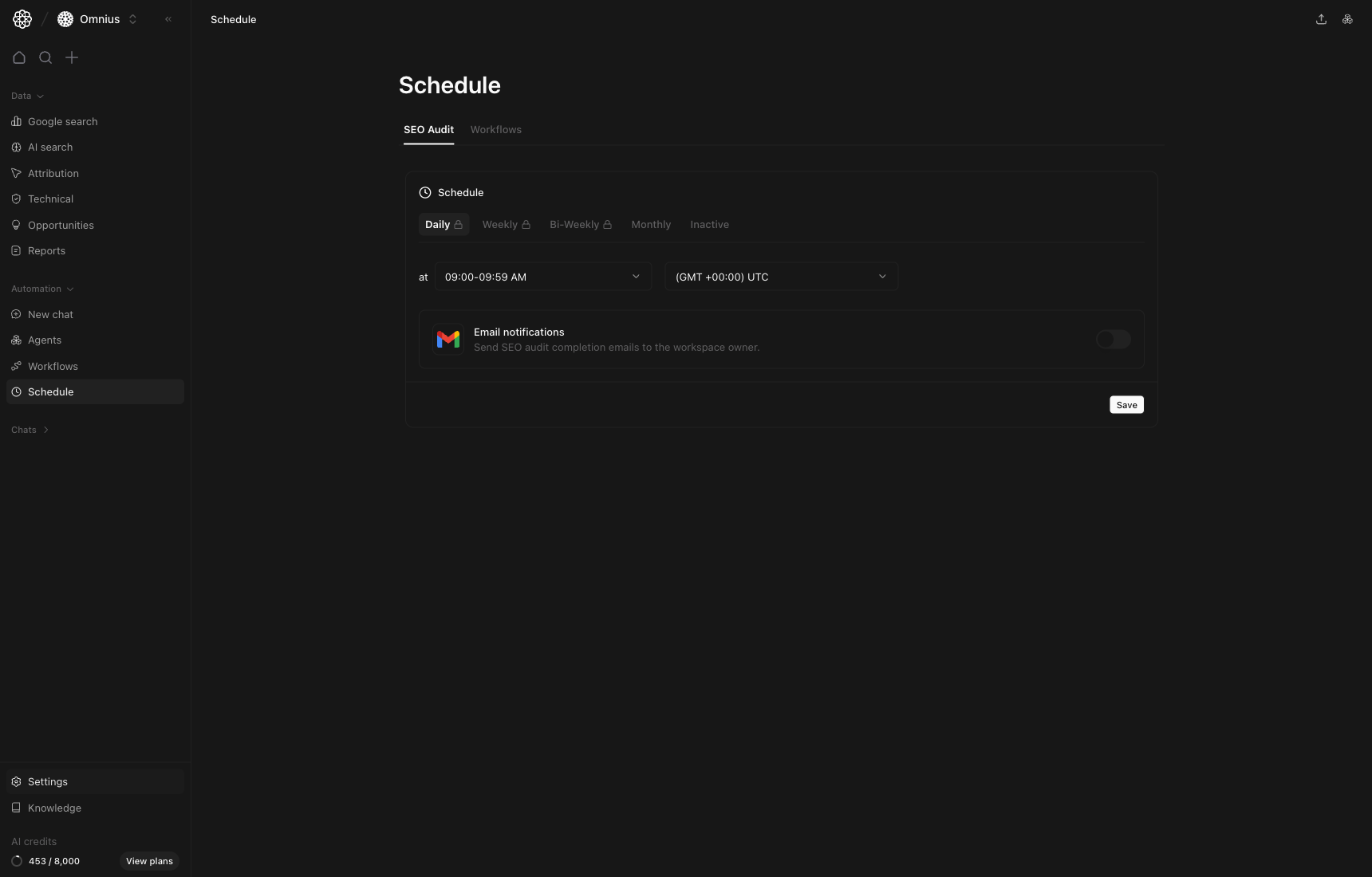
 Use Schedule to keep recurring execution on time without manual follow-up. This page controls when audits and workflows run.
## Questions this page should answer
1. Are critical checks running at the right cadence?
2. Are schedules aligned to team timezone and reporting rhythm?
3. Are stakeholders receiving completion alerts reliably?
## Before you configure schedules
* Confirm your reporting cadence (daily, weekly, bi-weekly, monthly).
* Align timezone with the team that receives outputs.
* Decide which runs need email notifications.
## What this page gives you
* Separate scheduling for SEO audits and workflows.
* Cadence controls from daily to inactive.
* Time window and timezone controls.
* Notification toggle for completion emails.
## SEO Audit tab
This tab controls recurring technical/site audit runs.
Use this tab when you want predictable technical monitoring.
* Daily: active monitoring for high-change sites.
* Weekly: standard cadence for most teams.
* Bi-weekly or monthly: lighter oversight for stable sites.
* Inactive: pause runs during migrations or maintenance windows.
## Workflows tab
This tab controls recurring workflow automations.
Use Schedule to keep recurring execution on time without manual follow-up. This page controls when audits and workflows run.
## Questions this page should answer
1. Are critical checks running at the right cadence?
2. Are schedules aligned to team timezone and reporting rhythm?
3. Are stakeholders receiving completion alerts reliably?
## Before you configure schedules
* Confirm your reporting cadence (daily, weekly, bi-weekly, monthly).
* Align timezone with the team that receives outputs.
* Decide which runs need email notifications.
## What this page gives you
* Separate scheduling for SEO audits and workflows.
* Cadence controls from daily to inactive.
* Time window and timezone controls.
* Notification toggle for completion emails.
## SEO Audit tab
This tab controls recurring technical/site audit runs.
Use this tab when you want predictable technical monitoring.
* Daily: active monitoring for high-change sites.
* Weekly: standard cadence for most teams.
* Bi-weekly or monthly: lighter oversight for stable sites.
* Inactive: pause runs during migrations or maintenance windows.
## Workflows tab
This tab controls recurring workflow automations.
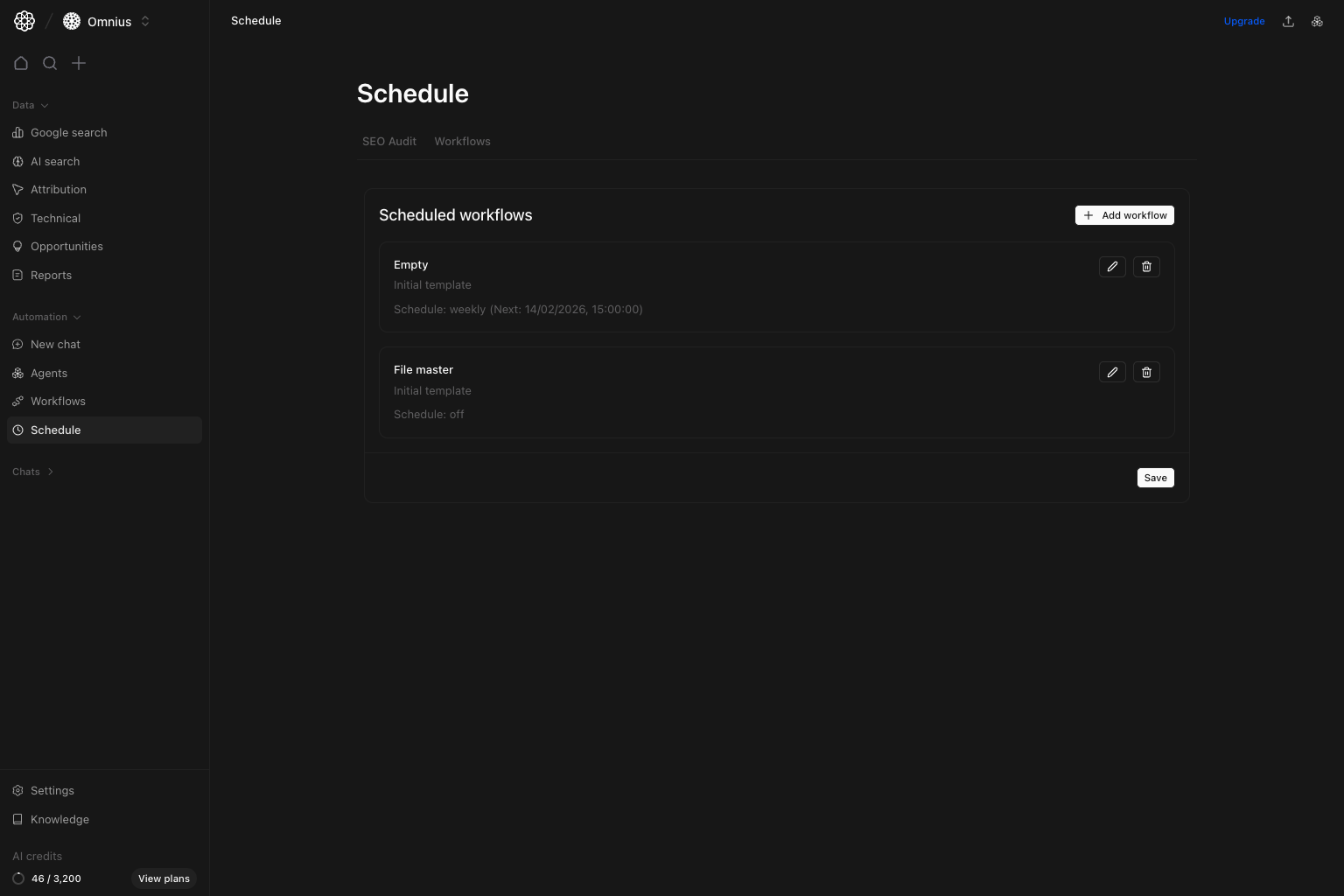 Use this tab for repeatable operational outputs:
* Weekly priority lists for team planning.
* Bi-weekly update workflows for content refresh cycles.
* Monthly executive summaries and performance snapshots.
## Cadence selection guide
* Choose `Daily` when timing is business-critical.
* Choose `Weekly` for most SEO/content operating rhythms.
* Choose `Bi-weekly` when work cycles are sprint-based.
* Choose `Monthly` for leadership rollups and trend reporting.
If output quality drops, reduce frequency and improve workflow logic before scaling run volume.
Use this tab for repeatable operational outputs:
* Weekly priority lists for team planning.
* Bi-weekly update workflows for content refresh cycles.
* Monthly executive summaries and performance snapshots.
## Cadence selection guide
* Choose `Daily` when timing is business-critical.
* Choose `Weekly` for most SEO/content operating rhythms.
* Choose `Bi-weekly` when work cycles are sprint-based.
* Choose `Monthly` for leadership rollups and trend reporting.
If output quality drops, reduce frequency and improve workflow logic before scaling run volume.
Important: Set schedule only after manual runs are stable. Scheduling an unstable workflow only repeats bad output faster.