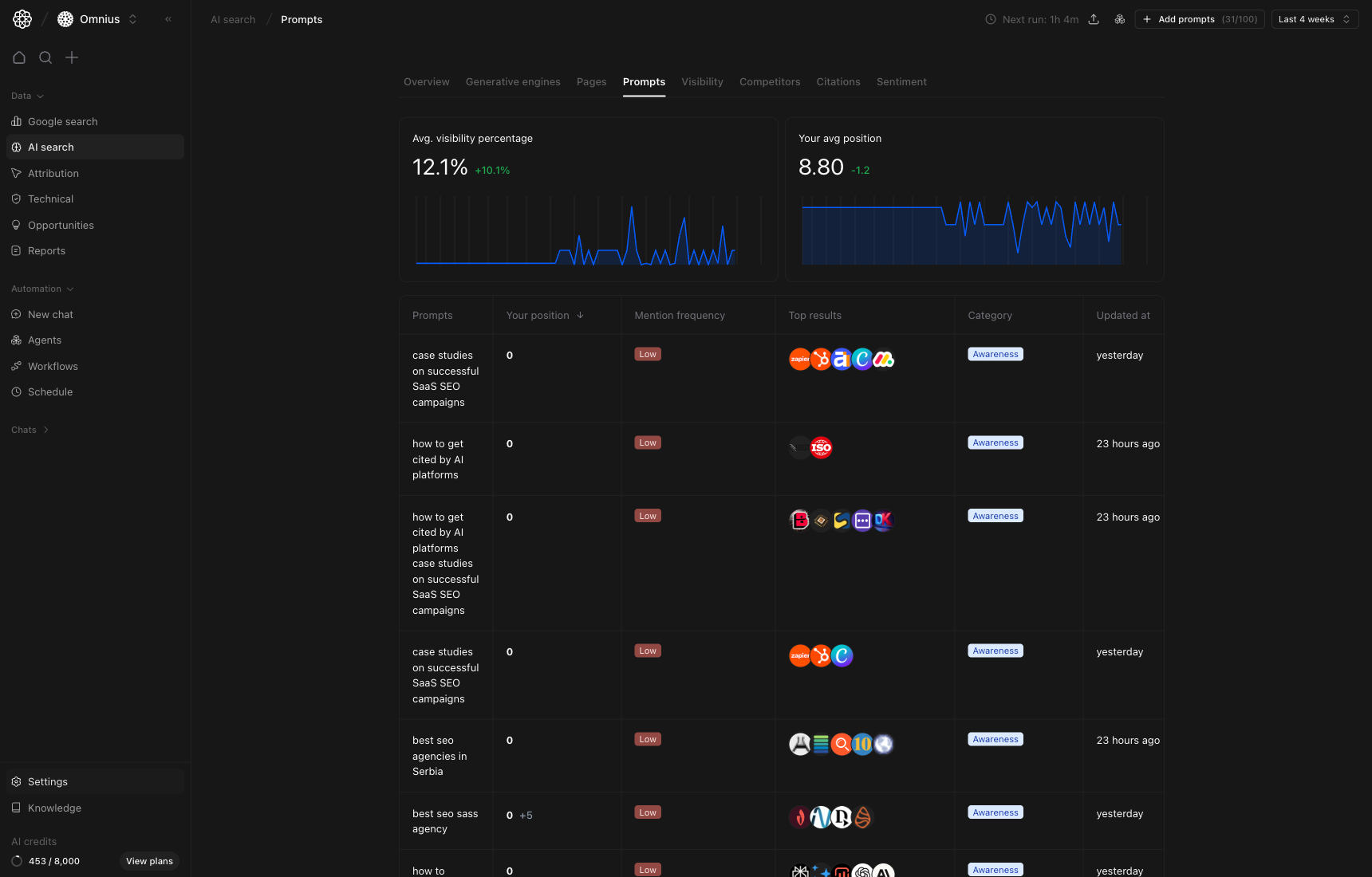
 Use this page to decide whether your tracked prompt set matches real buyer demand.
Important: Better prompt coverage beats higher prompt count. Focus on business-critical prompts first.
Key signal: Prioritize prompts where mention frequency is high but your average position is weak. Those are usually your fastest visibility gains.
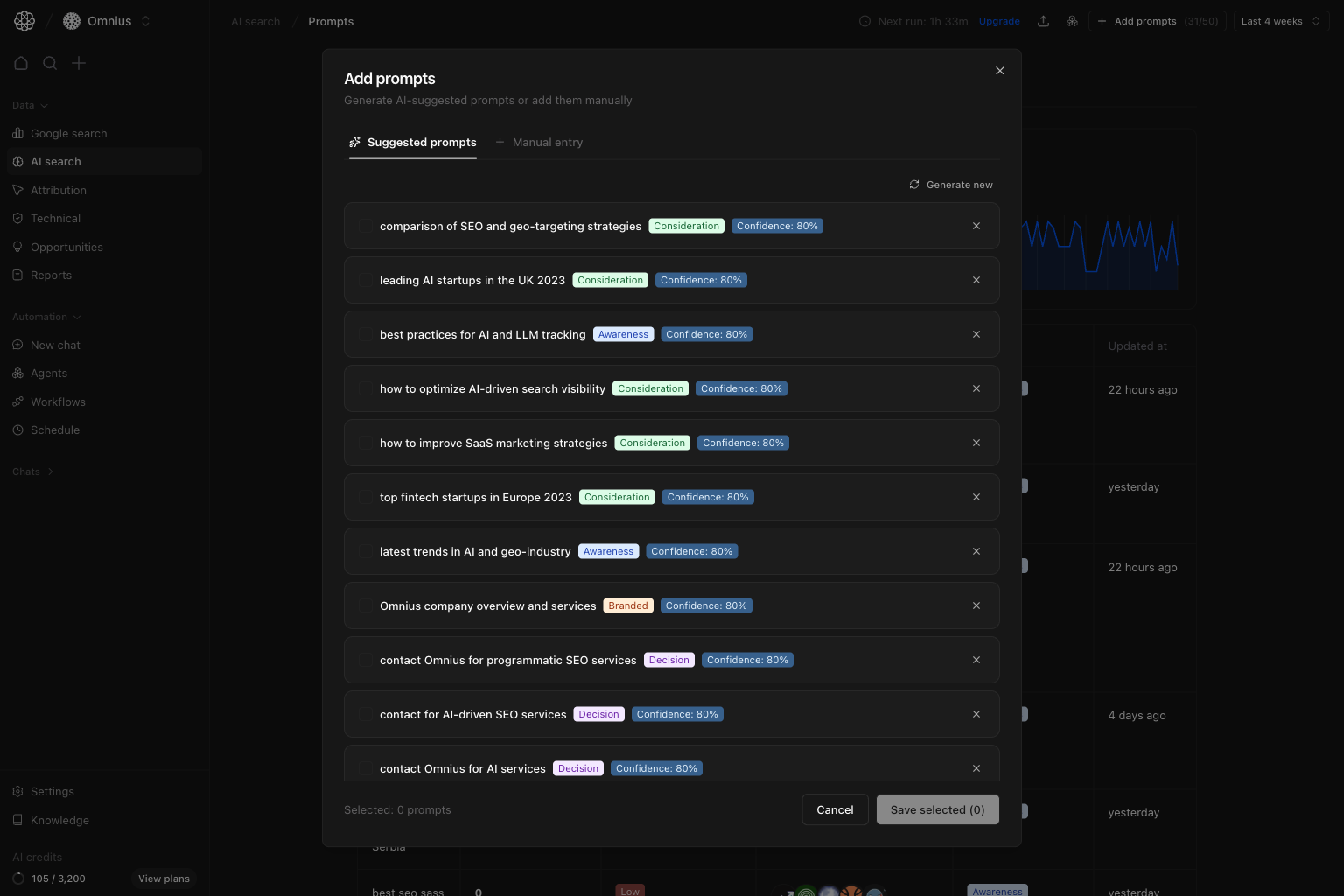 How suggestions are generated:
* Atomic analyzes your project domain plus top AI search pages from the last 30 days.
* The system generates prompt ideas across funnel categories (`awareness`, `consideration`, `decision`, `branded`).
* Each suggestion includes a confidence score to help you prioritize.
How to use suggested prompts:
1. Click `Add prompts`.
2. Keep `Suggested prompts` selected.
3. Review prompt text, category, and confidence.
4. Check the prompts you want, then click `Save selected`.
5. Use `Generate new` when you want a fresh set of ideas.
### Manual entry
How suggestions are generated:
* Atomic analyzes your project domain plus top AI search pages from the last 30 days.
* The system generates prompt ideas across funnel categories (`awareness`, `consideration`, `decision`, `branded`).
* Each suggestion includes a confidence score to help you prioritize.
How to use suggested prompts:
1. Click `Add prompts`.
2. Keep `Suggested prompts` selected.
3. Review prompt text, category, and confidence.
4. Check the prompts you want, then click `Save selected`.
5. Use `Generate new` when you want a fresh set of ideas.
### Manual entry
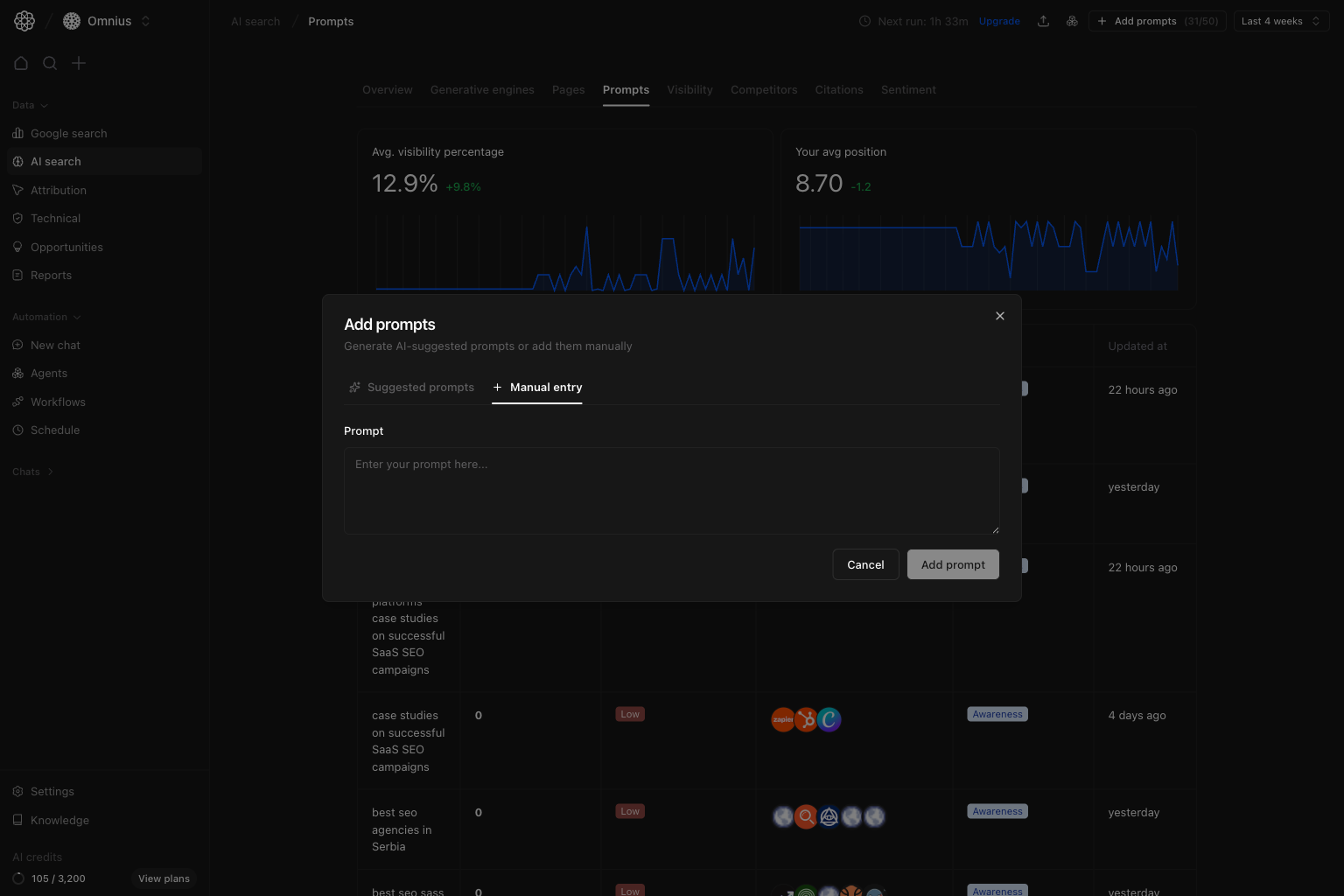 Use manual entry when you already know the exact prompt to track (for example from sales calls, campaign briefs, or competitor monitoring).
How to add manually:
1. Click `Add prompts`.
2. Switch to `Manual entry`.
3. Enter one prompt in natural language.
4. Click `Add prompt`.
## Quick weekly checklist
1. Review decision-intent prompts first.
2. Remove low-signal prompts that do not map to business goals.
3. Add missing high-intent prompts from sales conversations.
4. Assign one action per priority prompt.
## How to use filters
* Use category filters to separate awareness and decision queries.
* Use date range to confirm trend stability.
* Change one filter at a time when diagnosing.
## What to fix first
| Pattern in prompt data | What it usually means | Recommended action |
| --------------------------------------- | -------------------------- | ---------------------------------------------- |
| Decision prompts rank poorly | Commercial relevance gap | Improve service-page fit and proof depth |
| Awareness strong, decision weak | Funnel imbalance | Add decision-stage prompt coverage |
| Mention frequency low across categories | Authority and coverage gap | Improve citations and topical breadth |
| Good positions, weak traffic impact | Prompt set too narrow | Expand strategically similar prompt variations |
## Team routine
1. Weekly: refresh priority prompt backlog.
2. Bi-weekly: audit category balance.
3. Monthly: align prompt coverage with pipeline goals.
## Keep in mind
* Prompt quality is more important than prompt count.
* One viral query can distort short windows.
* Repeated gaps are more important than one-off misses.
## Where to go next
* [Pages](/data/ai-search/pages)
* [Competitors](/data/ai-search/competitors)
* [Citations](/data/ai-search/citations)
* [Overview](/data/ai-search/overview)
Use manual entry when you already know the exact prompt to track (for example from sales calls, campaign briefs, or competitor monitoring).
How to add manually:
1. Click `Add prompts`.
2. Switch to `Manual entry`.
3. Enter one prompt in natural language.
4. Click `Add prompt`.
## Quick weekly checklist
1. Review decision-intent prompts first.
2. Remove low-signal prompts that do not map to business goals.
3. Add missing high-intent prompts from sales conversations.
4. Assign one action per priority prompt.
## How to use filters
* Use category filters to separate awareness and decision queries.
* Use date range to confirm trend stability.
* Change one filter at a time when diagnosing.
## What to fix first
| Pattern in prompt data | What it usually means | Recommended action |
| --------------------------------------- | -------------------------- | ---------------------------------------------- |
| Decision prompts rank poorly | Commercial relevance gap | Improve service-page fit and proof depth |
| Awareness strong, decision weak | Funnel imbalance | Add decision-stage prompt coverage |
| Mention frequency low across categories | Authority and coverage gap | Improve citations and topical breadth |
| Good positions, weak traffic impact | Prompt set too narrow | Expand strategically similar prompt variations |
## Team routine
1. Weekly: refresh priority prompt backlog.
2. Bi-weekly: audit category balance.
3. Monthly: align prompt coverage with pipeline goals.
## Keep in mind
* Prompt quality is more important than prompt count.
* One viral query can distort short windows.
* Repeated gaps are more important than one-off misses.
## Where to go next
* [Pages](/data/ai-search/pages)
* [Competitors](/data/ai-search/competitors)
* [Citations](/data/ai-search/citations)
* [Overview](/data/ai-search/overview)