> ## Documentation Index
> Fetch the complete documentation index at: https://docs.atomicagi.com/llms.txt
> Use this file to discover all available pages before exploring further.
# Keywords
> Find which queries are driving growth and which need optimization
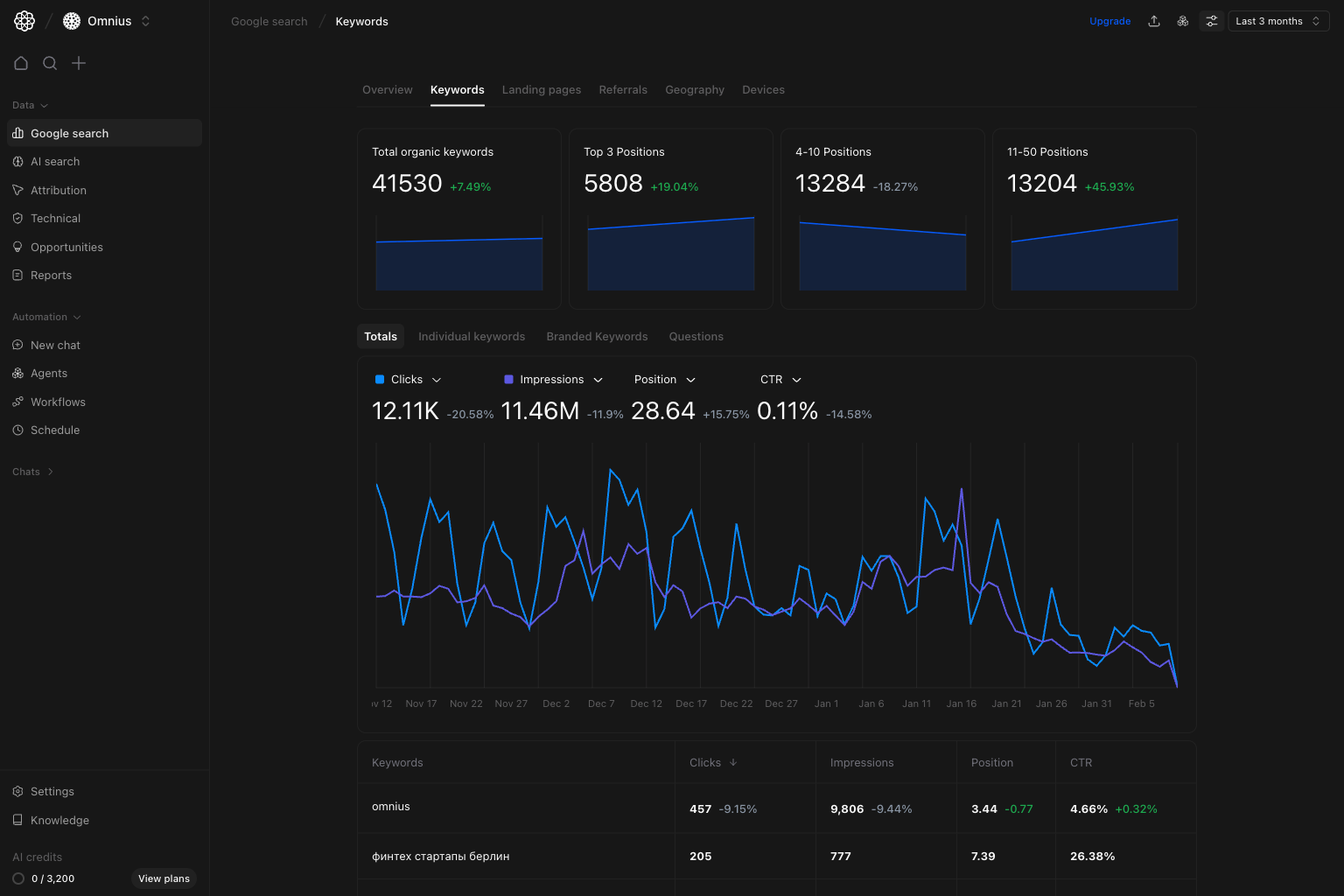 Use this page to see which keywords are helping you grow and which ones need work. It helps you answer three practical questions:
1. Which keyword groups are going up or down?
2. Are changes caused by ranking movement, search demand, or CTR?
3. Which queries should be prioritized in this sprint?
## Before you analyze
* Set a clear date range (weekly for execution, monthly for strategy).
* Reset filters unless you are intentionally reviewing one segment.
* Compare similar periods so seasonality does not mislead you.
## What this page gives you
The Keywords page combines:
* Keyword distribution cards (`Top 3`, `4-10`, `11-50`) to show ranking health.
* A trend chart for clicks, impressions, position, and CTR.
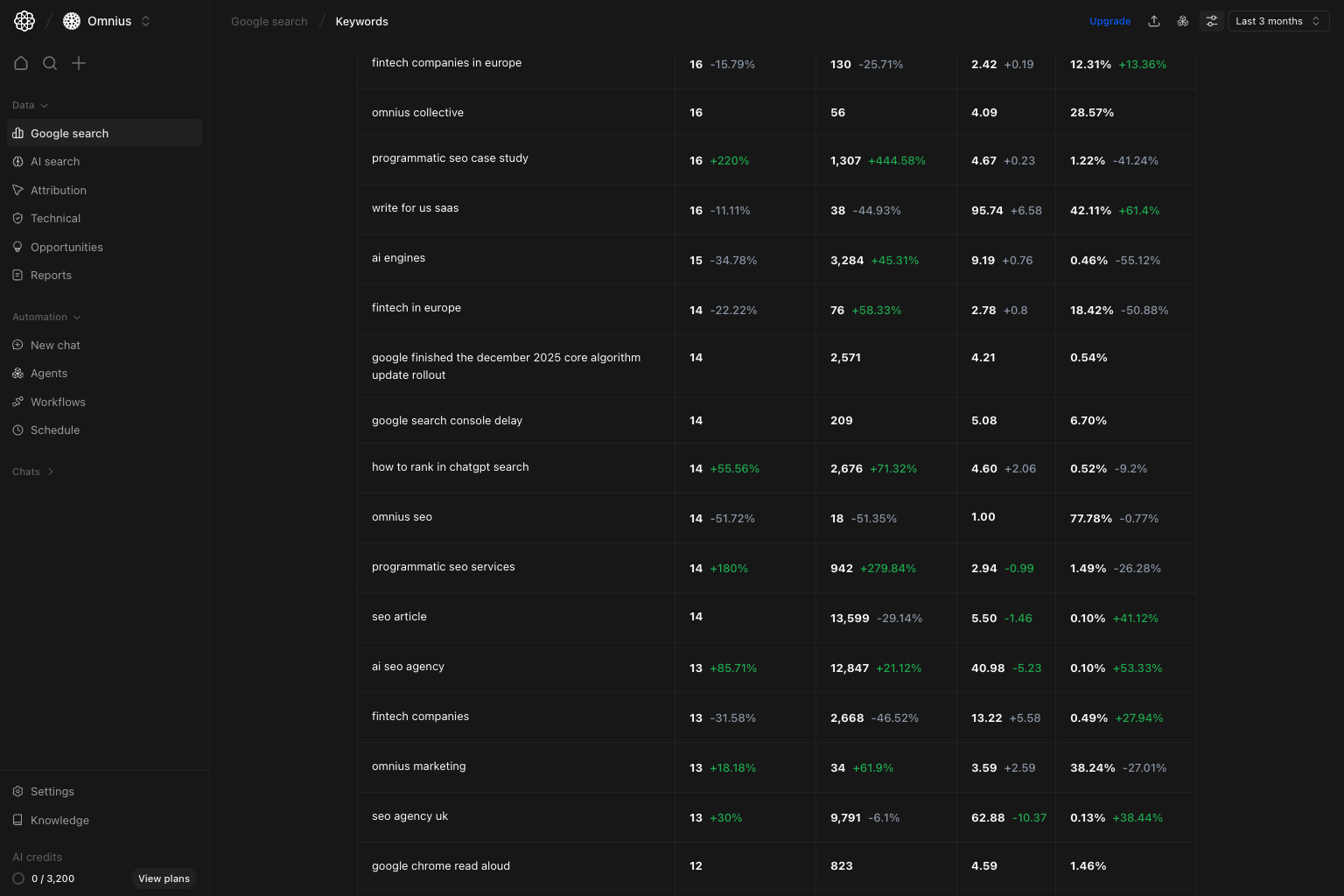
* A keyword table for row-level prioritization by query.
* Segment tabs (`Totals`, `Individual keywords`, `Branded keywords`, `Questions`) for different analysis modes.
## How to read the top cards
* `Total organic keywords`: total number of keywords you rank for.
* `Top 3 positions`: strongest visibility and highest click potential.
* `4-10 positions`: immediate page-one opportunities.
* `11-50 positions`: keywords that need more content depth and linking support.
If `Top 3` drops while `11-50` grows, you are usually losing rankings instead of gaining stronger visibility.
## Individual keywords tab
Use this tab when you want to prioritize exact queries, one by one.
Use this page to see which keywords are helping you grow and which ones need work. It helps you answer three practical questions:
1. Which keyword groups are going up or down?
2. Are changes caused by ranking movement, search demand, or CTR?
3. Which queries should be prioritized in this sprint?
## Before you analyze
* Set a clear date range (weekly for execution, monthly for strategy).
* Reset filters unless you are intentionally reviewing one segment.
* Compare similar periods so seasonality does not mislead you.
## What this page gives you
The Keywords page combines:
* Keyword distribution cards (`Top 3`, `4-10`, `11-50`) to show ranking health.
* A trend chart for clicks, impressions, position, and CTR.
* A keyword table for row-level prioritization by query.
* Segment tabs (`Totals`, `Individual keywords`, `Branded keywords`, `Questions`) for different analysis modes.
## How to read the top cards
* `Total organic keywords`: total number of keywords you rank for.
* `Top 3 positions`: strongest visibility and highest click potential.
* `4-10 positions`: immediate page-one opportunities.
* `11-50 positions`: keywords that need more content depth and linking support.
If `Top 3` drops while `11-50` grows, you are usually losing rankings instead of gaining stronger visibility.
## Individual keywords tab
Use this tab when you want to prioritize exact queries, one by one.
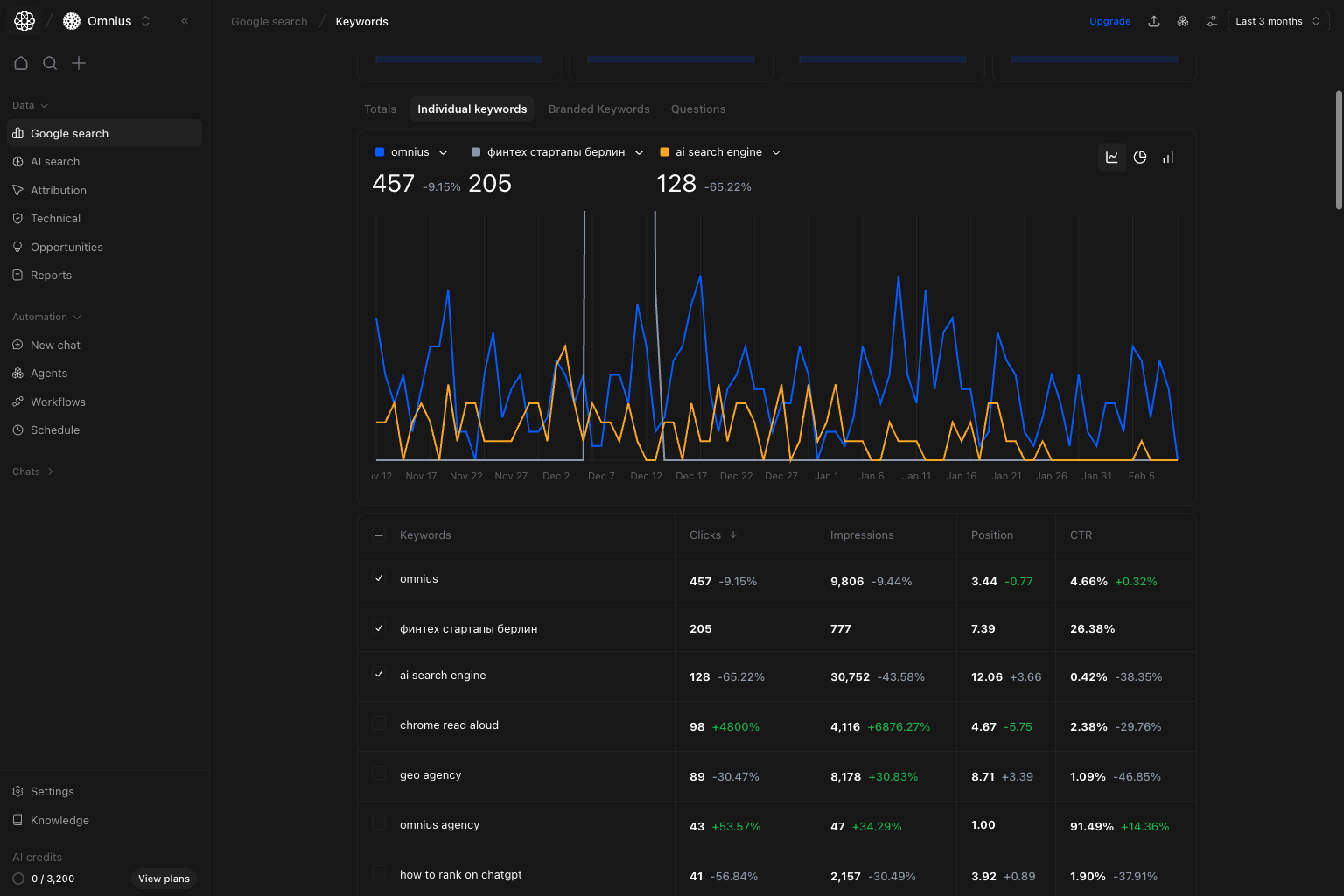 Focus on high-impression queries first, then decide the action:
* Good position, weak CTR: improve title and meta copy.
* Weak position, stable impressions: improve page depth and internal links.
* Rising impressions, flat clicks: adjust content to match search intent better.
## Branded keywords tab
Use this tab to separate brand demand from non-brand SEO performance.
Focus on high-impression queries first, then decide the action:
* Good position, weak CTR: improve title and meta copy.
* Weak position, stable impressions: improve page depth and internal links.
* Rising impressions, flat clicks: adjust content to match search intent better.
## Branded keywords tab
Use this tab to separate brand demand from non-brand SEO performance.
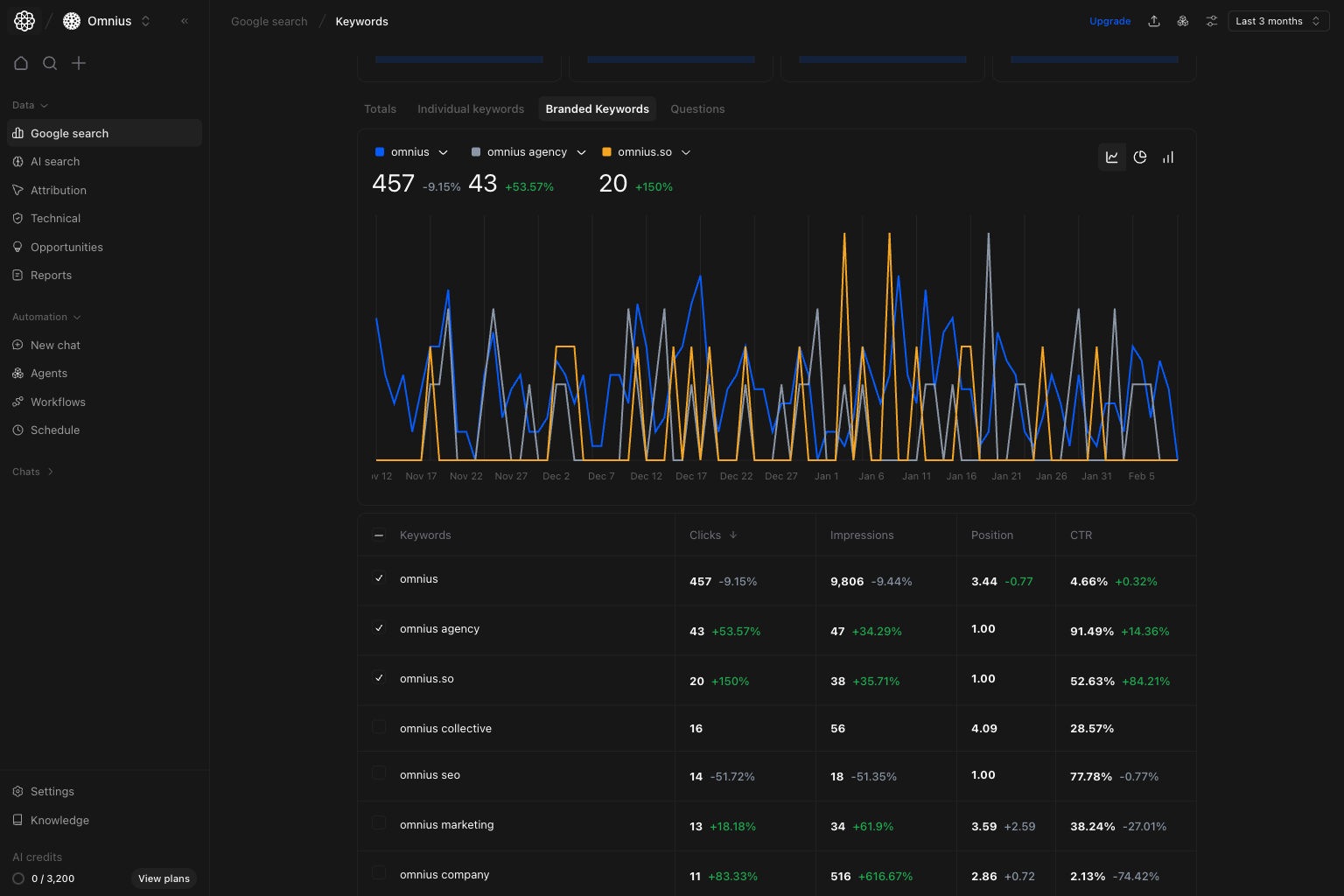 This is useful for clean reporting:
* If branded is stable but totals drop, the problem is usually non-brand visibility.
* If branded drops hard, check campaigns, PR activity, and brand SERP competition.
* Keep branded and non-branded actions separate so priorities stay clear.
## Questions tab
Use this tab to find question-based queries you can win with clearer answers.
This is useful for clean reporting:
* If branded is stable but totals drop, the problem is usually non-brand visibility.
* If branded drops hard, check campaigns, PR activity, and brand SERP competition.
* Keep branded and non-branded actions separate so priorities stay clear.
## Questions tab
Use this tab to find question-based queries you can win with clearer answers.
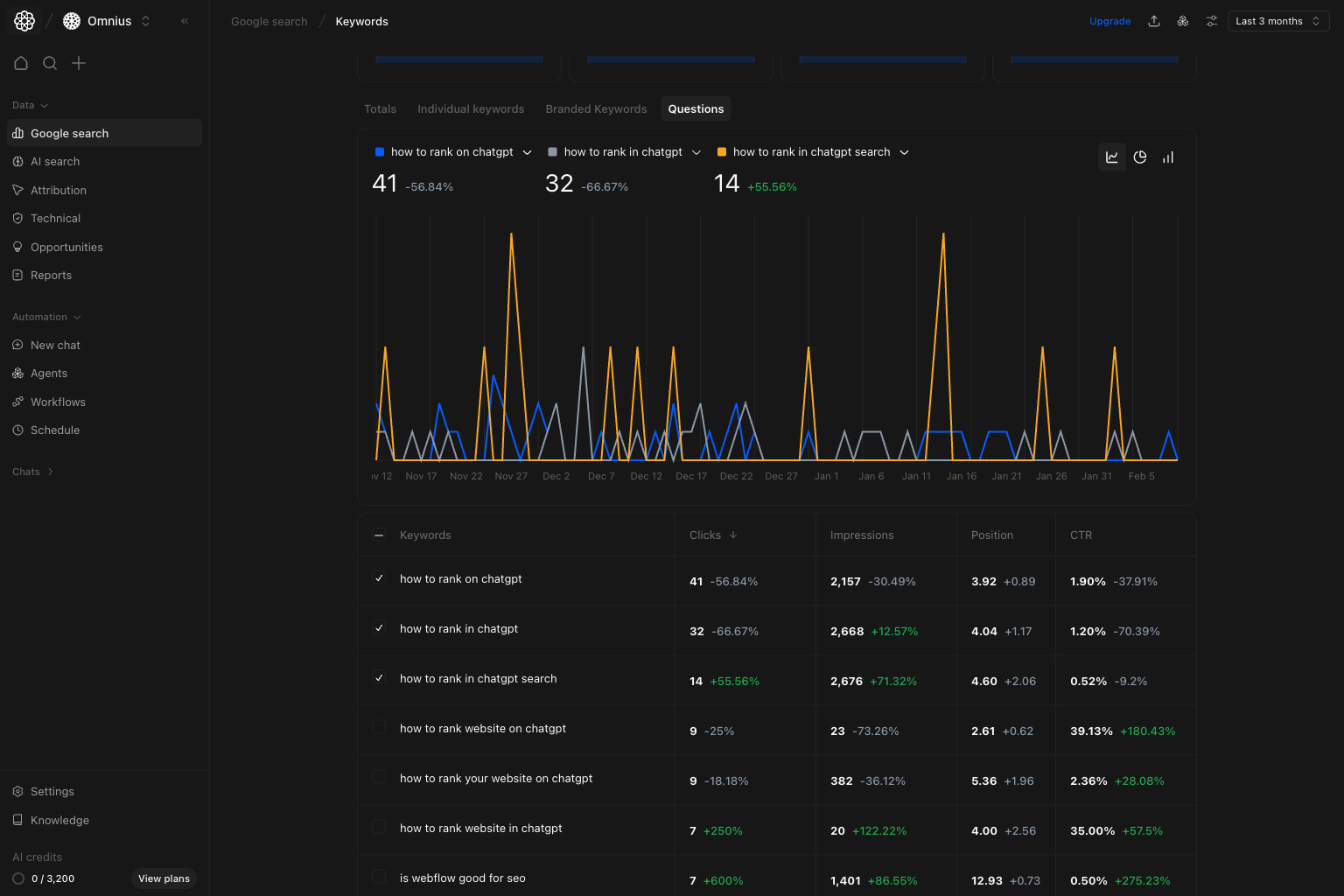 This tab helps with content updates:
* Find question keywords with impressions but low clicks.
* Add short, direct answers near the top of the matching page.
* Expand FAQ sections and structure headings around real question phrasing.
## Quick weekly checklist
1. Check trend direction first.
Compare clicks and impressions before reading CTR.
2. Review position movement.
Rising average position value with stable impressions usually means ranking loss.
3. Scan the table for high-impact rows.
Prioritize high-impression keywords with weak CTR or declining clicks.
4. Split by tab.
Use `Branded` and `Questions` to avoid mixing intent and demand patterns.
5. Create actions by keyword group.
Map each target query to a page update, internal link change, or new supporting content.
The lower part of the table is where new and long-tail opportunities often appear.
This tab helps with content updates:
* Find question keywords with impressions but low clicks.
* Add short, direct answers near the top of the matching page.
* Expand FAQ sections and structure headings around real question phrasing.
## Quick weekly checklist
1. Check trend direction first.
Compare clicks and impressions before reading CTR.
2. Review position movement.
Rising average position value with stable impressions usually means ranking loss.
3. Scan the table for high-impact rows.
Prioritize high-impression keywords with weak CTR or declining clicks.
4. Split by tab.
Use `Branded` and `Questions` to avoid mixing intent and demand patterns.
5. Create actions by keyword group.
Map each target query to a page update, internal link change, or new supporting content.
The lower part of the table is where new and long-tail opportunities often appear.
 ## How to use filters
Use filters to test one idea at a time before creating tasks.
## How to use filters
Use filters to test one idea at a time before creating tasks.
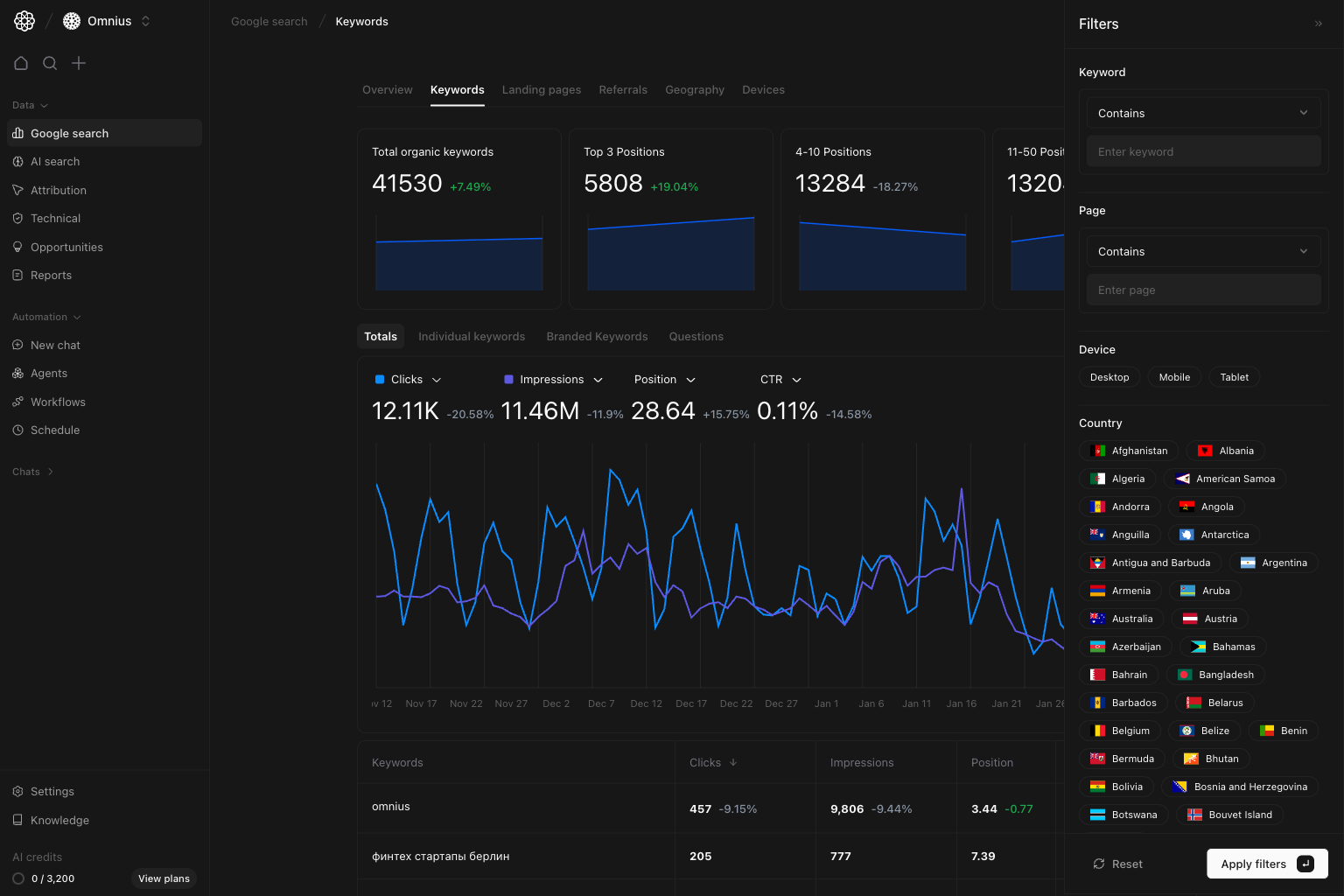 * `Keyword contains [cluster term]`
Check one topic area without noise from unrelated keywords.
* `Page contains [/blog/ or /product/]`
Separate informational vs commercial intent performance.
* `Device = Mobile`
Diagnose mobile-specific CTR and ranking differences.
* `Country = [market]`
Check whether changes are global or localized.
## What to fix first
| Pattern in table | What it usually means | Recommended action |
| --------------------------------------------- | --------------------------------------------- | --------------------------------------------------------- |
| High impressions, low CTR | Your result is visible but not persuasive | Rewrite title and meta description to better match intent |
| Clicks down, impressions flat, position worse | Rankings are dropping | Refresh page content and strengthen internal links |
| Position improving, CTR flat | Better rankings but weak click appeal | Test clearer value in title and meta |
| New impressions, low clicks on question terms | Early visibility, but page answers are weak | Expand FAQ sections and add concise answers |
| Branded stable, non-branded declining | Non-brand topics are getting more competitive | Expand cluster content and build topic authority |
## Team routine
1. Weekly: identify top gains/losses and assign actions.
2. Bi-weekly: compare branded vs non-branded trends.
3. Monthly: report cluster movement and completed updates.
4. Quarterly: review `11-50` keywords for new content opportunities.
## Keep in mind
* Google Search Console is delayed, so avoid same-day conclusions.
* Average position combines many URLs and keywords.
* A CTR drop is not always a copy issue; intent can change too.
## Where to go next
* [Google Search overview](/data/google-search/overview): diagnose top-level movement
* [Landing pages](/data/google-search/landing-pages): turn query findings into URL-level actions
* [Geography](/data/google-search/geography): validate country-specific demand and rank shifts
* [Devices](/data/google-search/devices): isolate mobile vs desktop behavior
* `Keyword contains [cluster term]`
Check one topic area without noise from unrelated keywords.
* `Page contains [/blog/ or /product/]`
Separate informational vs commercial intent performance.
* `Device = Mobile`
Diagnose mobile-specific CTR and ranking differences.
* `Country = [market]`
Check whether changes are global or localized.
## What to fix first
| Pattern in table | What it usually means | Recommended action |
| --------------------------------------------- | --------------------------------------------- | --------------------------------------------------------- |
| High impressions, low CTR | Your result is visible but not persuasive | Rewrite title and meta description to better match intent |
| Clicks down, impressions flat, position worse | Rankings are dropping | Refresh page content and strengthen internal links |
| Position improving, CTR flat | Better rankings but weak click appeal | Test clearer value in title and meta |
| New impressions, low clicks on question terms | Early visibility, but page answers are weak | Expand FAQ sections and add concise answers |
| Branded stable, non-branded declining | Non-brand topics are getting more competitive | Expand cluster content and build topic authority |
## Team routine
1. Weekly: identify top gains/losses and assign actions.
2. Bi-weekly: compare branded vs non-branded trends.
3. Monthly: report cluster movement and completed updates.
4. Quarterly: review `11-50` keywords for new content opportunities.
## Keep in mind
* Google Search Console is delayed, so avoid same-day conclusions.
* Average position combines many URLs and keywords.
* A CTR drop is not always a copy issue; intent can change too.
## Where to go next
* [Google Search overview](/data/google-search/overview): diagnose top-level movement
* [Landing pages](/data/google-search/landing-pages): turn query findings into URL-level actions
* [Geography](/data/google-search/geography): validate country-specific demand and rank shifts
* [Devices](/data/google-search/devices): isolate mobile vs desktop behavior