> ## Documentation Index
> Fetch the complete documentation index at: https://docs.atomicagi.com/llms.txt
> Use this file to discover all available pages before exploring further.
# Landing pages
> Understand which pages are winning and which pages need attention
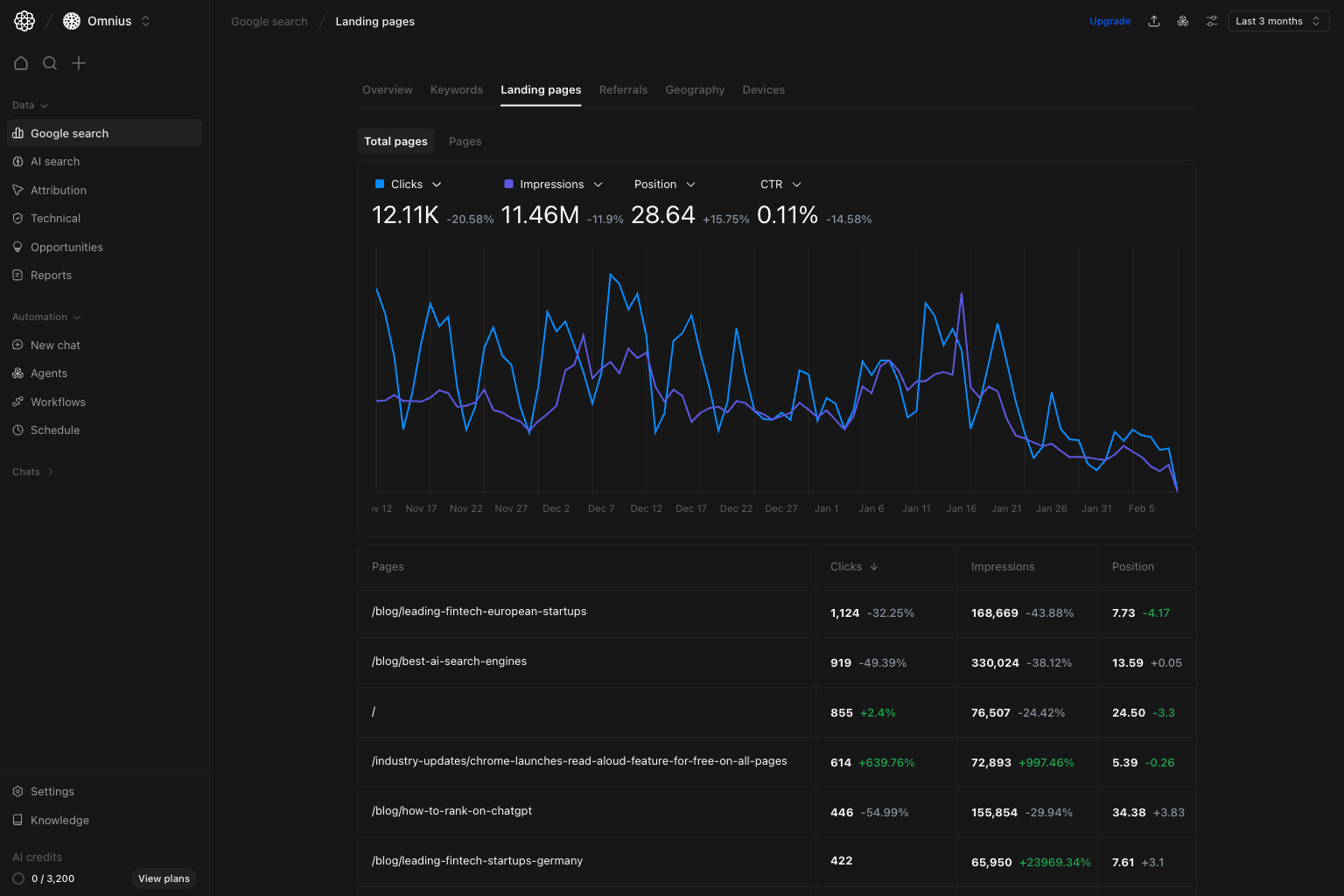 Use this page to see which URLs are helping growth and which need updates first. It helps you answer three key questions:
1. Which pages are driving or losing organic traffic right now?
2. Are page changes caused by ranking movement, demand shifts, or CTR issues?
3. Which pages should be updated first this sprint?
## Before you analyze
* Set a date range that matches your reporting schedule.
* Start with no filters to see the global pattern first.
* Compare against an equivalent prior period (week-over-week or month-over-month).
## What this page gives you
The Landing pages view combines:
* A trend chart for clicks, impressions, position, and CTR.
* A page-level table with performance deltas by URL.
* Two modes:
* `Total pages` for broad portfolio movement.
* `Pages` for detailed row-level prioritization.
* The same filter stack used across Google Search views.
## How to read the table correctly
* `Clicks`: pages generating organic visits now.
* `Impressions`: pages with visibility potential, even when clicks are low.
* `Position`: average ranking level for searches that lead to that page.
Prioritize pages where impressions stay high but clicks drop. These are usually easier wins.
## Quick weekly checklist
1. Start with trend direction.
Check if the change is site-wide or limited to a few pages.
2. Sort by clicks change.
Identify the biggest traffic movers first.
3. Check position on losing pages.
Separate ranking decay from demand changes.
4. Group by template or content type.
Example: `/blog/`, `/industry-updates/`, `/product/`.
5. Turn findings into action tickets.
Assign owner, URL, change type, and expected impact window.
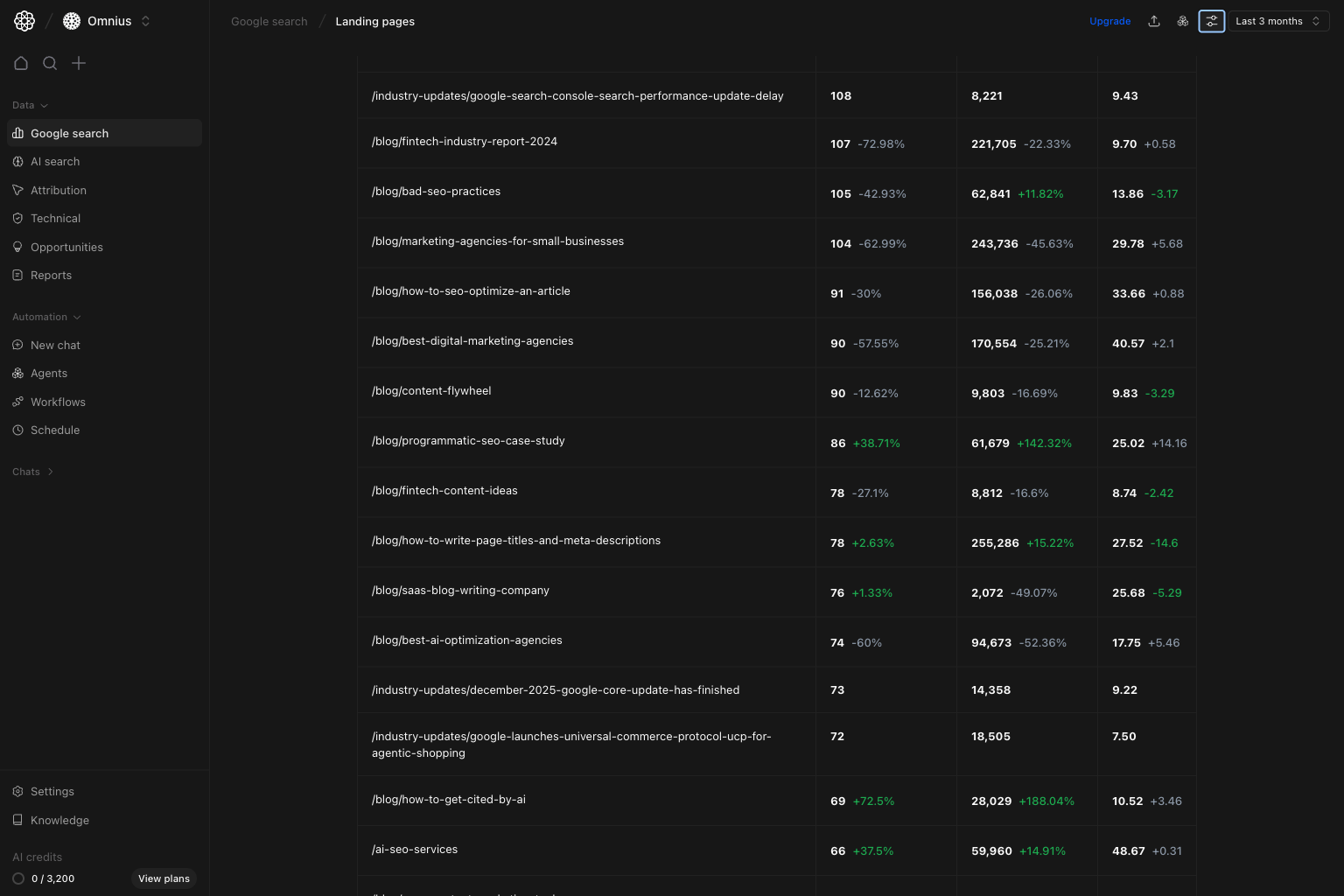
For deeper review, scan lower rows where mid-volume opportunities usually sit.
Use this page to see which URLs are helping growth and which need updates first. It helps you answer three key questions:
1. Which pages are driving or losing organic traffic right now?
2. Are page changes caused by ranking movement, demand shifts, or CTR issues?
3. Which pages should be updated first this sprint?
## Before you analyze
* Set a date range that matches your reporting schedule.
* Start with no filters to see the global pattern first.
* Compare against an equivalent prior period (week-over-week or month-over-month).
## What this page gives you
The Landing pages view combines:
* A trend chart for clicks, impressions, position, and CTR.
* A page-level table with performance deltas by URL.
* Two modes:
* `Total pages` for broad portfolio movement.
* `Pages` for detailed row-level prioritization.
* The same filter stack used across Google Search views.
## How to read the table correctly
* `Clicks`: pages generating organic visits now.
* `Impressions`: pages with visibility potential, even when clicks are low.
* `Position`: average ranking level for searches that lead to that page.
Prioritize pages where impressions stay high but clicks drop. These are usually easier wins.
## Quick weekly checklist
1. Start with trend direction.
Check if the change is site-wide or limited to a few pages.
2. Sort by clicks change.
Identify the biggest traffic movers first.
3. Check position on losing pages.
Separate ranking decay from demand changes.
4. Group by template or content type.
Example: `/blog/`, `/industry-updates/`, `/product/`.
5. Turn findings into action tickets.
Assign owner, URL, change type, and expected impact window.
For deeper review, scan lower rows where mid-volume opportunities usually sit.
 ## How to use filters
Use filters to test one idea at a time before creating tasks.
## How to use filters
Use filters to test one idea at a time before creating tasks.
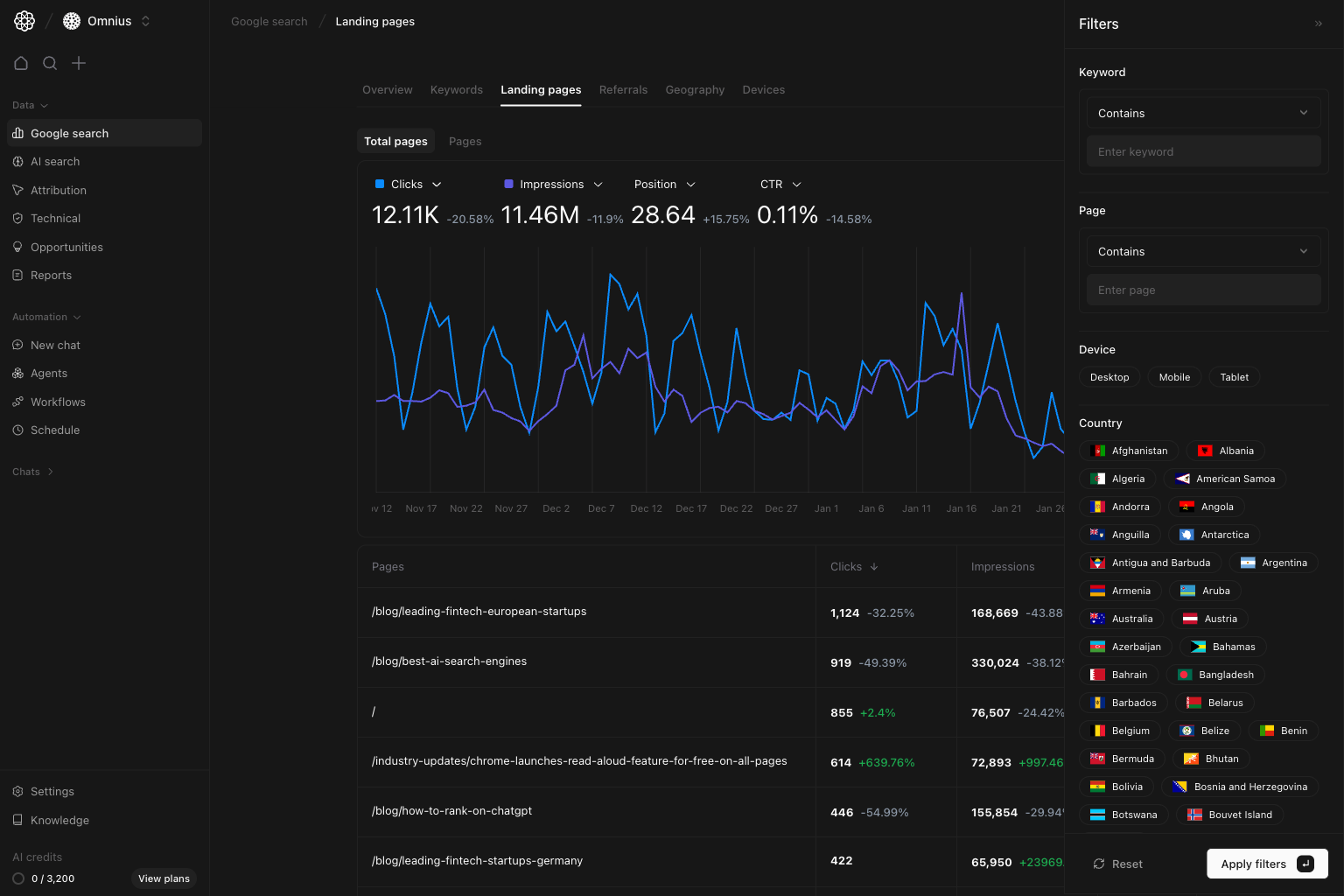 * `Page contains [/blog/ or /industry-updates/]`
Compare performance by content type and template.
* `Keyword contains [topic term]`
Check whether a specific topic is driving movement.
* `Device = Mobile`
Identify mobile-first page losses and UX-sensitive URLs.
* `Country = [market]`
Check if winners and losers are regional rather than global.
## What to fix first
| Pattern in page table | What it usually means | Recommended action |
| ----------------------------------------- | ----------------------------------------- | --------------------------------------------------------- |
| High impressions, low or declining clicks | People see the page but do not click | Rewrite title/meta and align messaging with search intent |
| Clicks down and position worsened | Rankings are slipping | Refresh page content and improve internal links |
| Impressions up, clicks flat | Visibility is up, but click appeal is low | Improve search snippet and strengthen the page intro |
| New page with fast impression growth | Google is testing this page more often | Expand depth and add related internal links |
| Stable position but traffic down | Demand or keyword mix changed | Recheck page intent and topic coverage |
## Team routine
1. Weekly: top losers/winners and immediate fixes.
2. Bi-weekly: cluster-level review by URL groups.
3. Monthly: report recovered pages, still-declining pages, and next experiments.
4. Quarterly: identify pages to consolidate, merge, or fully refresh.
## Keep in mind
* Search Console data is delayed, so avoid same-day conclusions.
* Average position is an overall average, not one fixed rank.
* One page can rank for different intents, so check keyword data too.
## Where to go next
* [Google Search overview](/data/google-search/overview): macro trend diagnosis
* [Keywords](/data/google-search/keywords): query-level explanation behind page movement
* [Geography](/data/google-search/geography): country-level effects on page traffic
* [Devices](/data/google-search/devices): mobile vs desktop page performance
* `Page contains [/blog/ or /industry-updates/]`
Compare performance by content type and template.
* `Keyword contains [topic term]`
Check whether a specific topic is driving movement.
* `Device = Mobile`
Identify mobile-first page losses and UX-sensitive URLs.
* `Country = [market]`
Check if winners and losers are regional rather than global.
## What to fix first
| Pattern in page table | What it usually means | Recommended action |
| ----------------------------------------- | ----------------------------------------- | --------------------------------------------------------- |
| High impressions, low or declining clicks | People see the page but do not click | Rewrite title/meta and align messaging with search intent |
| Clicks down and position worsened | Rankings are slipping | Refresh page content and improve internal links |
| Impressions up, clicks flat | Visibility is up, but click appeal is low | Improve search snippet and strengthen the page intro |
| New page with fast impression growth | Google is testing this page more often | Expand depth and add related internal links |
| Stable position but traffic down | Demand or keyword mix changed | Recheck page intent and topic coverage |
## Team routine
1. Weekly: top losers/winners and immediate fixes.
2. Bi-weekly: cluster-level review by URL groups.
3. Monthly: report recovered pages, still-declining pages, and next experiments.
4. Quarterly: identify pages to consolidate, merge, or fully refresh.
## Keep in mind
* Search Console data is delayed, so avoid same-day conclusions.
* Average position is an overall average, not one fixed rank.
* One page can rank for different intents, so check keyword data too.
## Where to go next
* [Google Search overview](/data/google-search/overview): macro trend diagnosis
* [Keywords](/data/google-search/keywords): query-level explanation behind page movement
* [Geography](/data/google-search/geography): country-level effects on page traffic
* [Devices](/data/google-search/devices): mobile vs desktop page performance