> ## Documentation Index
> Fetch the complete documentation index at: https://docs.atomicagi.com/llms.txt
> Use this file to discover all available pages before exploring further.
# Google Search Overview
> Understand organic performance fast, diagnose change, and decide the next SEO actions
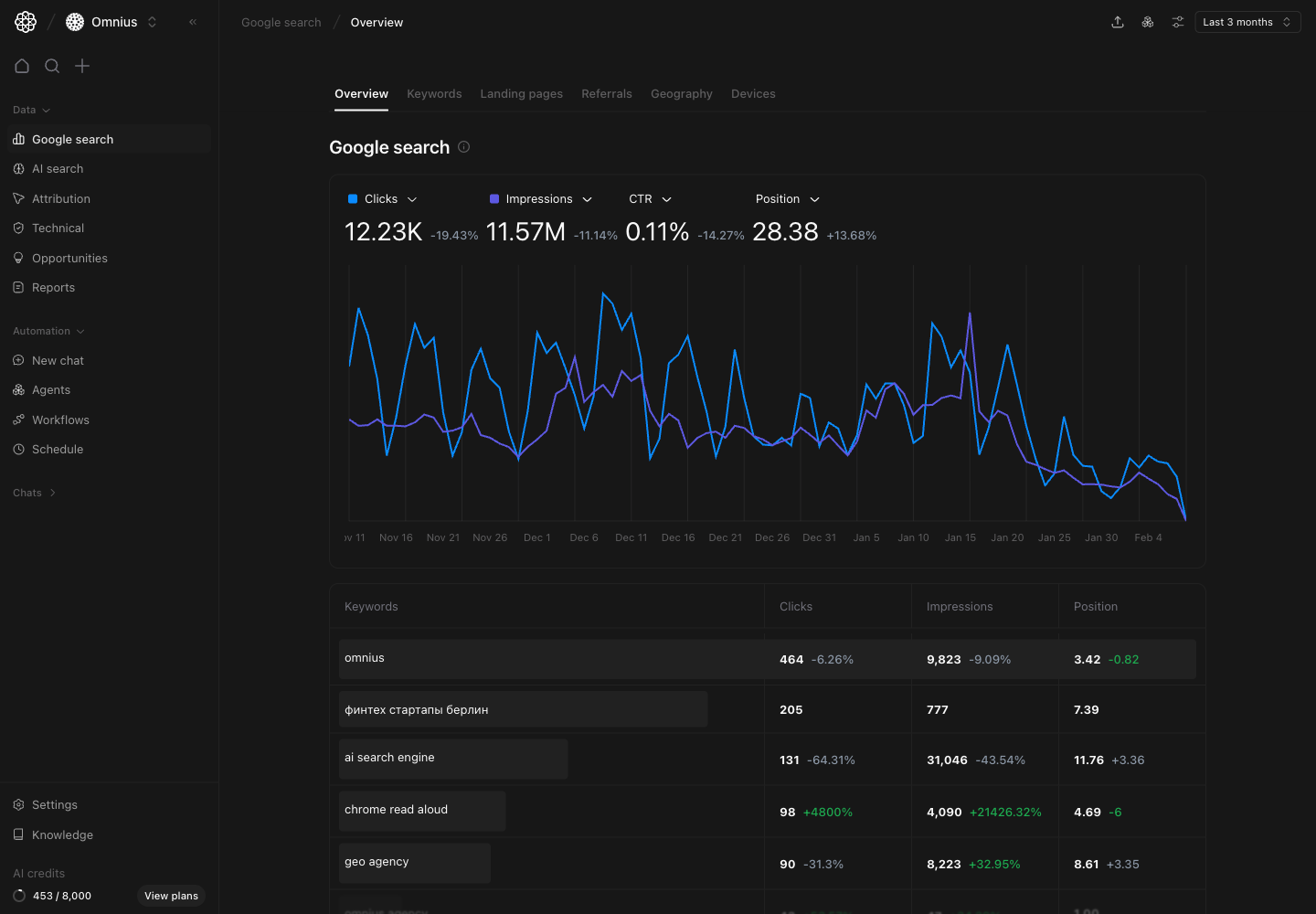 Use this page as your starting point for Google Search performance. It helps you answer three core questions:
1. Is organic visibility moving in the right direction?
2. What is driving the change: demand, rankings, or click-through rate?
3. What should we do next this week?
## Before you analyze
* Make sure Google Search Console is connected to the project.
* Pick a date range that matches your reporting schedule.
* Compare equivalent periods before concluding performance changed structurally.
## What this page gives you
The overview combines:
* A top-level trend chart for key organic metrics.
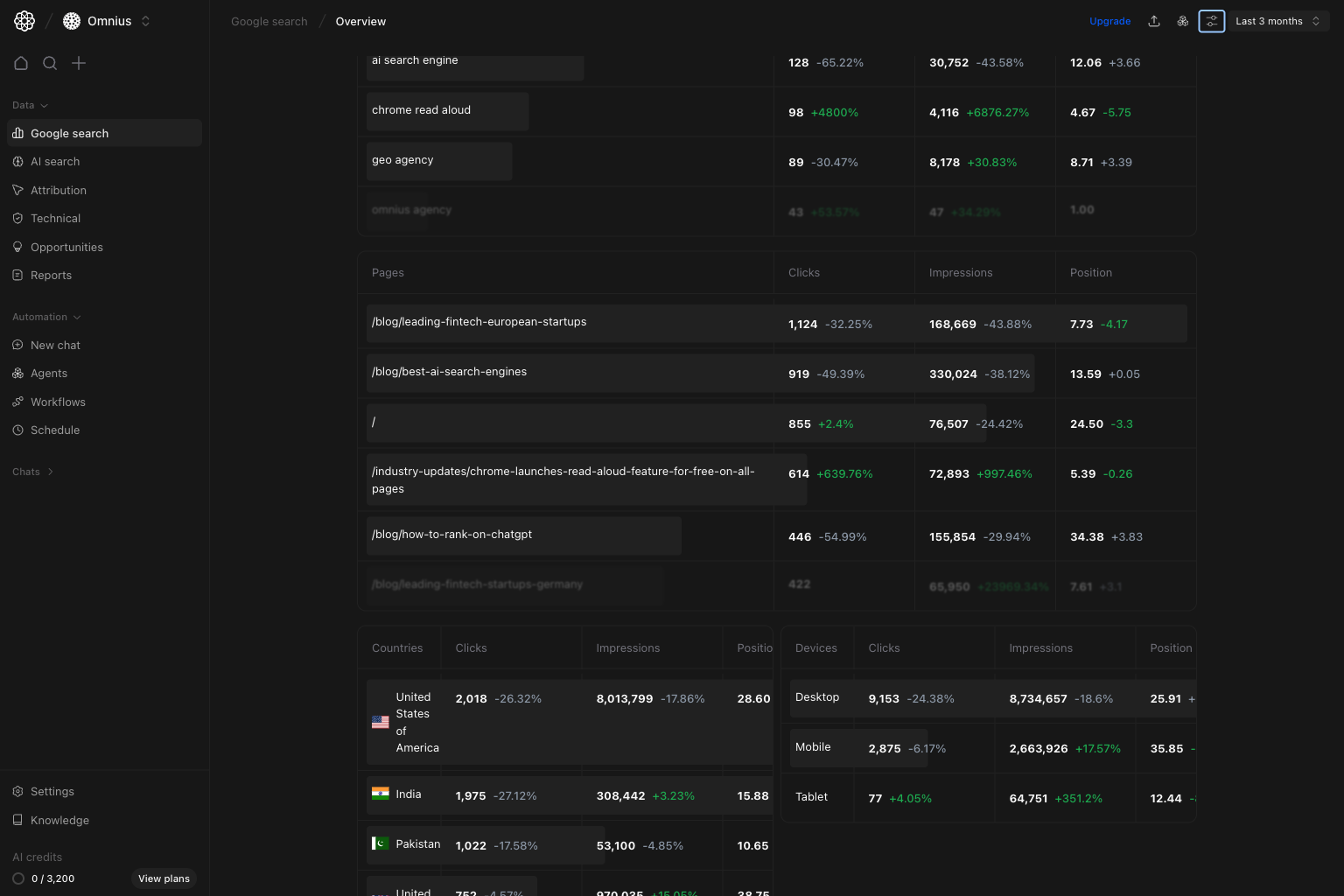
* Fast previews of the most important breakdown tables.
* Shared filters (`Keyword`, `Page`, `Device`, `Country`) so you can narrow the data before drilling down.
The scrollable lower section is where you confirm what is driving movement across pages, countries, and devices.
Use this page as your starting point for Google Search performance. It helps you answer three core questions:
1. Is organic visibility moving in the right direction?
2. What is driving the change: demand, rankings, or click-through rate?
3. What should we do next this week?
## Before you analyze
* Make sure Google Search Console is connected to the project.
* Pick a date range that matches your reporting schedule.
* Compare equivalent periods before concluding performance changed structurally.
## What this page gives you
The overview combines:
* A top-level trend chart for key organic metrics.
* Fast previews of the most important breakdown tables.
* Shared filters (`Keyword`, `Page`, `Device`, `Country`) so you can narrow the data before drilling down.
The scrollable lower section is where you confirm what is driving movement across pages, countries, and devices.
 ## How to read each metric correctly
| Metric | What it tells you | Common misread |
| ----------- | ------------------------------------------------------------------- | ----------------------------------------------------------------------------------- |
| Clicks | Organic visits from Google Search | Treating short-term swings as permanent change without checking other metrics first |
| Impressions | How often your pages were shown in Google results | Assuming impressions always mean qualified traffic |
| CTR | How often people click after seeing your result | Reading CTR without checking position and query mix |
| Position | Average ranking across included queries and pages (lower is better) | Treating average position as a single keyword rank |
## Quick weekly checklist
1. Start with trend direction.
Confirm whether clicks and impressions are moving up, flat, or down.
2. Check CTR and position movement.
Separate ranking issues (`Position`) from snippet/intent issues (`CTR`).
3. Scan preview tables.
Look for concentration risk: a small set of pages, countries, or devices driving most movement.
4. Segment with filters.
Narrow to one country or device when movement is not uniform.
5. Assign next actions.
Route issues to content, technical SEO, internal linking, or market-specific teams.
## How to use filters
## How to read each metric correctly
| Metric | What it tells you | Common misread |
| ----------- | ------------------------------------------------------------------- | ----------------------------------------------------------------------------------- |
| Clicks | Organic visits from Google Search | Treating short-term swings as permanent change without checking other metrics first |
| Impressions | How often your pages were shown in Google results | Assuming impressions always mean qualified traffic |
| CTR | How often people click after seeing your result | Reading CTR without checking position and query mix |
| Position | Average ranking across included queries and pages (lower is better) | Treating average position as a single keyword rank |
## Quick weekly checklist
1. Start with trend direction.
Confirm whether clicks and impressions are moving up, flat, or down.
2. Check CTR and position movement.
Separate ranking issues (`Position`) from snippet/intent issues (`CTR`).
3. Scan preview tables.
Look for concentration risk: a small set of pages, countries, or devices driving most movement.
4. Segment with filters.
Narrow to one country or device when movement is not uniform.
5. Assign next actions.
Route issues to content, technical SEO, internal linking, or market-specific teams.
## How to use filters
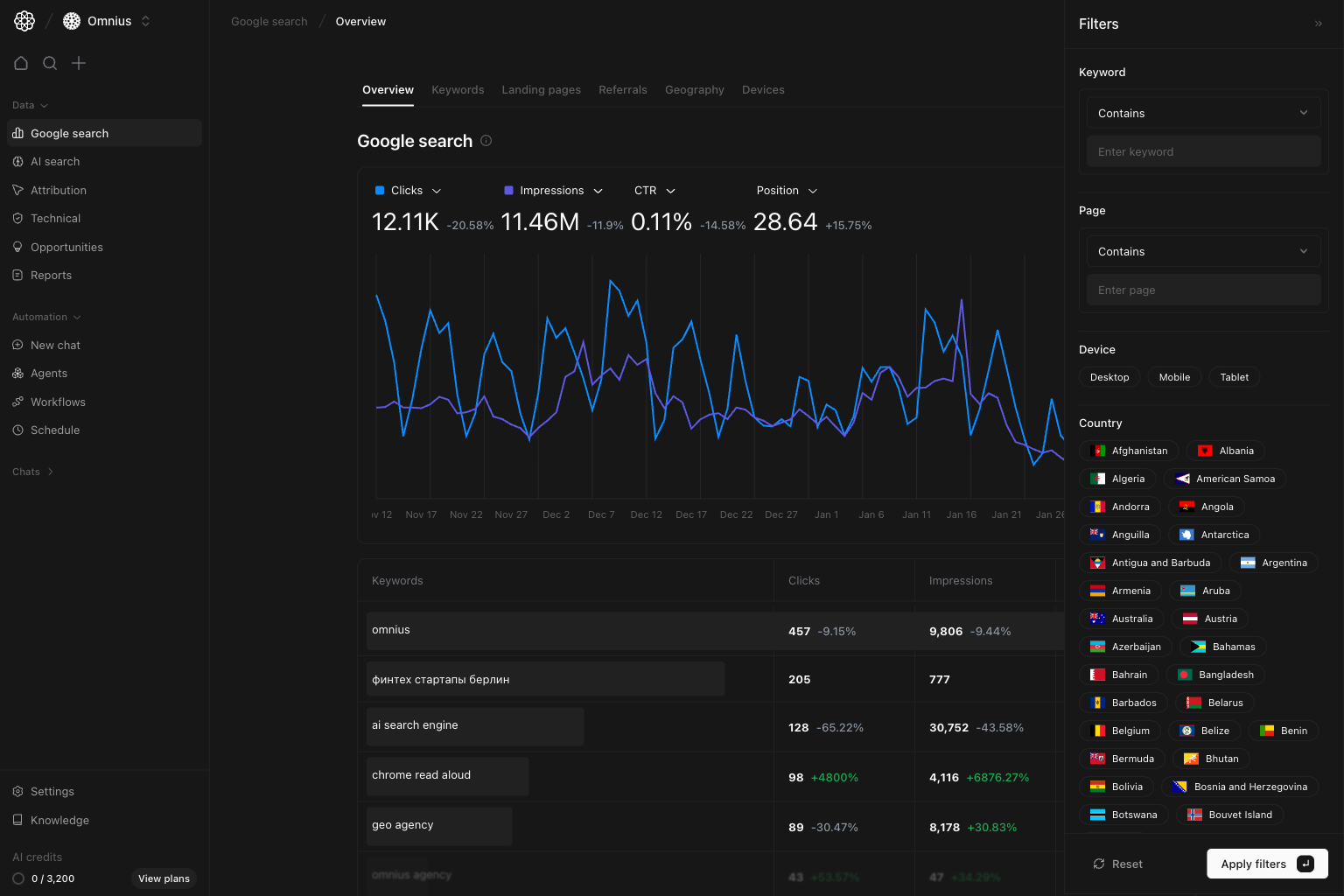 * `Keyword contains [topic cluster]`
Check if a topic initiative is improving visibility.
* `Page contains [/blog/ or /product/]`
Compare template performance and find weak URL groups.
* `Device = Mobile`
Check for mobile-specific issues before prioritizing fixes.
* `Country = [target market]`
Use this for international analysis and market-specific planning.
## What to fix first
| Signal in overview | What it usually means | Go next |
| ----------------------------------------- | --------------------------------------------------------- | ------------------------------------------------------------------------------------------------------- |
| Impressions up, CTR down | Pages are shown more, but snippets are not getting clicks | [Keywords](/data/google-search/keywords), then [Landing pages](/data/google-search/landing-pages) |
| Impressions down, position down | Ranking loss, technical issues, or content getting stale | [Landing pages](/data/google-search/landing-pages), then [Technical overview](/data/technical/overview) |
| Clicks down, impressions flat | Click-through rate dropped on important queries | [Keywords](/data/google-search/keywords) |
| Mobile down, desktop stable | Likely mobile UX or template issue | [Devices](/data/google-search/devices), then [Landing pages](/data/google-search/landing-pages) |
| One country drops while others are stable | Regional competition or localization gap | [Geography](/data/google-search/geography) |
## Team routine
Use this structure in weekly client updates:
1. `Performance summary`: "Organic clicks are \[up/down] by X% for \[period]."
2. `Driver summary`: "Main change comes from \[queries/pages/country/device]."
3. `Action plan`: "This week we will \[titles/meta refresh, content update, internal links, technical fix]."
4. `Impact window`: "We expect movement in \[2-6] weeks depending on crawl speed and index updates."
## Keep in mind
* Google Search Console data is delayed by 1-3 days.
* Position is an average across many queries and URLs.
* Seasonality and campaign timing can change demand; validate against comparable periods.
## Where to go next
* [Keywords](/data/google-search/keywords): query-level opportunities and losses
* [Landing pages](/data/google-search/landing-pages): URL-level winners and declines
* [Geography](/data/google-search/geography): country-level performance shifts
* [Devices](/data/google-search/devices): device split and mobile/desktop issues
* [Referrals](/data/google-search/referrals): source-level context beyond rankings
* `Keyword contains [topic cluster]`
Check if a topic initiative is improving visibility.
* `Page contains [/blog/ or /product/]`
Compare template performance and find weak URL groups.
* `Device = Mobile`
Check for mobile-specific issues before prioritizing fixes.
* `Country = [target market]`
Use this for international analysis and market-specific planning.
## What to fix first
| Signal in overview | What it usually means | Go next |
| ----------------------------------------- | --------------------------------------------------------- | ------------------------------------------------------------------------------------------------------- |
| Impressions up, CTR down | Pages are shown more, but snippets are not getting clicks | [Keywords](/data/google-search/keywords), then [Landing pages](/data/google-search/landing-pages) |
| Impressions down, position down | Ranking loss, technical issues, or content getting stale | [Landing pages](/data/google-search/landing-pages), then [Technical overview](/data/technical/overview) |
| Clicks down, impressions flat | Click-through rate dropped on important queries | [Keywords](/data/google-search/keywords) |
| Mobile down, desktop stable | Likely mobile UX or template issue | [Devices](/data/google-search/devices), then [Landing pages](/data/google-search/landing-pages) |
| One country drops while others are stable | Regional competition or localization gap | [Geography](/data/google-search/geography) |
## Team routine
Use this structure in weekly client updates:
1. `Performance summary`: "Organic clicks are \[up/down] by X% for \[period]."
2. `Driver summary`: "Main change comes from \[queries/pages/country/device]."
3. `Action plan`: "This week we will \[titles/meta refresh, content update, internal links, technical fix]."
4. `Impact window`: "We expect movement in \[2-6] weeks depending on crawl speed and index updates."
## Keep in mind
* Google Search Console data is delayed by 1-3 days.
* Position is an average across many queries and URLs.
* Seasonality and campaign timing can change demand; validate against comparable periods.
## Where to go next
* [Keywords](/data/google-search/keywords): query-level opportunities and losses
* [Landing pages](/data/google-search/landing-pages): URL-level winners and declines
* [Geography](/data/google-search/geography): country-level performance shifts
* [Devices](/data/google-search/devices): device split and mobile/desktop issues
* [Referrals](/data/google-search/referrals): source-level context beyond rankings