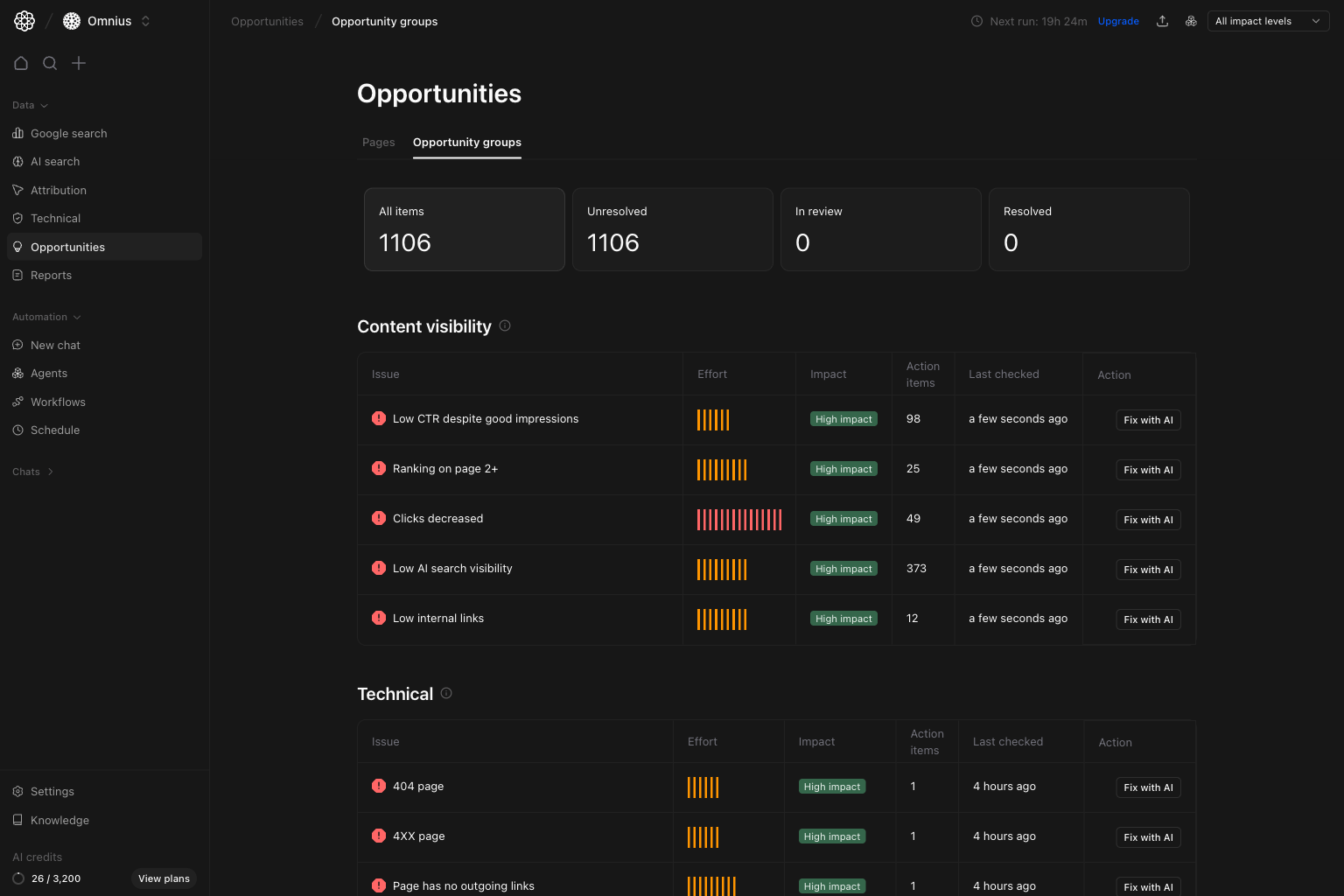
 Use this page to decide which issue themes your team should fix first, then drill into one group and launch AI help.
Important: A high Action items count does not always mean highest priority. Use Impact and business relevance first.
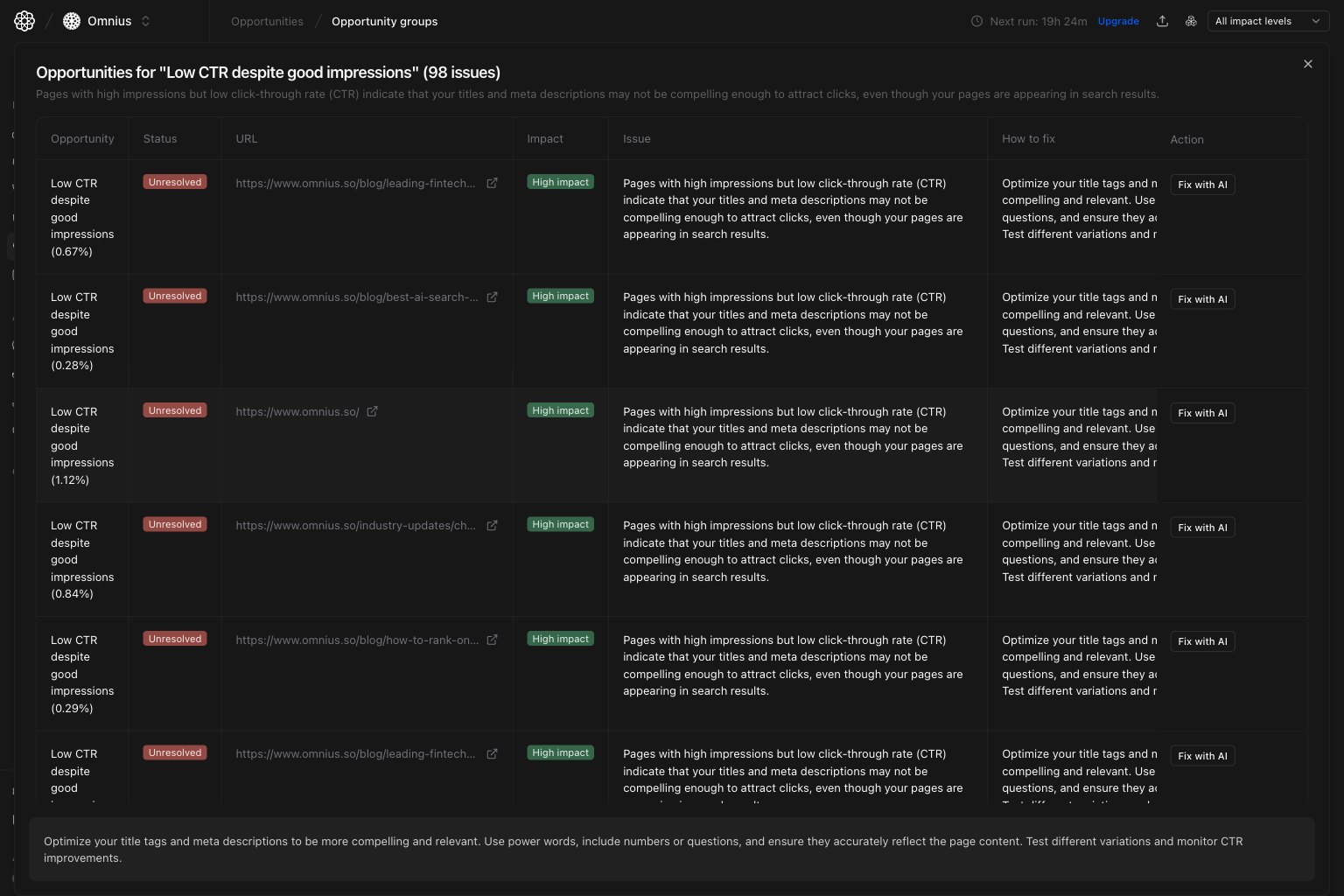 Use this modal to:
* Confirm exactly which URLs are affected.
* Read the issue explanation and `How to fix` guidance.
* Decide whether to handle manually or trigger AI assistance.
## Step 3: Click `Fix with AI` for execution-ready help
Inside the modal, each row has a `Fix with AI` action. Clicking it opens AI help with the selected issue context so your team can move from diagnosis to draft fixes faster.
Use this modal to:
* Confirm exactly which URLs are affected.
* Read the issue explanation and `How to fix` guidance.
* Decide whether to handle manually or trigger AI assistance.
## Step 3: Click `Fix with AI` for execution-ready help
Inside the modal, each row has a `Fix with AI` action. Clicking it opens AI help with the selected issue context so your team can move from diagnosis to draft fixes faster.
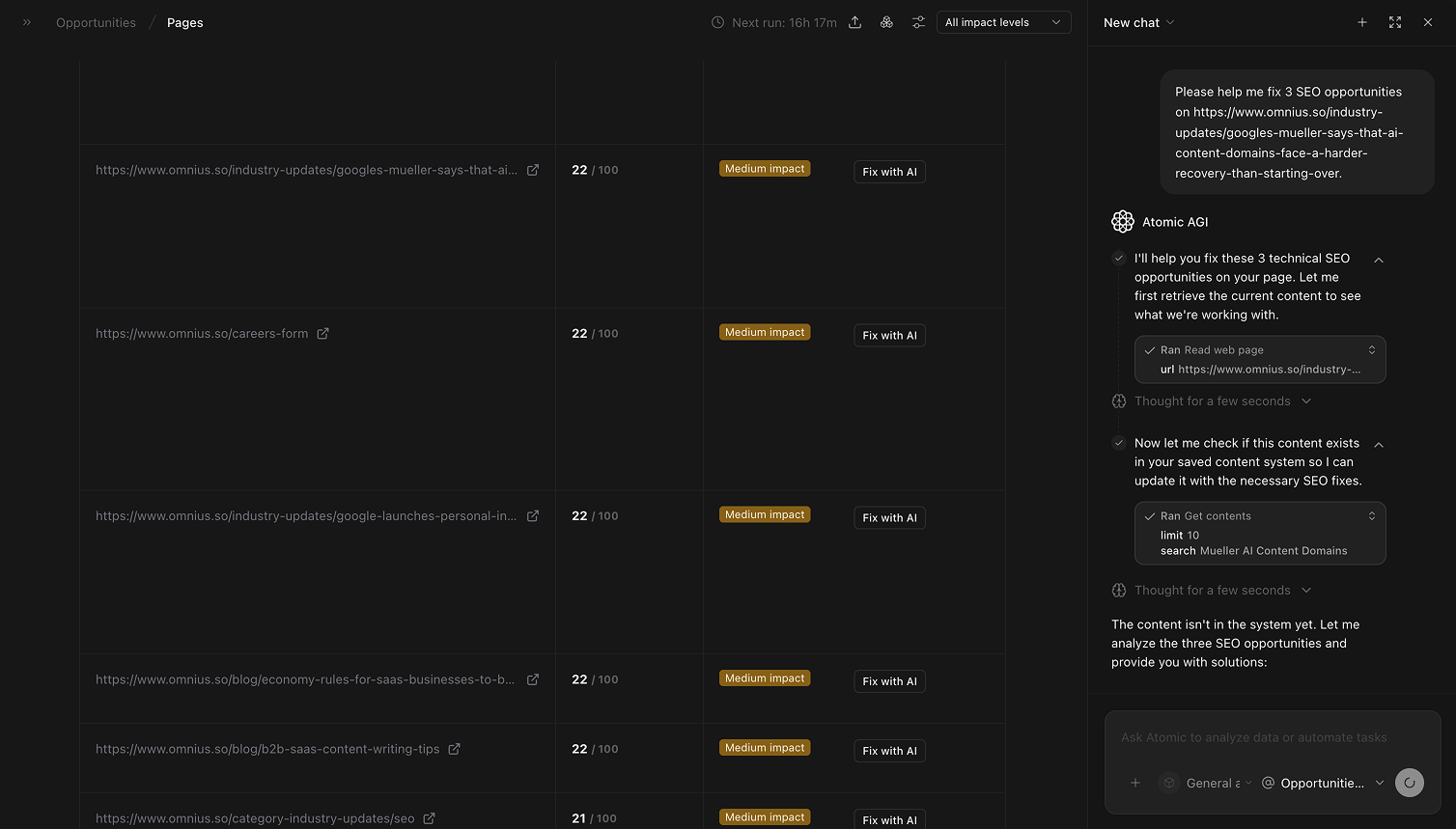 Use `Fix with AI` when:
* The issue is clear but writing the fix takes time.
* You want a first draft for titles, descriptions, or content updates.
* You need consistent fix suggestions across many similar rows.
## Quick weekly checklist
1. Review groups by impact and effort.
2. Open the top 2 to 3 groups with the highest upside.
3. Validate URLs in the modal and assign owners.
4. Track unresolved-to-resolved movement.
5. Use `Fix with AI` for repetitive fixes to increase throughput.
## How to use filters
* `Impact = High`
Build a focused queue of groups most likely to move outcomes.
* `All impact levels`
Use this during planning, then narrow once you pick owners.
Use broad filters for planning, then narrow filters for execution handoff.
## What to fix first
| Pattern in groups table | What it usually means | Recommended action |
| ----------------------------------------------- | ------------------------------------- | --------------------------------------------------- |
| High impact + low effort group | Fast win with meaningful upside | Execute immediately |
| High action item count in one technical group | One root issue is affecting many URLs | Treat as a core technical task this sprint |
| Repeated content visibility issue across groups | Topic or template strategy is weak | Run one coordinated content update plan |
| High effort + medium impact | Useful but not urgent | Schedule after high-impact wins |
| Old last-checked date on high-impact group | Priority may be stale or unvalidated | Re-check data before assigning large execution work |
## Team routine
1. Weekly: choose priority groups and assign owners.
2. Bi-weekly: review group-level progress and reopen blocked items.
3. Monthly: compare technical vs content workstream impact.
4. Quarterly: remove recurring issue themes with systemic fixes.
## Keep in mind
* Group counts help prioritize, but the modal confirms exact URL-level work.
* `Fix with AI` accelerates drafting, but your team should still review before publishing.
* Always align group prioritization with business-impact pages.
## Where to go next
* [Opportunities](/data/opportunities/overview): prioritize URL-level execution
* [Technical SEO audit](/data/technical/seo-audit): investigate technical root causes in depth
* [Google Search keywords](/data/google-search/keywords): turn keyword-level gaps into updates
Use `Fix with AI` when:
* The issue is clear but writing the fix takes time.
* You want a first draft for titles, descriptions, or content updates.
* You need consistent fix suggestions across many similar rows.
## Quick weekly checklist
1. Review groups by impact and effort.
2. Open the top 2 to 3 groups with the highest upside.
3. Validate URLs in the modal and assign owners.
4. Track unresolved-to-resolved movement.
5. Use `Fix with AI` for repetitive fixes to increase throughput.
## How to use filters
* `Impact = High`
Build a focused queue of groups most likely to move outcomes.
* `All impact levels`
Use this during planning, then narrow once you pick owners.
Use broad filters for planning, then narrow filters for execution handoff.
## What to fix first
| Pattern in groups table | What it usually means | Recommended action |
| ----------------------------------------------- | ------------------------------------- | --------------------------------------------------- |
| High impact + low effort group | Fast win with meaningful upside | Execute immediately |
| High action item count in one technical group | One root issue is affecting many URLs | Treat as a core technical task this sprint |
| Repeated content visibility issue across groups | Topic or template strategy is weak | Run one coordinated content update plan |
| High effort + medium impact | Useful but not urgent | Schedule after high-impact wins |
| Old last-checked date on high-impact group | Priority may be stale or unvalidated | Re-check data before assigning large execution work |
## Team routine
1. Weekly: choose priority groups and assign owners.
2. Bi-weekly: review group-level progress and reopen blocked items.
3. Monthly: compare technical vs content workstream impact.
4. Quarterly: remove recurring issue themes with systemic fixes.
## Keep in mind
* Group counts help prioritize, but the modal confirms exact URL-level work.
* `Fix with AI` accelerates drafting, but your team should still review before publishing.
* Always align group prioritization with business-impact pages.
## Where to go next
* [Opportunities](/data/opportunities/overview): prioritize URL-level execution
* [Technical SEO audit](/data/technical/seo-audit): investigate technical root causes in depth
* [Google Search keywords](/data/google-search/keywords): turn keyword-level gaps into updates