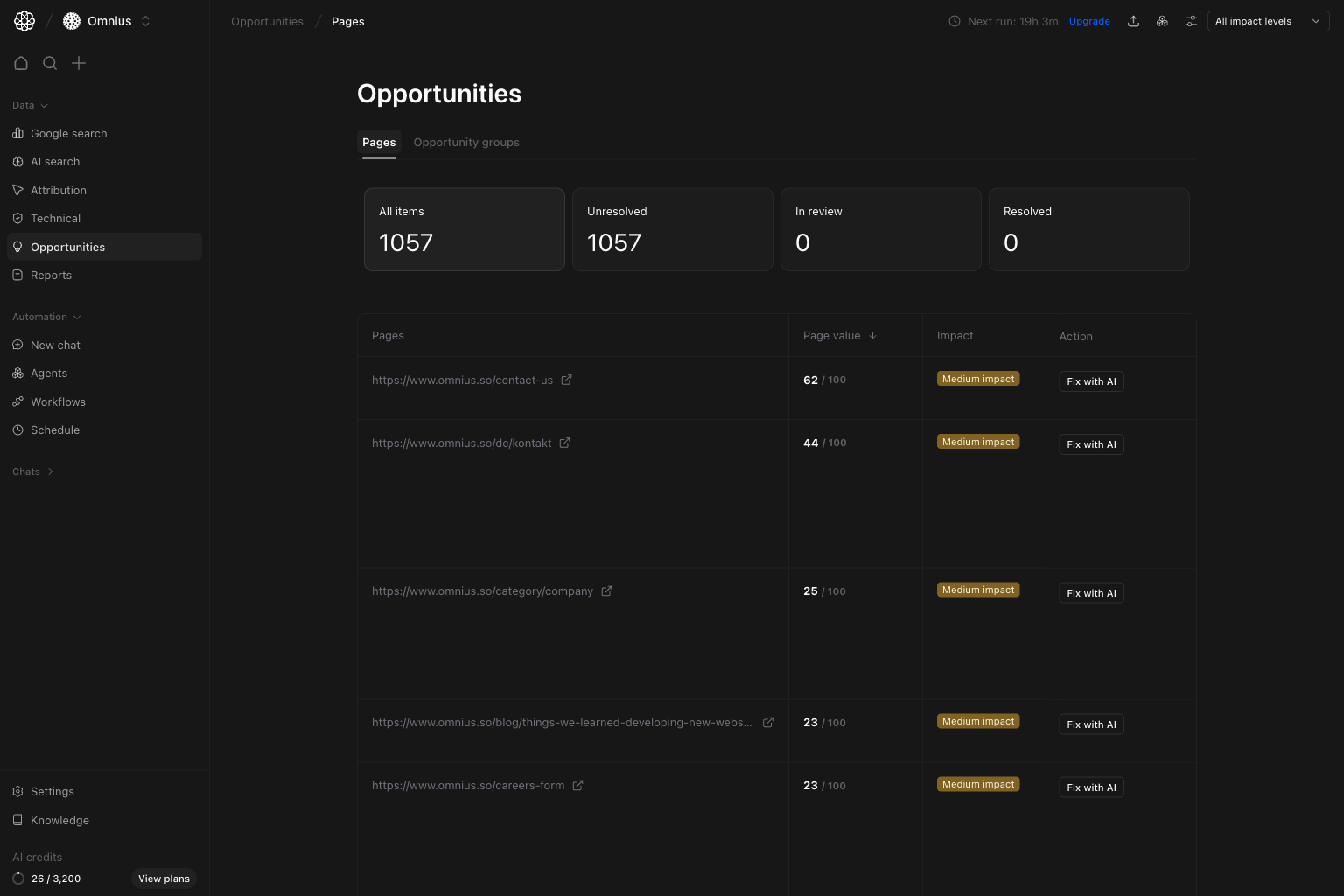
 Use this page to choose which URLs your team should work on first, then move straight into issue-level fixes.
Important: Prioritize by business impact, not by issue count alone.
Key signal: High page value with high impact should always outrank high issue count on low-value pages.
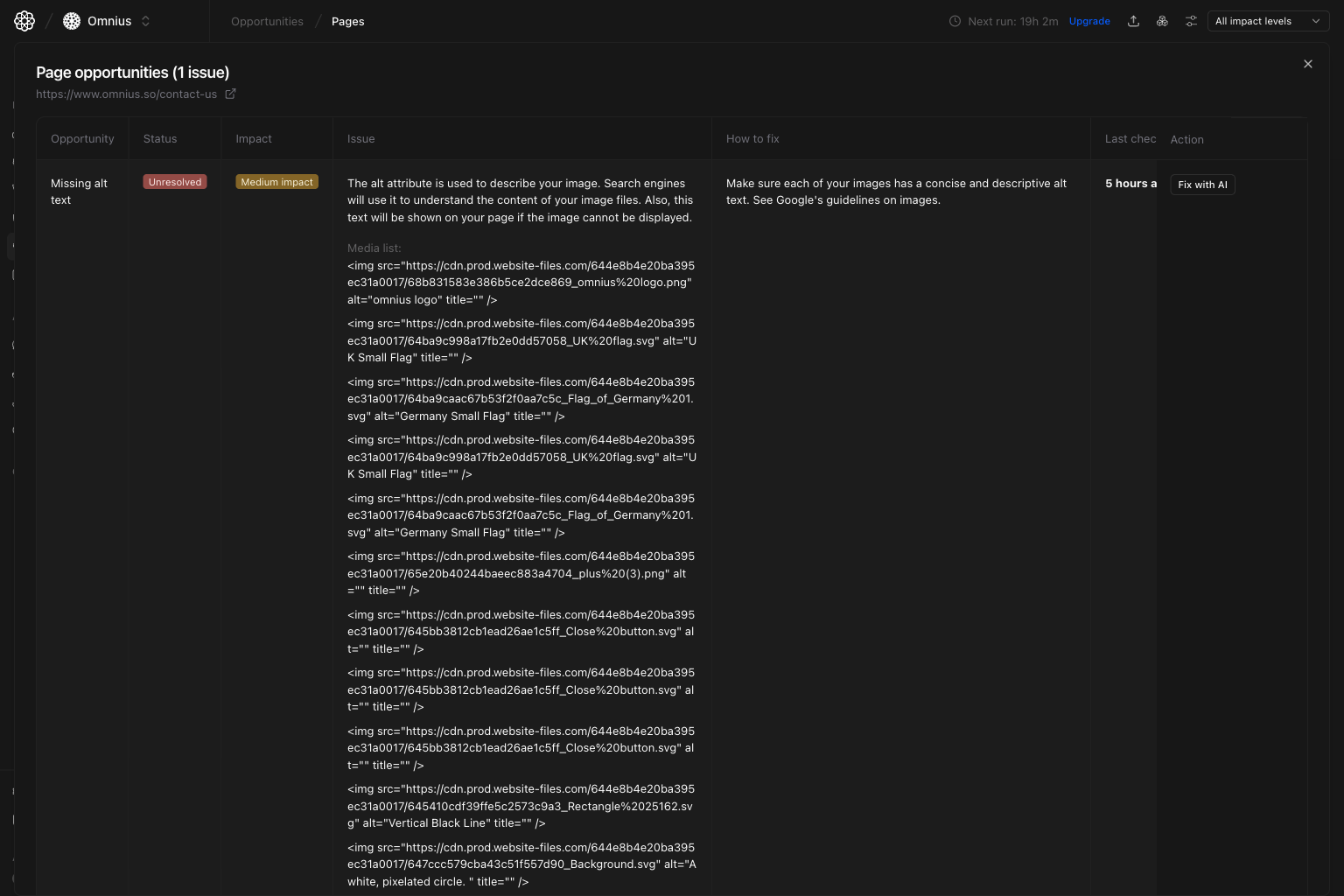 Use this modal to:
* Validate the issue before assigning work.
* Read the built-in `How to fix` guidance.
* Decide if the fix should be manual or AI-assisted.
## Step 3: Click `Fix with AI` to generate execution help
After you click `Fix with AI`, the assistant opens with the selected URL and issue context already loaded.
Use this modal to:
* Validate the issue before assigning work.
* Read the built-in `How to fix` guidance.
* Decide if the fix should be manual or AI-assisted.
## Step 3: Click `Fix with AI` to generate execution help
After you click `Fix with AI`, the assistant opens with the selected URL and issue context already loaded.
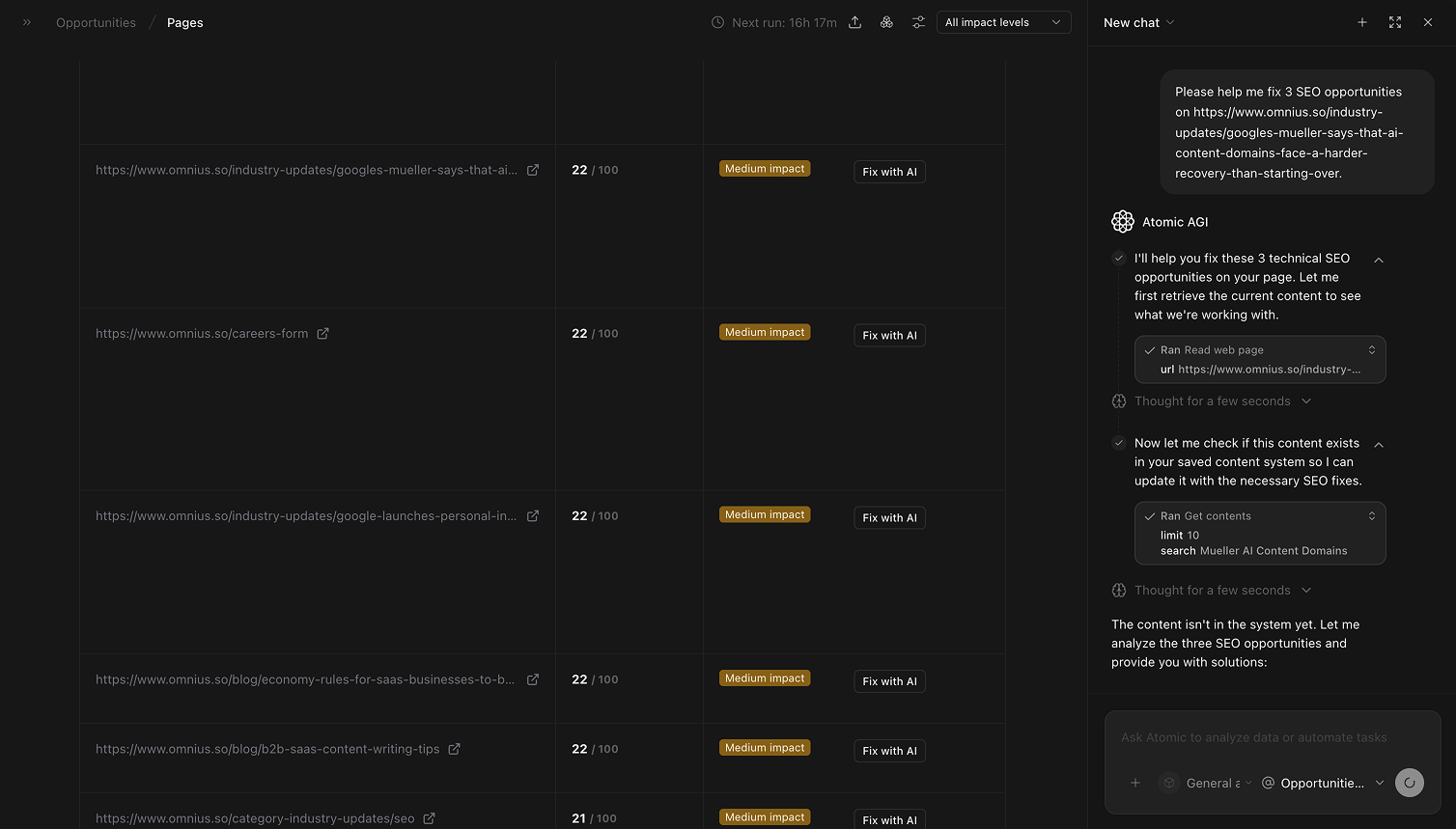 Use `Fix with AI` when:
* The issue is clear and you need a fast first draft.
* You are handling repetitive fixes across many pages.
* You want consistent fix output for your team.
## Quick weekly checklist
1. Review high-value, high-impact rows first.
2. Open each top row and validate issue details in the modal.
3. Assign owner and due date per selected URL.
4. Use `Fix with AI` for repetitive or high-volume fixes.
5. Track unresolved-to-resolved movement weekly.
## How to use filters
* `Impact = High`
Build a focused queue for this sprint.
* `Page = specific URL`
Run a full issue check for one key page before publishing.
Start broad, then narrow once owners and priorities are clear.
## What to fix first
| Pattern in page table | What it usually means | Recommended action |
| ------------------------------------- | ---------------------------------------------- | ----------------------------------------- |
| High page value + high impact | Strong upside with clear business relevance | Prioritize this sprint |
| Many issues on one important page | One URL has stacked blockers | Bundle into one focused update cycle |
| High impact but lower page value | SEO upside exists but business return is lower | Schedule after core business pages |
| Low impact on low-value pages | Limited near-term return | Defer unless needed for technical hygiene |
| Same issues stay unresolved each week | Work is not getting completed or validated | Assign ownership and add weekly follow-up |
## Team routine
1. Weekly: pick priority URLs and assign work.
2. Bi-weekly: validate completed fixes and status movement.
3. Monthly: rebalance page priorities by business value and results.
4. Quarterly: remove recurring patterns with systemic fixes.
## Keep in mind
* Opportunity count alone is not priority; always pair with value and impact.
* AI suggestions still need human review before publishing.
* Very short windows can overreact to normal URL-level volatility.
## Where to go next
* [Opportunities groups](/data/opportunities/groups): prioritize by issue type and theme
* [Technical overview](/data/technical/overview): validate technical blockers behind page issues
* [Google Search landing pages](/data/google-search/landing-pages): compare opportunity priority with traffic behavior
Use `Fix with AI` when:
* The issue is clear and you need a fast first draft.
* You are handling repetitive fixes across many pages.
* You want consistent fix output for your team.
## Quick weekly checklist
1. Review high-value, high-impact rows first.
2. Open each top row and validate issue details in the modal.
3. Assign owner and due date per selected URL.
4. Use `Fix with AI` for repetitive or high-volume fixes.
5. Track unresolved-to-resolved movement weekly.
## How to use filters
* `Impact = High`
Build a focused queue for this sprint.
* `Page = specific URL`
Run a full issue check for one key page before publishing.
Start broad, then narrow once owners and priorities are clear.
## What to fix first
| Pattern in page table | What it usually means | Recommended action |
| ------------------------------------- | ---------------------------------------------- | ----------------------------------------- |
| High page value + high impact | Strong upside with clear business relevance | Prioritize this sprint |
| Many issues on one important page | One URL has stacked blockers | Bundle into one focused update cycle |
| High impact but lower page value | SEO upside exists but business return is lower | Schedule after core business pages |
| Low impact on low-value pages | Limited near-term return | Defer unless needed for technical hygiene |
| Same issues stay unresolved each week | Work is not getting completed or validated | Assign ownership and add weekly follow-up |
## Team routine
1. Weekly: pick priority URLs and assign work.
2. Bi-weekly: validate completed fixes and status movement.
3. Monthly: rebalance page priorities by business value and results.
4. Quarterly: remove recurring patterns with systemic fixes.
## Keep in mind
* Opportunity count alone is not priority; always pair with value and impact.
* AI suggestions still need human review before publishing.
* Very short windows can overreact to normal URL-level volatility.
## Where to go next
* [Opportunities groups](/data/opportunities/groups): prioritize by issue type and theme
* [Technical overview](/data/technical/overview): validate technical blockers behind page issues
* [Google Search landing pages](/data/google-search/landing-pages): compare opportunity priority with traffic behavior