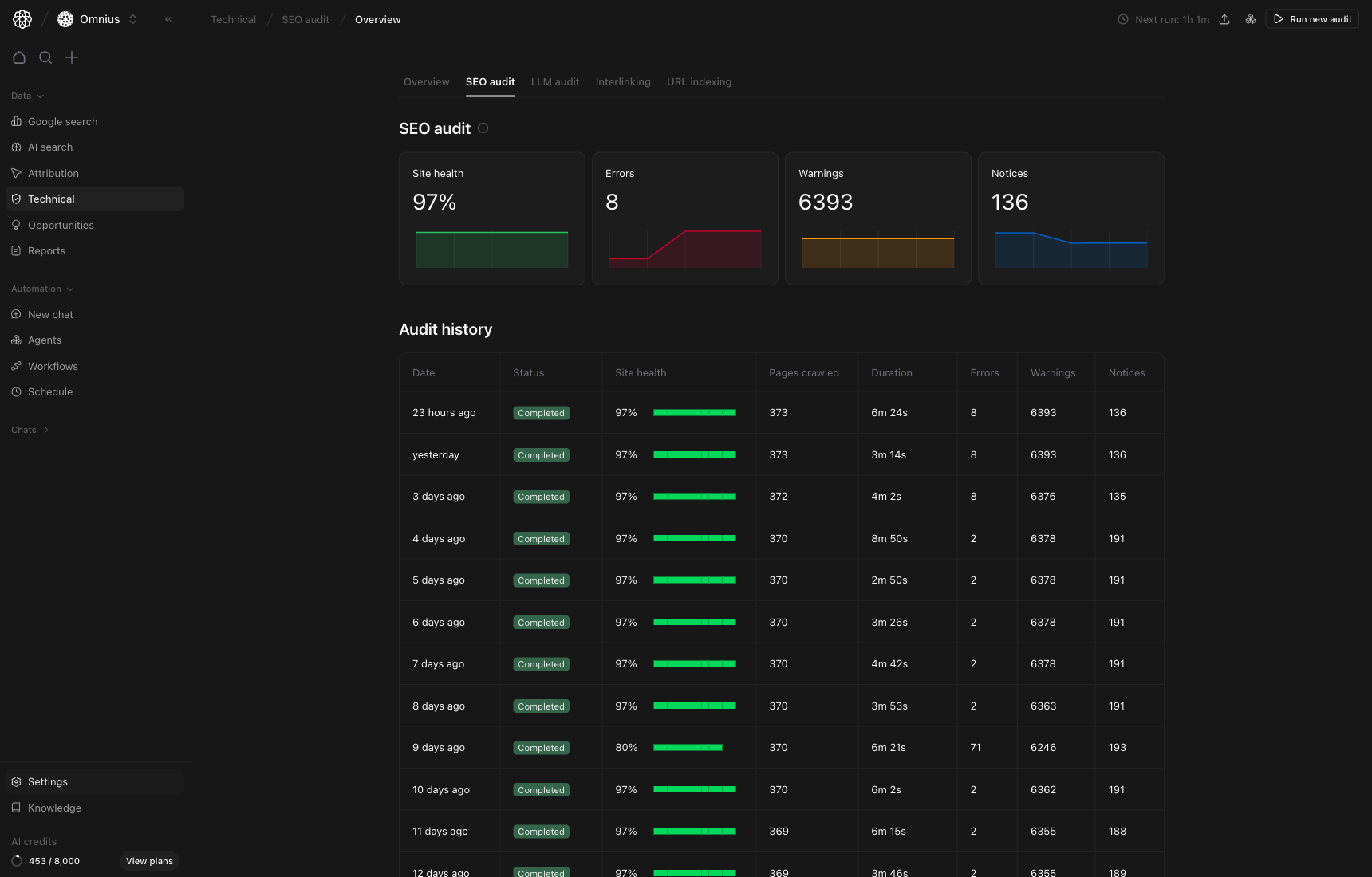
 Use this page as your full technical SEO workflow. It covers the summary view, run-level diagnosis, crawl-log validation, and URL-level issue execution.
Important: Fix highest-severity template-level issues first. They usually unlock the fastest site-wide improvement.
Key signal: If errors rise and pages crawled stay stable, the issue is usually real quality degradation, not sampling noise.
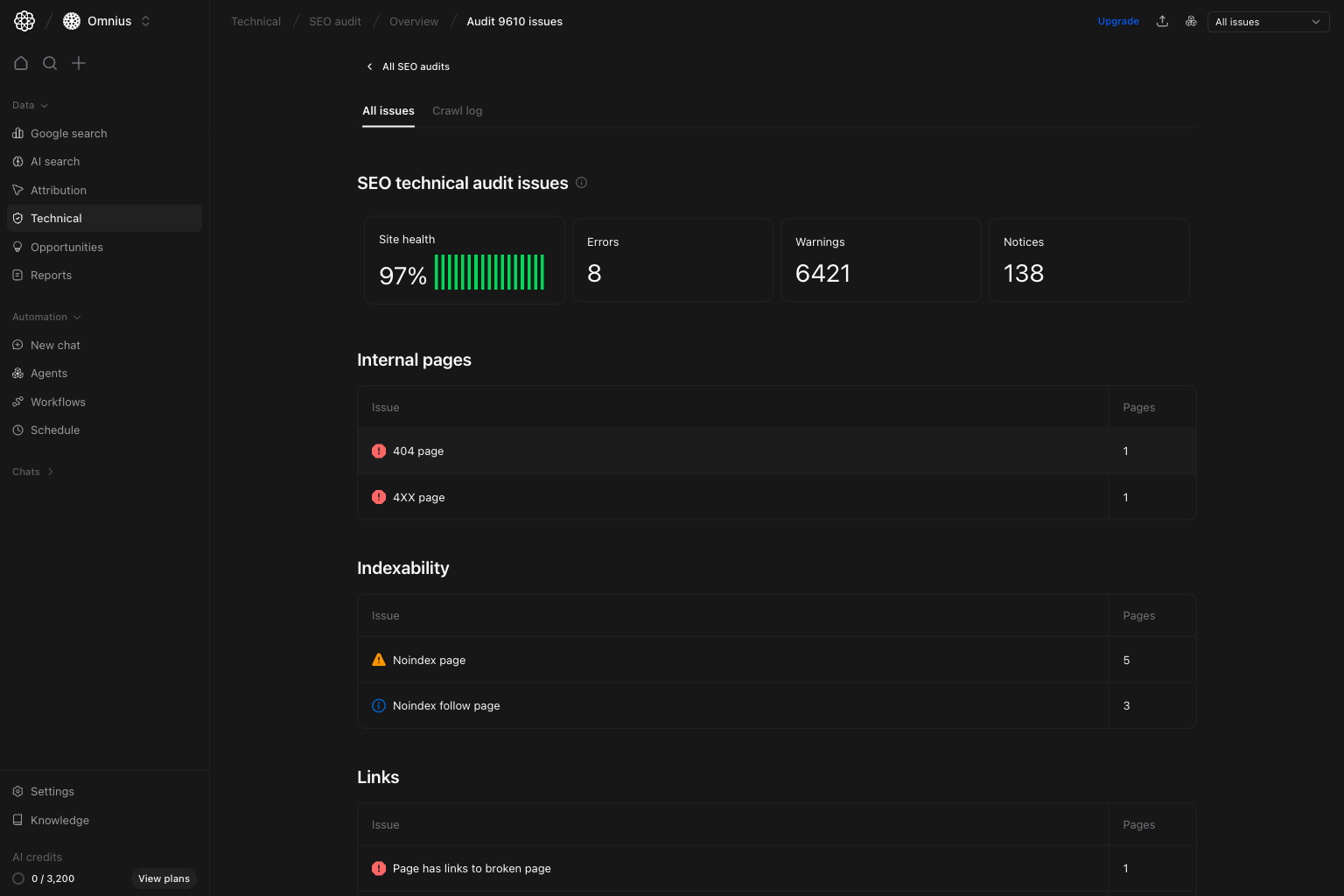 What to do:
* Identify issue groups affecting the most pages.
* Prioritize error classes on key templates first.
* Choose one high-impact issue class and close it end-to-end.
What this tells you:
* Whether risk is concentrated in one technical area.
* Whether the issue is likely template-wide or page-specific.
## Run detail: Crawl log view
Use crawl log when you need evidence about how URLs were crawled and where failures happened.
What to do:
* Identify issue groups affecting the most pages.
* Prioritize error classes on key templates first.
* Choose one high-impact issue class and close it end-to-end.
What this tells you:
* Whether risk is concentrated in one technical area.
* Whether the issue is likely template-wide or page-specific.
## Run detail: Crawl log view
Use crawl log when you need evidence about how URLs were crawled and where failures happened.
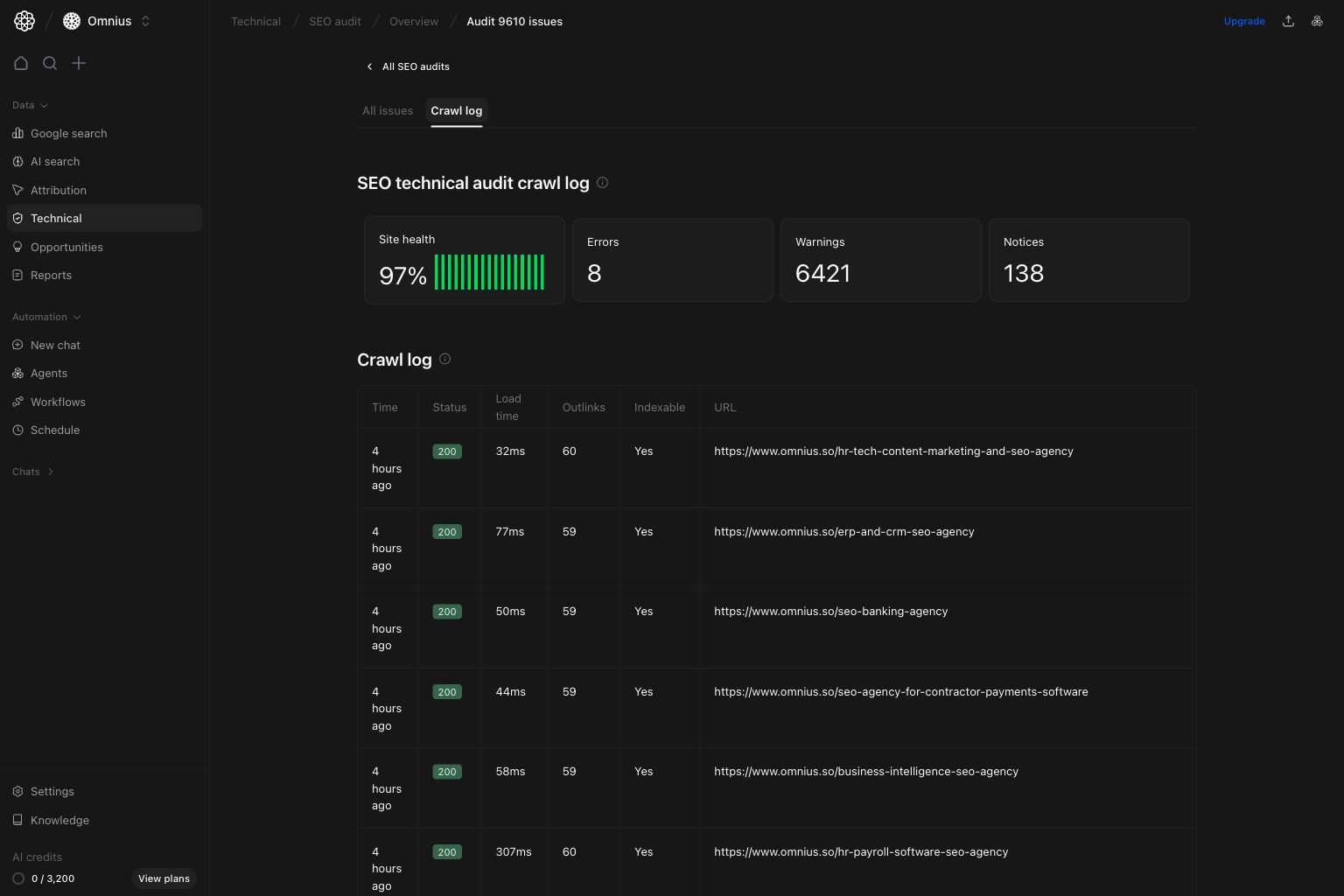 What to check:
* Repeated HTTP errors, timeouts, or blocked responses.
* Failure clusters by folder/template.
* Crawl behavior changes after deployments.
When to use:
* Issue counts changed sharply.
* Developers need URL-level crawl proof.
## Issue detail: affected URLs view
After selecting an issue class, use issue detail to assign exact fixes.
What to check:
* Repeated HTTP errors, timeouts, or blocked responses.
* Failure clusters by folder/template.
* Crawl behavior changes after deployments.
When to use:
* Issue counts changed sharply.
* Developers need URL-level crawl proof.
## Issue detail: affected URLs view
After selecting an issue class, use issue detail to assign exact fixes.
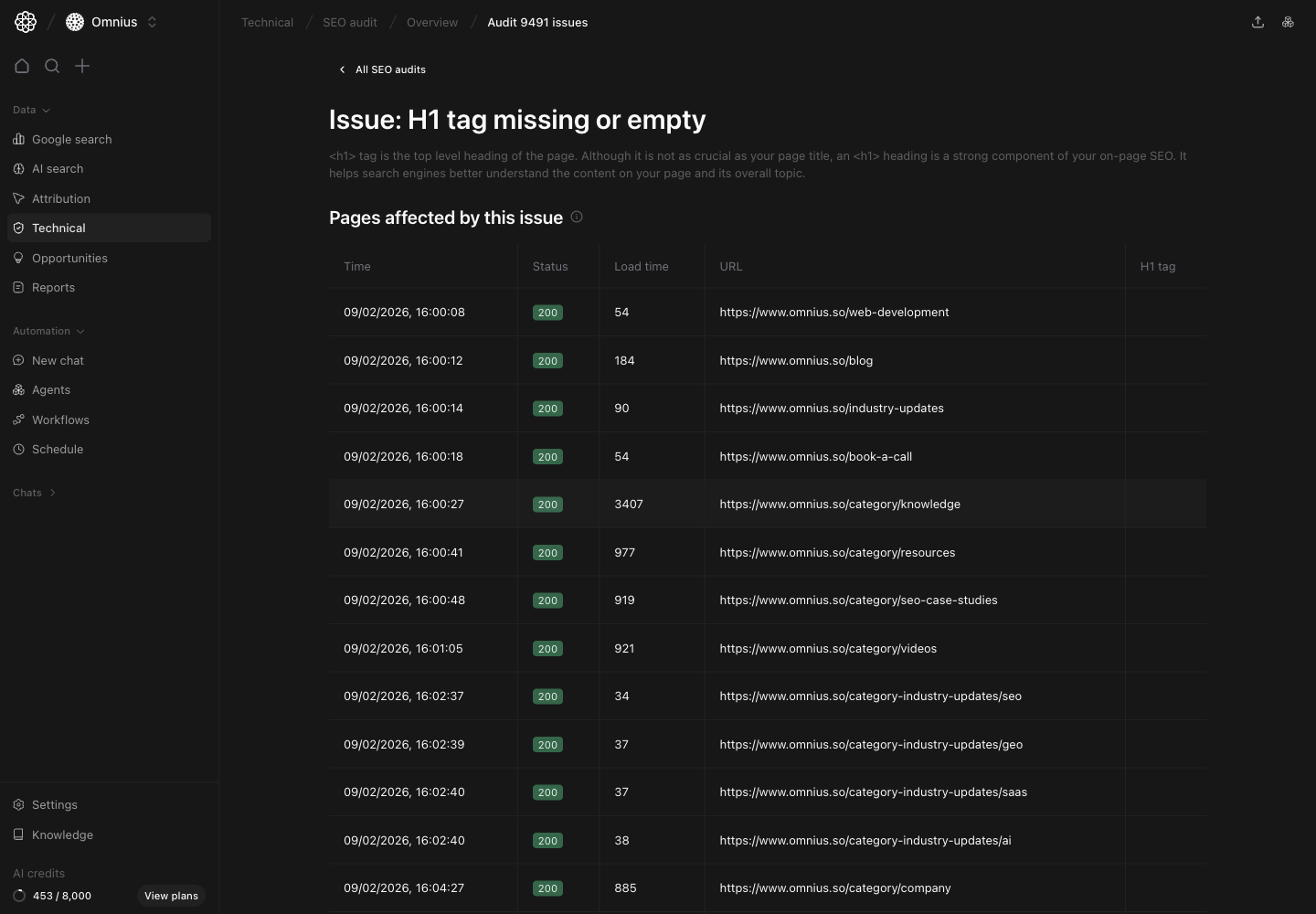 How to work this table:
1. Group URLs by template/folder.
2. Prioritize commercial and high-visibility pages.
3. Assign owner and deadline per URL group.
4. Validate fixes in the next audit run.
Use this interpretation:
* Many URLs in one path usually means a shared template defect.
* Mixed status behavior can indicate rendering/routing inconsistency.
## Quick weekly checklist
1. Check summary cards for direction change.
2. Open latest run and triage top issue groups.
3. Use crawl log to confirm root cause.
4. Move to issue-detail URL lists and assign work.
5. Validate reduction in the next completed run.
## What to fix first
| Pattern in SEO audit flow | What it usually means | Recommended action |
| ---------------------------------------- | --------------------------------------------- | --------------------------------------------------------- |
| Errors up sharply in summary | New release or template issue introduced risk | Open latest run and prioritize critical issue class |
| One issue group affects many URLs | Template-level defect | Patch shared template/component first |
| Crawl log shows repeated failures | Crawl access/infrastructure instability | Fix technical crawl blockers before content tweaks |
| Same issue persists across runs | QA/deployment process gap | Add pre-release technical checks and owner accountability |
| High-value URLs affected in issue detail | Direct business impact | Fix those URLs first in current sprint |
## Team routine
1. Weekly: run full triage from summary to issue-detail assignments.
2. Bi-weekly: verify fix closure and rerun checks.
3. Monthly: report resolved issue classes and repeated root causes.
## Keep in mind
* One clean run does not prove long-term stability.
* Crawl-size shifts can change totals without real quality movement.
* Never mark fixes complete before the next successful audit confirmation.
## Where to go next
* [Technical overview](/data/technical/overview)
* [LLM audit](/data/technical/llm-audit)
* [Interlinking](/data/technical/interlinking)
* [Cannibalization](/data/technical/cannibalization)
* [URL indexing](/data/technical/url-indexing)
How to work this table:
1. Group URLs by template/folder.
2. Prioritize commercial and high-visibility pages.
3. Assign owner and deadline per URL group.
4. Validate fixes in the next audit run.
Use this interpretation:
* Many URLs in one path usually means a shared template defect.
* Mixed status behavior can indicate rendering/routing inconsistency.
## Quick weekly checklist
1. Check summary cards for direction change.
2. Open latest run and triage top issue groups.
3. Use crawl log to confirm root cause.
4. Move to issue-detail URL lists and assign work.
5. Validate reduction in the next completed run.
## What to fix first
| Pattern in SEO audit flow | What it usually means | Recommended action |
| ---------------------------------------- | --------------------------------------------- | --------------------------------------------------------- |
| Errors up sharply in summary | New release or template issue introduced risk | Open latest run and prioritize critical issue class |
| One issue group affects many URLs | Template-level defect | Patch shared template/component first |
| Crawl log shows repeated failures | Crawl access/infrastructure instability | Fix technical crawl blockers before content tweaks |
| Same issue persists across runs | QA/deployment process gap | Add pre-release technical checks and owner accountability |
| High-value URLs affected in issue detail | Direct business impact | Fix those URLs first in current sprint |
## Team routine
1. Weekly: run full triage from summary to issue-detail assignments.
2. Bi-weekly: verify fix closure and rerun checks.
3. Monthly: report resolved issue classes and repeated root causes.
## Keep in mind
* One clean run does not prove long-term stability.
* Crawl-size shifts can change totals without real quality movement.
* Never mark fixes complete before the next successful audit confirmation.
## Where to go next
* [Technical overview](/data/technical/overview)
* [LLM audit](/data/technical/llm-audit)
* [Interlinking](/data/technical/interlinking)
* [Cannibalization](/data/technical/cannibalization)
* [URL indexing](/data/technical/url-indexing)