> ## Documentation Index
> Fetch the complete documentation index at: https://docs.atomicagi.com/llms.txt
> Use this file to discover all available pages before exploring further.
# Welcome to Atomic AGI
> Understand what Atomic AGI tracks and how to use these docs to move from insight to action
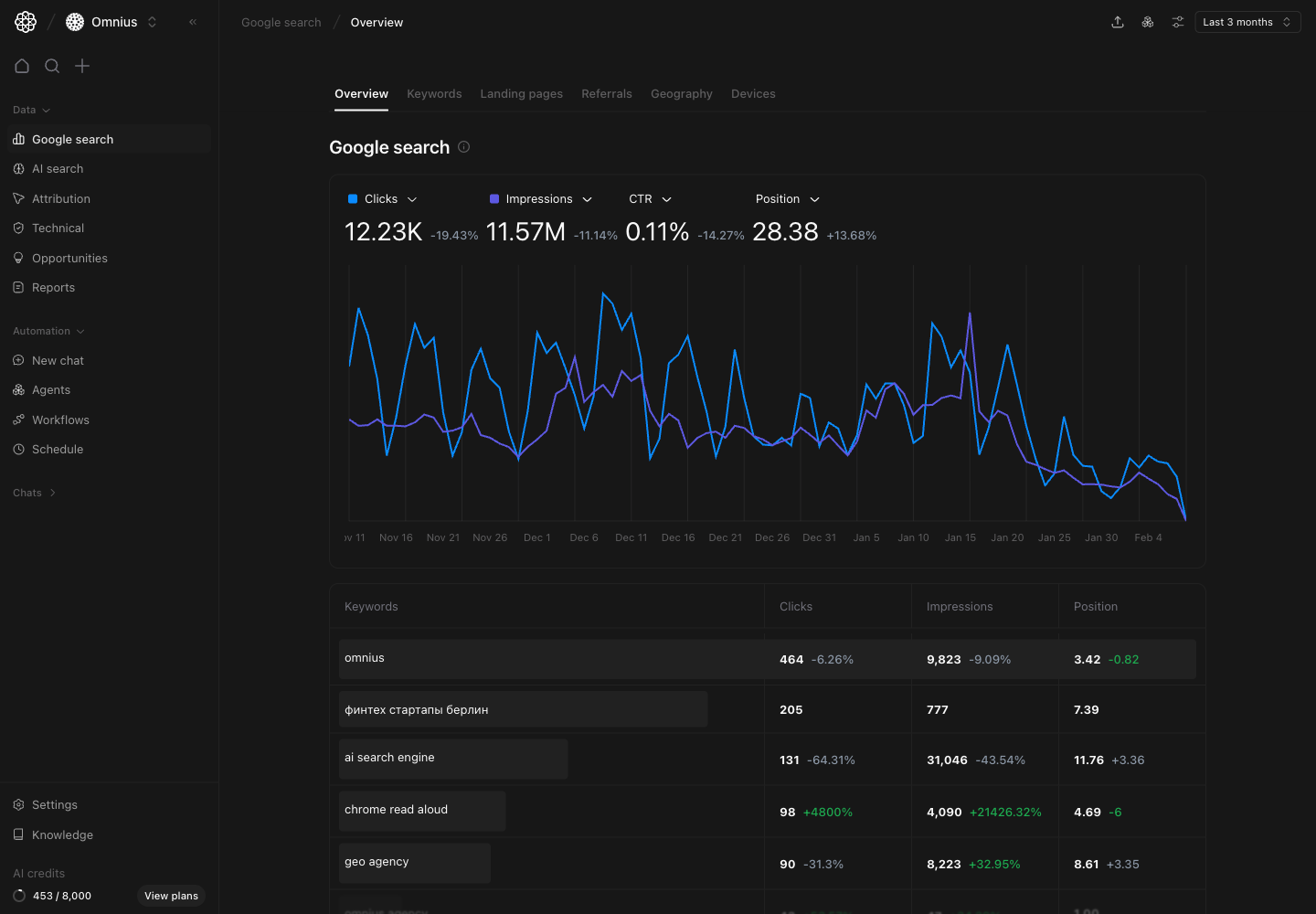 Atomic AGI helps SEO teams monitor Google and AI search performance, find the highest-impact issues, and execute fixes faster.
## What this documentation gives you
* A clear path from setup to first outcomes
* Page-by-page guidance for every Data view
* Practical workflows for Automation and Settings
Use these docs when you need to answer:
1. What changed and why?
2. What should we prioritize this week?
3. What should we do next?
## What Atomic AGI tracks
* Google Search performance by keyword, page, location, and device
* AI search visibility, citations, prompts, and sentiment
* Technical issues that block discovery and indexing
* Opportunity queues to prioritize what to fix first
* Attribution and reporting views for stakeholder updates
## How to use these docs effectively
1. Open the same page in the app and in docs.
2. Read the "Questions this page should answer" section first.
3. Use the interpretation and checklist sections to decide actions.
4. Assign fixes, then validate status changes in the next cycle.
## Documentation map
* `Get started`
Orientation and first-run setup flow.
* `Data`
How to read analytics pages and decide priorities.
* `Automation`
How to run one-off analysis and recurring execution.
* `Settings`
How to manage profile, organization, and project configuration.
## Start here
Continue to the [Quickstart Guide](/quickstart) to set up your first project and generate your first prioritized action list.
Atomic AGI helps SEO teams monitor Google and AI search performance, find the highest-impact issues, and execute fixes faster.
## What this documentation gives you
* A clear path from setup to first outcomes
* Page-by-page guidance for every Data view
* Practical workflows for Automation and Settings
Use these docs when you need to answer:
1. What changed and why?
2. What should we prioritize this week?
3. What should we do next?
## What Atomic AGI tracks
* Google Search performance by keyword, page, location, and device
* AI search visibility, citations, prompts, and sentiment
* Technical issues that block discovery and indexing
* Opportunity queues to prioritize what to fix first
* Attribution and reporting views for stakeholder updates
## How to use these docs effectively
1. Open the same page in the app and in docs.
2. Read the "Questions this page should answer" section first.
3. Use the interpretation and checklist sections to decide actions.
4. Assign fixes, then validate status changes in the next cycle.
## Documentation map
* `Get started`
Orientation and first-run setup flow.
* `Data`
How to read analytics pages and decide priorities.
* `Automation`
How to run one-off analysis and recurring execution.
* `Settings`
How to manage profile, organization, and project configuration.
## Start here
Continue to the [Quickstart Guide](/quickstart) to set up your first project and generate your first prioritized action list.