> ## Documentation Index
> Fetch the complete documentation index at: https://docs.atomicagi.com/llms.txt
> Use this file to discover all available pages before exploring further.
# Knowledge overview
> Search project evidence and manage reusable brand context.
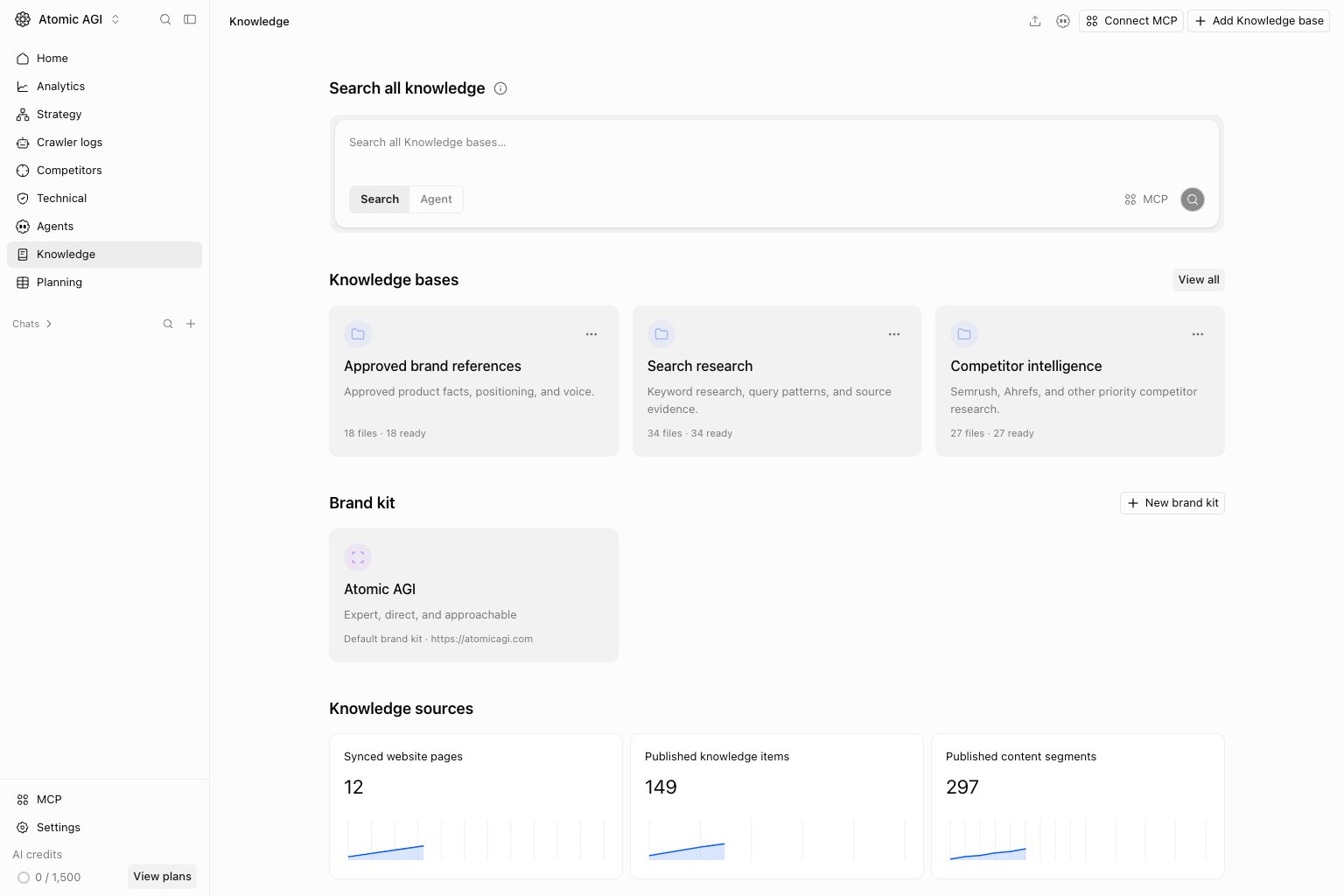 Open **Knowledge** to search across accessible project knowledge bases and find the brand context used by agents. Knowledge bases store reference material; brand kits store concise identity and writing guidance.
## Search tab
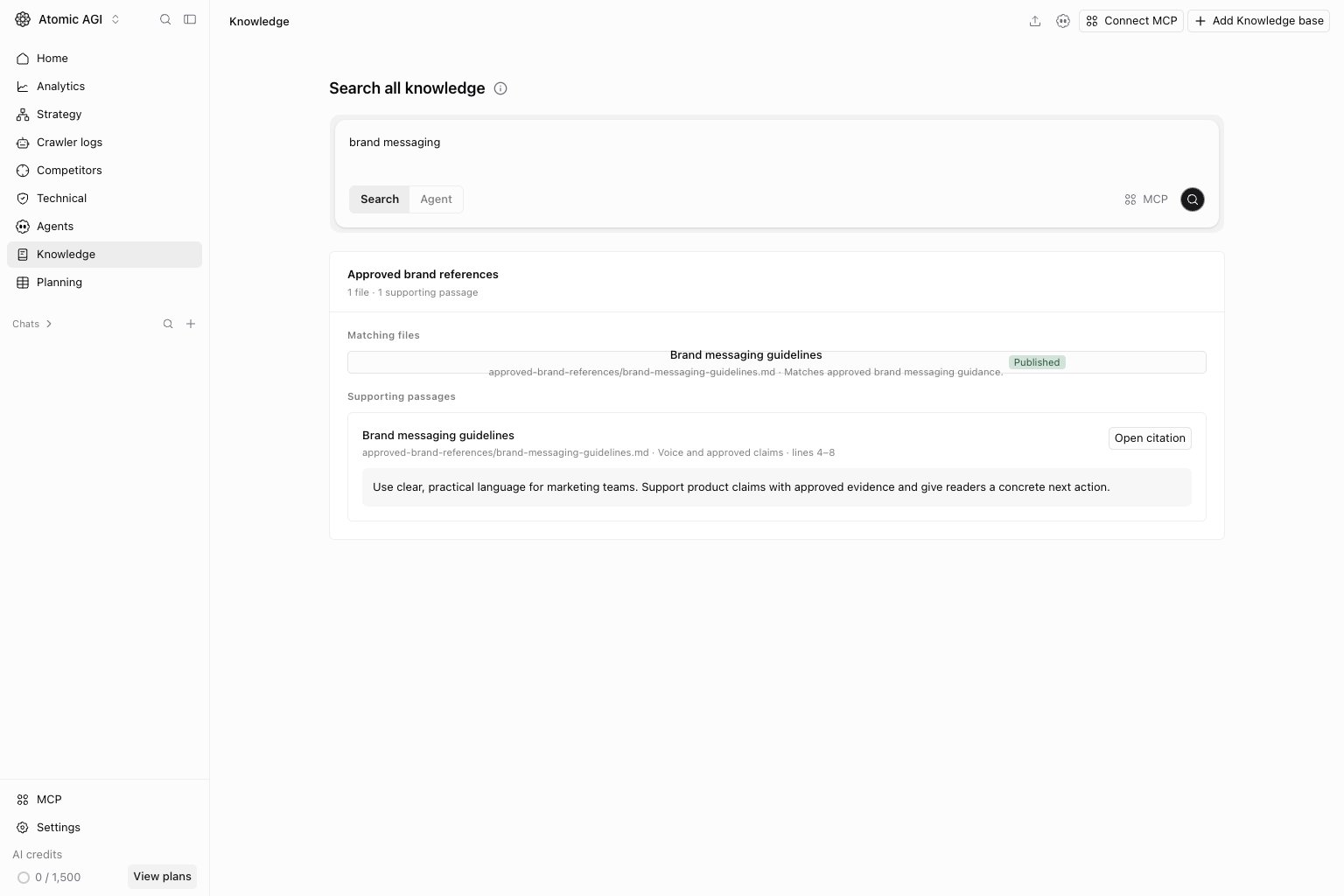
Enter a specific question in `Search all knowledge`. Use Search to find supporting material across accessible bases. Open the returned passage and source before treating it as evidence. An empty result can mean the content is absent, still indexing, or outside your access.
Open **Knowledge** to search across accessible project knowledge bases and find the brand context used by agents. Knowledge bases store reference material; brand kits store concise identity and writing guidance.
## Search tab
Enter a specific question in `Search all knowledge`. Use Search to find supporting material across accessible bases. Open the returned passage and source before treating it as evidence. An empty result can mean the content is absent, still indexing, or outside your access.
 ## Agent tab
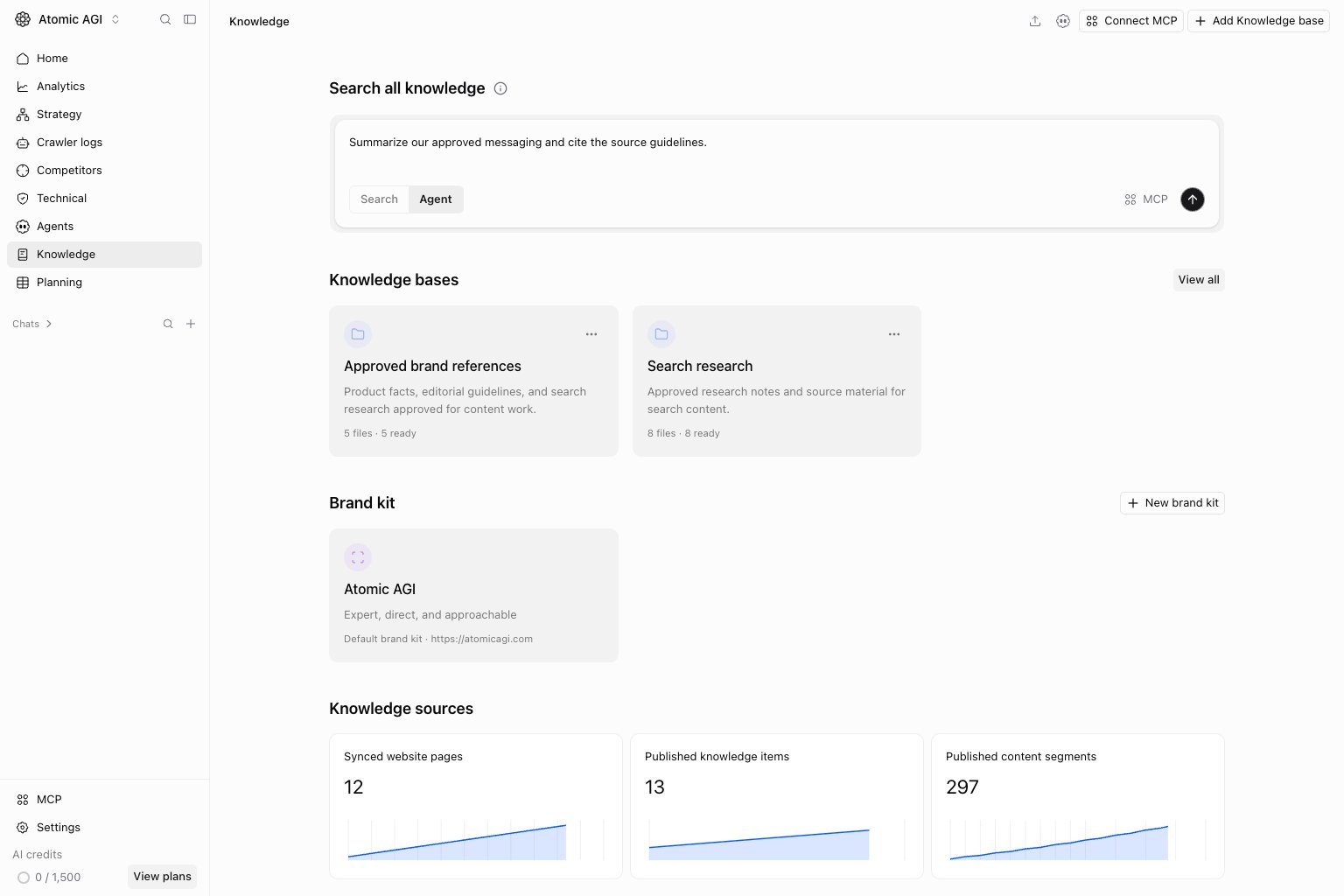
Switch to Agent when you want help interpreting or working with knowledge. State the task and the evidence you need. Review source citations and any proposed changes before relying on the result.
## Agent tab
Switch to Agent when you want help interpreting or working with knowledge. State the task and the evidence you need. Review source citations and any proposed changes before relying on the result.
 ## Knowledge bases and brand kits
Open a base card for its folders and files, or use `View all` to open the bases collection. `Add Knowledge base` creates a separate collection with its own purpose. See [Knowledge bases](/settings/project/knowledge) for adding material, indexing, search, and citations.
Open a brand kit card to edit brand identity and writing guidance. `New brand kit` creates another kit for a distinct brand or context. Use [Brand style](/knowledge/brand-style) for generated image and chart styling and [Product images](/settings/project/product-images) for reusable assets.
## Knowledge sources metrics
Synced website pages, published knowledge items, and published content segments describe different stages of the source pipeline. They are not interchangeable counts. A website can have more discovered pages than published knowledge items, and one item can produce multiple searchable segments.
## Where to go next
* [Knowledge bases](/settings/project/knowledge)
* [Brand kit](/settings/project/brand-kit)
* [Brand style](/knowledge/brand-style)
* [Product images](/settings/project/product-images)
This documentation is built and hosted on [Mintlify](https://mintlify.com), a developer documentation platform.
## Knowledge bases and brand kits
Open a base card for its folders and files, or use `View all` to open the bases collection. `Add Knowledge base` creates a separate collection with its own purpose. See [Knowledge bases](/settings/project/knowledge) for adding material, indexing, search, and citations.
Open a brand kit card to edit brand identity and writing guidance. `New brand kit` creates another kit for a distinct brand or context. Use [Brand style](/knowledge/brand-style) for generated image and chart styling and [Product images](/settings/project/product-images) for reusable assets.
## Knowledge sources metrics
Synced website pages, published knowledge items, and published content segments describe different stages of the source pipeline. They are not interchangeable counts. A website can have more discovered pages than published knowledge items, and one item can produce multiple searchable segments.
## Where to go next
* [Knowledge bases](/settings/project/knowledge)
* [Brand kit](/settings/project/brand-kit)
* [Brand style](/knowledge/brand-style)
* [Product images](/settings/project/product-images)
This documentation is built and hosted on [Mintlify](https://mintlify.com), a developer documentation platform.