> ## Documentation Index
> Fetch the complete documentation index at: https://docs.atomicagi.com/llms.txt
> Use this file to discover all available pages before exploring further.
# Planning
> Turn opportunities into grids and accountable tasks.
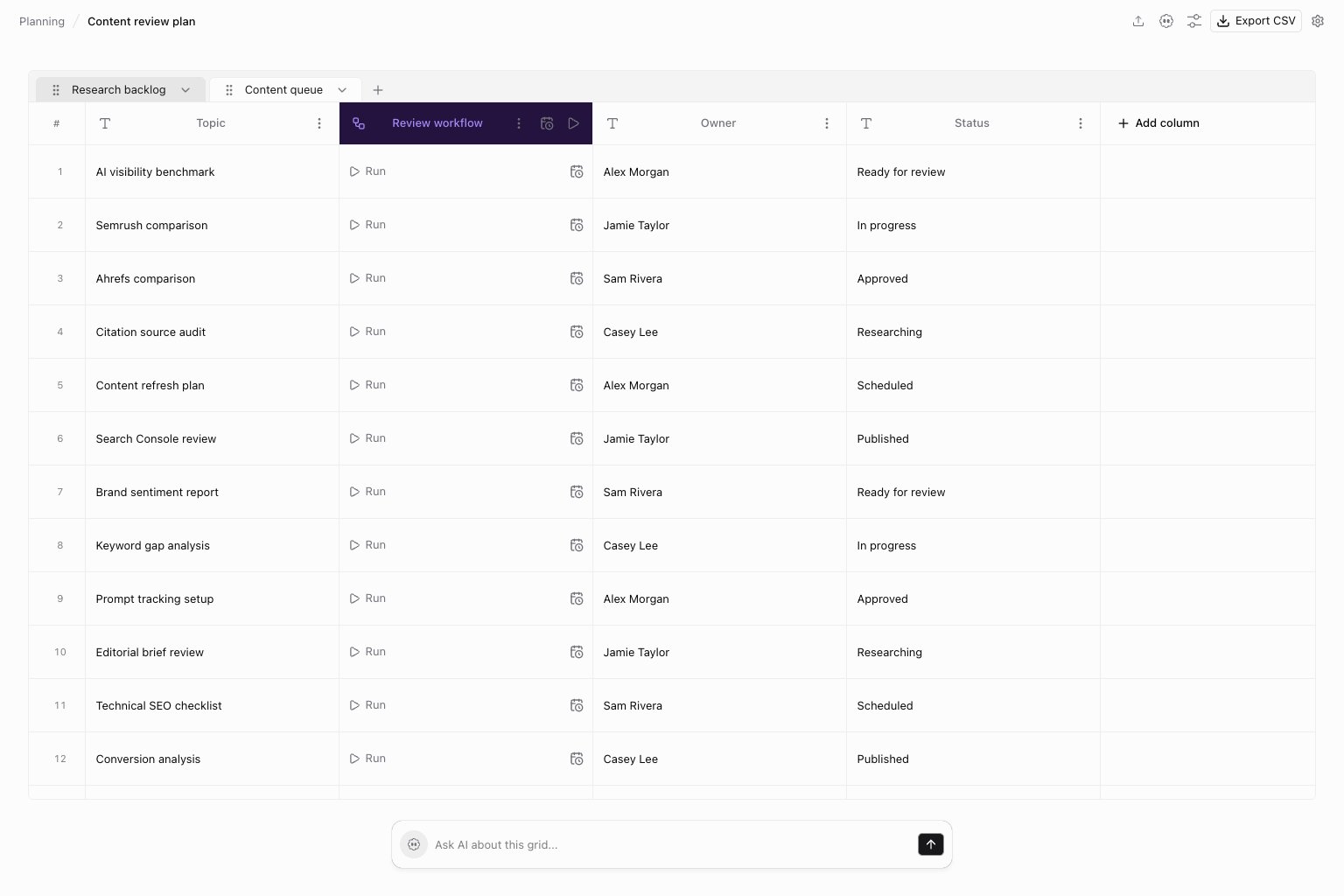 Open **Planning** to move from analysis to a concrete work list. Its entries are **Overview**, **Opportunities**, **Grid**, and **Tasks**; available actions depend on your access.
## Opportunities
Start with a finding tied to a specific page or group. Review the evidence, expected impact, and suggested action before choosing work. A suggestion is a starting point for review, not an instruction to publish automatically.
## Grid
Use a grid when many items follow the same process. Keep each row focused on one item and use workflow columns for repeatable execution. Inspect a successful row before scheduling a larger batch.
## Tasks
Use tasks to make ownership and progress visible. Link the underlying page, report, or workflow output so the assignee can verify the result. Close the task after checking the outcome, rather than merely starting a run.
## Where to go next
* [Opportunities](/data/opportunities/overview)
* [Grid](/automation/grids/overview)
* [Tasks](/automation/tasks/overview)
* [Strategy](/strategy/entities)
This documentation is built and hosted on [Mintlify](https://mintlify.com), a developer documentation platform.
Open **Planning** to move from analysis to a concrete work list. Its entries are **Overview**, **Opportunities**, **Grid**, and **Tasks**; available actions depend on your access.
## Opportunities
Start with a finding tied to a specific page or group. Review the evidence, expected impact, and suggested action before choosing work. A suggestion is a starting point for review, not an instruction to publish automatically.
## Grid
Use a grid when many items follow the same process. Keep each row focused on one item and use workflow columns for repeatable execution. Inspect a successful row before scheduling a larger batch.
## Tasks
Use tasks to make ownership and progress visible. Link the underlying page, report, or workflow output so the assignee can verify the result. Close the task after checking the outcome, rather than merely starting a run.
## Where to go next
* [Opportunities](/data/opportunities/overview)
* [Grid](/automation/grids/overview)
* [Tasks](/automation/tasks/overview)
* [Strategy](/strategy/entities)
This documentation is built and hosted on [Mintlify](https://mintlify.com), a developer documentation platform.