> ## Documentation Index
> Fetch the complete documentation index at: https://docs.atomicagi.com/llms.txt
> Use this file to discover all available pages before exploring further.
# General
> Review organization identity and perform high-impact organization actions.
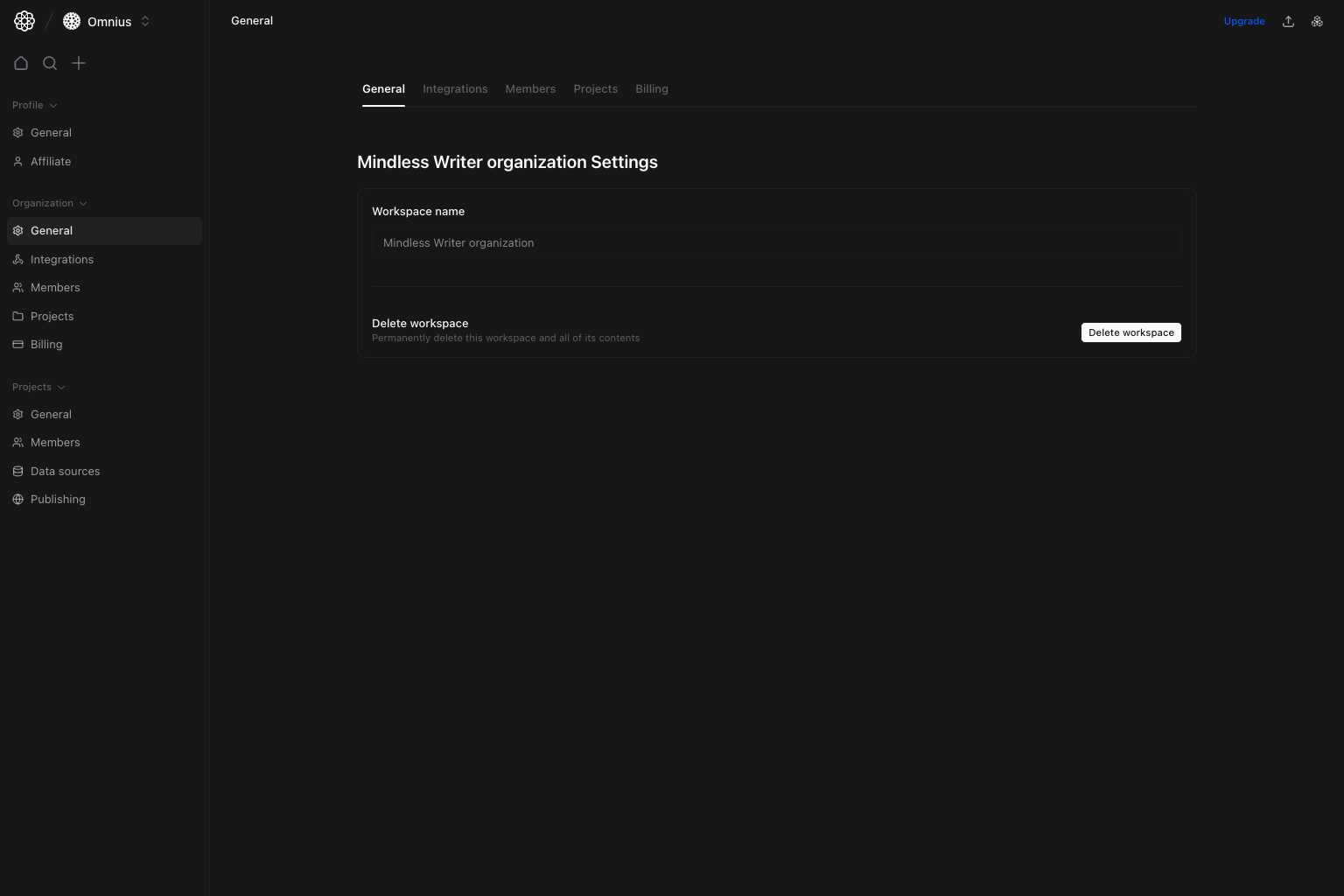 Use this page for top-level organization identity and lifecycle actions.
## Questions this page should answer
1. Is the organization name correct?
2. Who can perform destructive organization actions?
3. Is this the right scope for the change I need?
## Before you use this page
* In the app, open Organization settings and select `General`.
* Confirm you have the required role for write actions.
* Double-check scope before destructive operations.
## What this page controls
* Organization/workspace name (displayed read-only in this view).
* `Delete workspace` action for admins.
* Entry point to other organization tabs (`Integrations`, `Members`, `Projects`, `Billing`).
## How to use this page
### Treat delete as an irreversible action
`Delete workspace` removes workspace data, projects, members, and settings. Use only when intentionally decommissioning the organization.
### Use this page for identity checks
When auditing environment correctness, start by confirming the organization name in this tab.
### Move to specialized tabs for operations
Member management, integrations, and billing are handled in their dedicated organization tabs.
## Quick monthly checklist
1. Confirm organization identity is still correct.
2. Revalidate who has access to destructive organization actions.
3. Route operational tasks to the correct organization tab.
## Keep in mind
* Changes here can affect all projects in the organization.
* Most daily operations happen in `Members`, `Projects`, `Integrations`, and `Billing`.
## Where to go next
* [Project Data Sources](/settings/project/data-sources)
* [Organization Members](/settings/organization/members)
* [Organization Billing](/settings/organization/billing)
Use this page for top-level organization identity and lifecycle actions.
## Questions this page should answer
1. Is the organization name correct?
2. Who can perform destructive organization actions?
3. Is this the right scope for the change I need?
## Before you use this page
* In the app, open Organization settings and select `General`.
* Confirm you have the required role for write actions.
* Double-check scope before destructive operations.
## What this page controls
* Organization/workspace name (displayed read-only in this view).
* `Delete workspace` action for admins.
* Entry point to other organization tabs (`Integrations`, `Members`, `Projects`, `Billing`).
## How to use this page
### Treat delete as an irreversible action
`Delete workspace` removes workspace data, projects, members, and settings. Use only when intentionally decommissioning the organization.
### Use this page for identity checks
When auditing environment correctness, start by confirming the organization name in this tab.
### Move to specialized tabs for operations
Member management, integrations, and billing are handled in their dedicated organization tabs.
## Quick monthly checklist
1. Confirm organization identity is still correct.
2. Revalidate who has access to destructive organization actions.
3. Route operational tasks to the correct organization tab.
## Keep in mind
* Changes here can affect all projects in the organization.
* Most daily operations happen in `Members`, `Projects`, `Integrations`, and `Billing`.
## Where to go next
* [Project Data Sources](/settings/project/data-sources)
* [Organization Members](/settings/organization/members)
* [Organization Billing](/settings/organization/billing)