> ## Documentation Index
> Fetch the complete documentation index at: https://docs.atomicagi.com/llms.txt
> Use this file to discover all available pages before exploring further.
# Projects
> Review all organization projects and jump to project-level settings.
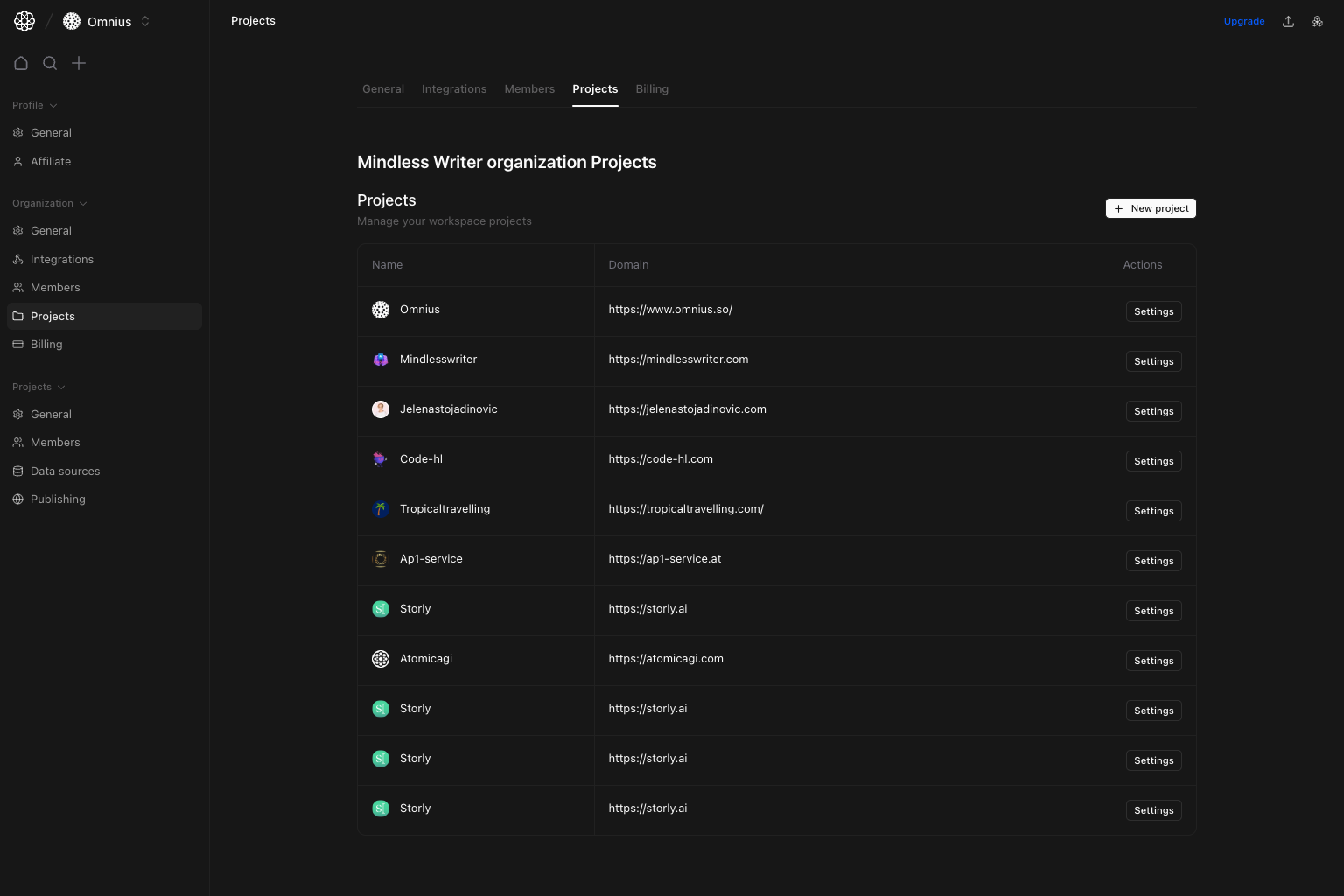 Use this page to manage project inventory and navigate into individual project settings.
## Questions this page should answer
1. Which projects are currently in this organization?
2. Which domains are linked to each project?
3. How do I open settings for a specific project quickly?
## Before you use this page
* In the app, open Organization settings and select `Projects`.
* Check if you have write permission for project creation.
* Validate domain ownership before creating new projects.
## What this page controls
* Project table (`Name`, `Domain`, `Actions`).
* `New project` creation action.
* `Settings` shortcut for each listed project.
## How to use this page
### Keep project inventory clean
Use this table as your canonical list of active organization projects.
### Create projects with intent
Use `New project` only when a distinct domain/use case warrants a separate configuration and reporting scope.
### Use row-level settings shortcuts
Use each row’s `Settings` button to jump directly into project configuration without manual navigation.
## Quick monthly checklist
1. Remove or archive stale projects operationally.
2. Audit duplicate domains and naming drift.
3. Validate each active project has an owner.
## Keep in mind
* This page is about project inventory, not deep project configuration.
* Detailed project settings are managed in the `Project` group.
## Where to go next
* [Project General](/settings/project/general)
* [Project Data Sources](/settings/project/data-sources)
* [Project Publishing](/settings/project/publishing)
Use this page to manage project inventory and navigate into individual project settings.
## Questions this page should answer
1. Which projects are currently in this organization?
2. Which domains are linked to each project?
3. How do I open settings for a specific project quickly?
## Before you use this page
* In the app, open Organization settings and select `Projects`.
* Check if you have write permission for project creation.
* Validate domain ownership before creating new projects.
## What this page controls
* Project table (`Name`, `Domain`, `Actions`).
* `New project` creation action.
* `Settings` shortcut for each listed project.
## How to use this page
### Keep project inventory clean
Use this table as your canonical list of active organization projects.
### Create projects with intent
Use `New project` only when a distinct domain/use case warrants a separate configuration and reporting scope.
### Use row-level settings shortcuts
Use each row’s `Settings` button to jump directly into project configuration without manual navigation.
## Quick monthly checklist
1. Remove or archive stale projects operationally.
2. Audit duplicate domains and naming drift.
3. Validate each active project has an owner.
## Keep in mind
* This page is about project inventory, not deep project configuration.
* Detailed project settings are managed in the `Project` group.
## Where to go next
* [Project General](/settings/project/general)
* [Project Data Sources](/settings/project/data-sources)
* [Project Publishing](/settings/project/publishing)