> ## Documentation Index
> Fetch the complete documentation index at: https://docs.atomicagi.com/llms.txt
> Use this file to discover all available pages before exploring further.
# General
> Review project identity and perform project-level lifecycle actions.
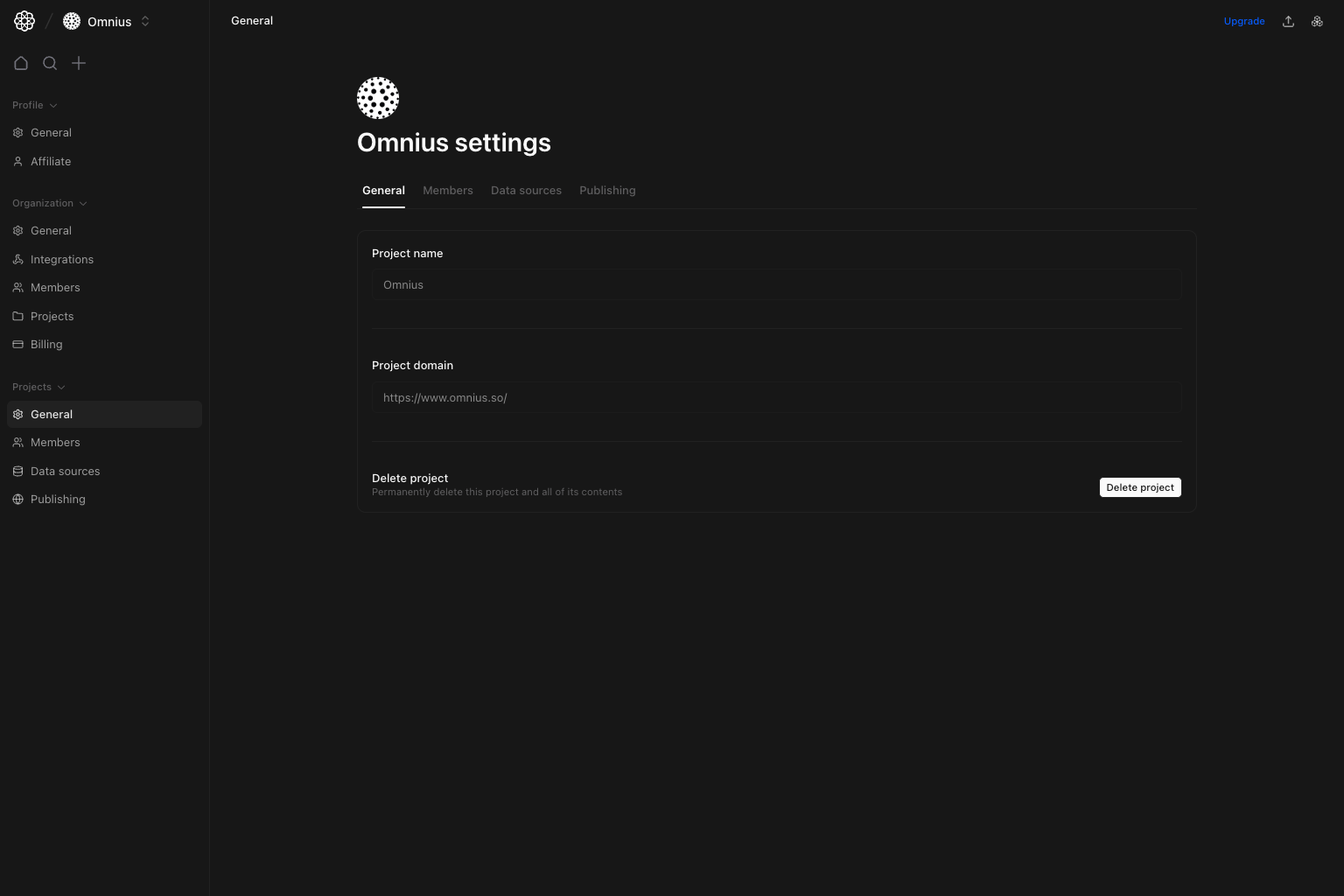 Use this page to validate core project identity and handle destructive project actions intentionally.
## Questions this page should answer
1. Is this the correct project and domain?
2. Do I have the right permission scope for project actions?
3. Is project deletion warranted or premature?
## Before you use this page
* In the app, open the project you want to edit, then select `General` in Project settings.
* Validate you are editing the intended project.
* Confirm backup/export expectations before deletion.
## What this page controls
* Read-only project name and domain display in this view.
* `Delete project` action for allowed roles.
## How to use this page
### Confirm identity before changing anything else
Use this tab to verify project/domain context before touching members, integrations, or publishing.
### Use delete only for true decommissioning
Deleting a project is destructive; use it only when the project is intentionally retired.
### Route operational setup to other tabs
Data sources, members, and publishing are configured in their dedicated project tabs.
## Quick monthly checklist
1. Confirm domain and project name still match live operations.
2. Revalidate who can run destructive actions.
3. Move routine configuration work to the correct project tabs.
## Keep in mind
* General is identity/lifecycle, not integrations or analytics config.
## Where to go next
* [Project Members](/settings/project/members)
* [Project Data Sources](/settings/project/data-sources)
* [Project Publishing](/settings/project/publishing)
Use this page to validate core project identity and handle destructive project actions intentionally.
## Questions this page should answer
1. Is this the correct project and domain?
2. Do I have the right permission scope for project actions?
3. Is project deletion warranted or premature?
## Before you use this page
* In the app, open the project you want to edit, then select `General` in Project settings.
* Validate you are editing the intended project.
* Confirm backup/export expectations before deletion.
## What this page controls
* Read-only project name and domain display in this view.
* `Delete project` action for allowed roles.
## How to use this page
### Confirm identity before changing anything else
Use this tab to verify project/domain context before touching members, integrations, or publishing.
### Use delete only for true decommissioning
Deleting a project is destructive; use it only when the project is intentionally retired.
### Route operational setup to other tabs
Data sources, members, and publishing are configured in their dedicated project tabs.
## Quick monthly checklist
1. Confirm domain and project name still match live operations.
2. Revalidate who can run destructive actions.
3. Move routine configuration work to the correct project tabs.
## Keep in mind
* General is identity/lifecycle, not integrations or analytics config.
## Where to go next
* [Project Members](/settings/project/members)
* [Project Data Sources](/settings/project/data-sources)
* [Project Publishing](/settings/project/publishing)