> ## Documentation Index
> Fetch the complete documentation index at: https://docs.atomicagi.com/llms.txt
> Use this file to discover all available pages before exploring further.
# Members
> Manage project-level access, role visibility, and permission granularity.
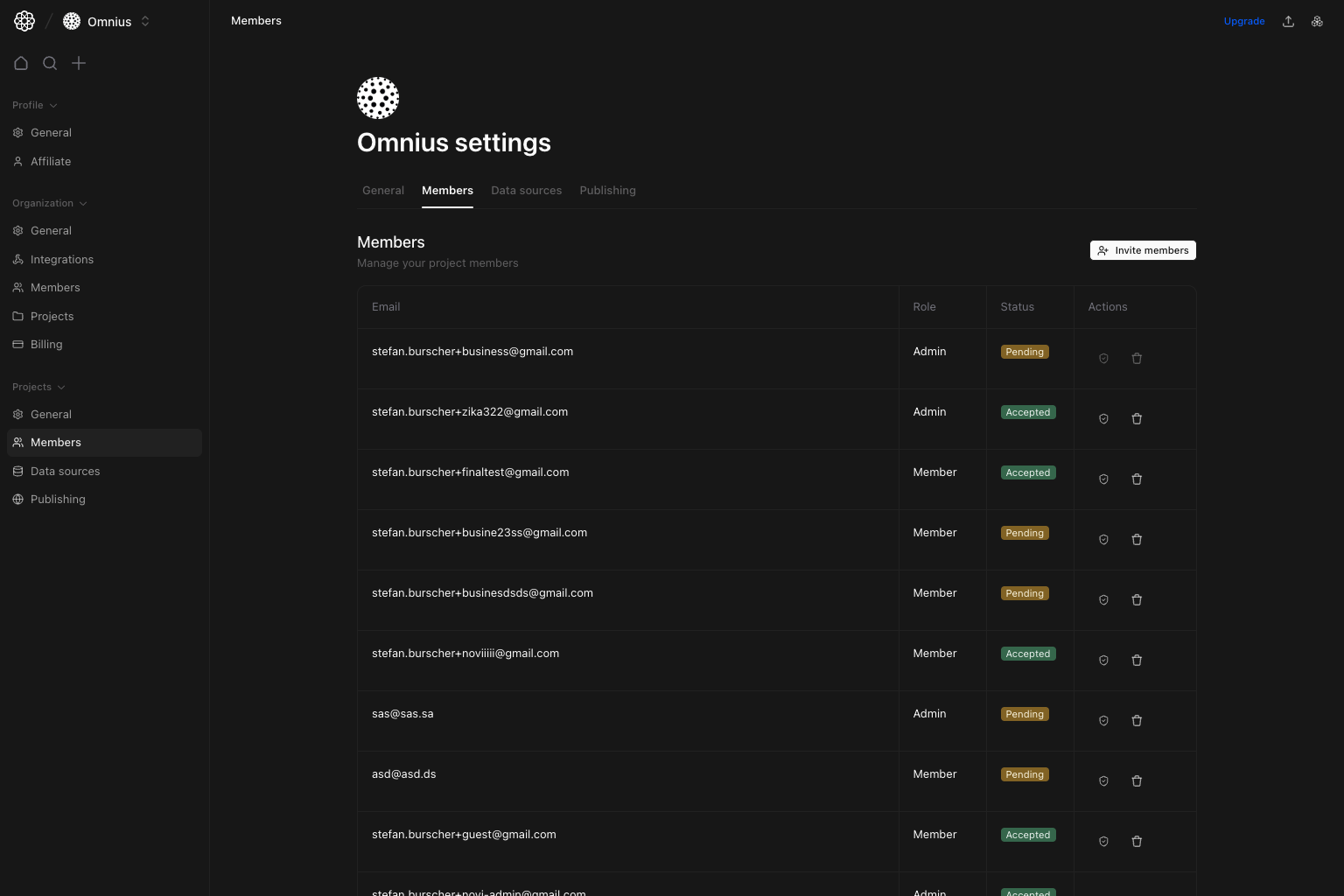 Use this page to manage who can work inside this specific project.
## Questions this page should answer
1. Who currently has access to this project?
2. Which members are pending vs accepted?
3. How should I scope permissions per person?
## Before you use this page
* In the app, open Project settings and select `Members`.
* Check member seat capacity if invites are blocked.
* Confirm whether changes should be project-only or organization-wide.
## What this page controls
* Project member list (`Email`, `Role`, `Status`, `Actions`).
* Invite flow for adding members to this project.
* Permission editing dialog for project-scoped feature/settings access.
* Remove member from project action.
## How to use this page
### Invite with scope in mind
Invite only users who need this project, then verify status changes from `Pending` to `Accepted`.
For the full invite and permission model, use the detailed guide in
[Organization Members](/settings/organization/members#invite-members-flow) (role behavior, project assignment, and `None` / `View only` /
`Full` scope definitions for each permission).
### Edit permissions at project scope
Use the edit permissions action to control this project’s feature/settings access without changing all organization access.
### Keep the list operationally clean
Remove members who no longer need project access to reduce risk and noise.
## Quick weekly checklist
1. Clear stale pending invites.
2. Review elevated project permissions.
3. Remove contributors no longer active on this project.
## Keep in mind
* Project membership is narrower than organization membership.
* Seat limits can still impact invite operations.
## Where to go next
* [Organization Members](/settings/organization/members)
* [Project General](/settings/project/general)
* [Project Publishing](/settings/project/publishing)
Use this page to manage who can work inside this specific project.
## Questions this page should answer
1. Who currently has access to this project?
2. Which members are pending vs accepted?
3. How should I scope permissions per person?
## Before you use this page
* In the app, open Project settings and select `Members`.
* Check member seat capacity if invites are blocked.
* Confirm whether changes should be project-only or organization-wide.
## What this page controls
* Project member list (`Email`, `Role`, `Status`, `Actions`).
* Invite flow for adding members to this project.
* Permission editing dialog for project-scoped feature/settings access.
* Remove member from project action.
## How to use this page
### Invite with scope in mind
Invite only users who need this project, then verify status changes from `Pending` to `Accepted`.
For the full invite and permission model, use the detailed guide in
[Organization Members](/settings/organization/members#invite-members-flow) (role behavior, project assignment, and `None` / `View only` /
`Full` scope definitions for each permission).
### Edit permissions at project scope
Use the edit permissions action to control this project’s feature/settings access without changing all organization access.
### Keep the list operationally clean
Remove members who no longer need project access to reduce risk and noise.
## Quick weekly checklist
1. Clear stale pending invites.
2. Review elevated project permissions.
3. Remove contributors no longer active on this project.
## Keep in mind
* Project membership is narrower than organization membership.
* Seat limits can still impact invite operations.
## Where to go next
* [Organization Members](/settings/organization/members)
* [Project General](/settings/project/general)
* [Project Publishing](/settings/project/publishing)