

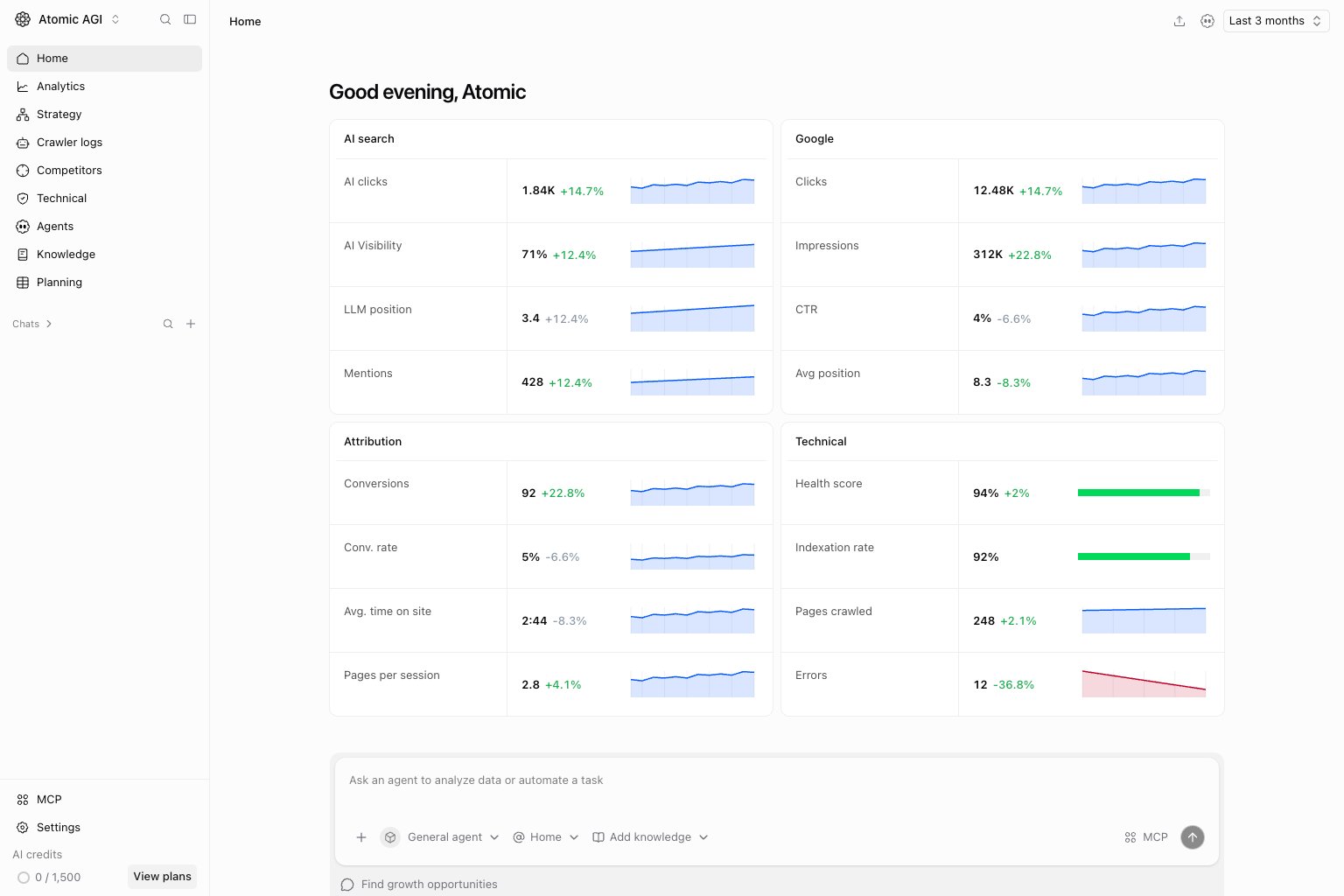
Read the performance cards
Choose a date range, then compare the current result with the comparison period. AI clicks describe visits attributed to AI sources; AI Visibility describes brand presence in tracked AI answers. They measure different parts of the journey. Google clicks, impressions, CTR, and average position describe search performance. Attribution connects visits to conversions and engagement. Technical health shows crawl and indexing results when those sources are available. A missing connection or unavailable metric is not evidence of zero performance.Investigate a change
SelectView all on the relevant card to open its detailed analytics. Narrow by page, source, country, or device before deciding whether the change affects the whole site. Use the agent composer to ask a question with Home context, and check the underlying data in its answer.