

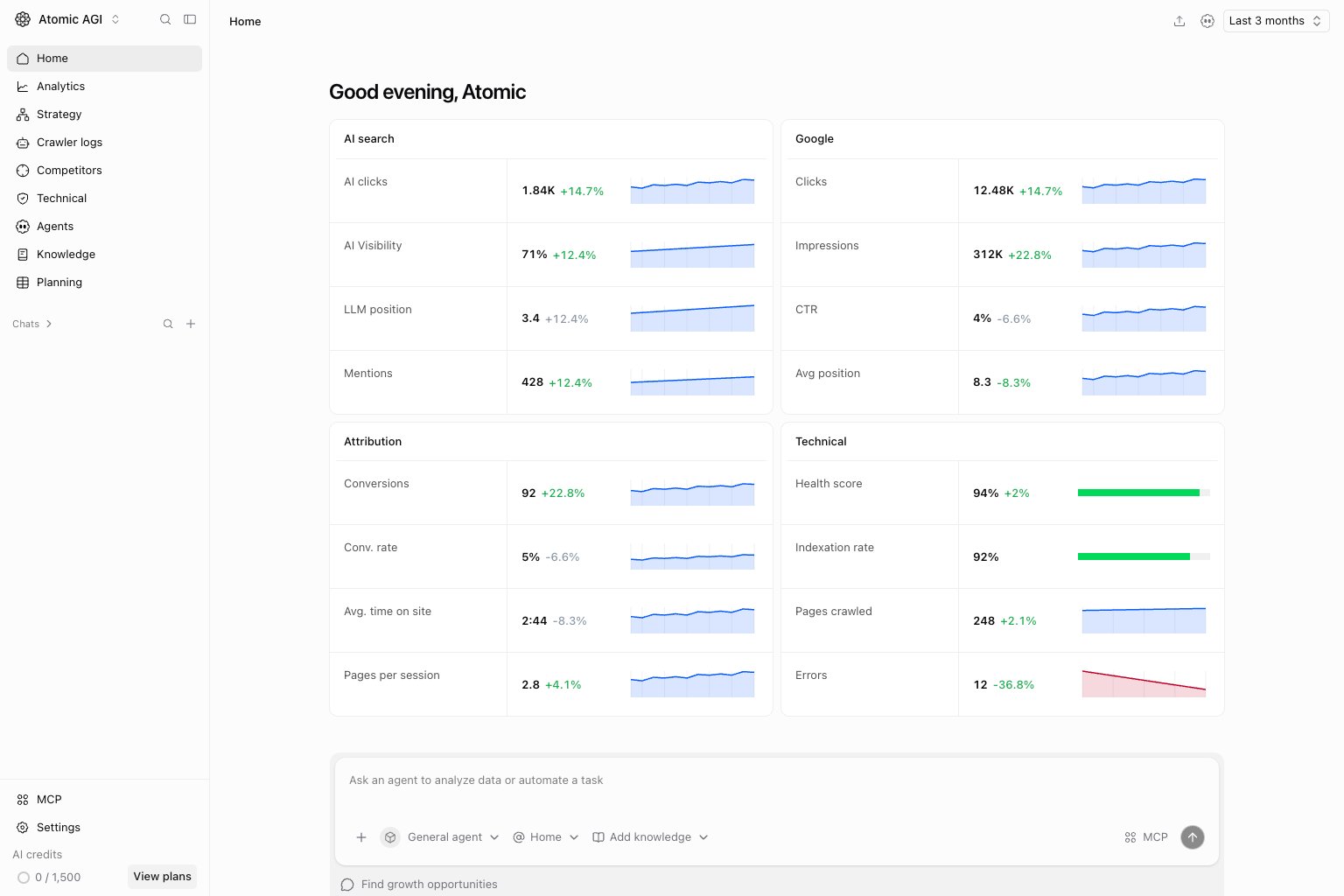
What this documentation gives you
- A clear path from setup to first outcomes
- Page-by-page guidance for analytics and content decisions
- Practical guidance for agents, knowledge, planning, and settings
- What changed and why?
- What should we prioritize this week?
- What should we do next?
What Atomic AGI tracks
- Google Search performance by keyword, page, location, and device
- AI search visibility, citations, prompts, and sentiment
- Technical issues that block discovery and indexing
- Opportunity queues to prioritize what to fix first
- Attribution and reporting views for stakeholder updates
How to use these docs effectively
- Open the same page in the app and in docs.
- Read the “Questions this page should answer” section first.
- Use the interpretation and checklist sections to decide actions.
- Assign fixes, then validate status changes in the next cycle.
Documentation map
- Home: choose the next investigation from project performance.
- Analytics: compare Google search, AI search, attribution, and reports.
- Strategy: compare entities, clusters, funnel stages, and pages.
- Crawler logs: inspect observed AI bot requests.
- Competitors: review competing content and gaps.
- Technical: investigate crawling, indexing, and site health.
- Agents: use chats, tools, recurring automation, and workflows.
- Knowledge: manage reference sources and brand guidance.
- Planning: turn opportunities into grids and tasks.
- Settings: configure access, connections, notifications, and billing.