

Questions this page should answer
- Which specialist should run this task?
- Do we already have an agent for this use case?
- Which agents need updates because outputs are weak or inconsistent?
Before you manage agents
- Define your top use cases first: analysis, technical SEO, content, automation.
- Keep one clear purpose per agent.
- Use simple names based on outcome, not internal jargon.
What this page gives you
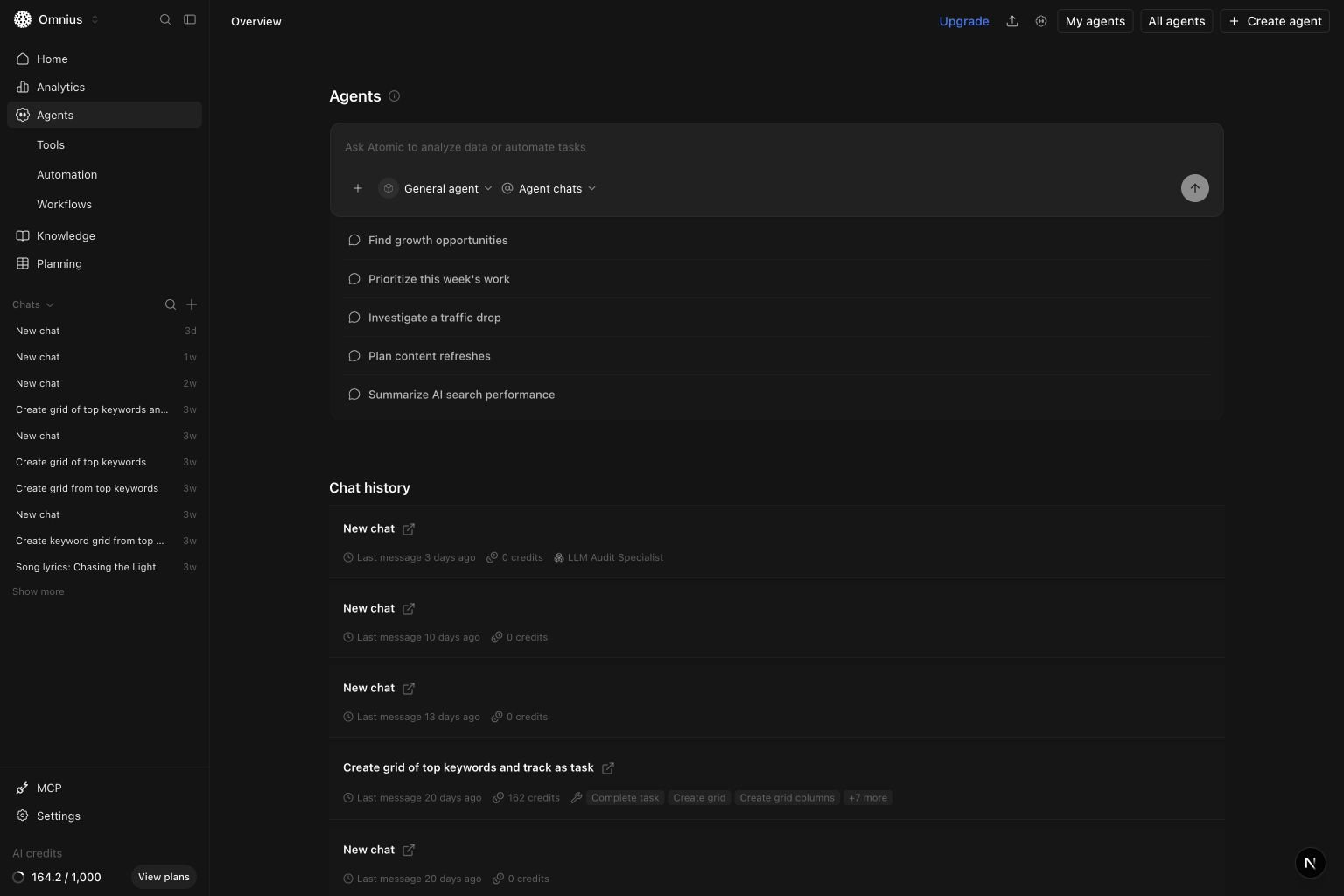
All agentspage for full agent discovery.My agentsworkspace to manage custom agents.- AI sidebar access using the top-right 3-boxes AI assistant button.
- Chat history to review real usage before editing instructions.
All agents page
OpenAll agents from the top-right actions on the Agents overview when you want to pick the right specialist quickly.
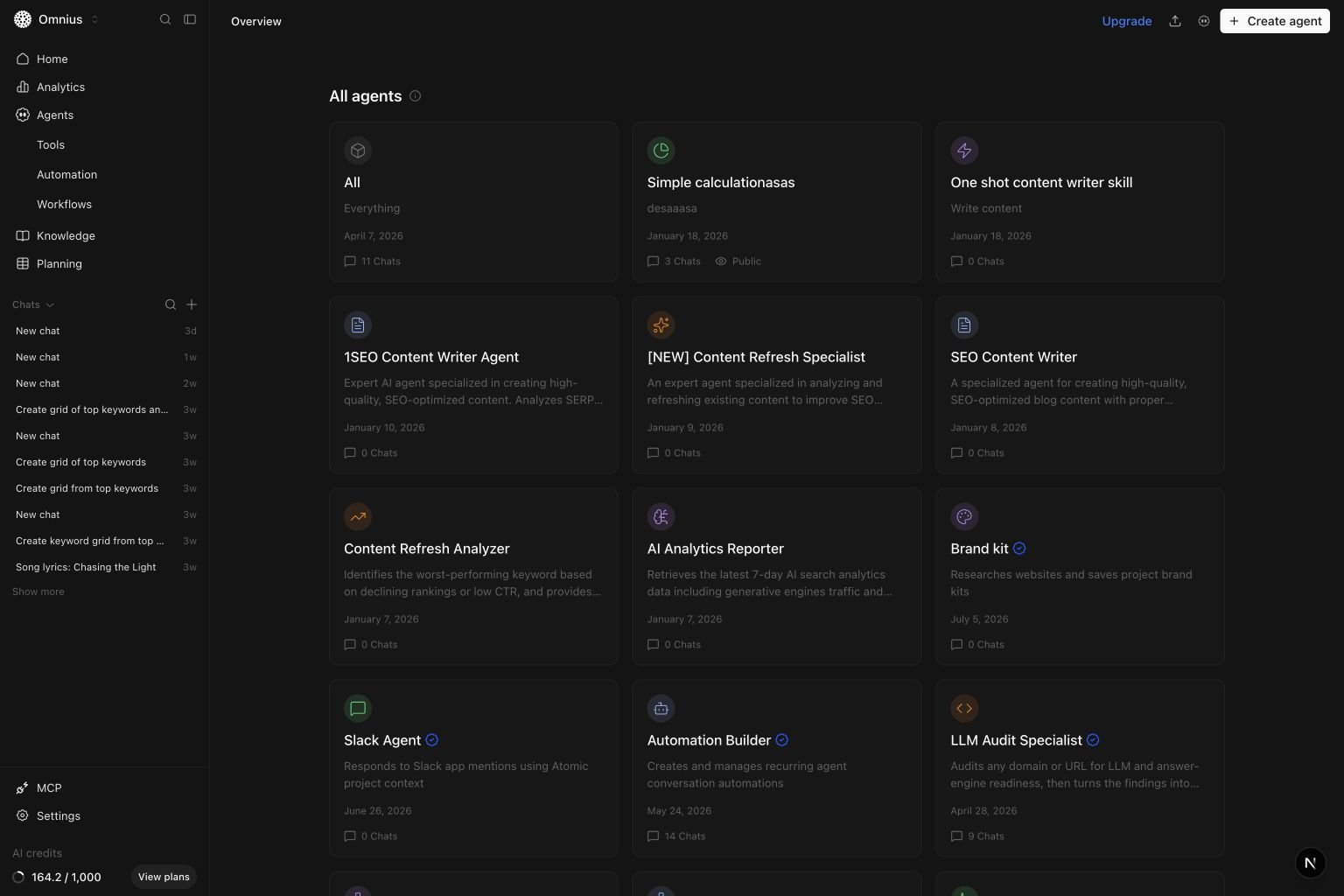
- Review the available agents and compare their descriptions.
- Use the creation date and chat count to understand how each agent is used.
- Select an agent to start a new chat with that specialist.
- Return to the Agents overview when you want to reuse a recent conversation.
AI sidebar (quick actions on Agents)
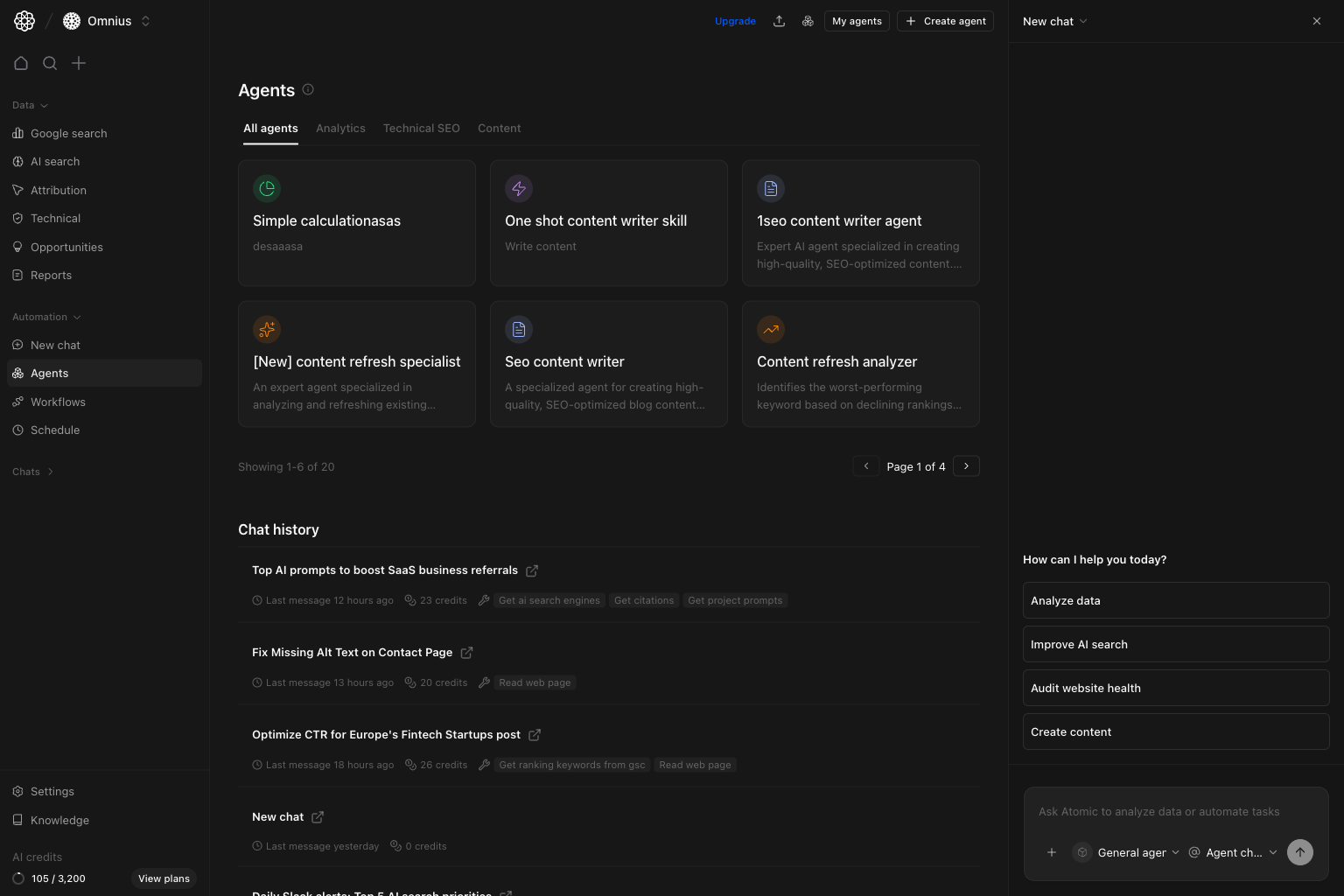
Use this when you want to stay on the Agents page while running quick AI tasks.- From the Agents page, use the top-right 3-boxes AI assistant button.
- The AI sidebar opens on the right for prompts and quick actions.
- Keep using the same Agents view while running analysis or content tasks.
My agents page (management workspace)
This is where you maintain your custom agents.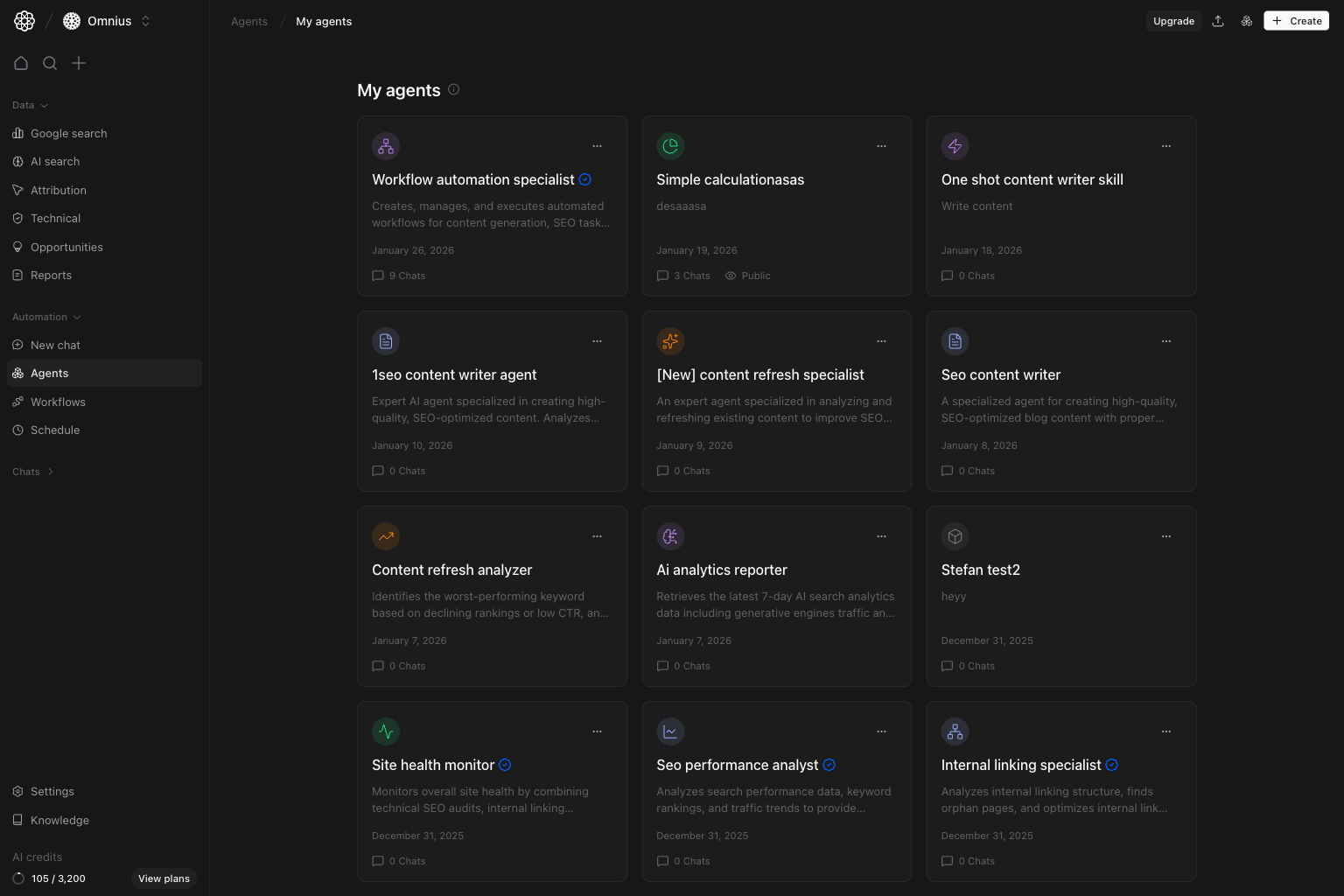
My agents to:
- Review your custom agent list.
- Spot duplicates and overlap.
- Identify low-value agents to merge or retire.
- Decide which agents need instruction updates.
Create agent flow (new specialist)
Create a new agent only when an existing one cannot be improved to cover the task.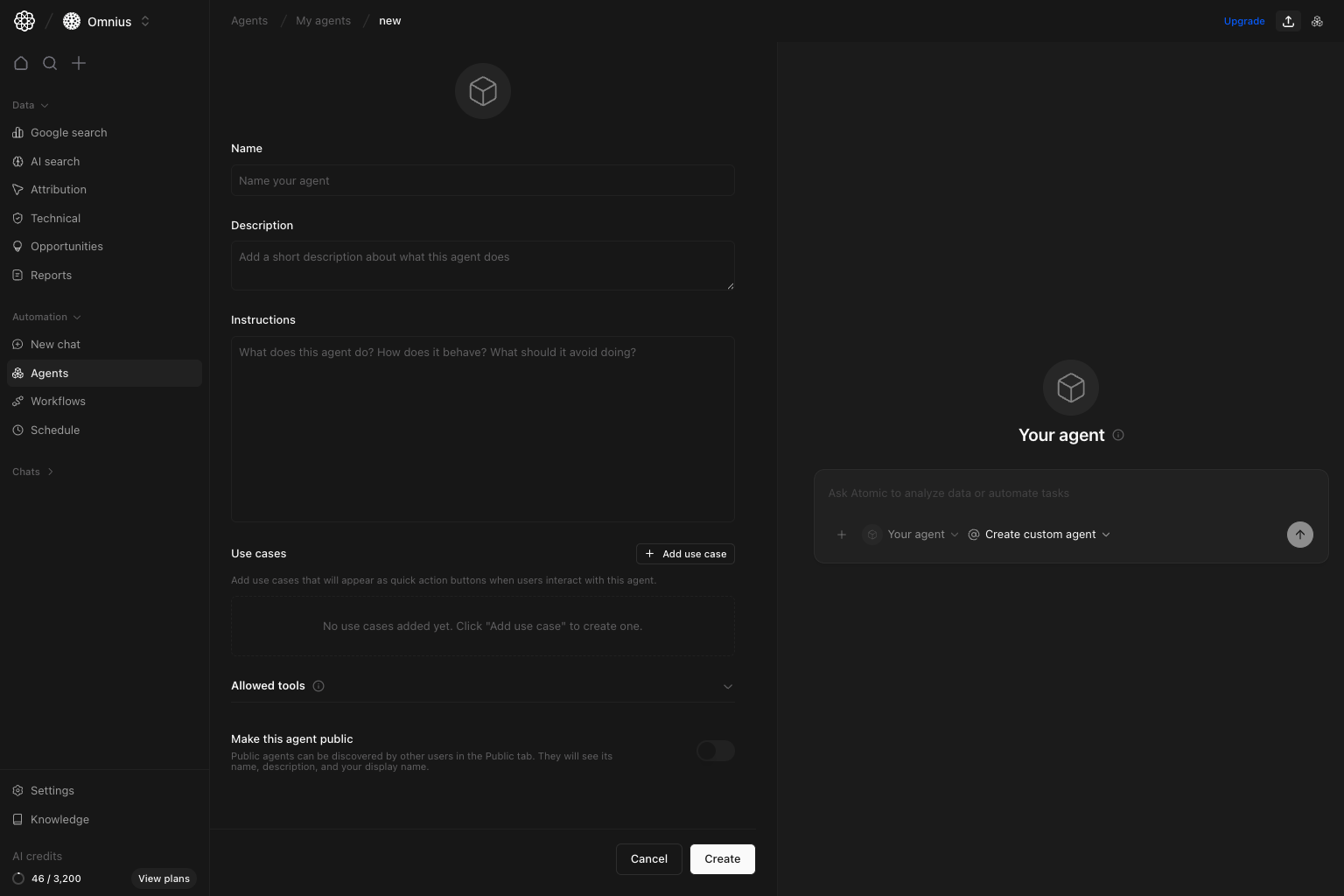
Name: outcome-focused and easy to route.Description: one sentence on what this agent produces.Instructions: behavior, boundaries, and response format.Use cases: concrete quick actions users can click.Allowed tool categories: limit tools to reduce noisy or risky output.
- What the agent should do
- What it should avoid
- Expected output format
- Decision rules when data is incomplete
Important: Keep one clear job per agent. Multi-purpose agents create inconsistent output and are harder to maintain.
Edit agent flow (quality improvement)
Editing is where most quality gains happen.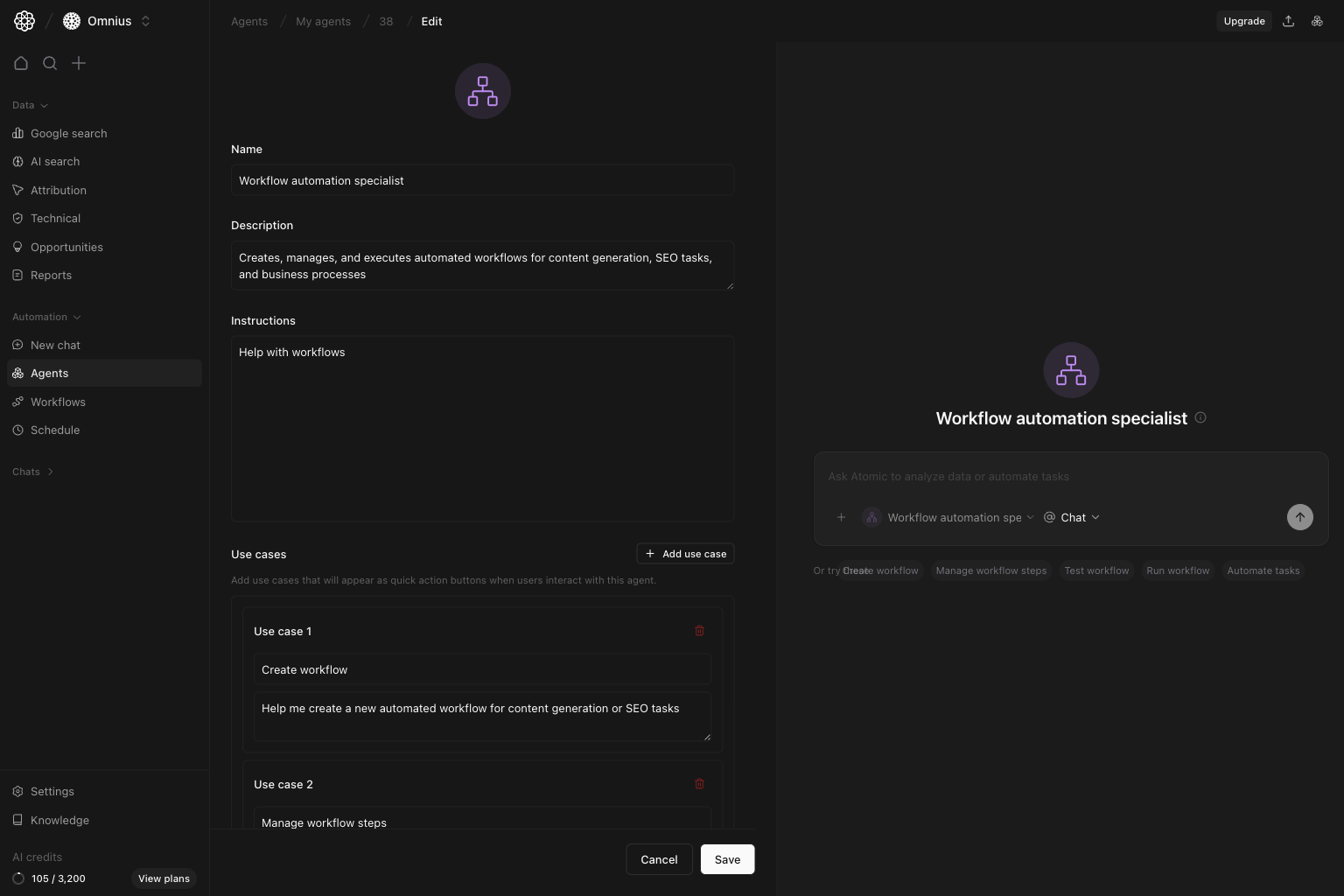
- Outputs are too generic.
- Answers are correct but not actionable.
- Team members use long prompt workarounds to get useful results.
- The same mistakes appear across multiple runs.
- Review 5-10 recent runs for repeated failure patterns.
- Tighten instructions with explicit output structure.
- Add or remove tool access based on mistakes.
- Re-test using the same prompt set and compare results.
Weekly agent operations routine
- Review top-used agents and weakest outputs.
- Update one high-impact agent each week.
- Remove redundant agents.
- Promote proven prompts into reusable workflows.
Keep in mind
- More agents do not mean better operations.
- Clear scope beats “do everything” instructions.
- Most performance issues come from vague instructions, not model quality.
Where to go next
- New chat: run requests with the right agent selected
- Teams: group specialists into reusable multi-agent setups
- Tasks: track work assigned to agents and people
- Workflows: automate repeated agent tasks
- Automations: schedule recurring agent conversations