

Questions this page should answer
- Are critical checks running at the right cadence?
- Are schedules aligned to team timezone and reporting rhythm?
- Are stakeholders receiving completion alerts reliably?
Before you configure schedules
- Confirm your reporting cadence (daily, weekly, bi-weekly, monthly).
- Align timezone with the team that receives outputs.
- Decide which runs need email notifications.
What this page gives you
- Separate scheduling for SEO audits and workflows.
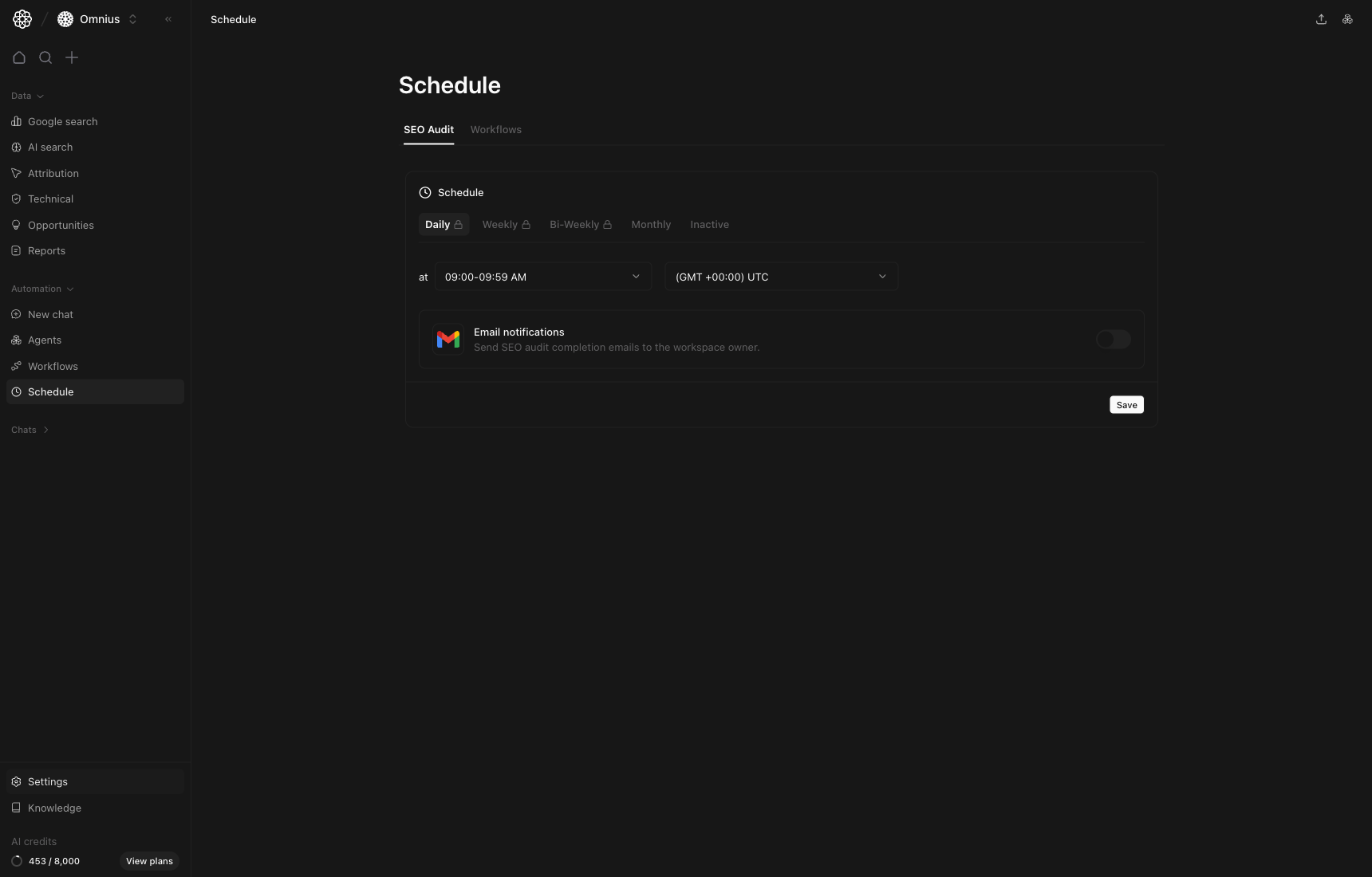
- Cadence controls from daily to inactive.
- Time window and timezone controls.
- Notification toggle for completion emails.
SEO Audit tab
This tab controls recurring technical/site audit runs.- Daily: active monitoring for high-change sites.
- Weekly: standard cadence for most teams.
- Bi-weekly or monthly: lighter oversight for stable sites.
- Inactive: pause runs during migrations or maintenance windows.
Workflows tab
This tab controls recurring workflow automations.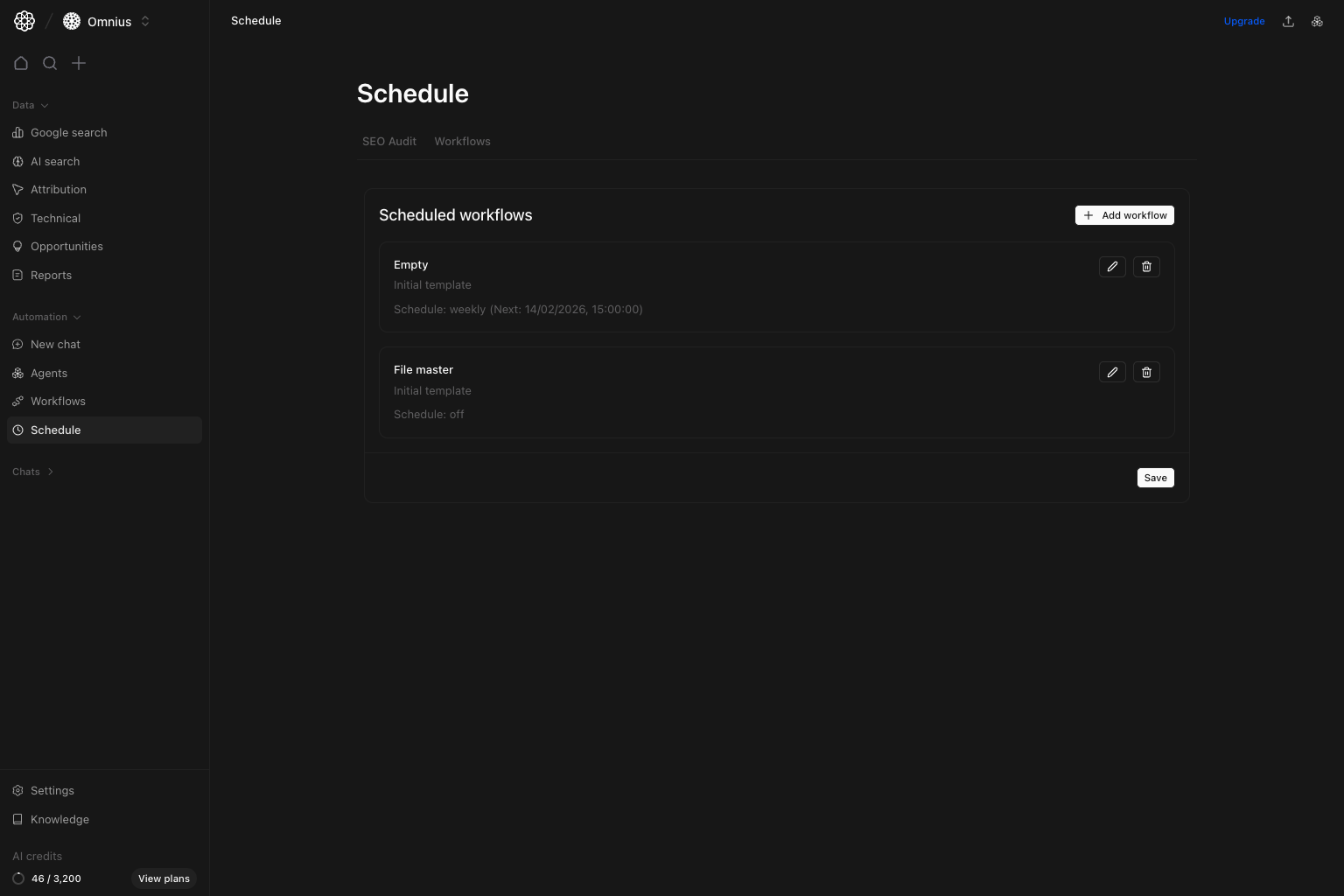
- Weekly priority lists for team planning.
- Bi-weekly update workflows for content refresh cycles.
- Monthly executive summaries and performance snapshots.
Cadence selection guide
- Choose
Dailywhen timing is business-critical. - Choose
Weeklyfor most SEO/content operating rhythms. - Choose
Bi-weeklywhen work cycles are sprint-based. - Choose
Monthlyfor leadership rollups and trend reporting.
Important: Set schedule only after manual runs are stable. Scheduling an unstable workflow only repeats bad output faster.
Notification hygiene
- Enable completion emails only for workflows that require action.
- Avoid alert fatigue by limiting low-priority notifications.
- Route critical failures to a shared team inbox.
Weekly schedule review checklist
- Verify next-run timing is correct.
- Check timezone after team/location changes.
- Confirm completion notifications are still useful.
- Pause obsolete schedules and remove stale automations.
What to fix first
Team routine
- Weekly: review which scheduled outputs produced decisions.
- Bi-weekly: tune cadence for workflows tied to active campaigns.
- Monthly: pause schedules that no longer match team operations.
Keep in mind
- Correct cadence is part of quality, not just convenience.
- Over-scheduling low-value runs wastes credits and attention.
- A schedule should match decision cadence, not tool availability.
Where to go next
- Workflows: improve what gets scheduled
- Automations: manage recurring agent conversations separately
- Technical overview: interpret scheduled audit outputs
- Agents: route scheduled tasks to the right specialists