

Questions this page should answer
- Which agent should handle this request?
- What prompt format gets an actionable answer?
- How do you keep context clean across different tasks?
Before you start
- Pick one clear goal for this chat.
- Know what output you need: diagnosis, action plan, or draft copy.
- Choose whether this should stay ad-hoc or become a workflow later.
What this page gives you
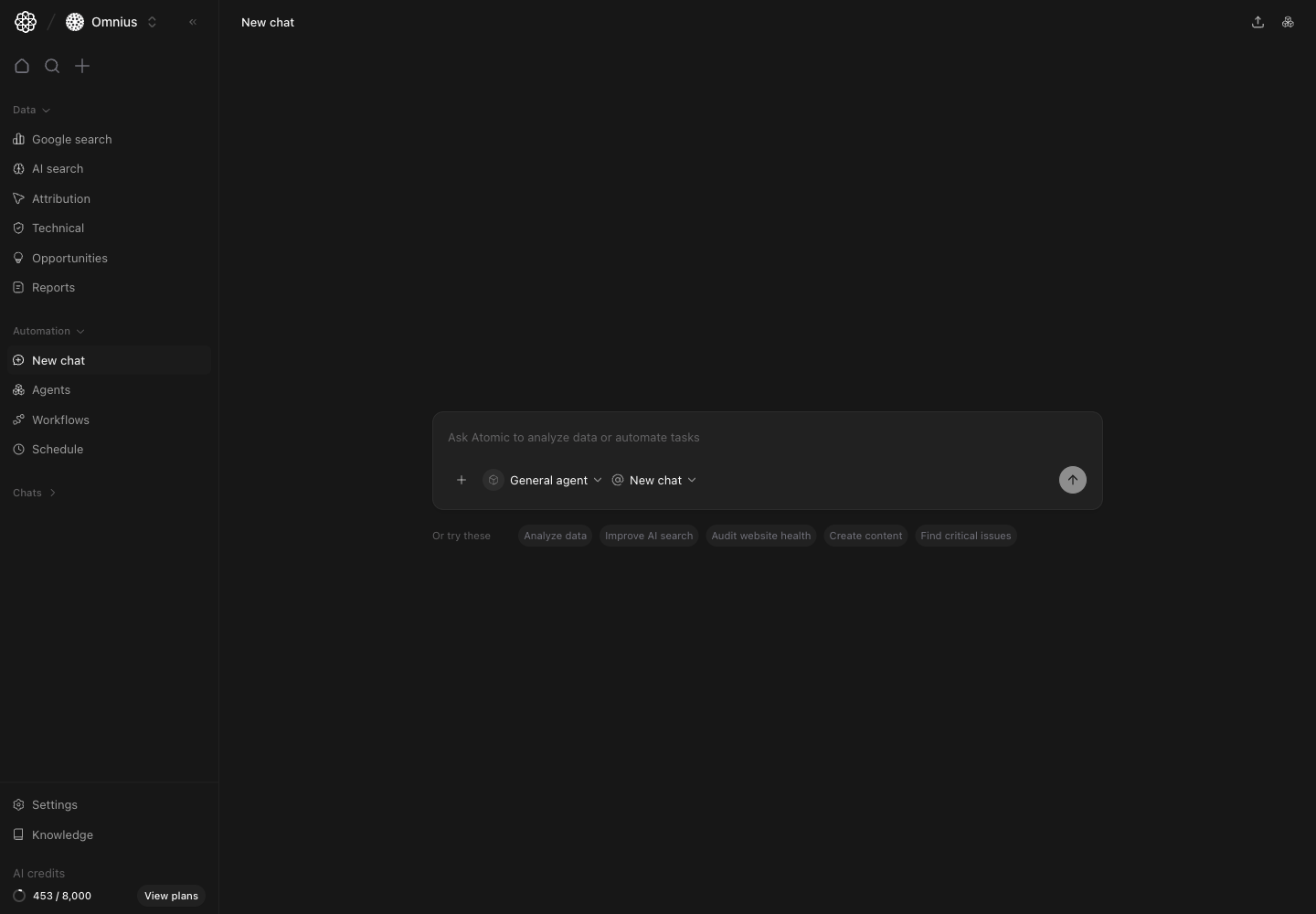
- A central prompt composer for one-off requests.
- An agent selector to match task type with the right specialist.
- A chat-context selector to continue an old thread or start clean.
- Quick prompt starters for common marketing tasks.
How the composer is organized
- Main input box: write the task in plain language.
- Agent selector: pick the specialist that should answer.
- Chat selector: choose
New chatwhen you want clean context. - Quick starter chips: launch common requests quickly.
Choose the right agent before sending
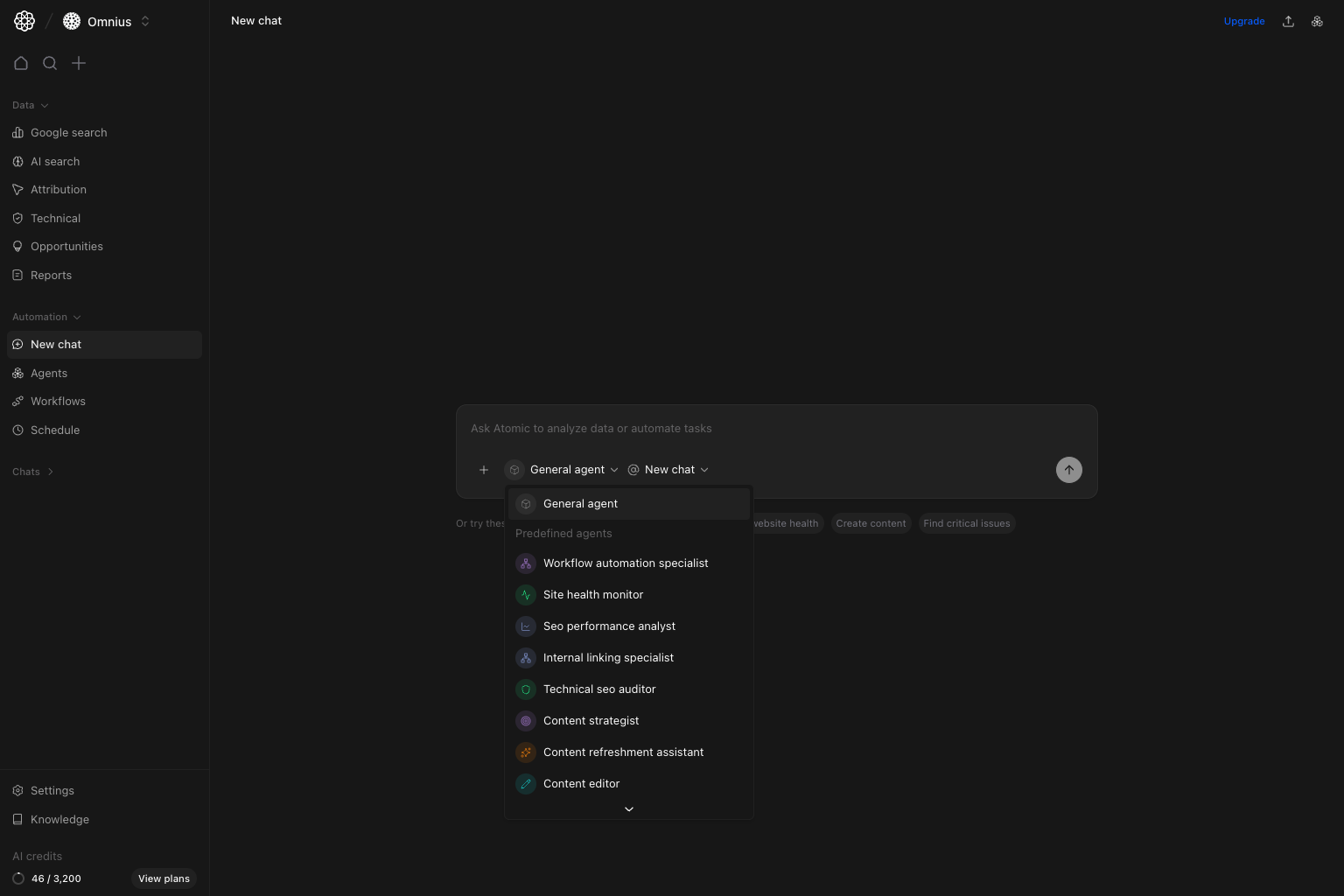
General agent: broad planning and mixed questions.SEO performance analyst: traffic and ranking diagnosis.Technical SEO auditor: crawl, index, and issue-focused tasks.Content strategistorContent editor: content planning and rewriting.Workflow automation specialist: requests that should be turned into repeatable flows.
Important: If output quality is weak, switch the agent first before rewriting the prompt.
Prompt format that works for marketers
Use this structure:- Goal
- Context
- Constraints
- Output format
When to keep chatting vs start fresh
Start a fresh chat when:- You switch from SEO analysis to content writing.
- You change site, market, or campaign context.
- You want a clean answer without prior assumptions.
- You are refining the same output.
- You are asking follow-up implementation questions.
- You are validating tradeoffs for the same problem.
Quick execution checklist
- Pick agent.
- Write prompt with clear output format.
- Review answer for direct actions.
- Convert useful repeated tasks into workflows.
Keep in mind
- Better inputs produce better outputs.
- One task per prompt keeps answers focused.
- New chat is best for speed; workflows are best for consistency.
Where to go next
- Agents: create and manage specialists
- Teams: reuse multi-agent setups for bigger jobs
- Workflows: automate repeatable tasks
- Automations: schedule recurring agent conversations