

Questions this page should answer
- Which recurring task should become a workflow first?
- Are runs completing with useful outputs, not just green status?
- Where should we fix steps, inputs, or schedule to improve reliability?
Before you automate
- Start with one repeated task your team already does manually.
- Define the exact output you expect before building.
- Keep version one short and clear.
What this page gives you
- A workflow library with reusable cards.
- Fast creation from templates or from scratch.
- A full editor for step logic and sequencing.
- Per-workflow run, execution, and history views.
- Schedule controls for recurring runs.
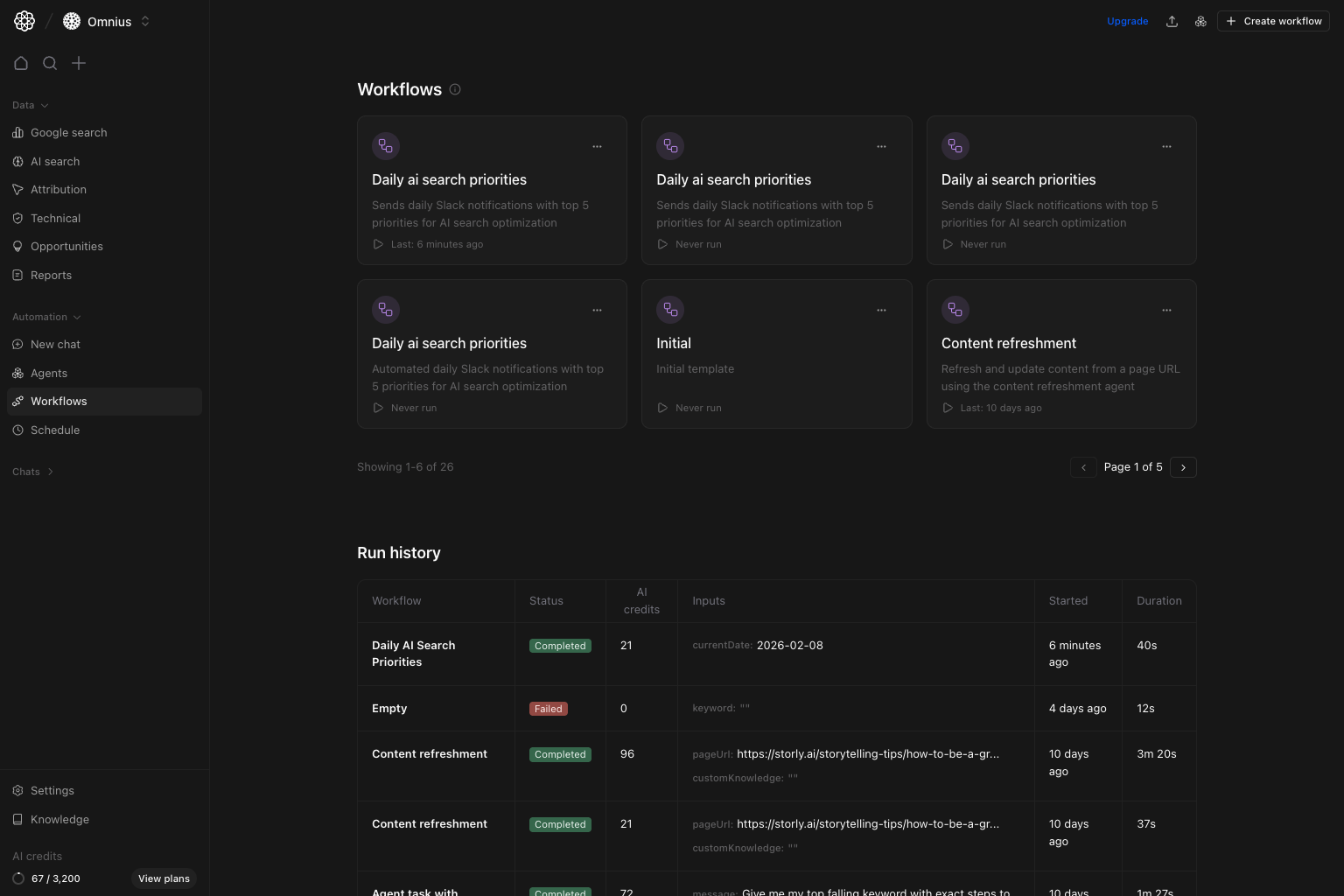
How to read the workflow library
In the top section:- Each card is one automation.
- The card title and subtitle tell you the business job.
LastorNever runtells you adoption and recency.- The three-dot action on cards helps with quick maintenance actions.
Status: run health.AI credits: cost per run.Inputs: confirms run context.StartedandDuration: speed and timing consistency.
Inputs first, then step output.
Create workflow (template or scratch)
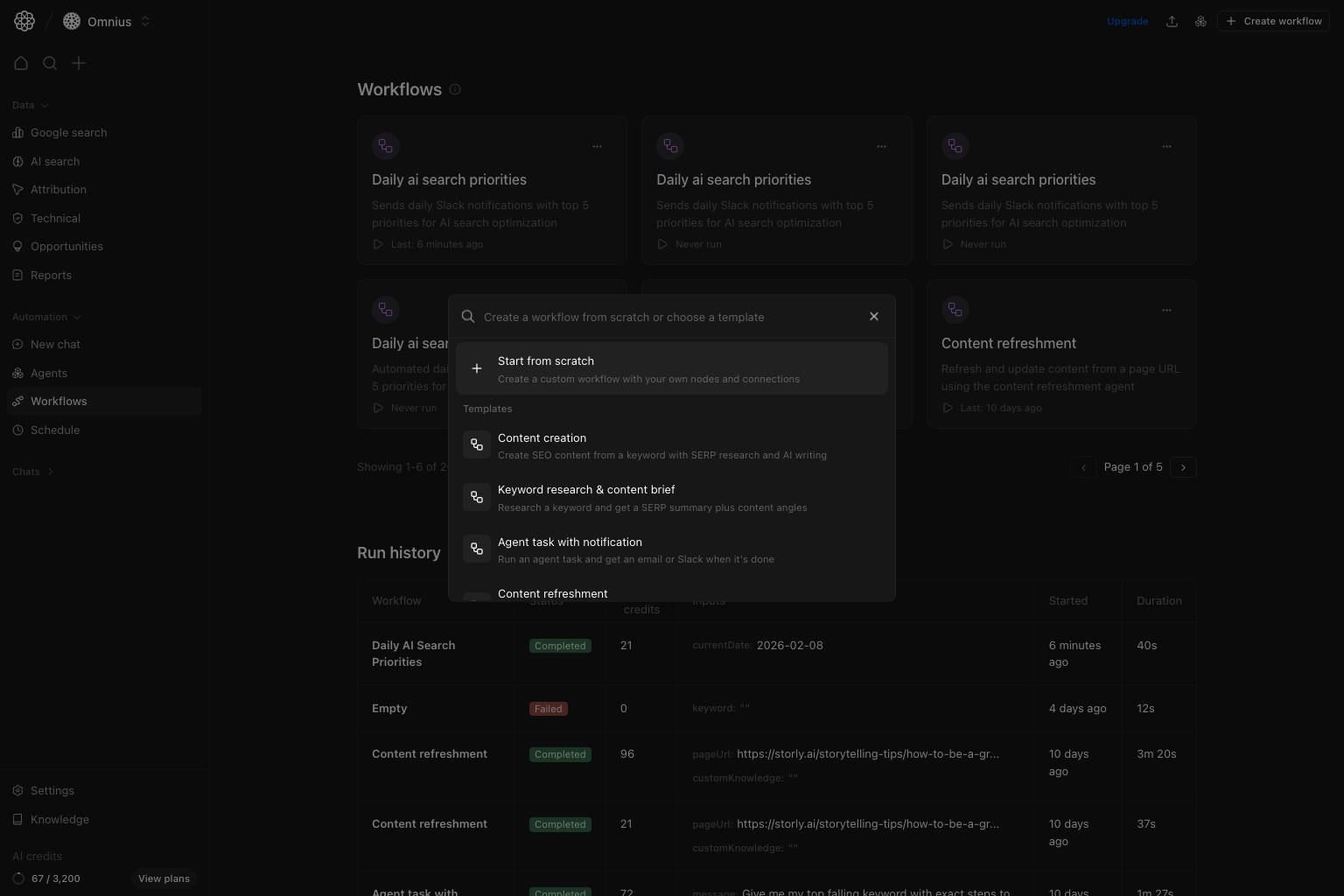
Create workflow to start from:
Start from scratchfor custom logic.- Templates for common execution patterns.
Edit workflow (builder)
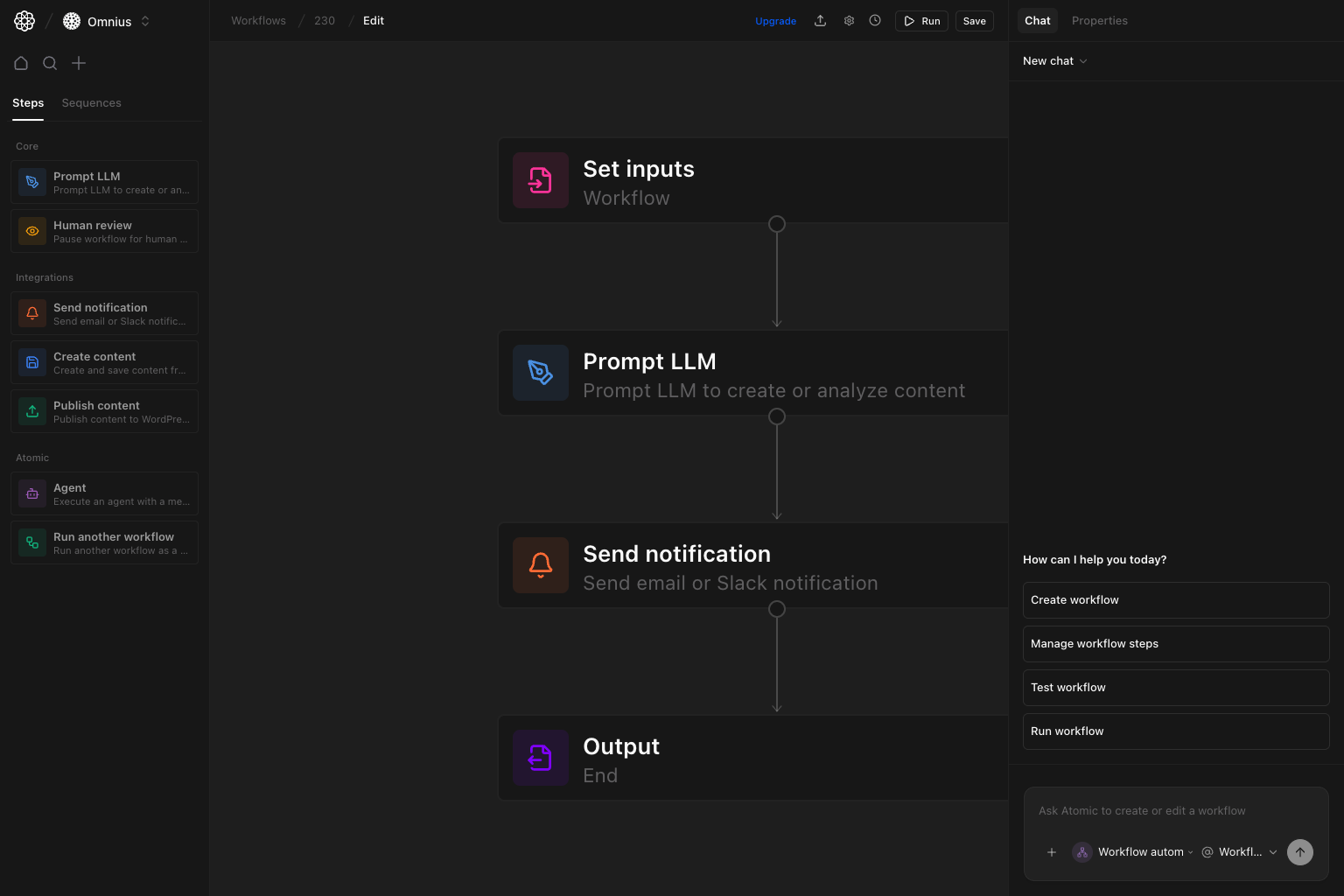
- Left panel: available step types.
- Center canvas: step order and flow.
- Right panel: AI assistant and properties.
- Top actions: run test, save, and chat-guided edits.
Content image enrichment workflows
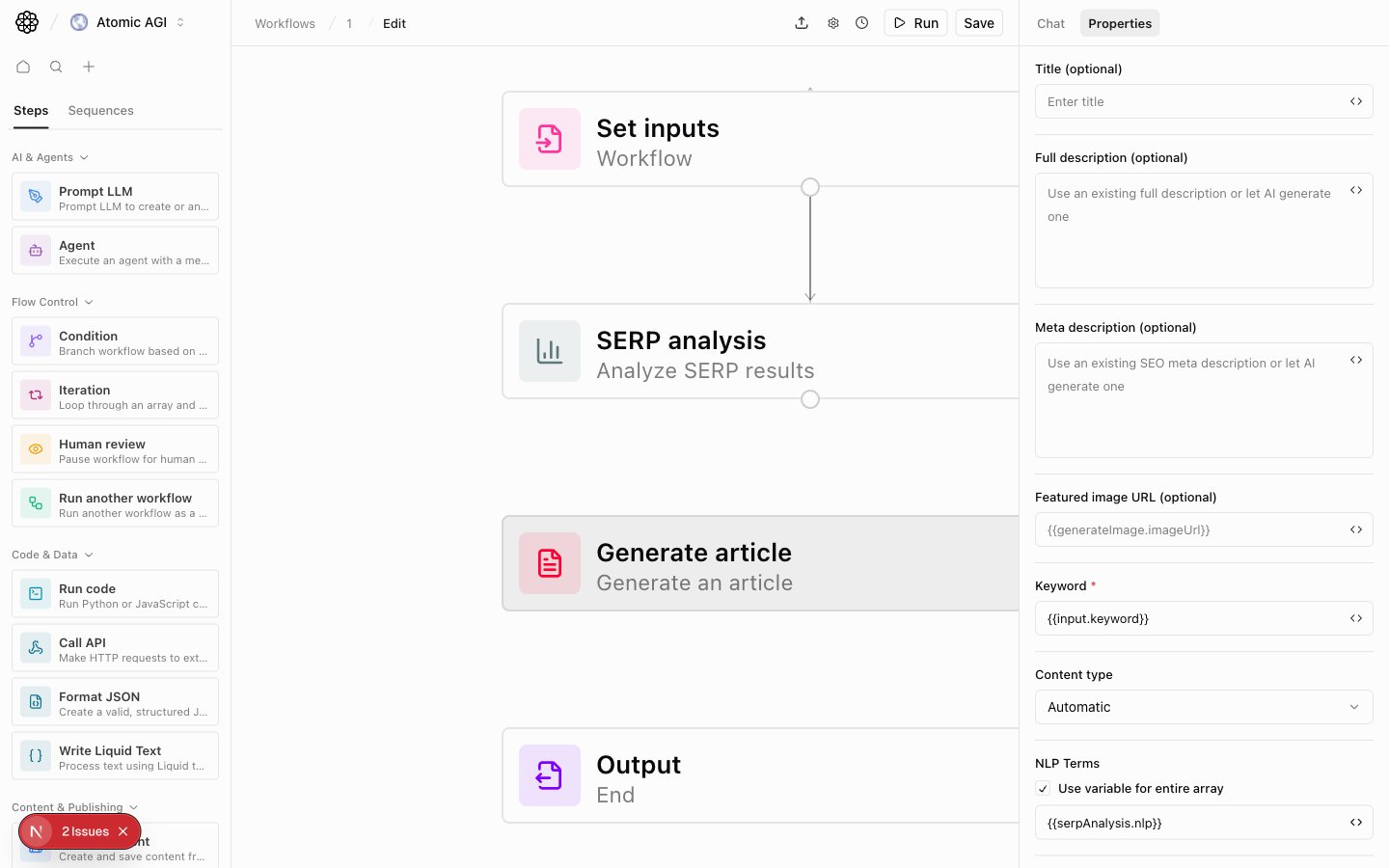
Use content enrichment steps when a draft already exists and needs useful inline visuals:Enrich content images: search the project’s Product Images library first, then use AI web search when no first-party image strongly matches. It adds the strongest images near the sections they support and saves the result as a new active editor version. It skips webpage screenshots.Create content version: save markdown from another step as a new active editor version without overwriting older versions.
Generate article or when refreshing older text-only drafts. Add clear titles, descriptions, tags, and use cases on Product Images so the agent can find the right first-party visual. Keep target image count balanced; weak visual opportunities should be skipped instead of forcing filler images.
Repurpose content for distribution
UseRepurpose content after Get content from editor to adapt one finished article into one selected format:
- LinkedIn post or article
- X post or thread
- Newsletter issue
Repurpose content only returns a structured draft. It does not publish, schedule, authenticate, or create a draft on an external platform. Place Human review after it to approve or edit the draft. The Repurpose content for distribution template already uses this safe generation-and-review sequence and ends with the approved draft as workflow output.
For X, choose Post for one complete idea or Thread for ordered segments. If a faithful point cannot fit within the configured X post limit, the step skips the post instead of shortening it into a misleading teaser.
For a newsletter issue, choose a publication profile and provide the issue number. Previous-issue details, referral campaigns, commercial links, and other changing values are included only when you supply them. The The Startup Finance profile keeps its navigation, issue shell, rundown, TL;DR, numbered sections, mid-issue CTA position, bottom line, reply CTA, referral module, signature, and P.S. in one reviewable document.
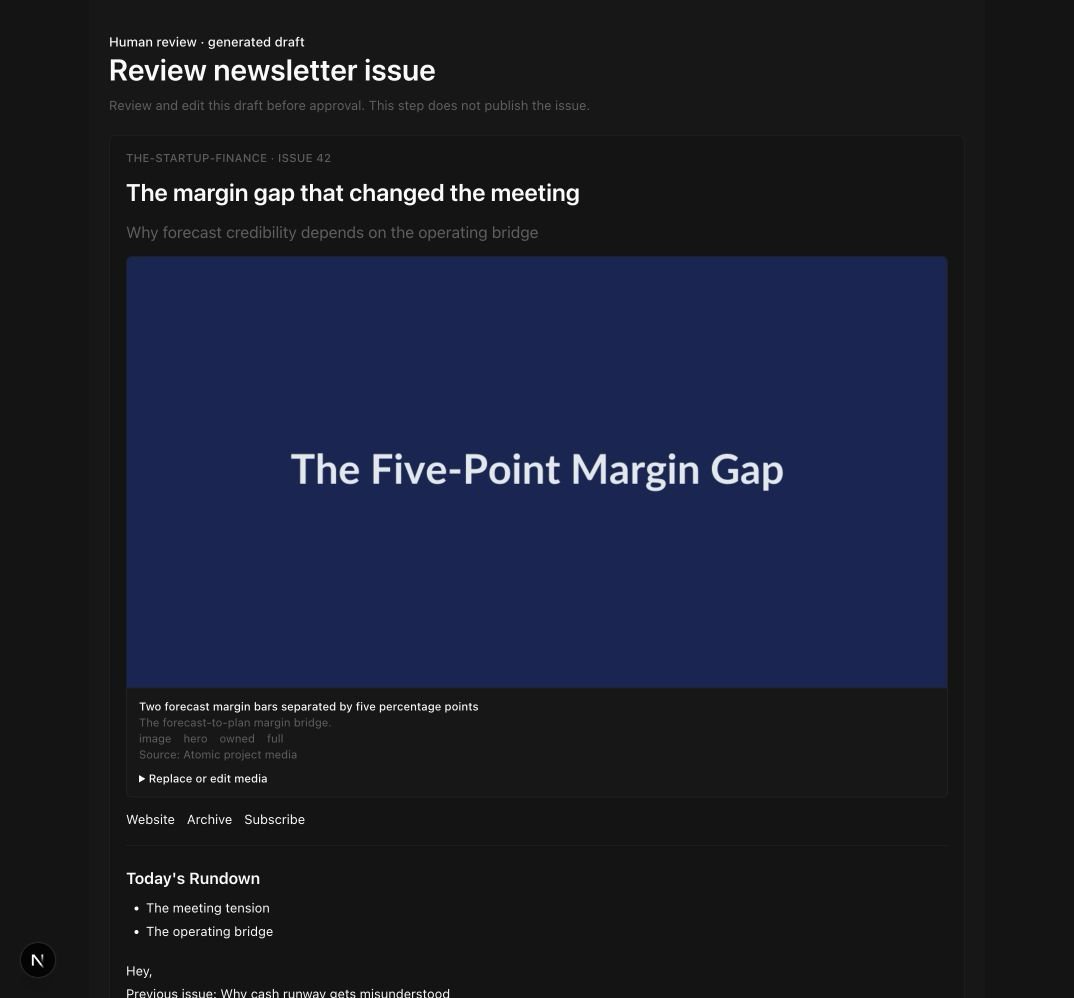
No media for a copy-only issue, Use supplied Atomic assets for reviewed project media, or Discover and insert media to let the step reuse project images, generate source-backed charts, and find images or GIFs. Discovered external media is imported into project-scoped Atomic storage before it is embedded. Every inserted asset has a reviewable Atomic URL, alt text, placement, source, and rights status. Reviewers can remove or replace an asset without regenerating the copy.
Run details show the exact base and target skill versions used for the draft. They also provide Markdown and HTML exports rendered from the same structured issue, so the visible document and exports cannot drift.
Publish an approved post to X
Connect an X account in Project settings → Integrations, then addPublish social post after Human review. X is the only supported social publishing platform in this version. The step publishes the approved body for a post or the ordered approved segments for a thread exactly as received; it never rewrites or shortens the copy.
This step creates an immediate public external post. Select the intended account, confirm the warning when testing, and keep Human review directly before publishing. Run details link every created post. If a thread stops partway through, Atomic preserves the successful post IDs and a retry continues from the first unpublished segment. A timeout whose outcome cannot be proven is marked for reconciliation to avoid blindly creating a duplicate.
The Repurpose and publish to X template includes the generation, review, and publication handoff. Scheduling, media uploads, quote posts, editing, deletion, and analytics are not included.
Human review steps
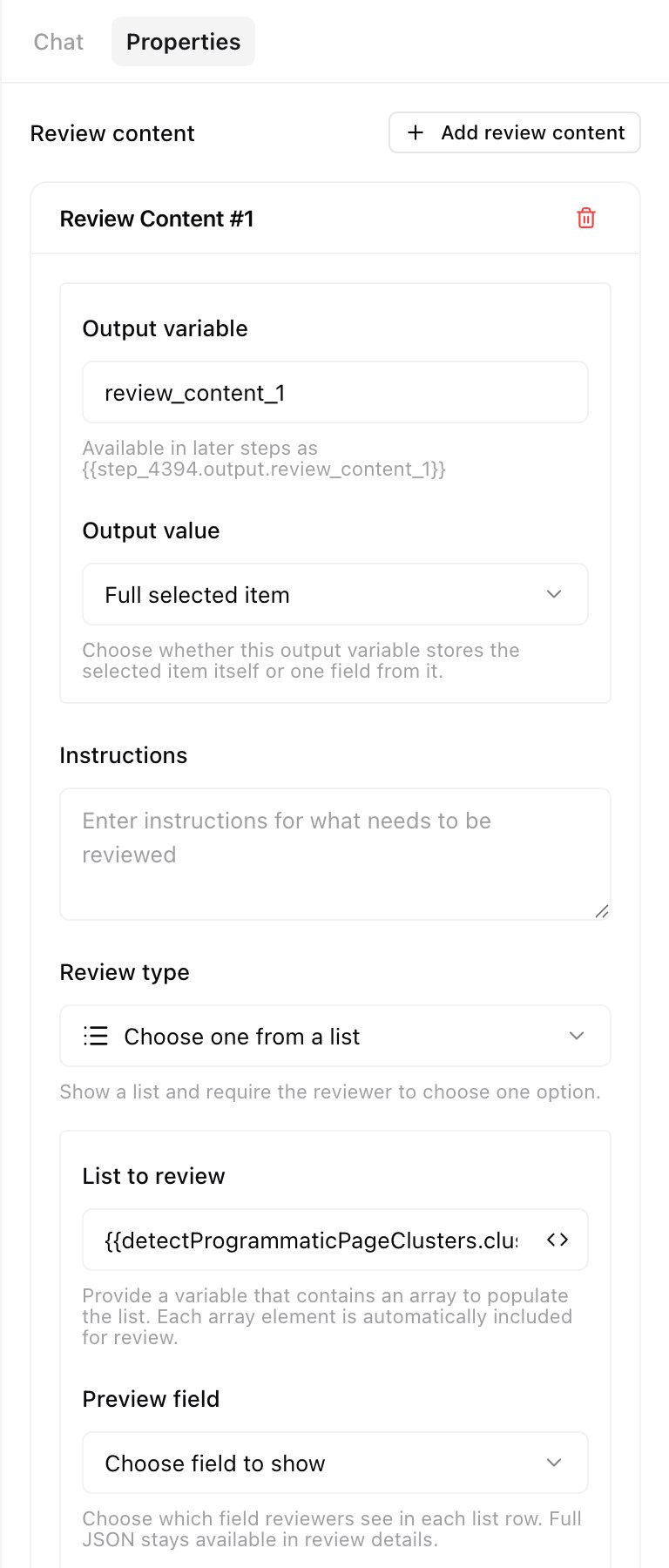
Human review when a workflow should pause for a person to approve a value or choose from generated options.
For list reviews, give the output a clear variable name. When the list is an array of JSON objects, choose the preview field reviewers should see in each row. Full JSON remains available in review details. Keep the full selected object as the downstream output unless the next step only needs one nested value.
Programmatic page workflows
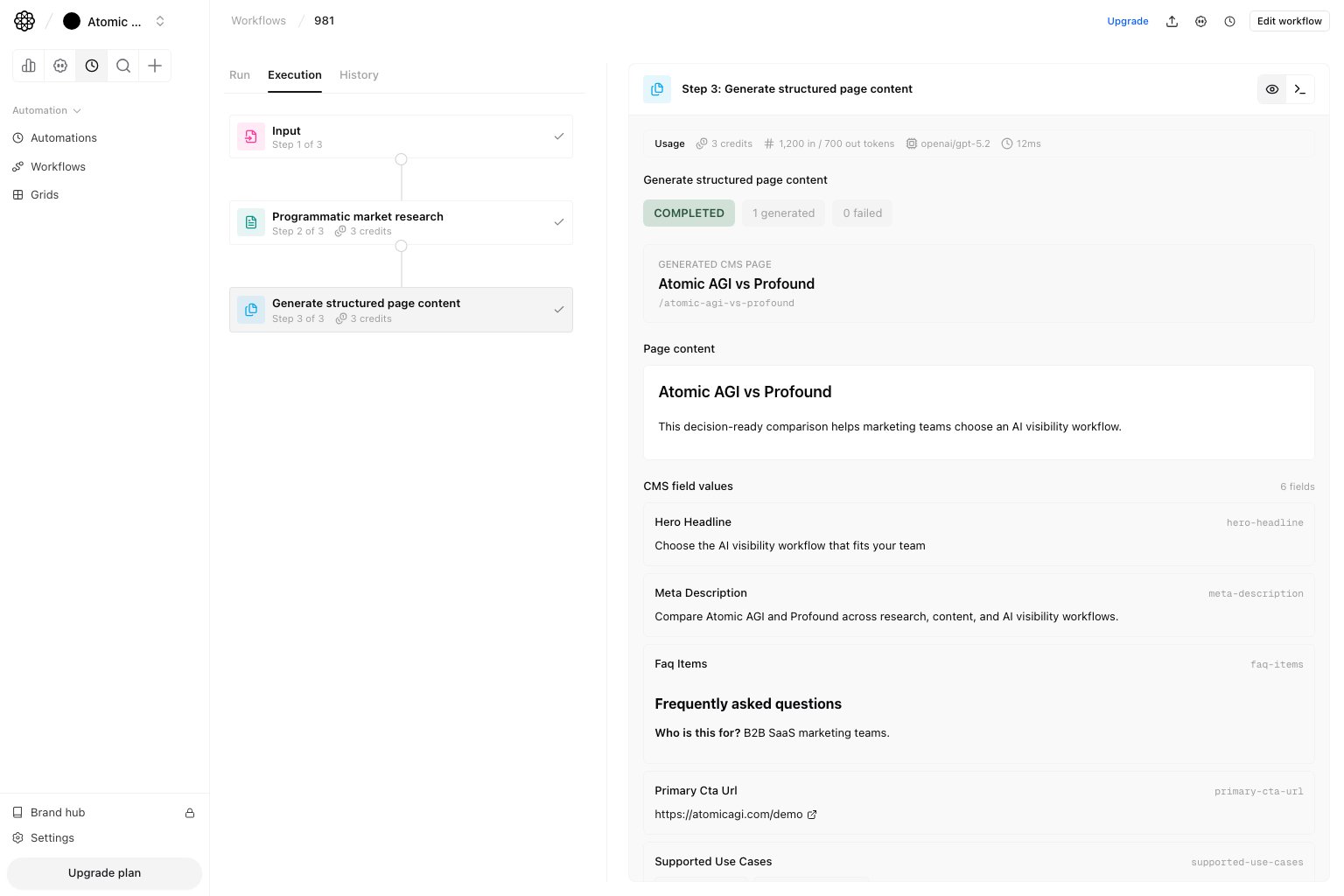
Programmatic workflow blocks are reusable. You can combine only the steps needed for the job:Detect programmatic page clusters: find repeated competitor URL patterns.Programmatic market research: combine the description with the current project and brand kit, identify direct competitors and similar projects, inspect how they implement the requested page pattern, and return one typedpageStructure. The structure includes the recommended page type, WDF/IDF terms, source URLs, layout requirements, and observed content-length ranges.Extract programmatic page structure: inspect aurlsarray and return a reusable page generation schema, shared section structure, and full-page screenshot URLs for each analyzed example. Competitor alternative pages include named sections such as hero, trust bar, comparison table, differentiator cards, testimonials, pricing, FAQ, and final CTA.Get Webflow collection structure: read fields from an existing Webflow CMS collection.Create programmatic collection structure: create or reuse a Webflow CMS collection from an extracted page structure or existing collection structure.Generate structured page content: generate one CMS-ready page object from a writing prompt andpageStructure. The step runs visible Research and Writing phases, validates required CMS fields and content-length ranges, then returnsgenerated_page.Publish mapped content: map workflow values into WordPress or Webflow and publish or save drafts. For Webflow, useMap fieldsto fill fields one by one, orPaste JSONto pass the wholegenerated_pageobject.
Map WordPress custom fields
When you select a WordPress connection inPublish mapped content, Atomic reads the ACF fields exposed for the selected post or page type. Use Map fields to map workflow variables or fixed values one by one. Use Paste JSON to provide the complete ACF values object from one workflow variable or a pasted JSON object. Standard WordPress fields such as title, content, excerpt, slug, author, categories, and tags remain separate mappings. Author accepts a WordPress user ID or an exact username, slug, or display name.
Use Get content from editor before publishing an existing Atomic content item. It returns one canonical field for each saved value: title, fullDescription, metaDescription, focusKeyword, featuredImageUrl, canonicalUrl, slug, content, wordCount, readTimeMinutes, status and score fields, linked record IDs, outline and NLP data, content structure, and timestamps. fullDescription preserves the complete summary; metaDescription is the short SEO version and is limited to 80 characters, ending in ... when it must be shortened. Read time is rounded up at 200 words per minute. The slug comes from the canonical URL path when available and otherwise from the title.
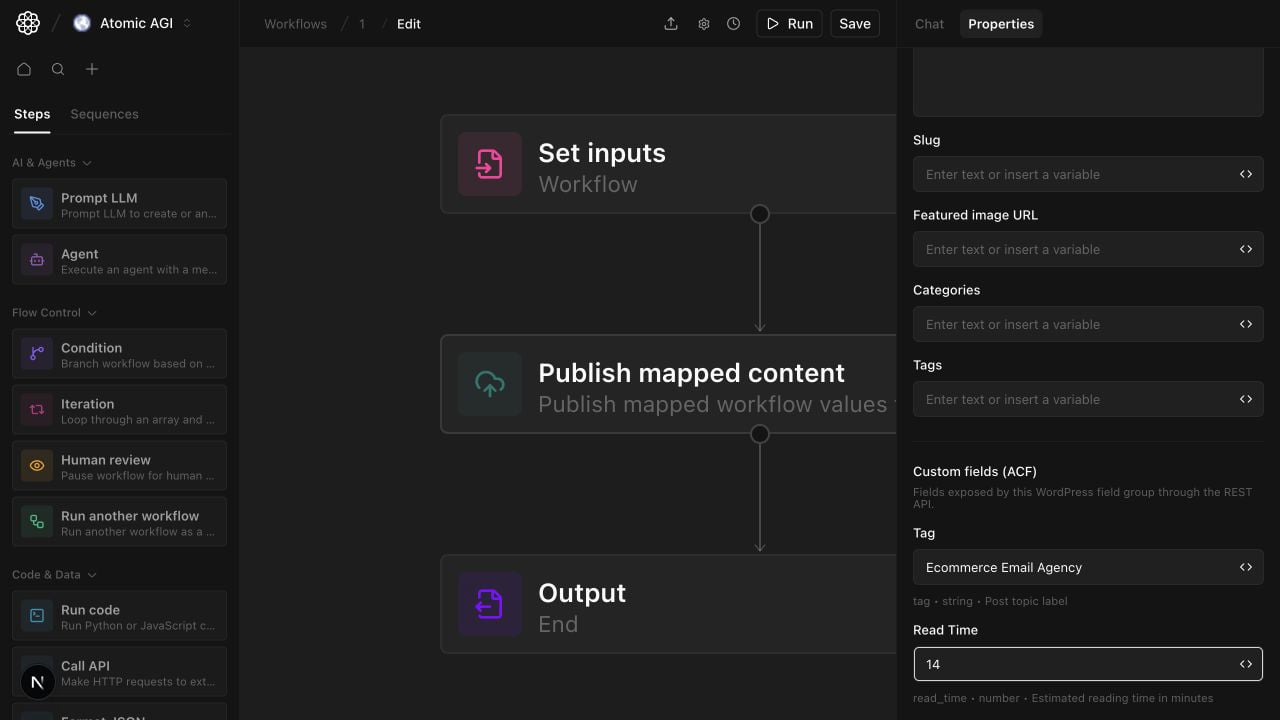
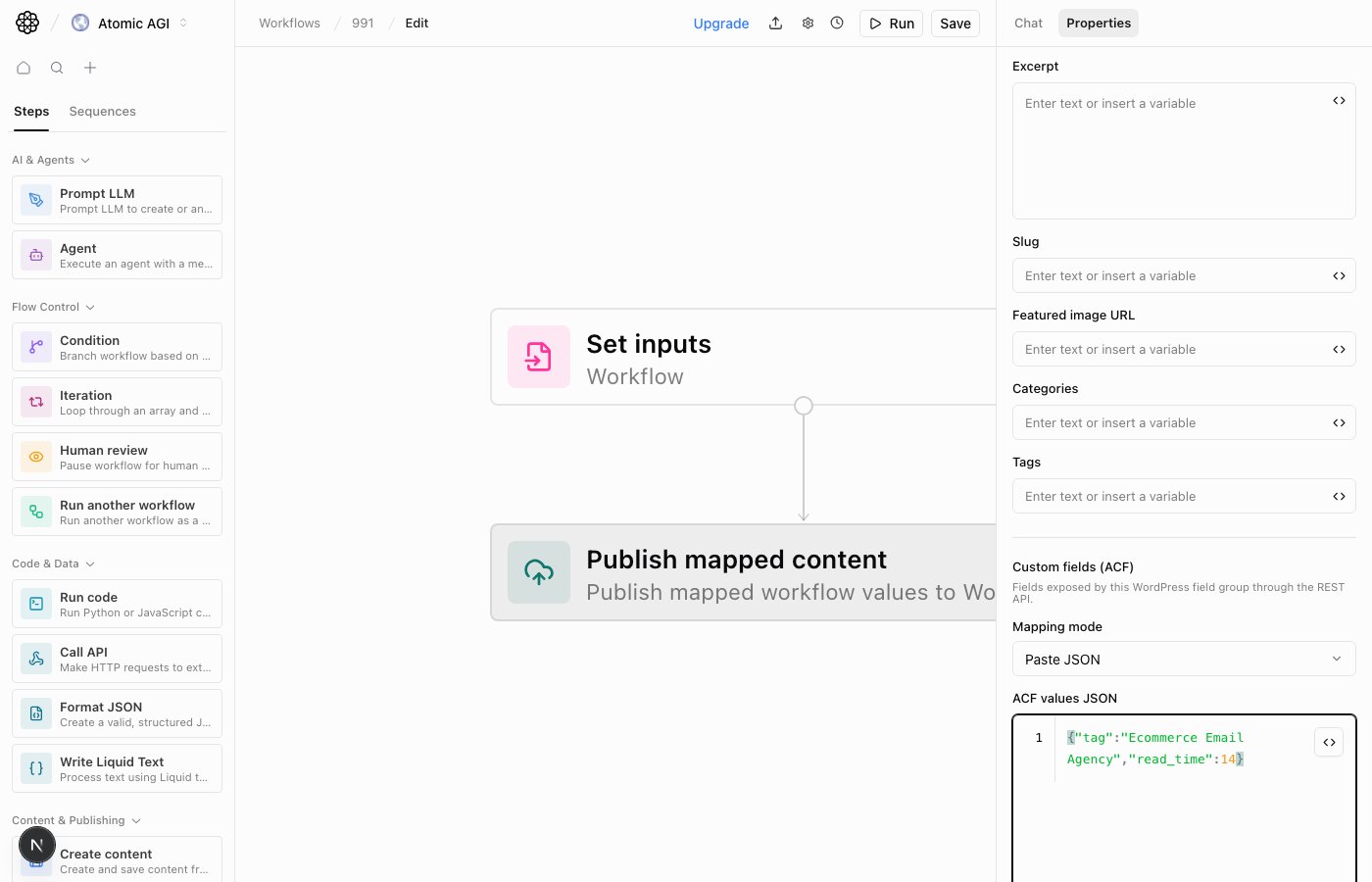
Show in REST API. Atomic sends the mapped values in the same WordPress publish request as the post or page.
Use Programmatic market research when you need to discover what the market expects before creating a collection. Pass the same pageStructure into both Create programmatic collection structure and Generate structured page content. Use Extract programmatic page structure when you already know which URLs should define the pattern. Use Get Webflow collection structure when you already have a Webflow collection and only need more pages for it.
For an existing Webflow collection, you can optionally select a reference CMS item in Get Webflow collection structure. Atomic uses the selected item’s field values as bounded examples so generation understands each field’s intended role, format, and level of detail. Reference values guide structure only; competitor-specific facts and claims are not copied into the new item.
During Generate structured page content, the Research phase searches the selected project knowledge bases first. It then searches the live web and reads the strongest source pages needed to verify competitor and comparison claims. The Writing phase receives that evidence brief and the Webflow schema, but has no research tools; it produces the final CMS field values without inventing unsupported facts. Open Agent view on a completed workflow run to inspect the separate Research and Writing conversations.
Agents can start the same project-aware capability with the Programmatic Market Research tool (programmatic_market_research). It returns a researchId immediately so long-running live research does not depend on one MCP request staying open. Results typically take around 10 minutes, which is expected. Call wait_for_programmatic_market_research to wait for completion, or get_programmatic_market_research to check the current status and retrieve the canonical pageStructure. The workflow step remains self-contained and returns the completed market-research structure directly.
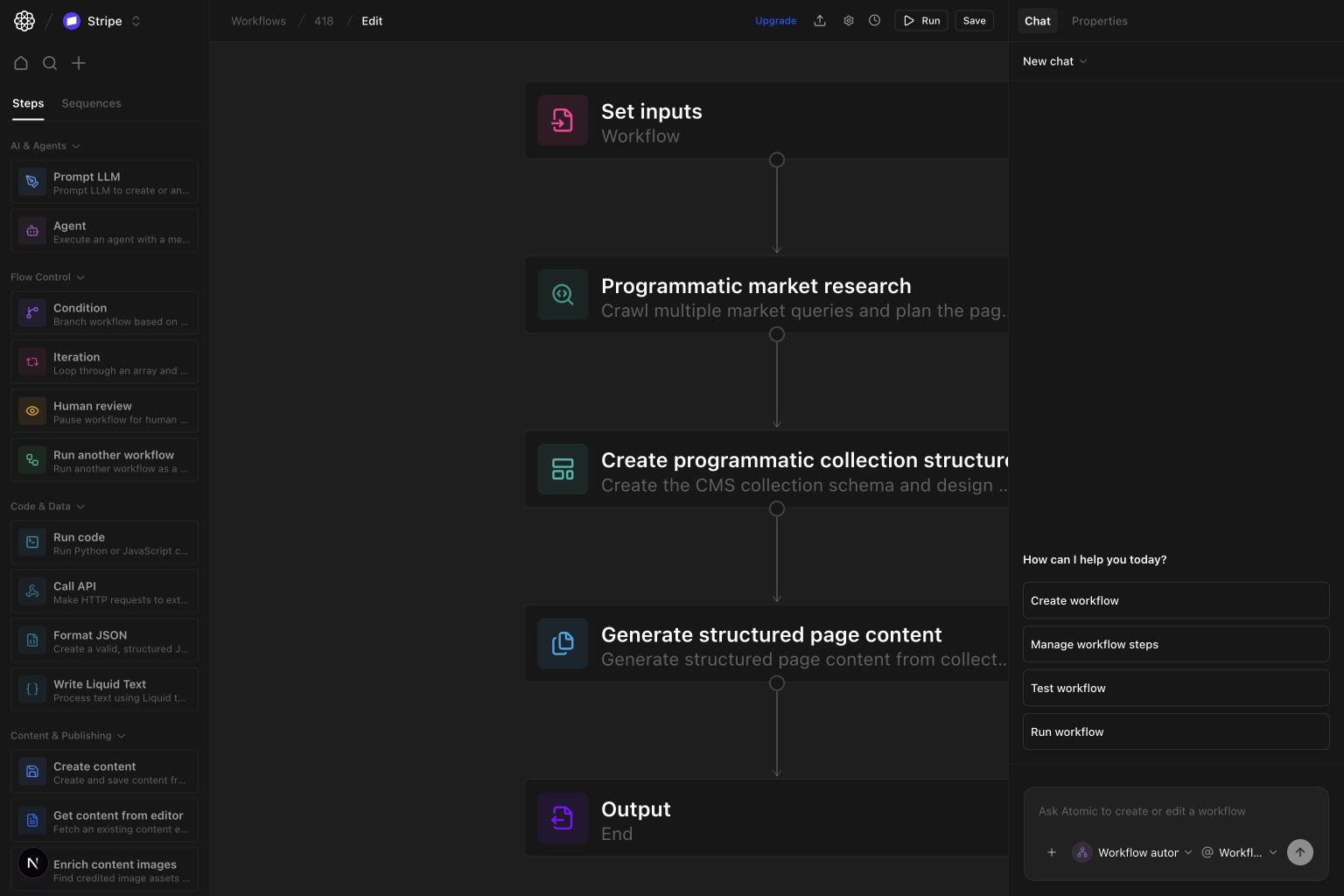
pageStructure preserves the exact Webflow type for every field. Short scalar copy should stay PlainText. Repeated blocks, formatted lists, tables, embeds, and multi-paragraph content should be RichText so collection creation, generation, and publishing all use the same type.
Generate structured page content accepts only prompt and pageStructure. Put the audience, topic, CTA, constraints, and known facts in the prompt. The step fails instead of silently accepting unknown fields, missing required fields, or values outside researched content-length ranges.
The Webflow programmatic collection structure template starts with a collection idea and sample-page prompt. It researches the market, creates the matching Webflow collection from the returned typed structure, generates a sample CMS page, and exposes both the research and generated object in the workflow output.
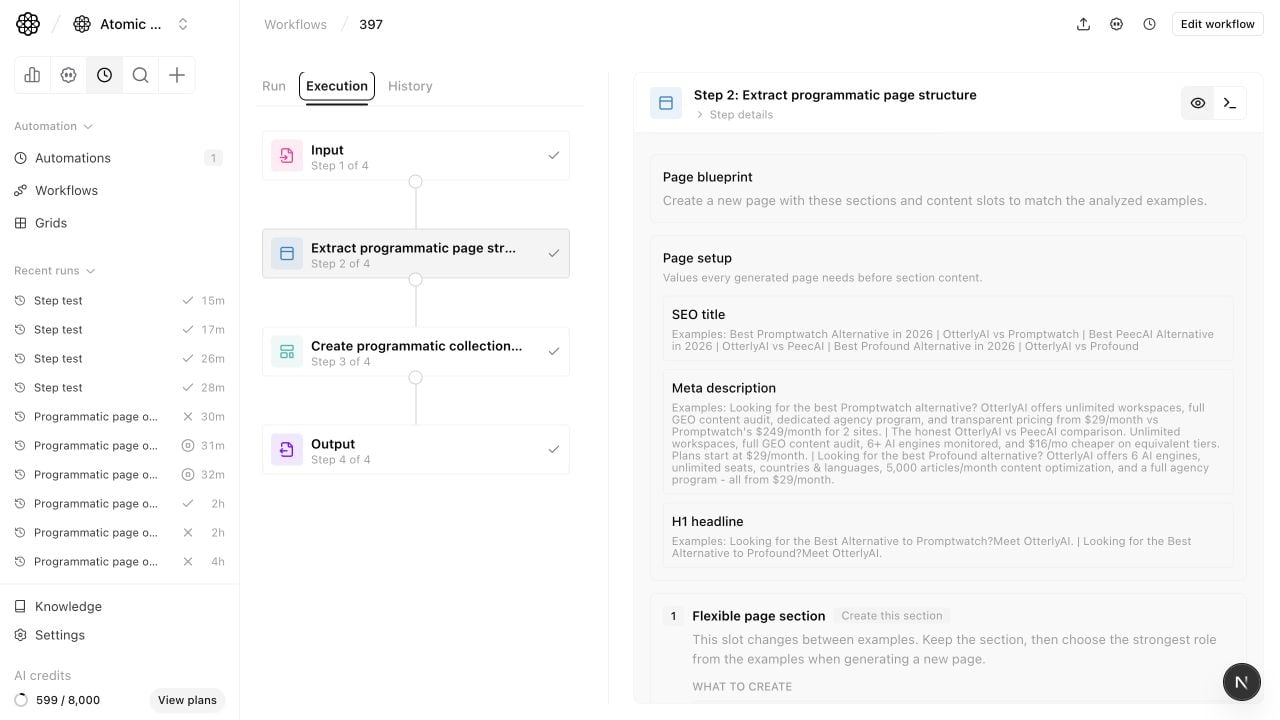
Create programmatic collection structure also returns a Webflow wireframe image. Use wireframeImageUrl or wireframeMarkdown to review the intended Collection Page layout, including visible hero/body bindings and SEO metadata fields that should be configured in Webflow page settings instead of placed as text blocks on the canvas.
Paste the returned designerExtensionScript into the Atomic Webflow app while the Collection Page is open. The app runs that installer directly, so its heading hierarchy and CMS bindings stay identical to the generated script.
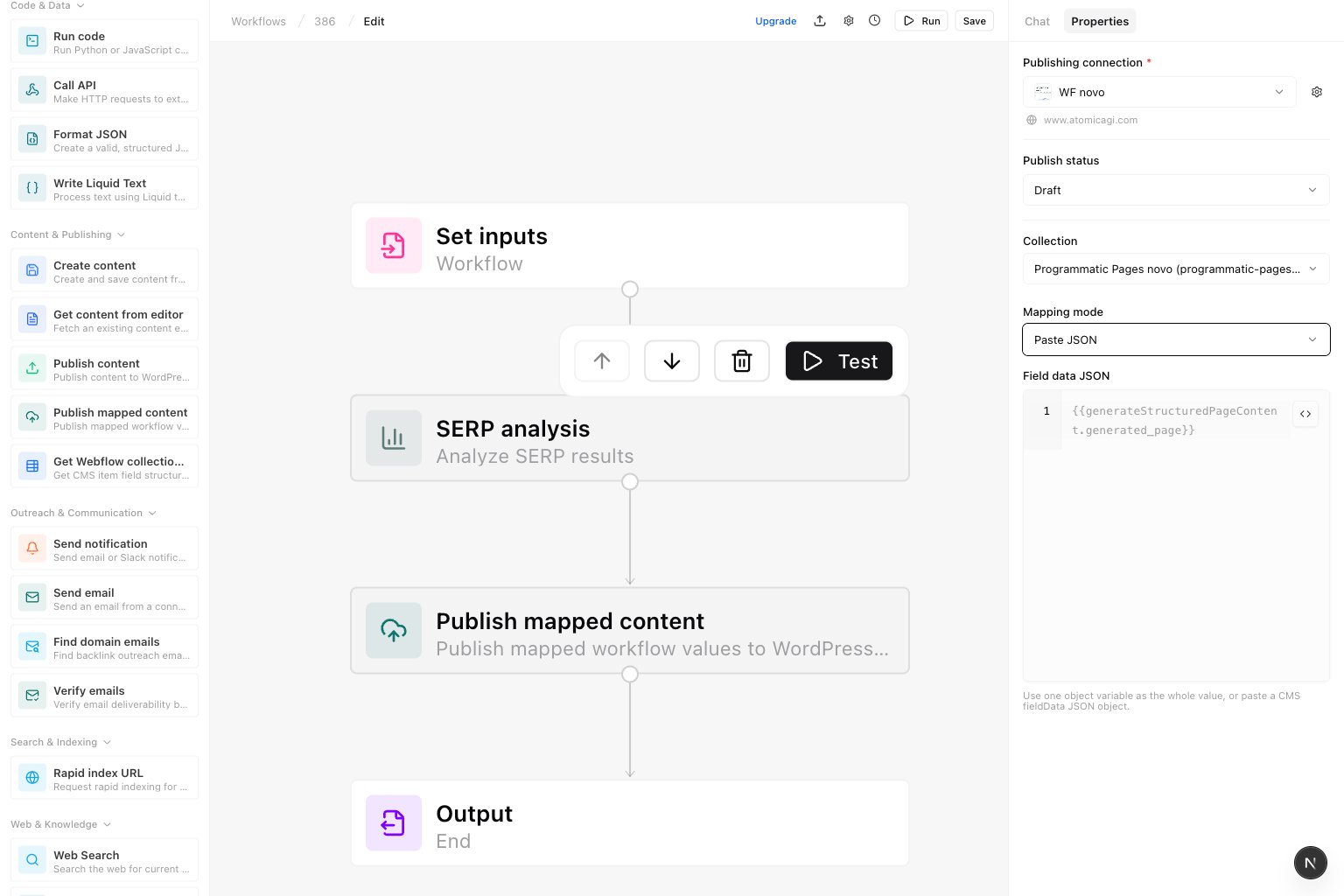
Paste JSON and use {{generateStructuredPageContent.generated_page}}.
Workflow run tab (inputs and output)
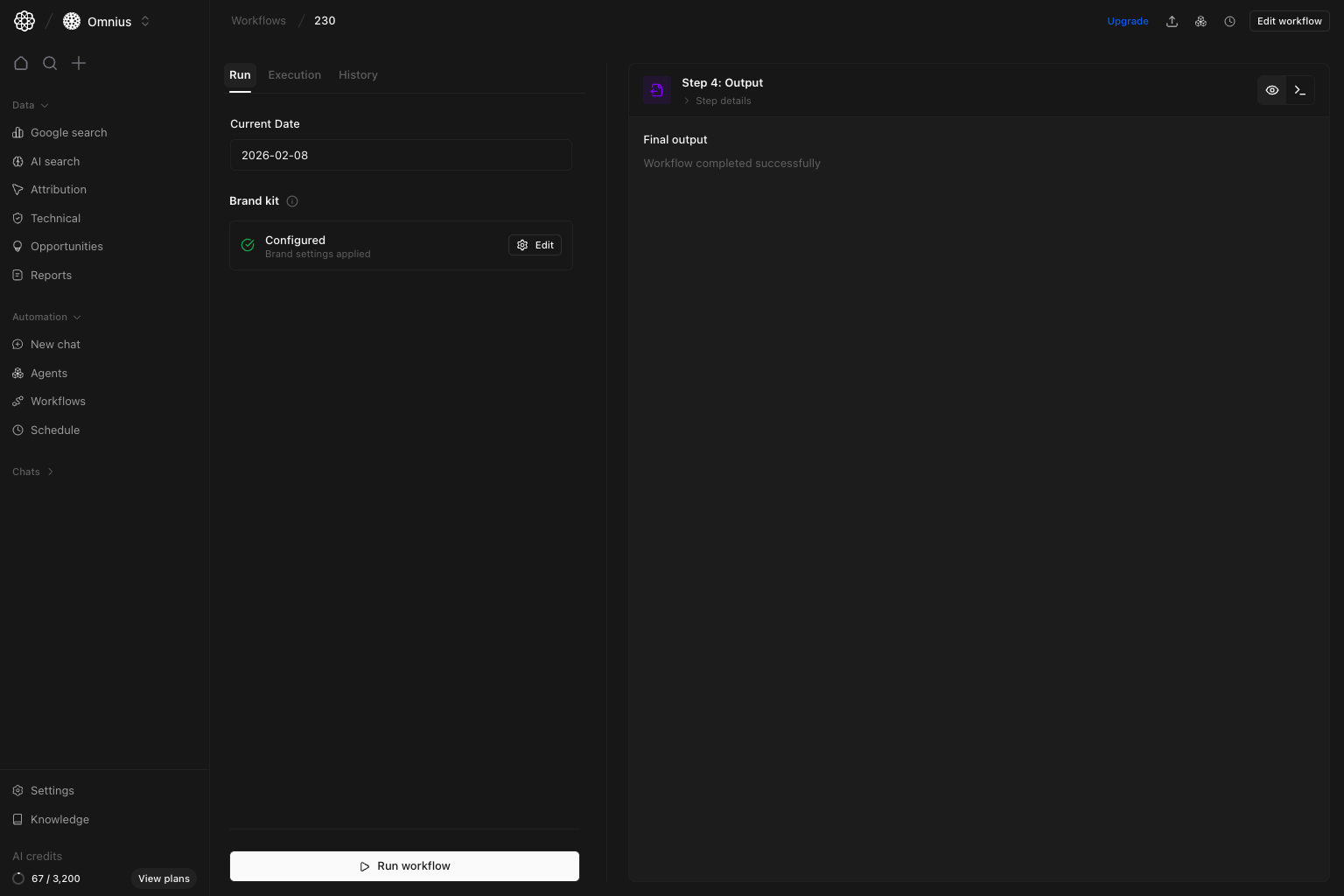
- Set run inputs (for example,
Current Date). - Confirm brand context before run.
- Click
Run workflowto execute. - Read final output in the right panel.
Execution tab (live step progress)
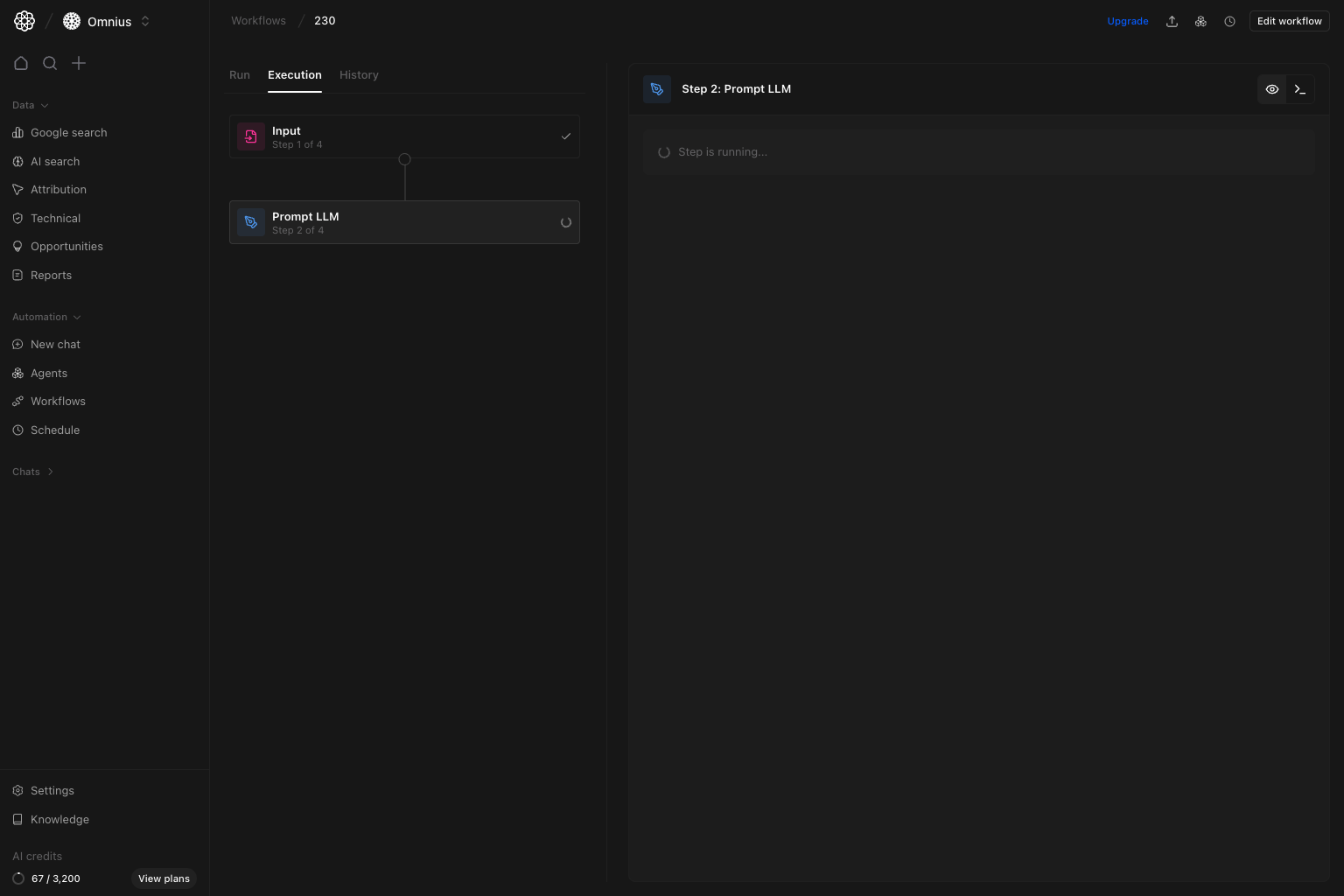
- Left side shows each step and status.
- Right side shows details for the selected step.
- Running steps reveal where time is spent.
- Click
Cancel runto stop the selected active run without canceling the workflow itself.
Run progress state
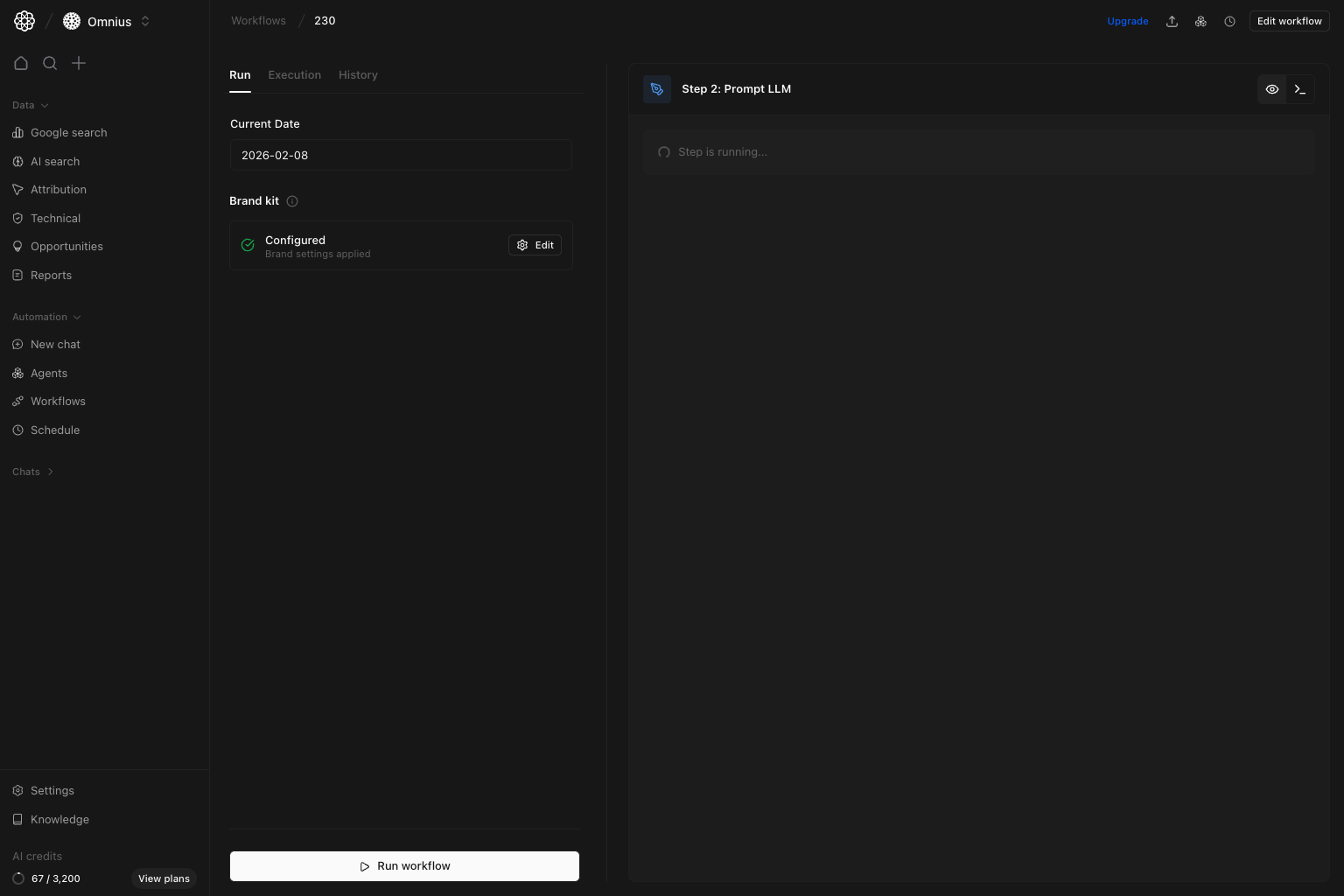
- Step stuck in running too long.
- Empty or partial step output.
- Unexpected transitions between steps.
Workflow history tab (single workflow)
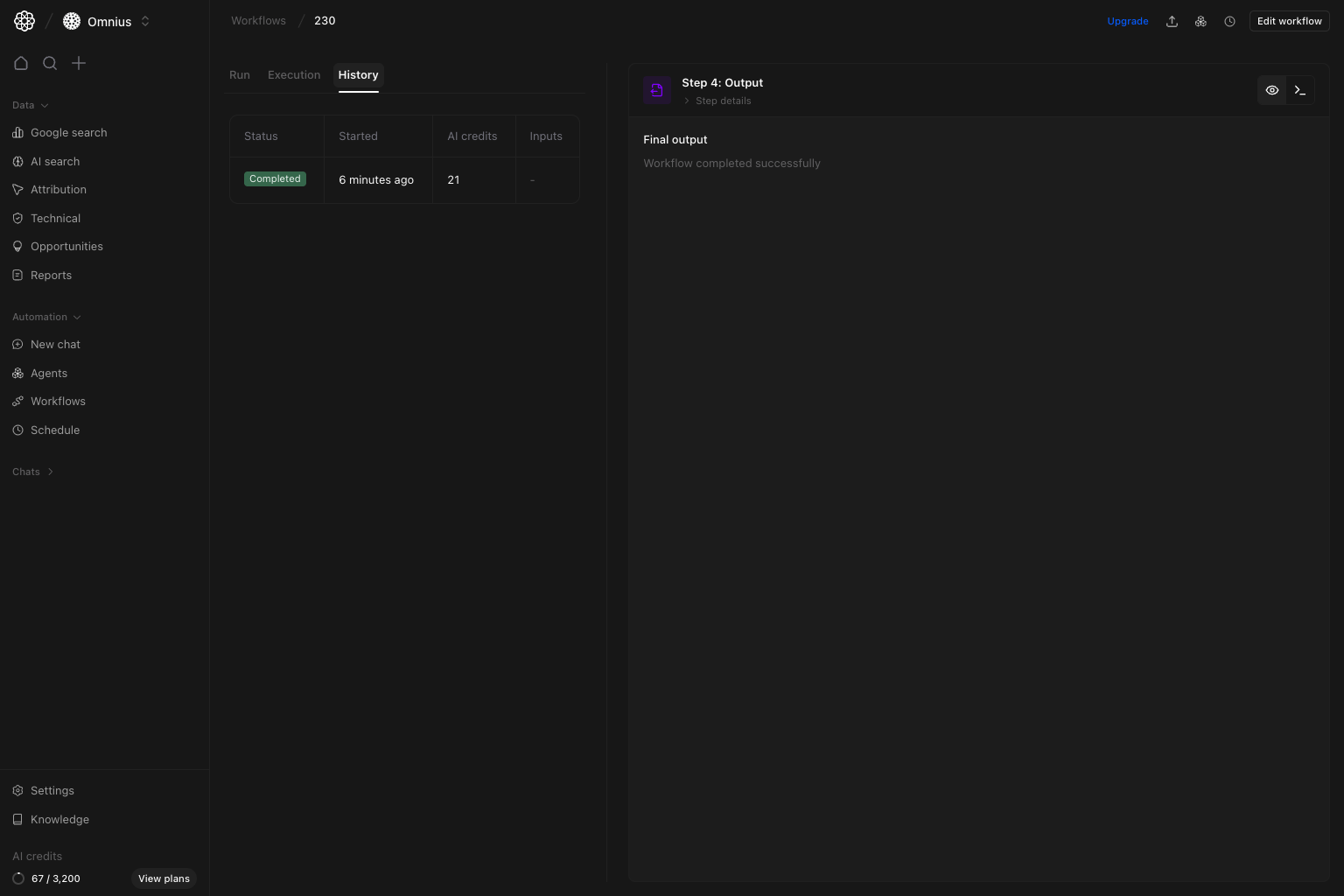
- Compare run outcomes.
- Confirm stopped runs show
canceled. - Track AI credit trend.
- Validate cadence against business needs.
- Re-open older runs for QA checks.
Schedule a workflow (command action)
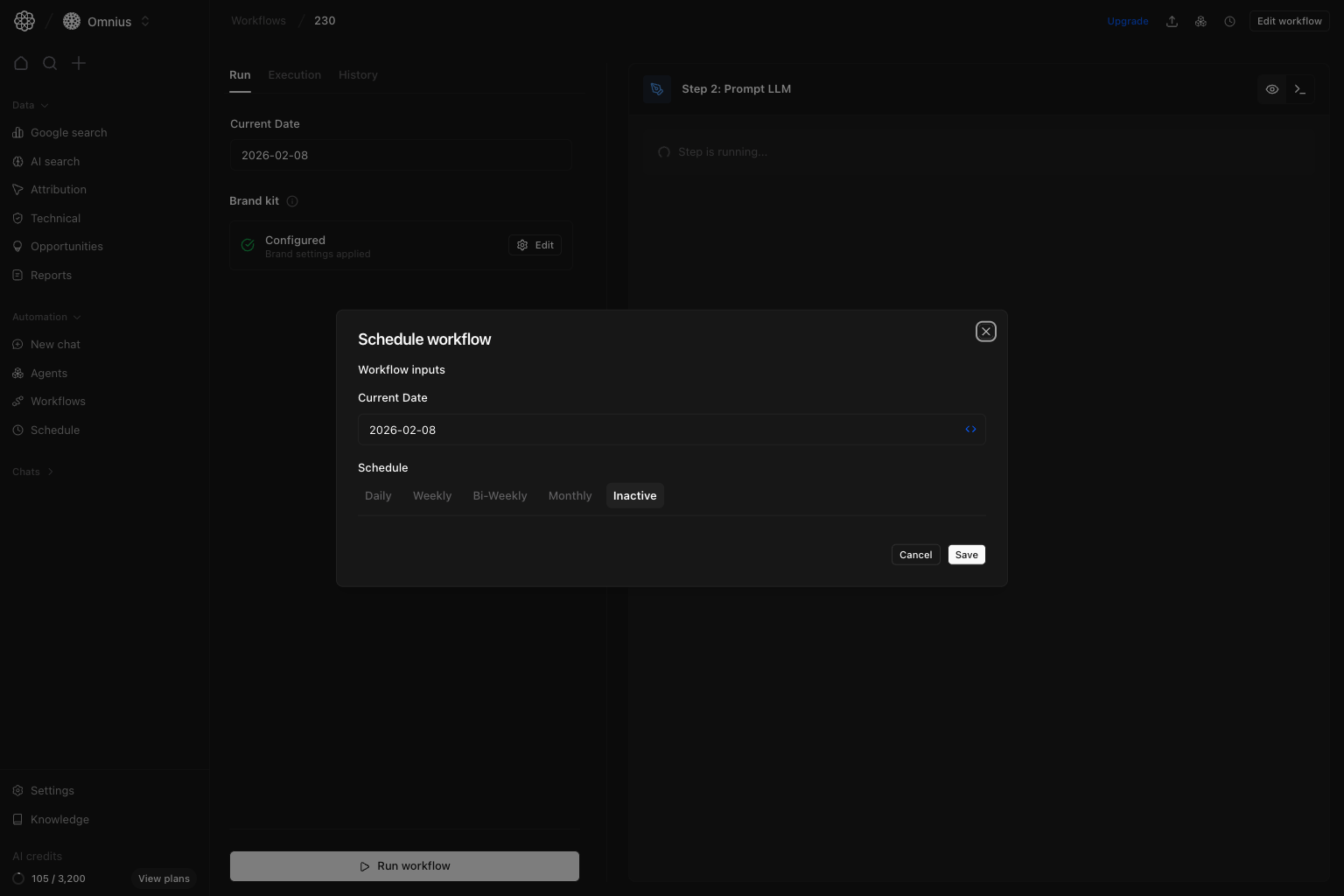
Schedule workflow and define cadence:
- Daily
- Weekly
- Bi-weekly
- Monthly
- Inactive
What to automate first
Start with tasks that are frequent and rules-based:- Daily or weekly priorities for SEO and content.
- Content refresh candidate detection.
- Alerting for major movement or failures.
- Structured summaries for stakeholders.
What to fix first
If runs are unstable, fix in this order:- Inputs (wrong or missing context)
- Step prompt clarity
- Step order and dependencies
- Schedule frequency
Important: Completed status does not guarantee a useful output. Always review output quality before scheduling at scale.
Weekly workflow checklist
- Review failed runs.
- Check output quality for completed runs.
- Improve one weak step in the top-used workflow.
- Remove duplicate workflows and keep one source of truth.
- Reconfirm schedule only for proven workflows.
Keep in mind
- Small reliable workflows beat large fragile workflows.
- Naming matters for discoverability and adoption.
- A successful status does not always mean useful output.
- Schedule is an operations tool, not a quality fix.
Where to go next
- Agents: assign the right specialist to each step
- Automations: schedule recurring agent conversations around your workflows
- Tasks: track follow-through after workflow output
- New chat: prototype tasks before turning them into workflows