
Review the scope and readiness
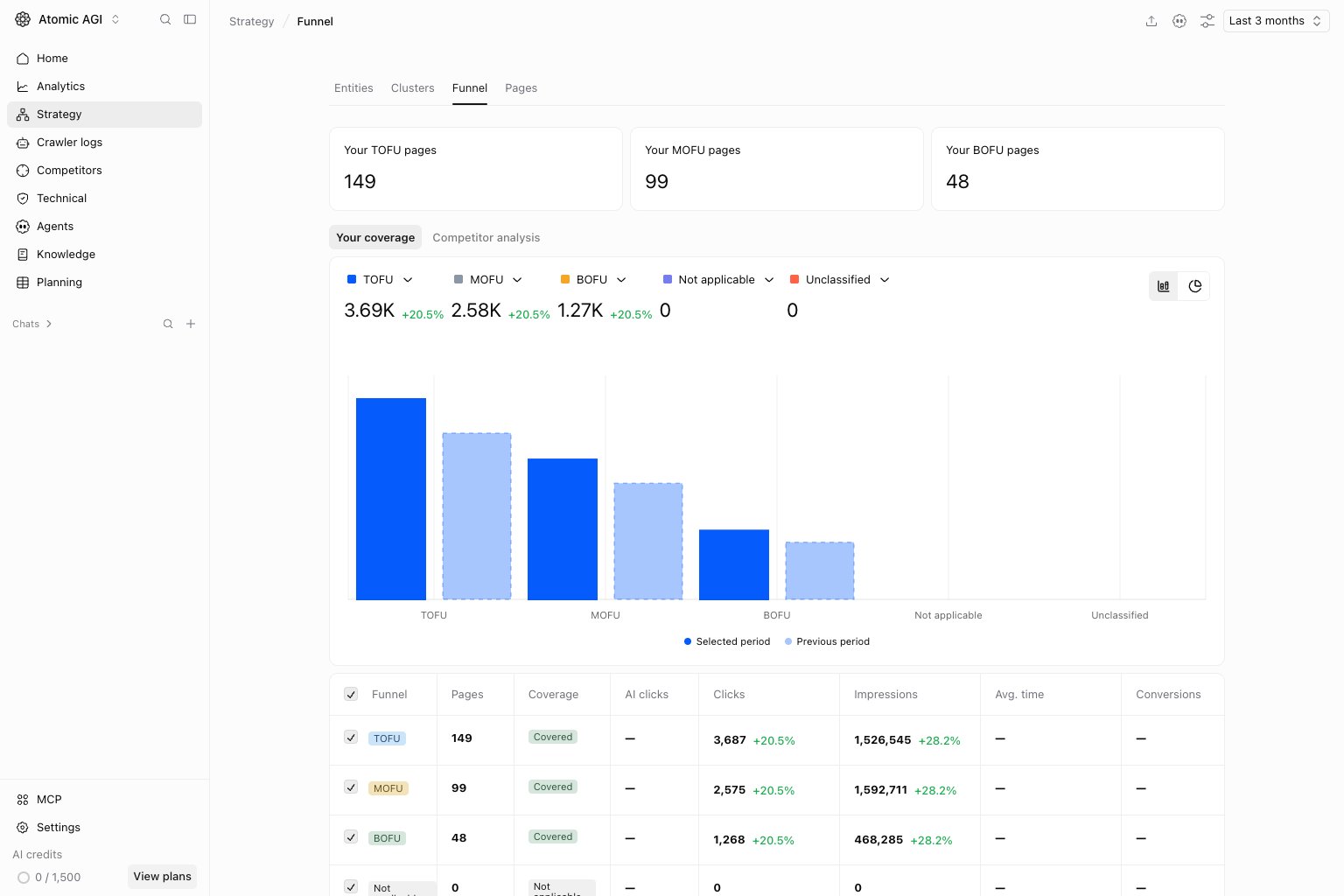
Check the selected sites, date range, and filters. Wait for source synchronization and classification before treating incomplete coverage as a confirmed gap. Review source pages when a label or opportunity is surprising.Your coverage tab
Use Your coverage to understand your existing content and performance. Look for gaps between discovery, evaluation, and decision content. Check whether an apparent gap is caused by the selected filters before planning a new page.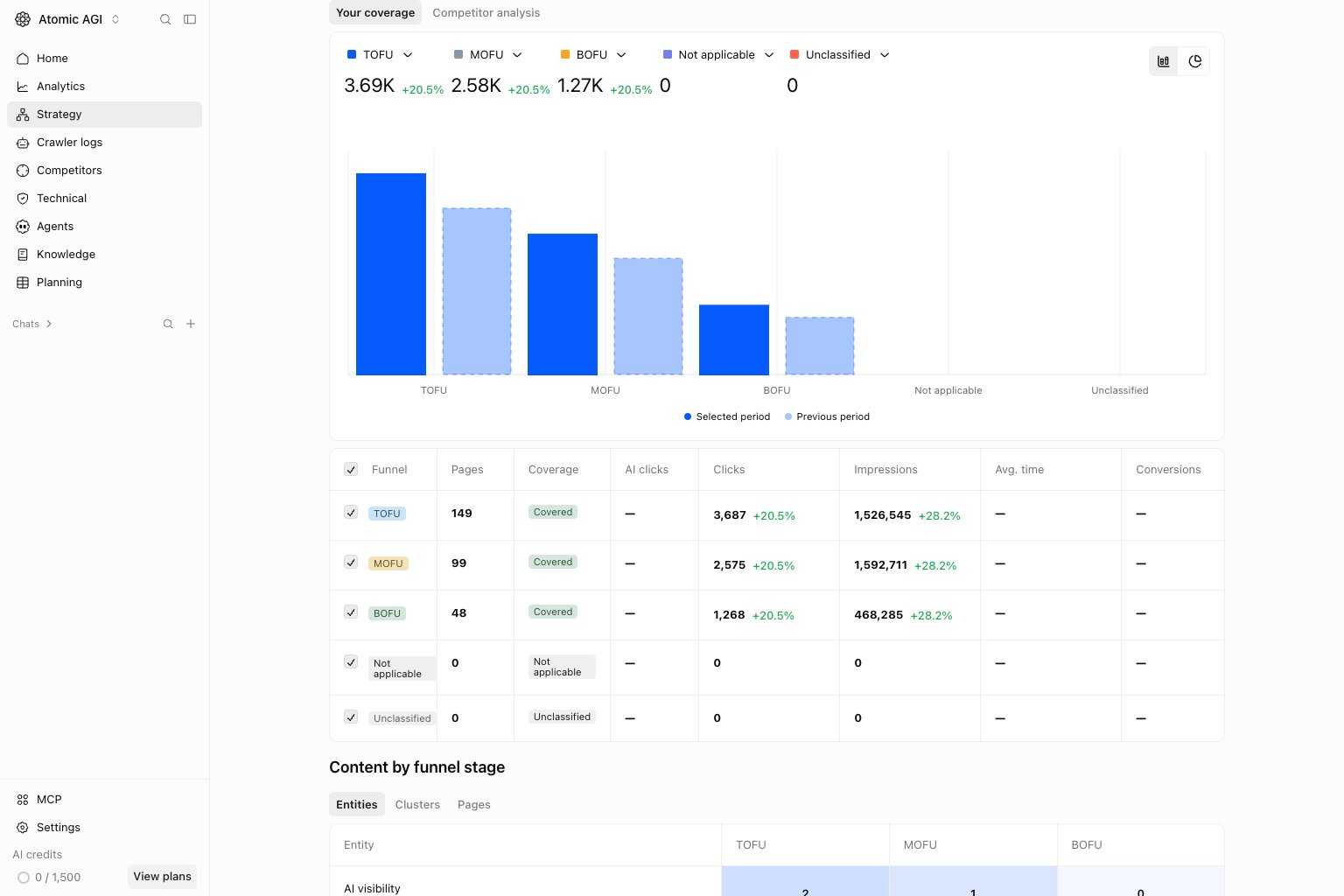
Competitor analysis tab
Compare the same scope across sites. Page counts and coverage show what is present, not whether the content is accurate or commercially useful. Open competitor examples to understand the underlying evidence before choosing an action.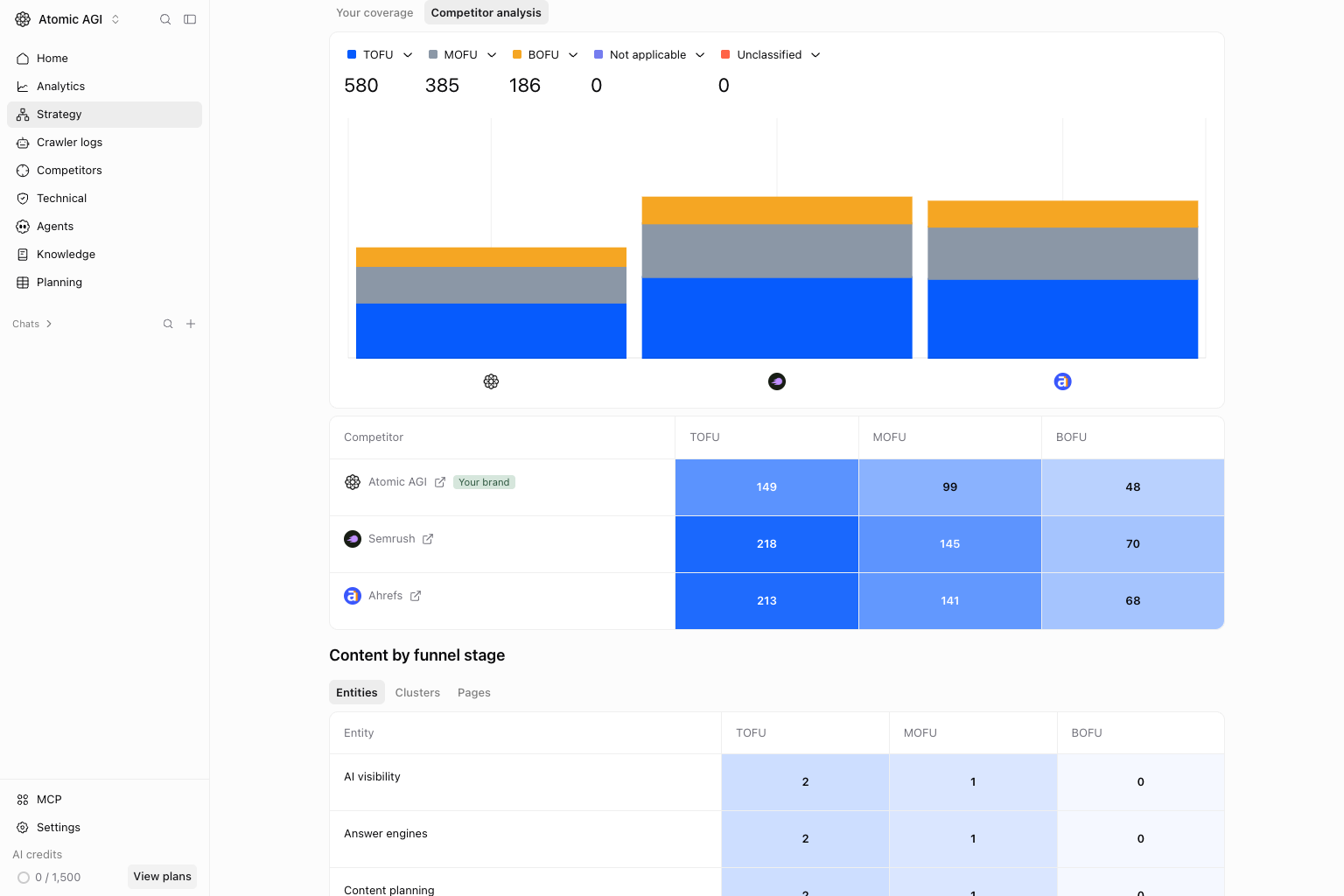
Content by funnel stage
Entities tab
Compare entities across funnel stages. Use this to distinguish breadth of subject coverage from the number of pages already published. Inspect the underlying pages before assigning a gap.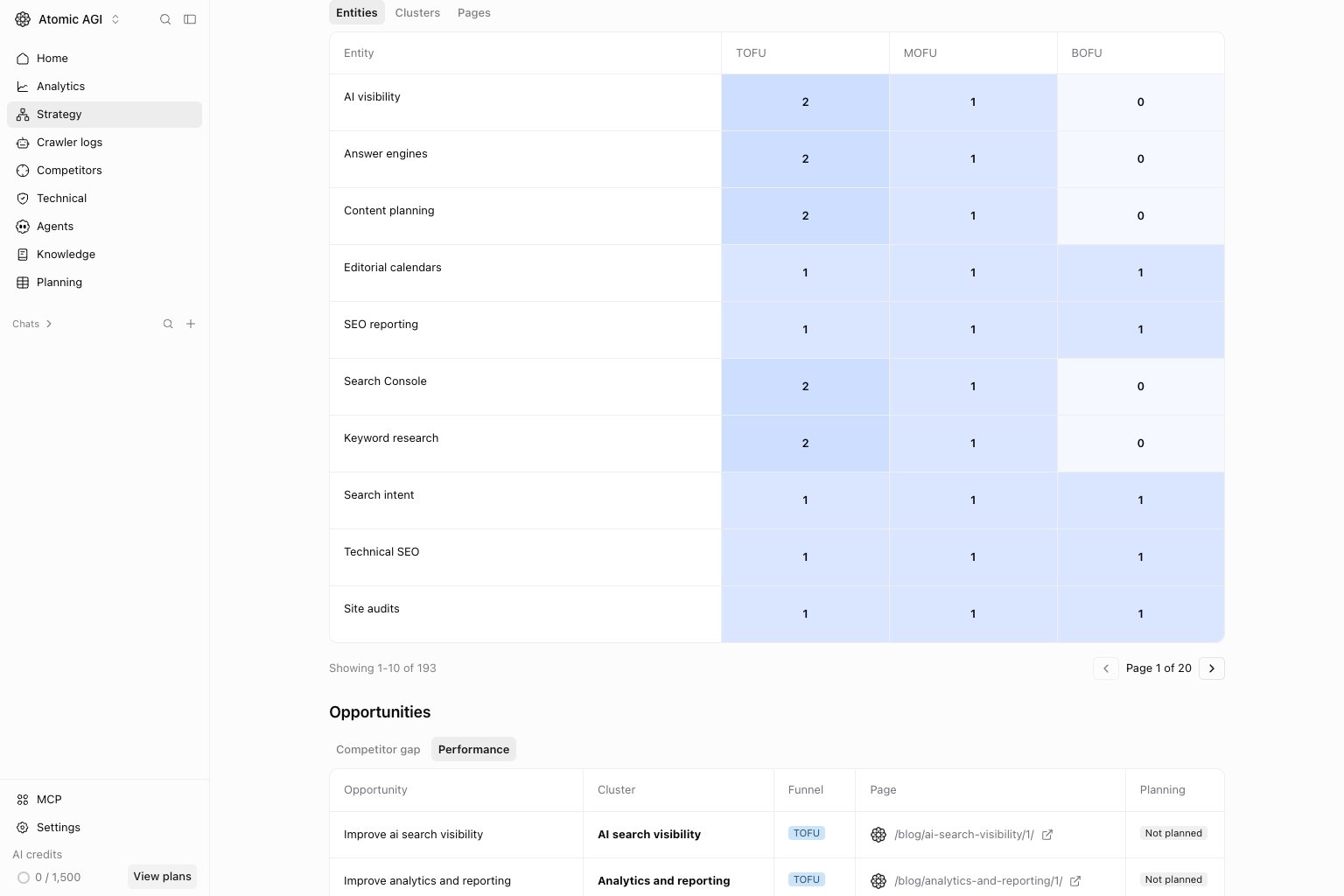
Clusters tab
Compare clusters across funnel stages. Use this to distinguish breadth of subject coverage from the number of pages already published. Inspect the underlying pages before assigning a gap.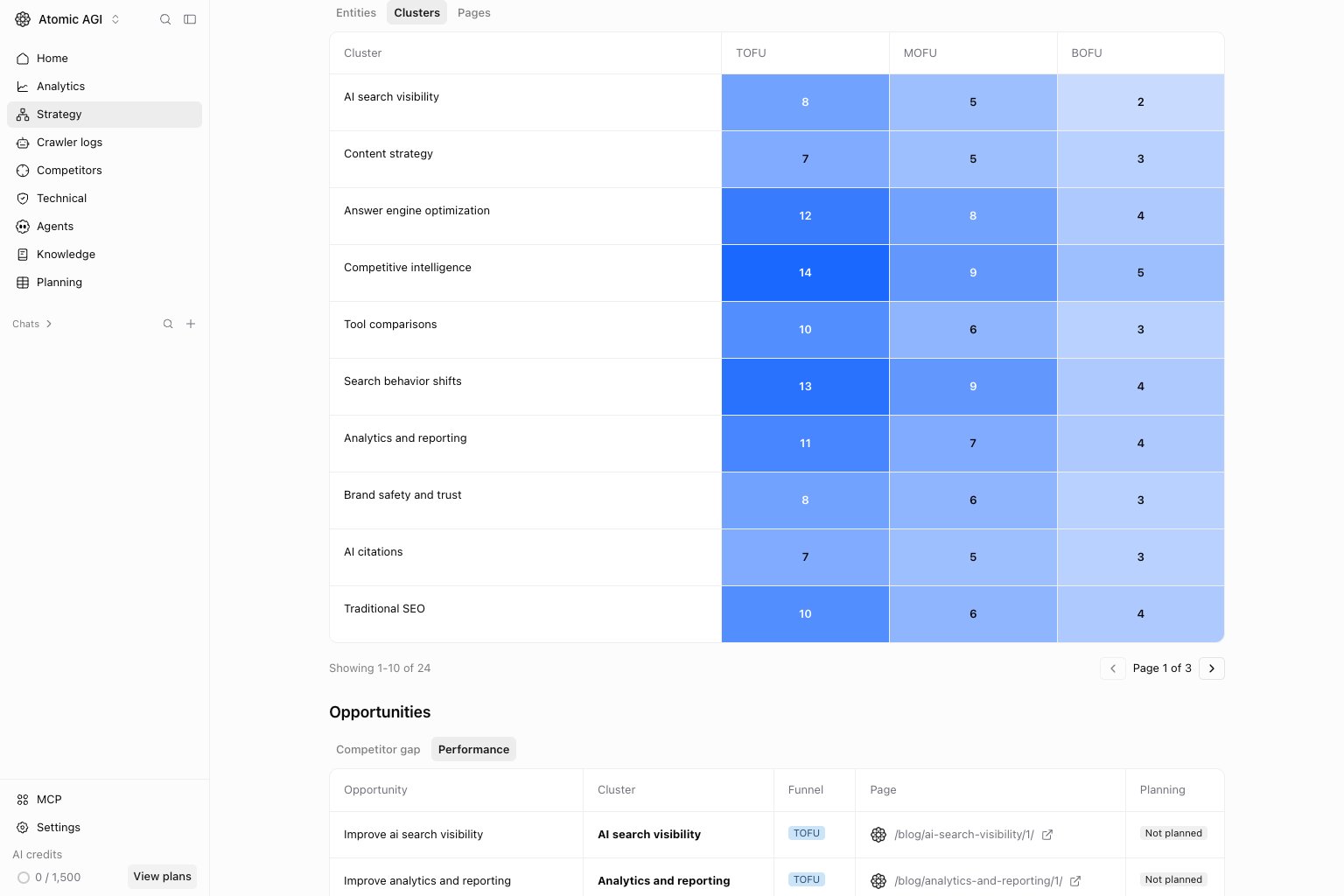
Pages tab
Compare pages across funnel stages. Use this to distinguish breadth of subject coverage from the number of pages already published. Inspect the underlying pages before assigning a gap.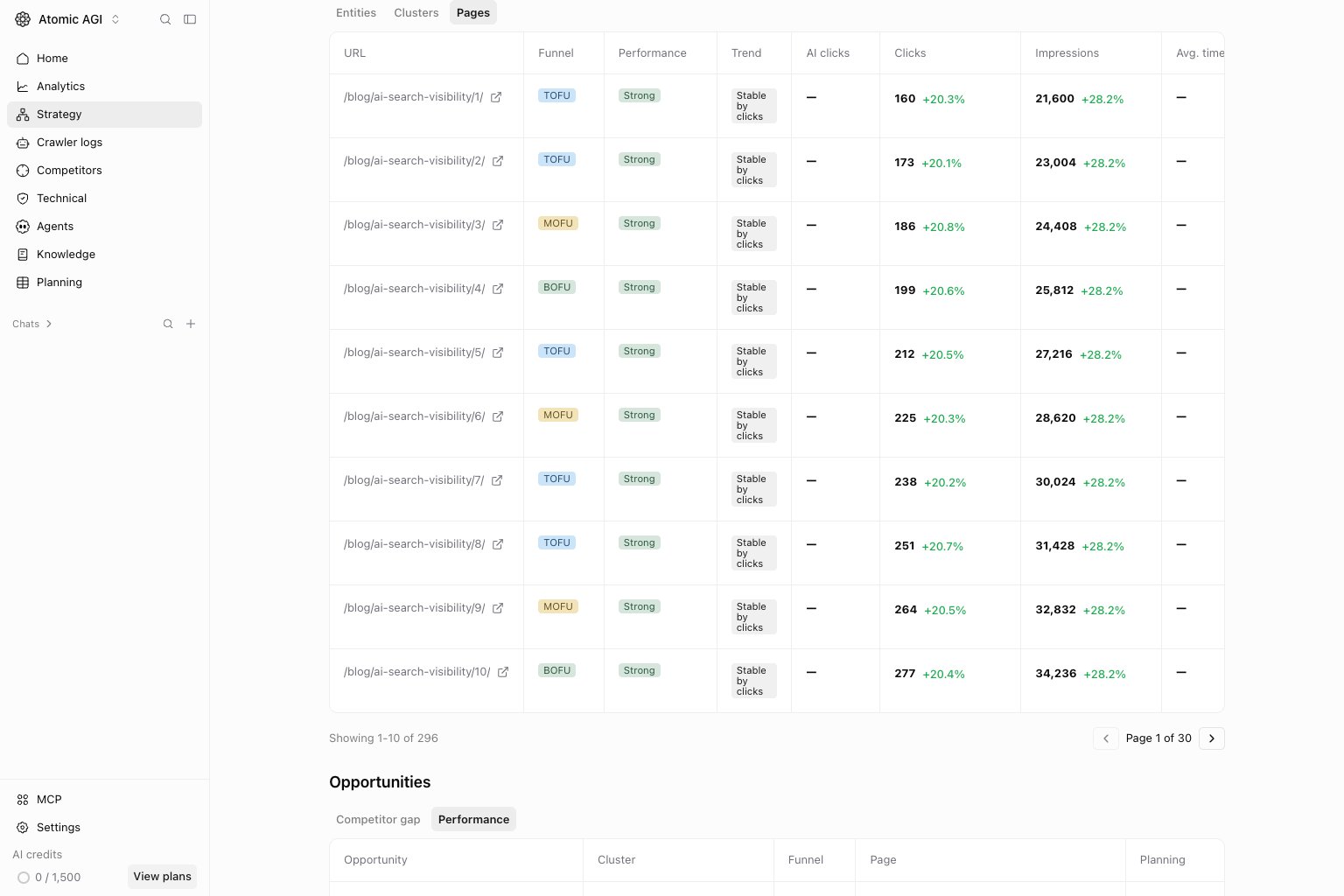
Review opportunities
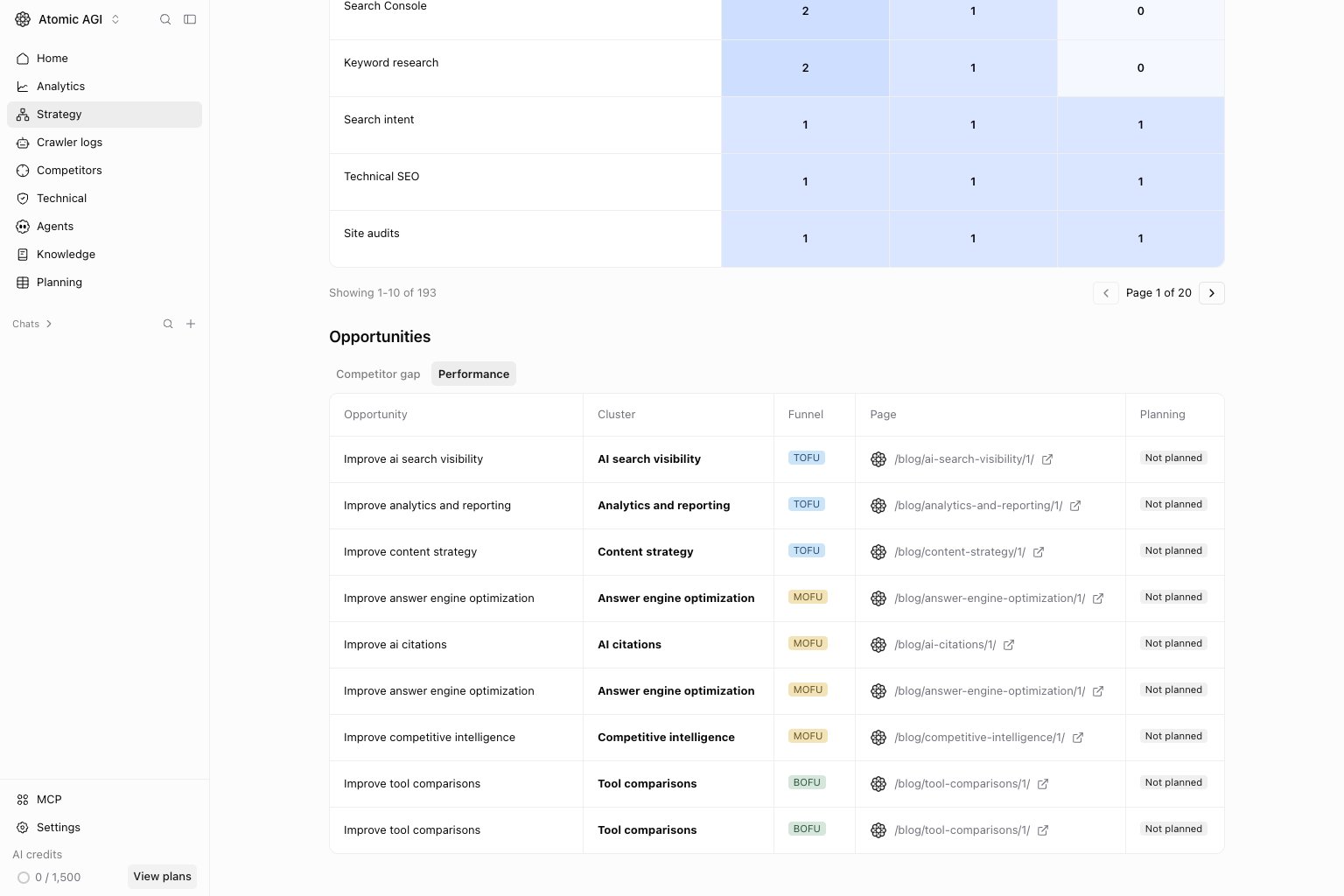
Where opportunities are shown, compare competitor gaps with weak performance on existing pages. Read the reason, affected page, and evidence. An unavailable source or incomplete classification should be resolved before producing a brief. Use planning status to avoid creating duplicate work.Competitor gap tab
Review missing coverage against competitor evidence. Confirm the gap is relevant to your audience and not caused by unavailable source data.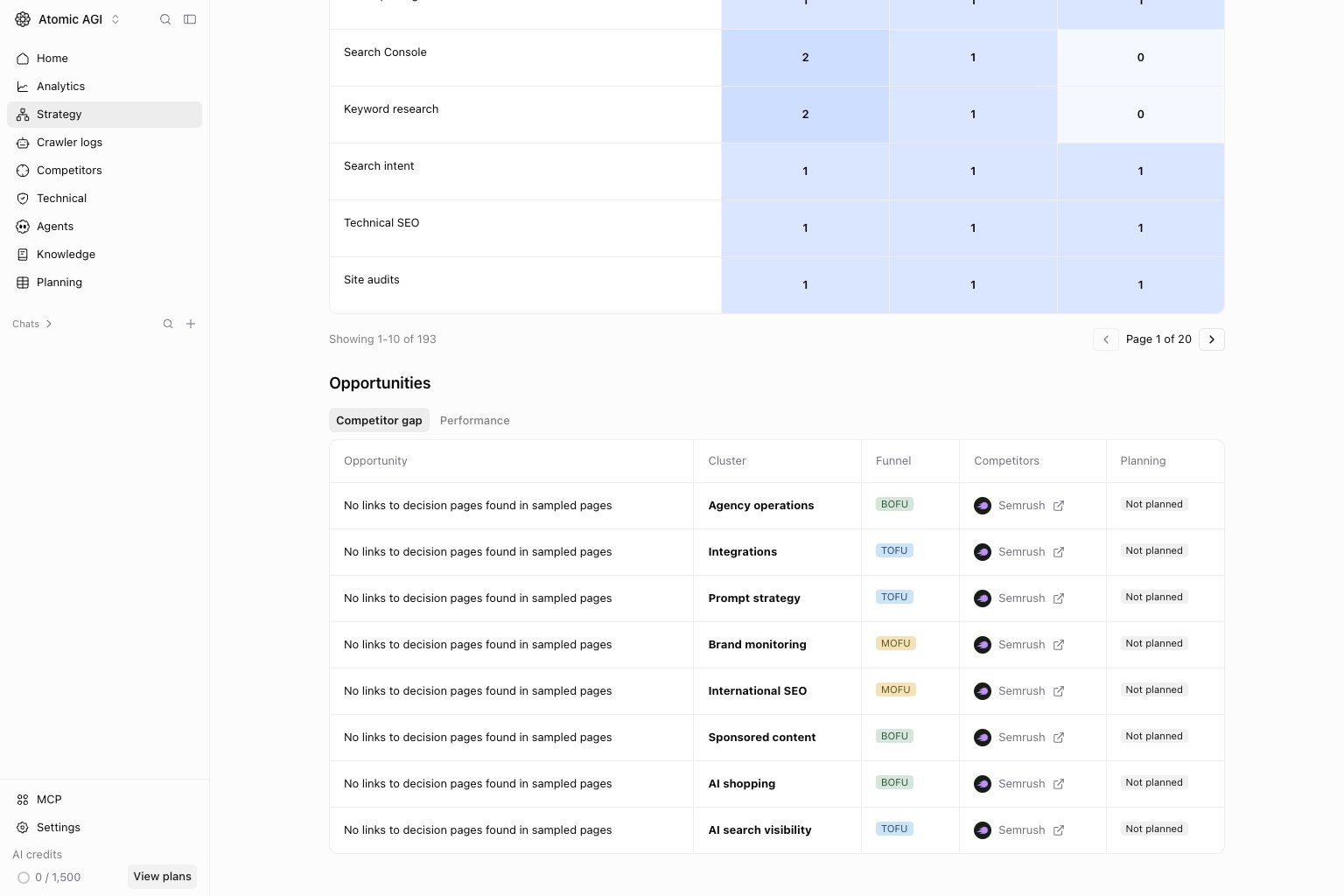
Performance tab
Find existing content with evidence of an improvement opportunity. Compare the recommendation with the page and its performance before assigning work.