

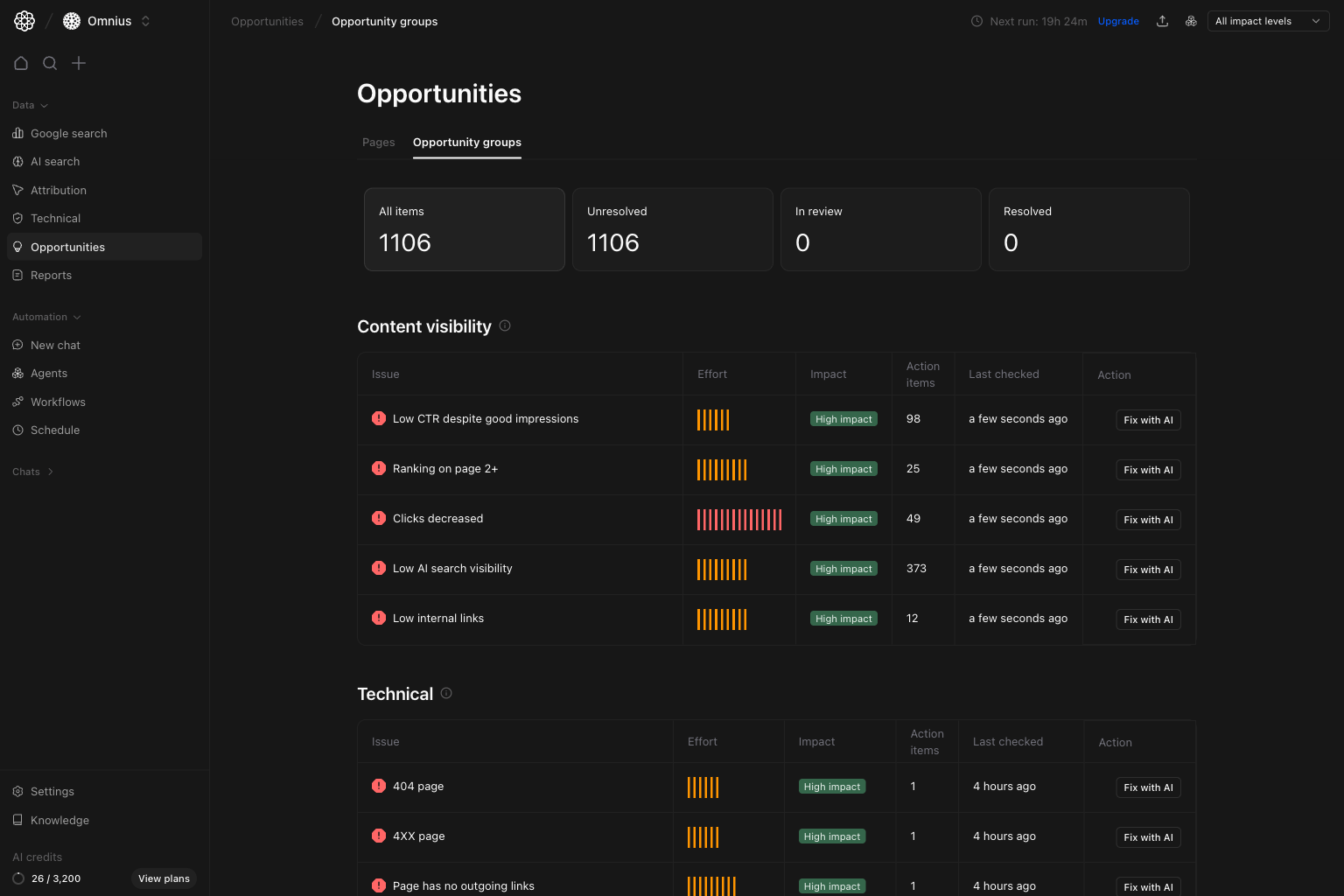
Important: A high Action items count does not always mean highest priority. Use Impact and business relevance first.
Questions this page should answer
- Which opportunity groups create the biggest upside right now?
- Which group should we open first for detailed URL-level work?
- When should we use
Fix with AIto speed up execution?
Before you analyze
- Keep the same project and date context you use in other Opportunities pages.
- Start with
All impact levels, then narrow once priorities are clear. - Pick one high-impact group first before assigning tasks.
What this page gives you
- Top workflow cards:
All items,Unresolved,In review,Resolved. - Grouped issue tables (for example
Content visibilityandTechnical). - For each group:
Issue,Effort,Impact,Action items, andLast checked. - One-click drill-down into affected URLs and fix guidance.
How to read the top cards
All items: full grouped opportunity count in current scope.Unresolved: items still needing execution.In review: items currently being validated.Resolved: items marked complete.
How these metrics are calculated (simple)
Impact
Impact is the estimated SEO/business upside if that issue group is resolved.Effort
Effort is the relative implementation complexity and time needed to resolve the group.Action items
Action items are the count of affected URL-level issues inside that group.Step 1: Start from the opportunity groups overview
In the overview, focus on high-impact groups with meaningfulAction items counts. This gives you the best first target to open.
High impact+ lower effort usually means faster wins.- Larger
Action itemscounts usually indicate a broader issue pattern. Last checkedhelps you avoid acting on stale groups first.
Step 2: Open one group to see affected pages and issue details
When you click a group row, a modal opens with URL-level items, issue descriptions, and fix guidance.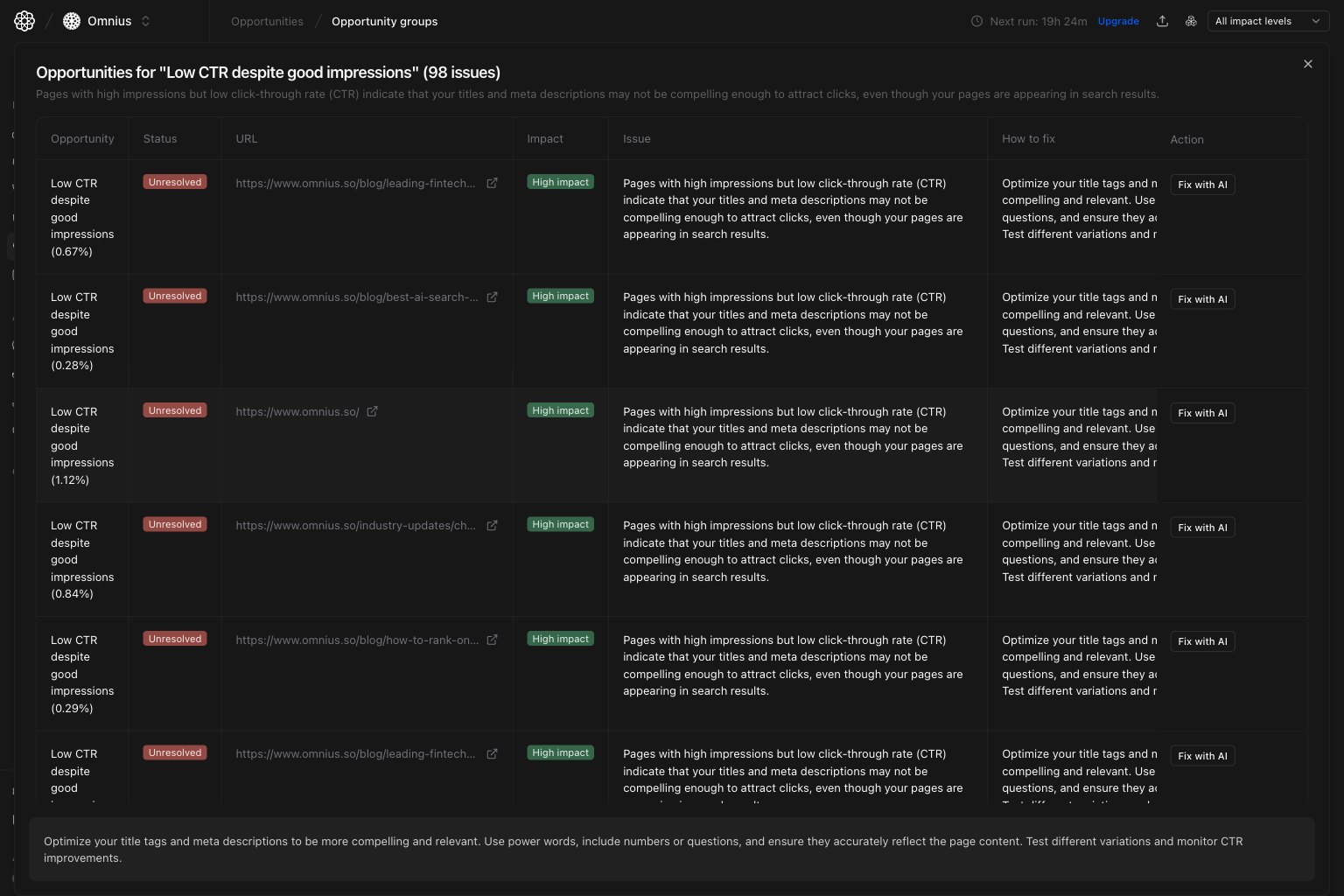
- Confirm exactly which URLs are affected.
- Read the issue explanation and
How to fixguidance. - Decide whether to handle manually or trigger AI assistance.
Step 3: Click Fix with AI for execution-ready help
Inside the modal, each row has a Fix with AI action. Clicking it opens AI help with the selected issue context so your team can move from diagnosis to draft fixes faster.
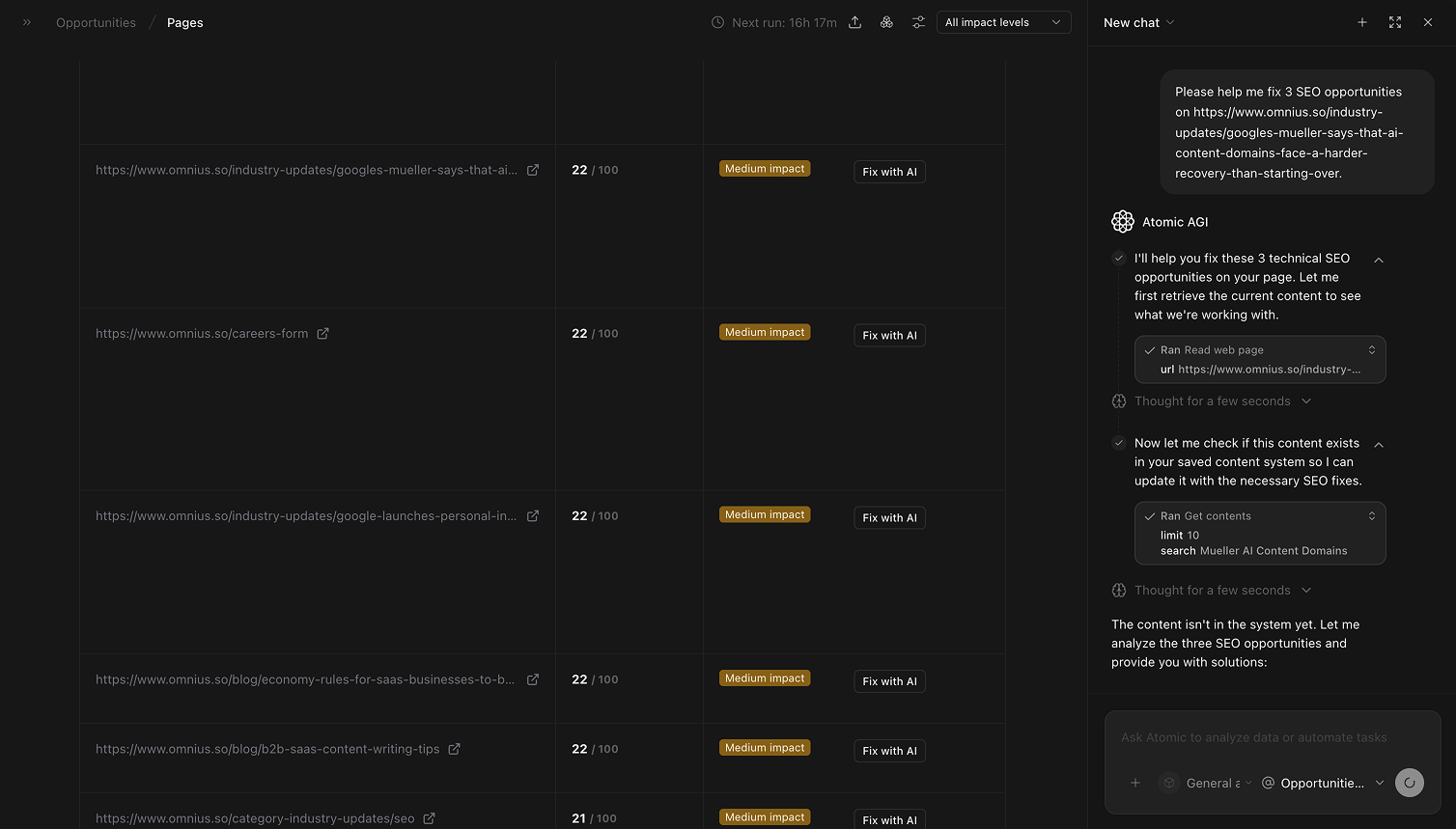
Fix with AI when:
- The issue is clear but writing the fix takes time.
- You want a first draft for titles, descriptions, or content updates.
- You need consistent fix suggestions across many similar rows.
Quick weekly checklist
- Review groups by impact and effort.
- Open the top 2 to 3 groups with the highest upside.
- Validate URLs in the modal and assign owners.
- Track unresolved-to-resolved movement.
- Use
Fix with AIfor repetitive fixes to increase throughput.
How to use filters
Impact = HighBuild a focused queue of groups most likely to move outcomes.All impact levelsUse this during planning, then narrow once you pick owners.
What to fix first
Team routine
- Weekly: choose priority groups and assign owners.
- Bi-weekly: review group-level progress and reopen blocked items.
- Monthly: compare technical vs content workstream impact.
- Quarterly: remove recurring issue themes with systemic fixes.
Keep in mind
- Group counts help prioritize, but the modal confirms exact URL-level work.
Fix with AIaccelerates drafting, but your team should still review before publishing.- Always align group prioritization with business-impact pages.
Where to go next
- Opportunities: prioritize URL-level execution
- Technical SEO audit: investigate technical root causes in depth
- Google Search keywords: turn keyword-level gaps into updates