

Important: Prioritize by business impact, not by issue count alone.
Questions this page should answer
- Which pages have the highest-value SEO opportunities right now?
- Which page should we open first for issue details?
- When should we click
Fix with AIinstead of handling manually?
Before you analyze
- Keep the same project and time context you use across Opportunities.
- Start with
All impact levels, then narrow only after you see the full pattern. - Prioritize
Page valueandImpacttogether before assigning work.
What this page gives you
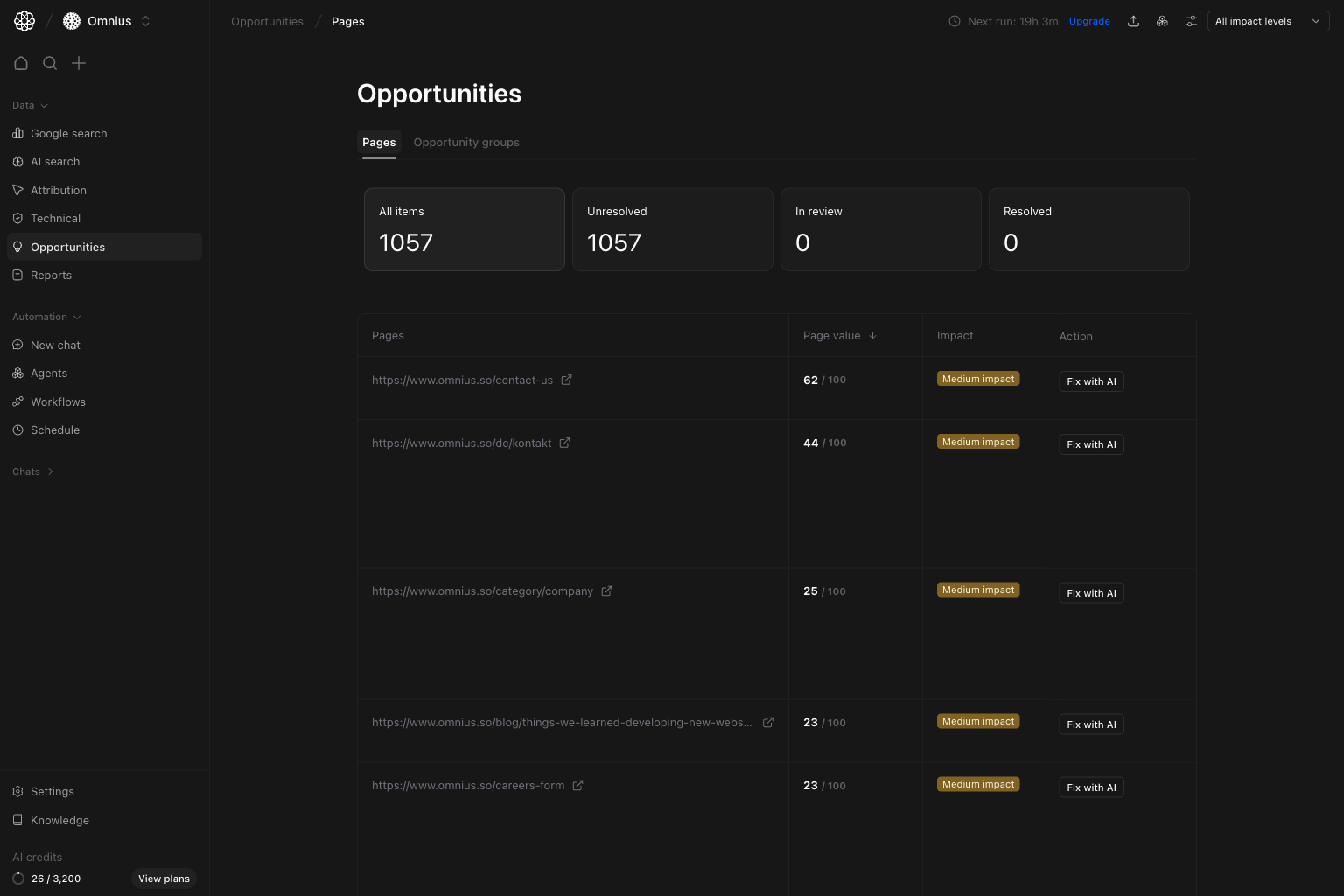
- Workflow cards:
All items,Unresolved,In review,Resolved. - A page table with
Page value,Impact, and an action button per row. - One-click drill-down into issue details for a specific URL.
- A direct
Fix with AIaction when you want execution help fast.
How to read the top cards
All items: total opportunity count in scope.Unresolved: items that still need work.In review: items being validated.Resolved: items marked complete.
Key signal: High page value with high impact should always outrank high issue count on low-value pages.
How these metrics are calculated (simple)
Page value
Page value is a weighted score combining page business importance and performance potential.Impact
Impact is the estimated upside if that issue is resolved on the page (Low, Medium, High).
Workflow status cards
Workflow status cards are counts of issue items by state (All items, Unresolved, In review, Resolved).
Step 1: Start from the pages overview table
Use the table to pick one URL to open first.Page valuetells you business importance.Impacttells you expected SEO upside.Fix with AIlets you jump directly to assisted execution for that row.
Page value and Impact are high.
Step 2: Open a page row to view issue-level details
Click a page to open its detail modal. This is where you see the exact issue, why it matters, and what to change.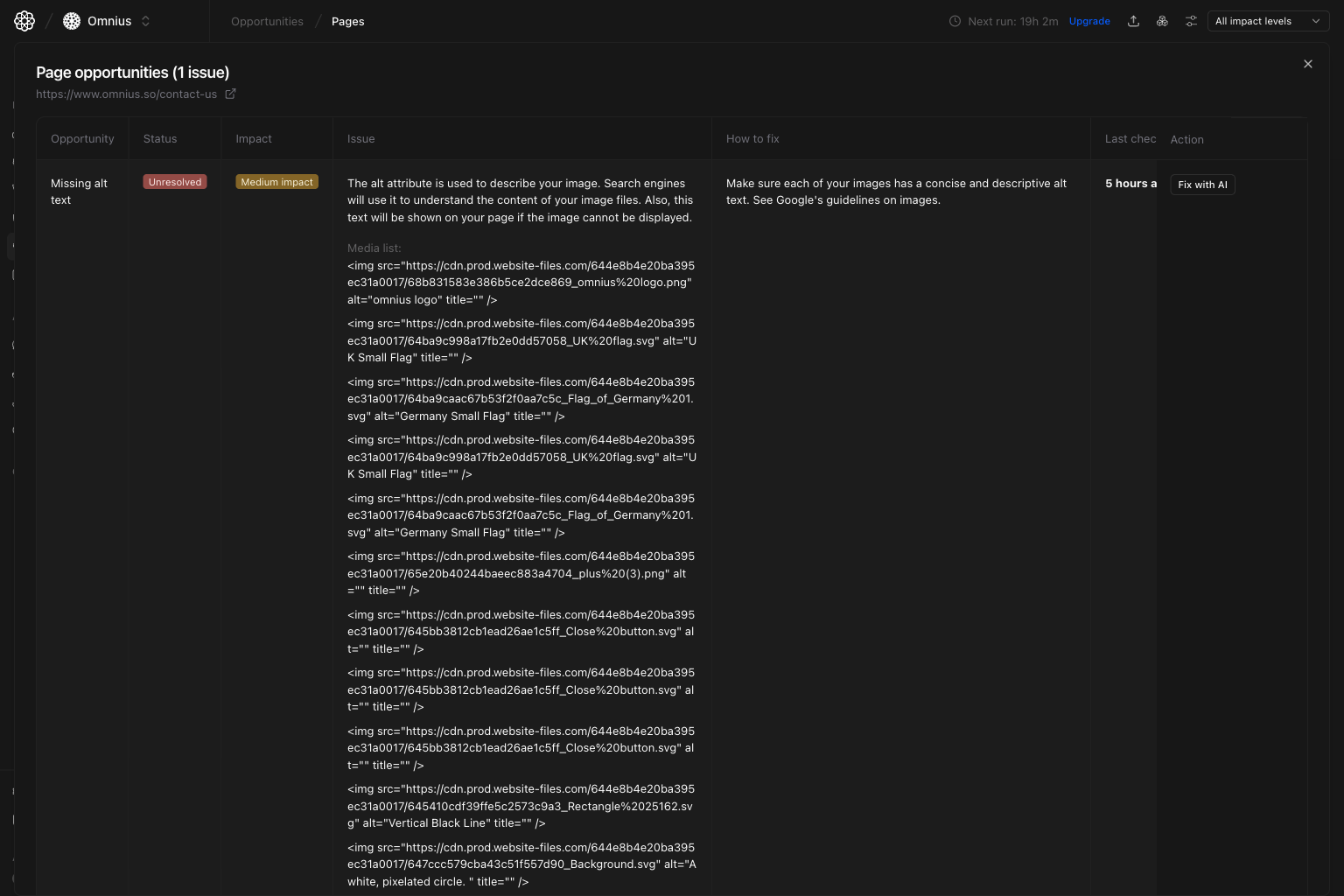
- Validate the issue before assigning work.
- Read the built-in
How to fixguidance. - Decide if the fix should be manual or AI-assisted.
Step 3: Click Fix with AI to generate execution help
After you click Fix with AI, the assistant opens with the selected URL and issue context already loaded.
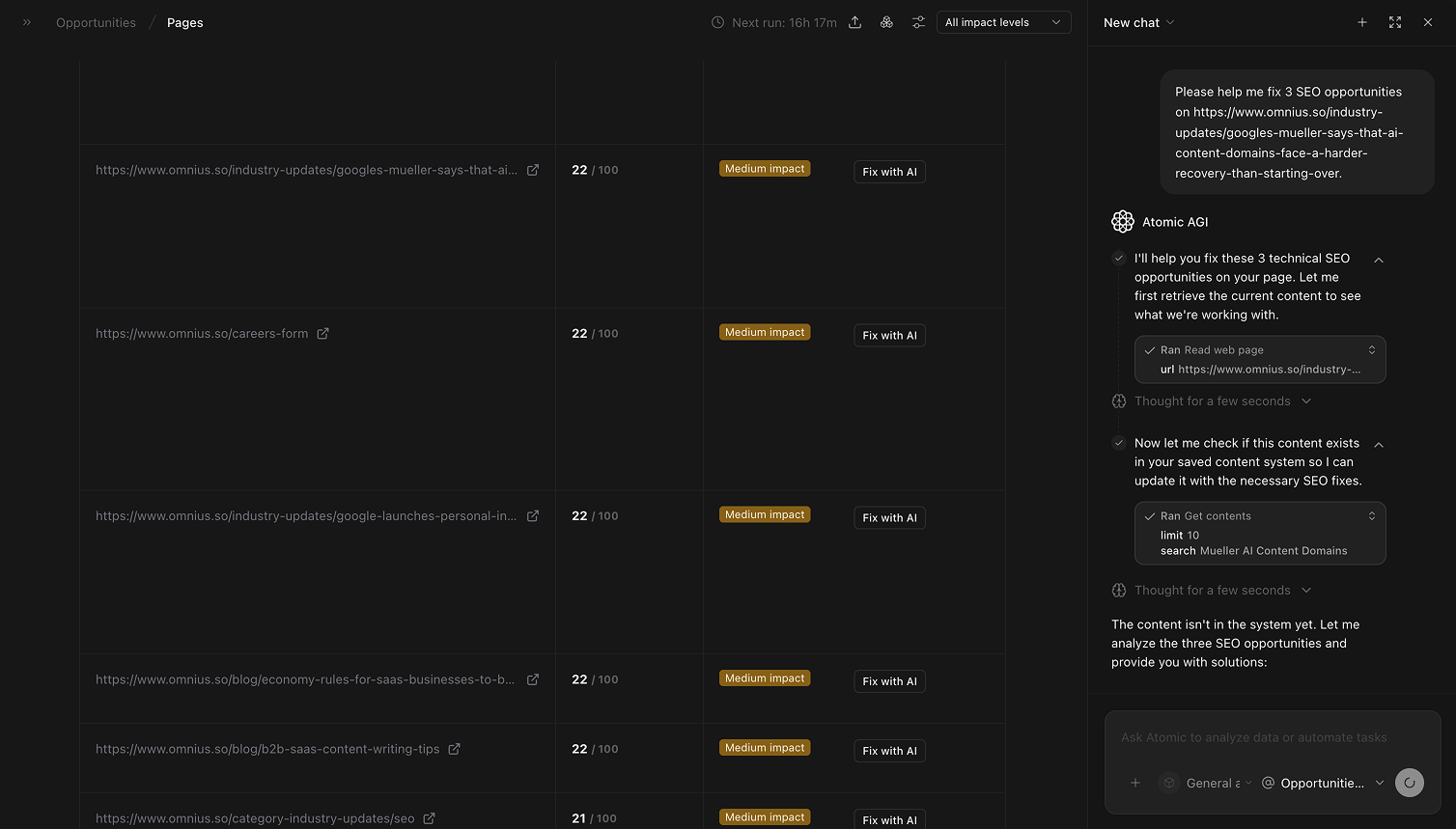
Fix with AI when:
- The issue is clear and you need a fast first draft.
- You are handling repetitive fixes across many pages.
- You want consistent fix output for your team.
Quick weekly checklist
- Review high-value, high-impact rows first.
- Open each top row and validate issue details in the modal.
- Assign owner and due date per selected URL.
- Use
Fix with AIfor repetitive or high-volume fixes. - Track unresolved-to-resolved movement weekly.
How to use filters
Impact = HighBuild a focused queue for this sprint.Page = specific URLRun a full issue check for one key page before publishing.
What to fix first
Team routine
- Weekly: pick priority URLs and assign work.
- Bi-weekly: validate completed fixes and status movement.
- Monthly: rebalance page priorities by business value and results.
- Quarterly: remove recurring patterns with systemic fixes.
Keep in mind
- Opportunity count alone is not priority; always pair with value and impact.
- AI suggestions still need human review before publishing.
- Very short windows can overreact to normal URL-level volatility.
Where to go next
- Opportunities groups: prioritize by issue type and theme
- Technical overview: validate technical blockers behind page issues
- Google Search landing pages: compare opportunity priority with traffic behavior