

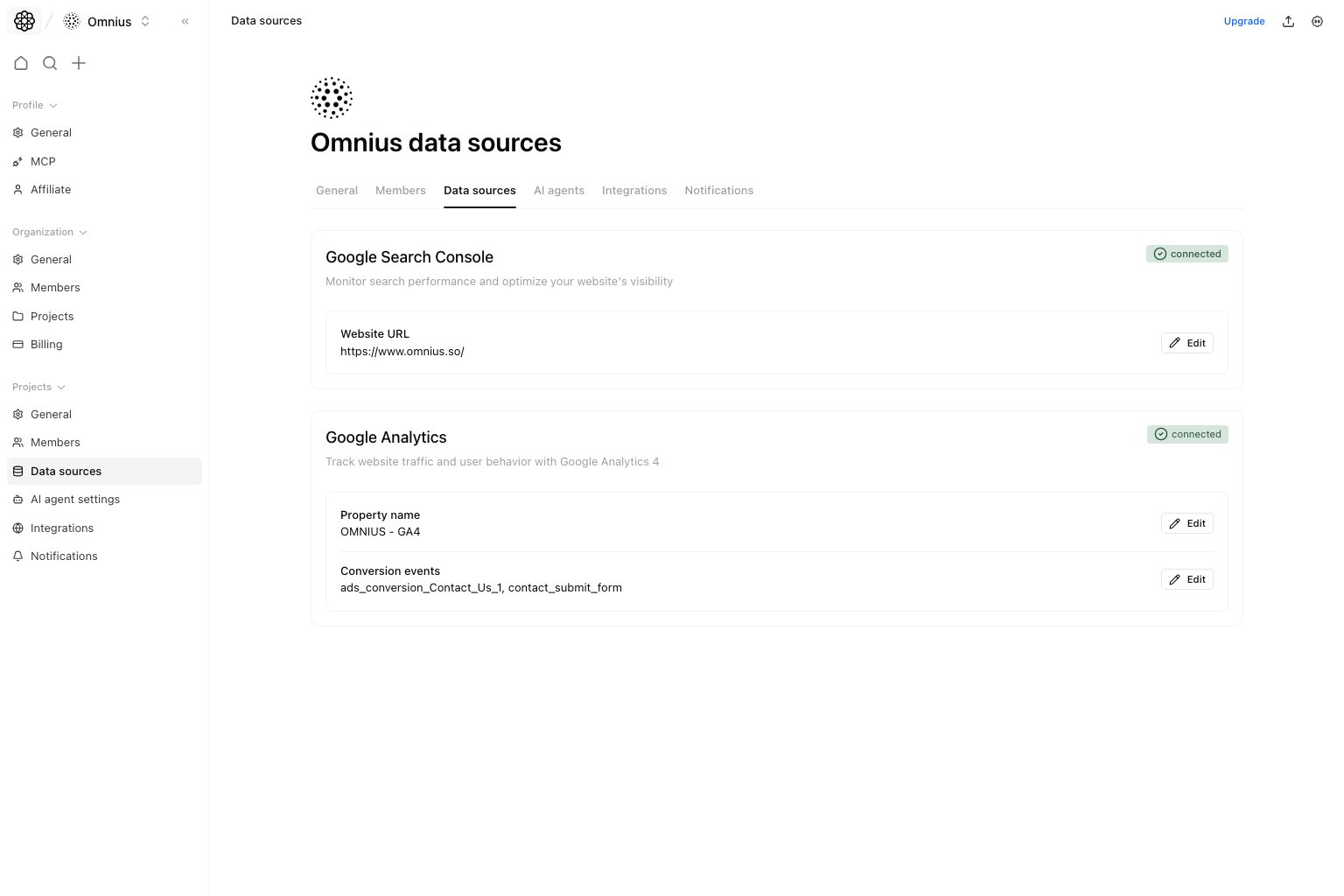
Important: Wrong GA4 or GSC mappings can look like traffic loss. Verify the connected property and site before diagnosing performance.
Questions this page should answer
- Are GA4 and GSC connected for this project?
- Which exact property/site is connected?
- Are conversion events configured as expected?
- Will connecting a different GSC site change the project domain?
Before you use this page
- In the app, open Project settings and select
Data sources. - Ensure your Google account has access to the correct GA4 property and GSC site.
- Confirm the current project domain and property IDs before editing.
What this page controls
- GA4 connection state and property metadata.
- GA4 conversion events list.
- GSC connection state and connected website URL.
- Edit/connect actions for both integrations.
- Explicit confirmation before a different GSC hostname replaces the project domain.
What this page gives you
- A quick health check for the project’s analytics and search data.
- The exact connected GA4 property and GSC site.
- Conversion event visibility for attribution and reporting.
- Reconnect/edit paths when source selection is wrong.
How to use this page
Validate connection badges first
Each card showsConnected or Not connected. Resolve red states before analyzing any downstream reports.
Audit the linked property/site identifiers
Check GA4 property name and GSC website URL to ensure data comes from the correct source.Review a GSC domain change before connecting
When you choose a GSC website, Atomic compares its hostname with the current project domain. Protocol,www, URL paths,
and port numbers do not create a mismatch.
If the hostnames differ, the action changes to Connect and change domain. Selecting it opens a confirmation dialog that
shows the current and selected domains.
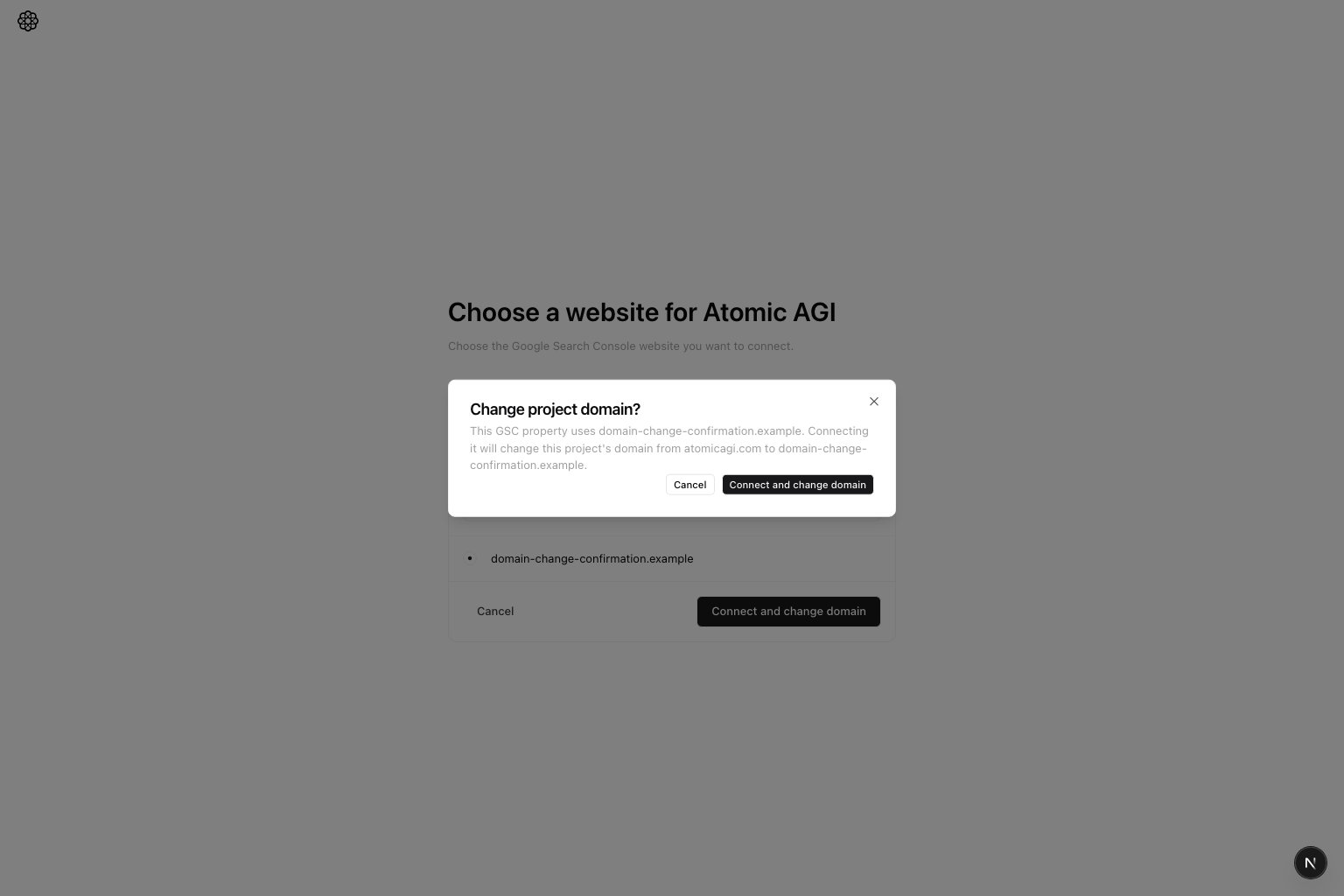
- Select
Cancelto keep the current project domain and return to the GSC website picker without connecting the site. - Select
Connect and change domainto connect the GSC website and replace the project domain with it.
Keep conversion events intentional
Use GA4 edit flows to keep conversion events aligned with your current funnel definitions.Quick weekly checklist
- Confirm both cards are connected.
- Verify GA4 property and GSC URL still match the project domain.
- Review any proposed project-domain change before reconnecting GSC.
- Review conversion event list for drift after tracking changes.
What to fix first
Team routine
- Weekly: confirm connection health before reporting.
- After tracking changes: re-check conversion events.
- After domain or property changes: reconnect the affected source.
Keep in mind
- Report quality depends on clean GA4/GSC mappings.
- Wrong property/site selection can look like traffic loss when it is actually mapping error.
- A different GSC hostname changes the project domain only after you confirm the change.