

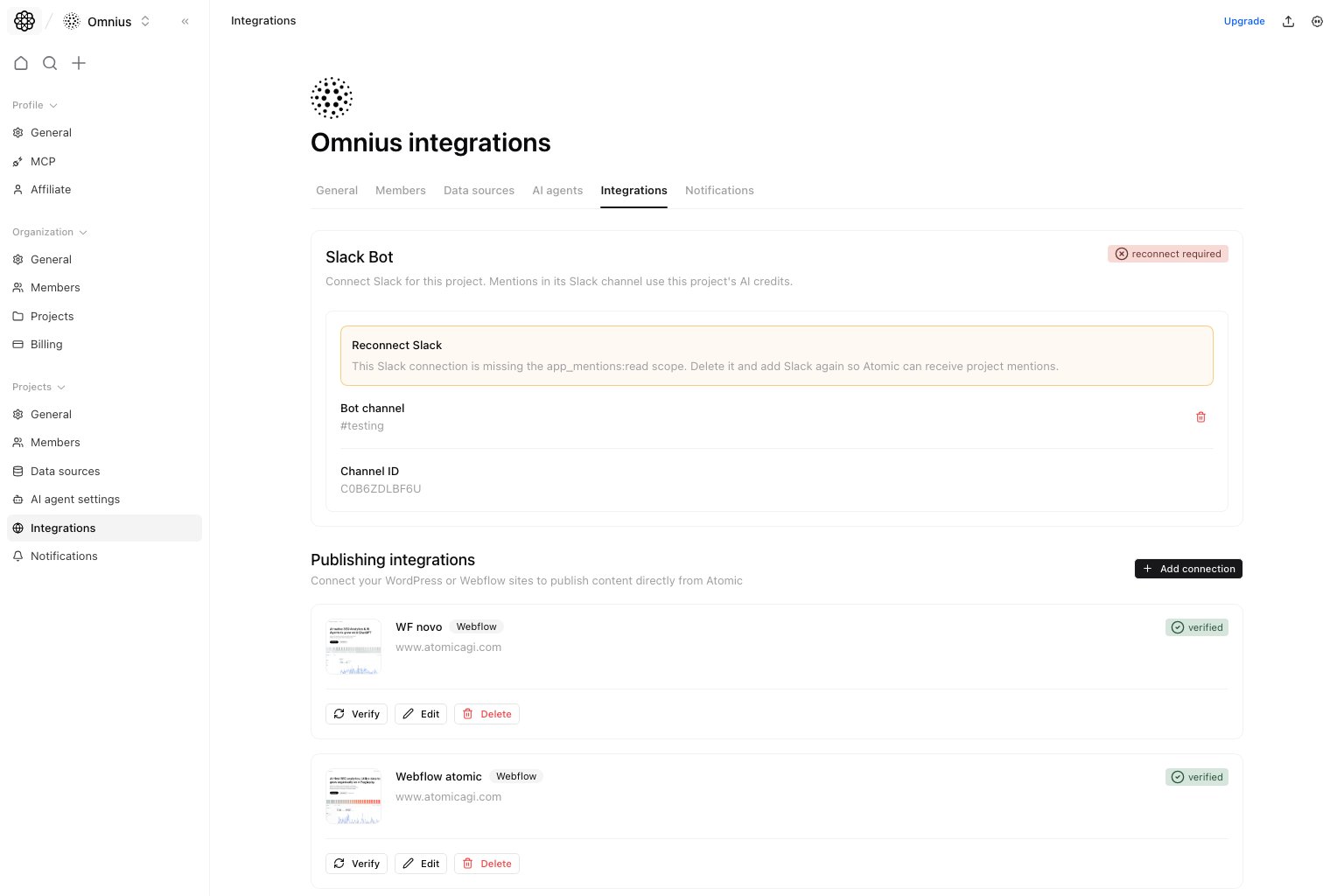
Important: Verify connection state after every credential or channel change. A saved integration is not always a working integration.
Questions this page should answer
- Is Slack connected to the correct channel for this project?
- Which publishing connections are active and verified?
- Which integration needs reconnect, edit, verify, or removal?
Before you connect integrations
- Confirm you are editing the intended project.
- Gather credentials or admin access for each destination.
- Decide which Slack channel should receive project activity.
- Verify publishing destinations in a test-safe way before relying on them.
What this page gives you
- Slack connection state and channel selection.
- Reconnect guidance when the Slack app is missing required mention scope.
- Publishing connection list and verification state.
- Add, edit, delete, and verify flows for publishing targets.
Slack section
Use the Slack section to connect the project bot, select its channel, and confirm the channel used for project mentions. If the page showsReconnect required, remove the old connection and connect Slack again so the project has the required mention scope.
Publishing connections section
Use publishing connections for delivery targets such as WordPress and Webflow.- Add a connection only after credentials are ready.
- Verify each connection before live publishing.
- Remove stale destinations to prevent accidental publishing mistakes.
How to know setup worked
- Slack shows the expected channel and no reconnect warning.
- Publishing destinations show verified connection state.
- A test publishing or verification action succeeds before production use.
- Notifications and workflow delivery reference the intended project channel or destination.
Quick monthly checklist
- Confirm Slack still points to the active team channel.
- Verify publishing connections after password, API key, or CMS changes.
- Remove destinations tied to old campaigns or retired sites.
- Check notification settings after integration changes.
What to fix first
Team routine
- Monthly: verify Slack and publishing destinations.
- After credential changes: re-test the affected connection.
- Before publishing workflows: confirm destination and project match.
Keep in mind
- Slack is project-scoped here, even if the entry point begins from organization permissions.
- A connected integration is not always a verified integration.
- Credential changes should always be followed by a re-check.