

Questions this page should answer
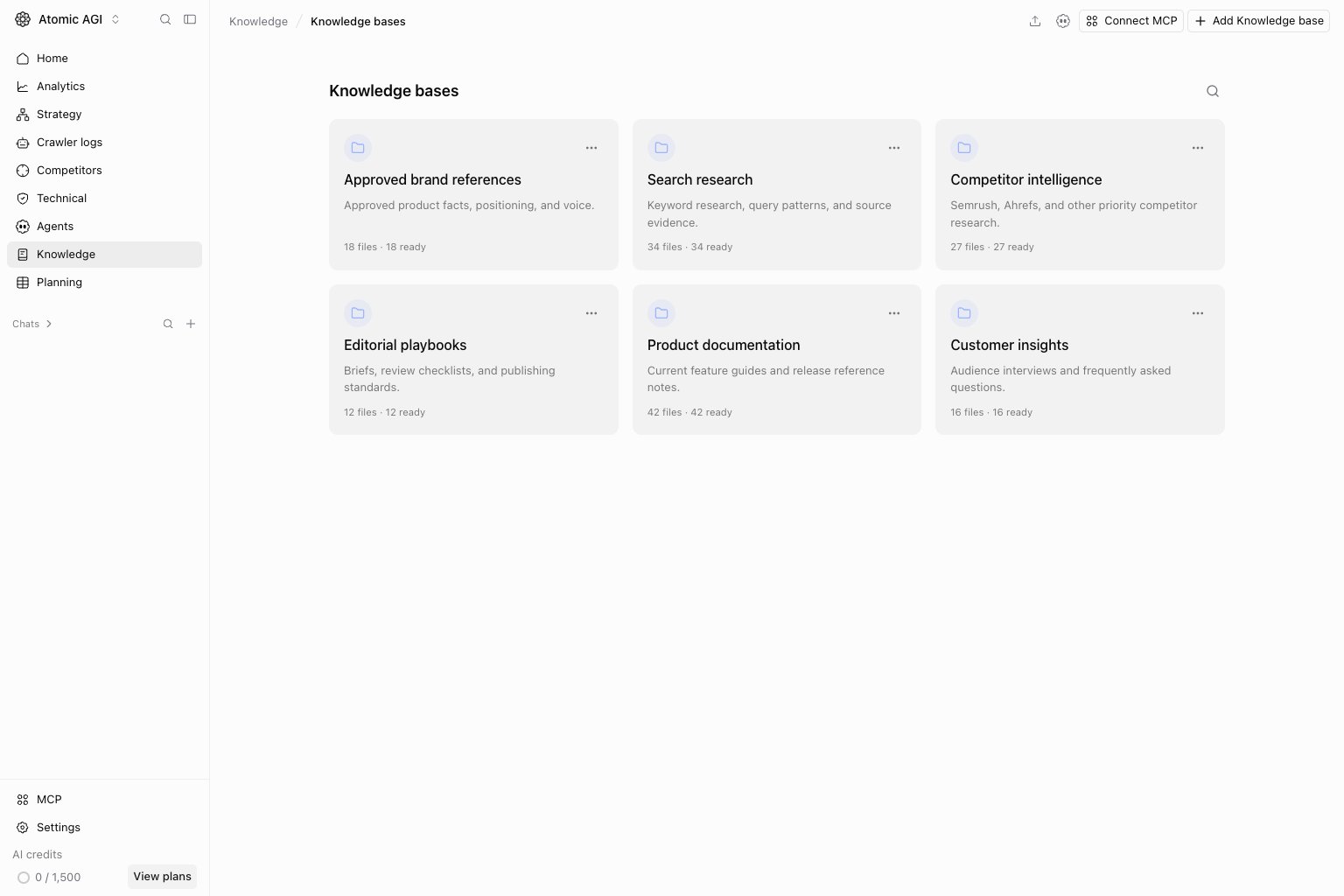
- Which knowledge bases exist for this project?
- Which folders and markdown files are available and ready for agents?
- Which files and exact published passages support a search?
Before you use this page
- Open
Knowledge, then select a base card orView allfor the Knowledge bases collection. - Decide whether the content belongs in an existing knowledge base or a new one.
- Keep each concept focused on one page, document, story, note, or generated output.
What this page gives you
- Knowledge-base cards with purpose, file count, readiness, warnings, and the last successful index.
- One expandable file tree that keeps the knowledge-base root visible.
- Row-level summaries, tags, processing state, and recovery actions.
- Two-stage Test Search scoped to the selected knowledge base.
- File preview with published-version metadata and exact, server-resolved citations.
Knowledge bases
A knowledge base is the top-level bundle. Use separate knowledge bases when the content has different ownership or purpose, such as product docs, customer stories, pricing notes, or implementation references. Every knowledge base needs a purpose description. Atomic shows it on the knowledge-base card and uses it when interpreting searches and preparing file metadata. The description guides retrieval inside that knowledge base; it never grants access or causes Atomic to search a different knowledge base. When you create or edit a knowledge base, write a short purpose that answers:- What belongs here?
- What should be excluded?
- How should agents use this material?
Approved customer outcomes and proof points for sales and marketing content. Exclude internal roadmap notes and unverified claims.
Changing the purpose marks its concepts as stale so their compact metadata can be refreshed. It does not rewrite file content or create duplicate concepts.
Share and restore a Knowledge view
Knowledge navigation is addressable. Opening a knowledge base changes the path to/knowledge/[knowledgeBaseId]. The URL also keeps the selected folder and search query:
Browse folders and files
Folders organize concepts inside a knowledge base. A folder can contain subfolders and concepts. Each folder has anindex.md view generated from its children.
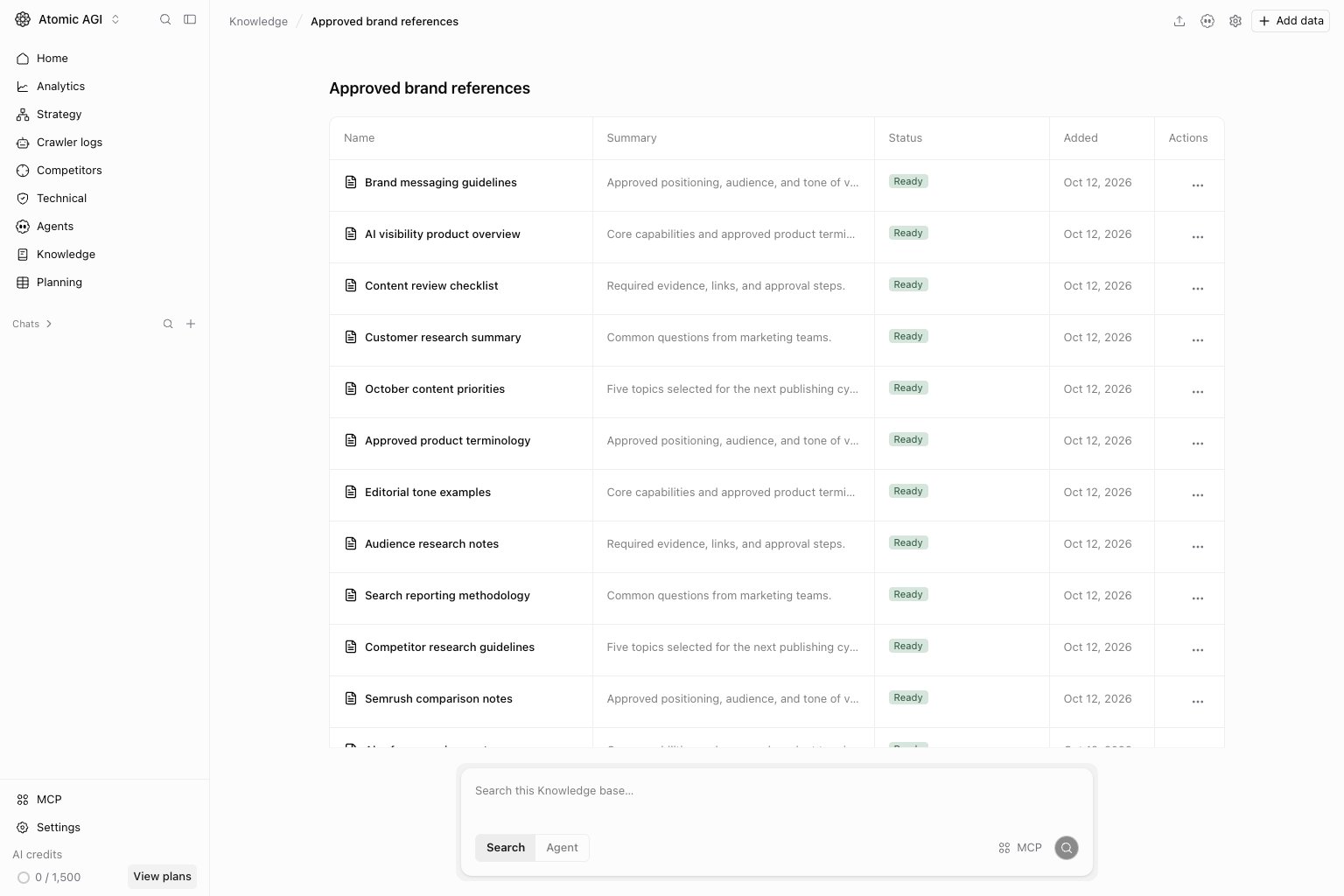
Nameshows the human-readable name and canonical path.Summaryshows generated context, classification, and tags for files.Statusdistinguishes folders from pending, processing, ready, stale, and failed files.Addedshows when the item entered the knowledge base.
Concepts
A concept is a markdown file with frontmatter: structured fields at the top that describe the file. A content segment is a smaller indexed passage used for search and citations; it is not a second copy of the whole file. The markdown file is the source of truth. The app stores a database id for safe moves and renames, but the OKF path stays visible for import and export.Indexing status
Atomic processes every new or changed file before agents can retrieve it.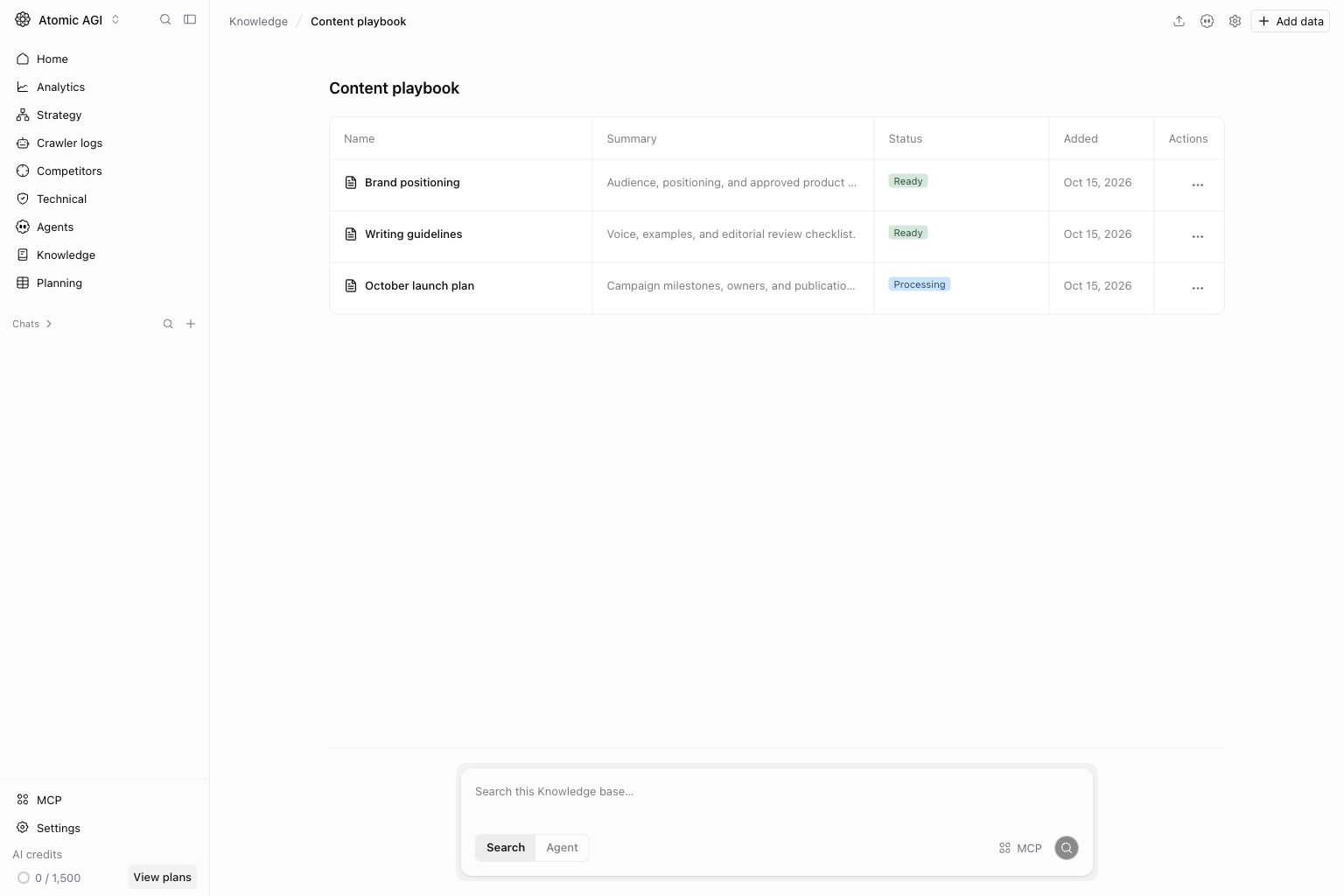
Added for processingmeans the file is saved and waiting for the knowledge worker.Syncingmeans Atomic is normalizing, enriching, segmenting, or indexing the current version.Readymeans every required step completed and the current version is indexed for agents.Stalemeans the file or its knowledge-base context changed after the last successful index.Failedmeans one processing step failed.
Retry indexing after a failure. Select Re-index to rebuild an otherwise healthy file.
Atomic publishes a file version only after every required step finishes. Search does not use partially processed versions.
Add data
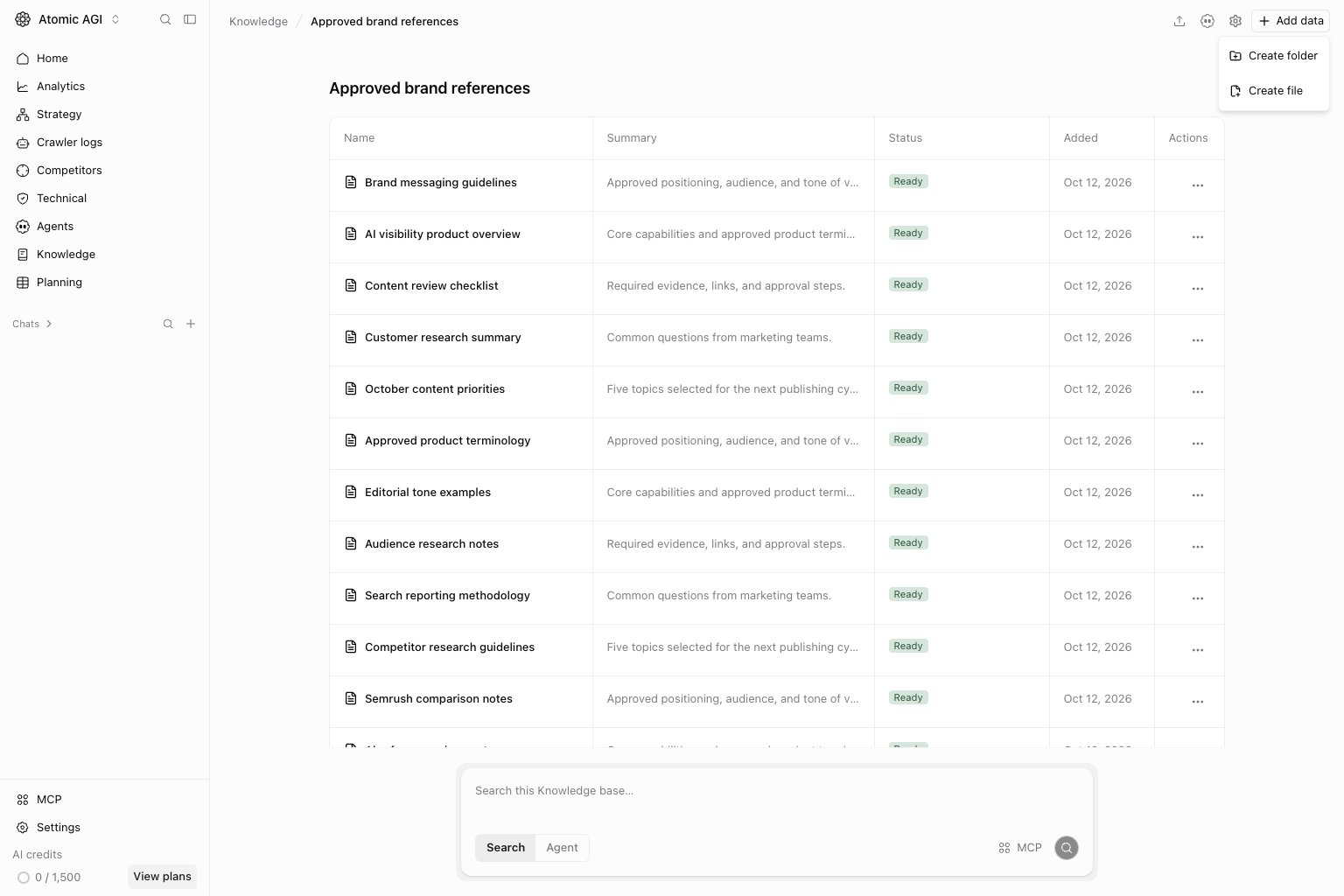
Open a knowledge base and selectAdd data. Choose one of the currently available actions:
Create folderadds an organizational folder.Create fileopens the markdown Write/Preview editor.
Location field. The knowledge-base root is the default, even when folders are expanded. Choose a folder explicitly when the new item belongs in a nested location.
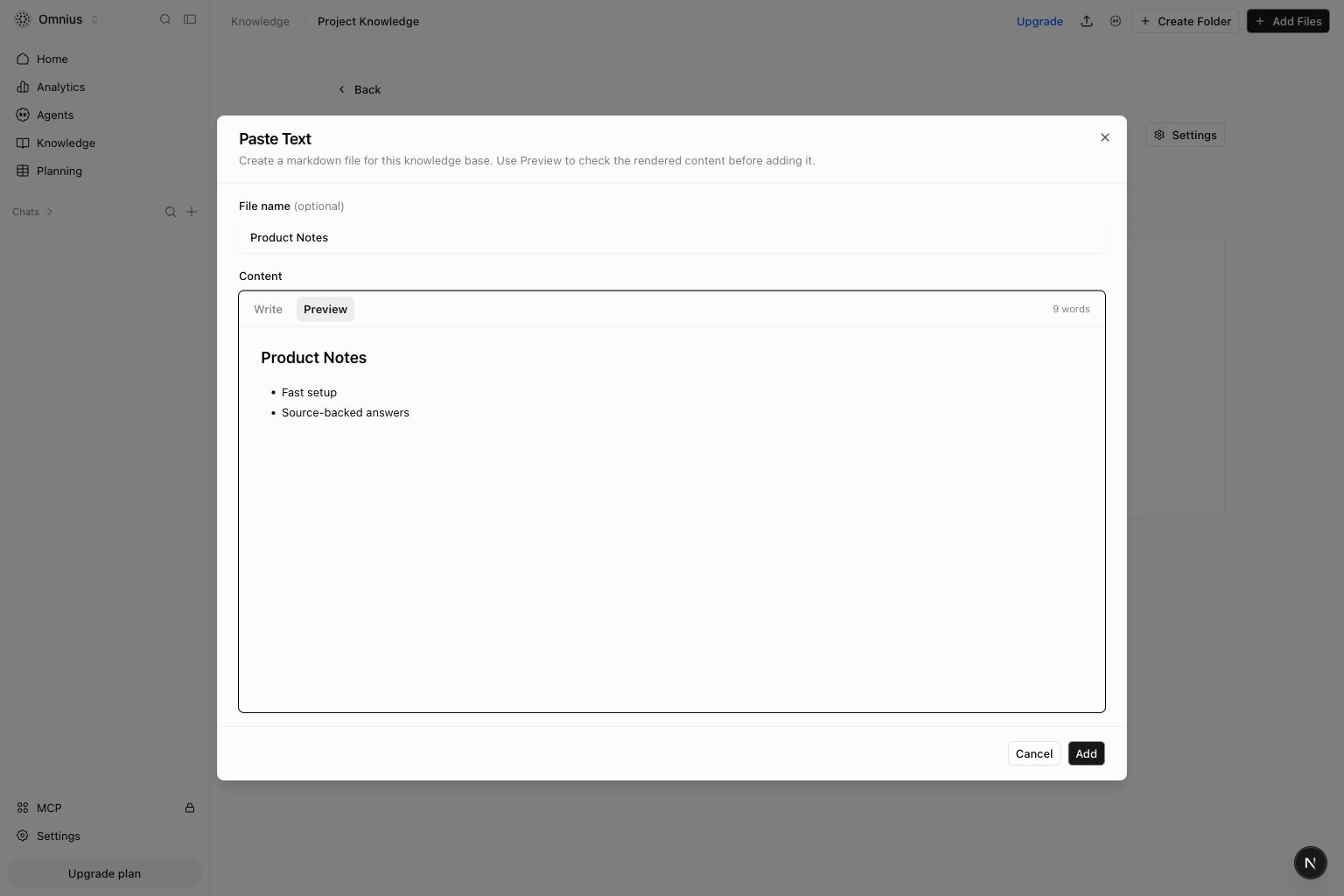
- Add an optional file name. If you leave it empty, Atomic uses
Pasted Text. - Write or paste markdown in the
Writetab. - Select
Previewto check headings, lists, links, and other formatting. - Select
Add for processingto save the note at the displayed location. - Wait for the status to move from
PendingorProcessingtoReady.
Search
UseSearch all knowledge on the Knowledge overview to search every Knowledge base available in the current project.
The query stays in the URL, and results are grouped by Knowledge base with the matching file path and exact published
supporting passages. Opening a file or citation navigates into its Knowledge base. Clear the query to return to the
normal Knowledge overview.
Use Search files beside the knowledge-base title and press Enter to test what agents can retrieve. Clear the field to return to the file table.
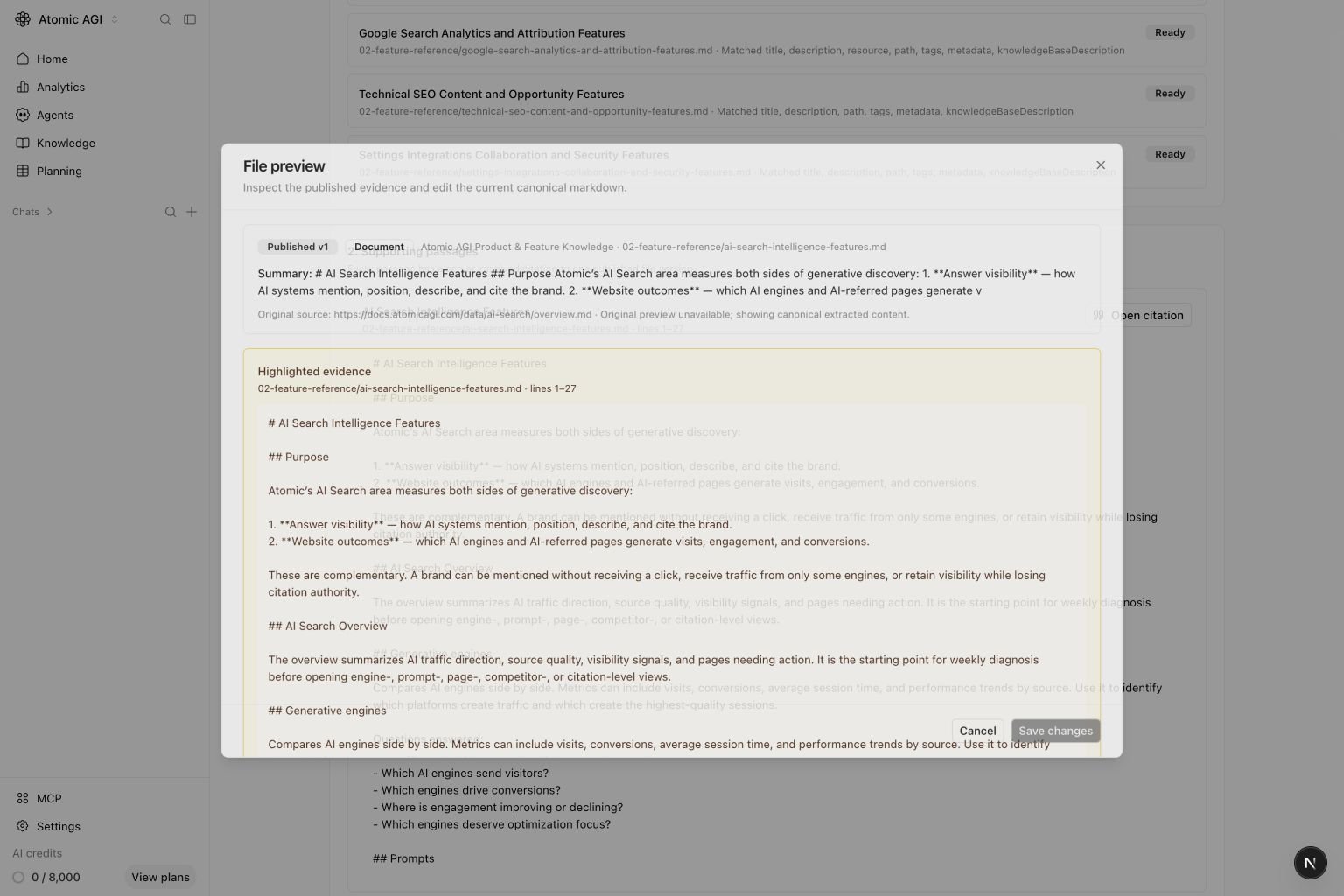
Candidate fileschecks compact published metadata such as titles, descriptions, paths, tags, summaries, classifications, headings, and the knowledge-base purpose. It does not read every complete file.Supporting passagessearches only the published segments from those candidate files. It shows the exact text and location that an agent can cite.
Open citation to open the published file version and highlight the supporting segment. Markdown citations show the heading and line range. Page, table, spreadsheet, and OCR locators appear when the source extractor provides them. If Atomic cannot render the original source, the preview falls back to the canonical extracted passage and shows its locator metadata.
Citation links contain an opaque stored segment identity. Atomic resolves that identity on the server and does not trust a model-generated URL, page number, or range as citation truth.
Manage knowledge with MCP
Atomic exposes the same Knowledge base commands and permission checks through MCP. IDs are always explicit. A tool never changes an empty scope into every knowledge base in the project. Start with these read tools:
Use these write tools to manage canonical knowledge:
The delete tools are
delete_knowledge_file, delete_knowledge_folder, and delete_knowledge_base. Each requires confirmation: "DELETE". Base deletion cascades to its folders, files, processing history, and derived indexes. Folder deletion works only after its contents are moved or deleted.
To search, pass at least one ID:
search_knowledge first selects candidate files from compact published metadata. It then returns exact published segments with citation IDs, paths, headings, and line ranges. Indexed means the current canonical version completed every required publication step. Stale can continue serving its last complete version while the replacement is processing.
Check content against project knowledge
Use thecheck_knowledge_base_alignment MCP tool before publishing content that makes claims about your company, product, services, or policies. Pass the draft in content and an explicit knowledgeBaseIds allowlist. You can also set maxClaims from 1 to 50; the default is 20.
The tool separates the draft into factual claims and checks each claim against matching excerpts from the selected indexed knowledge bases. It returns one of these verdicts for every claim:
supportedmeans an indexed source directly supports the claim.contradictedmeans an indexed source directly conflicts with the claim.not_foundmeans the available sources do not provide enough evidence. Missing evidence does not count as a contradiction.
not_found claims need a draft correction or a new knowledge source.
What to fix first
Quick weekly checklist
- Add new pages, docs, and notes as focused concepts.
- Keep folder names clear enough to scan.
- Search for priority terms and confirm the expected concepts appear.
- Remove stale concepts after moving or replacing them.
Keep in mind
- Project permissions still control who can view or edit knowledge.
- Agent and MCP operations require explicit knowledge-base IDs and enforce the same project role as the UI.
- The concept markdown is canonical. Avoid storing important context only in source metadata.