

Questions this page should answer
- Which agents should work together as a team?
- Which team already fits this workflow?
- Which teams need role or member changes?
Before you create a team
- Define the repeated workflow before choosing agents.
- Confirm one agent should coordinate the work.
- Decide what each specialist contributes and where handoff happens.
- Avoid creating a team when a single agent can produce the output reliably.
What this page gives you
- A dedicated team library alongside the agent library.
- Team detail and edit flows.
- A stable way to reuse the same team structure across future tasks.
Create a team
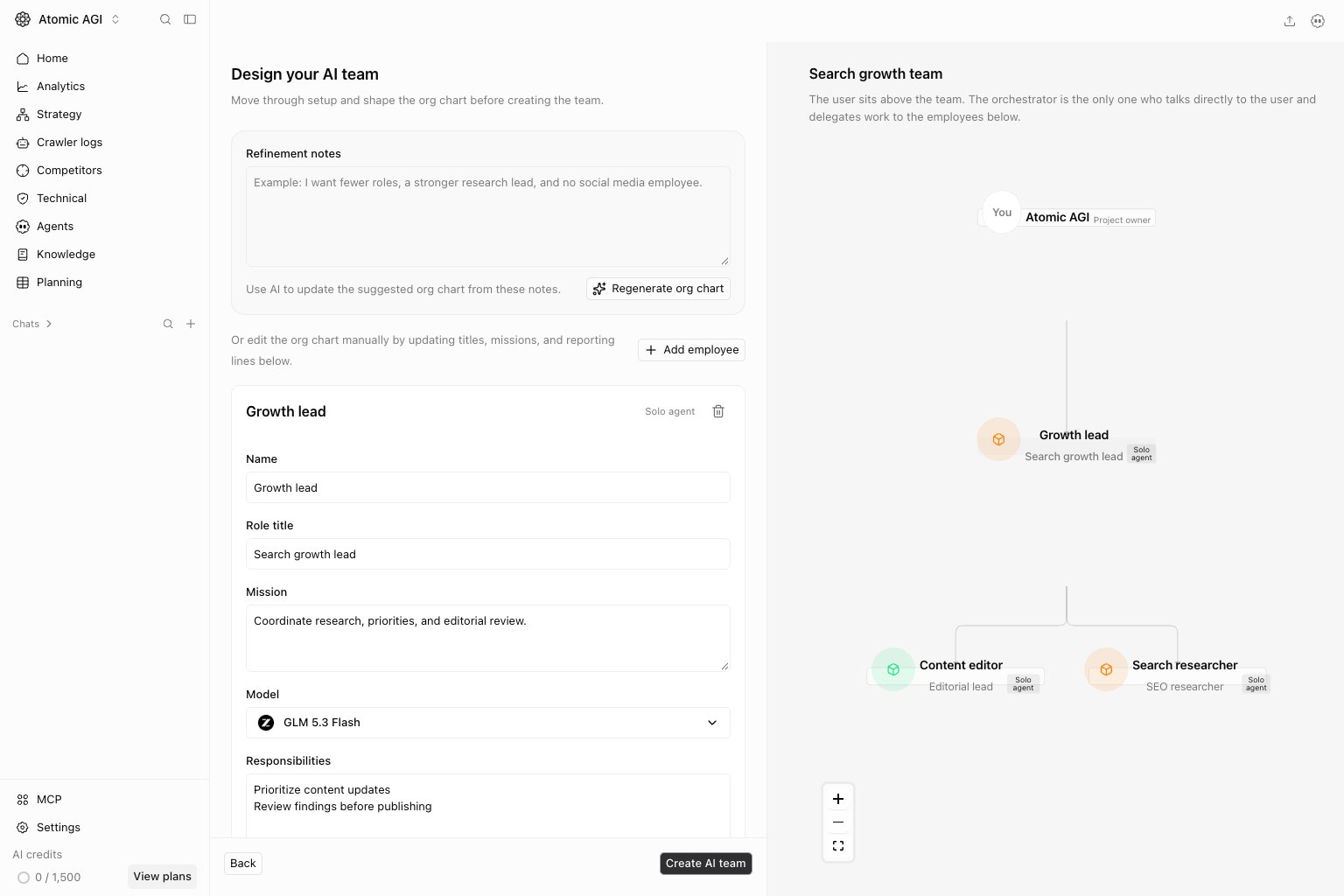
ChooseNew team, enter a Team name and a concrete Project goal, then continue through setup. The preview places you above the team and an orchestrator between you and the other employees. Review the suggested organization chart and each employee’s responsibility before creating the team.
How to read the team library
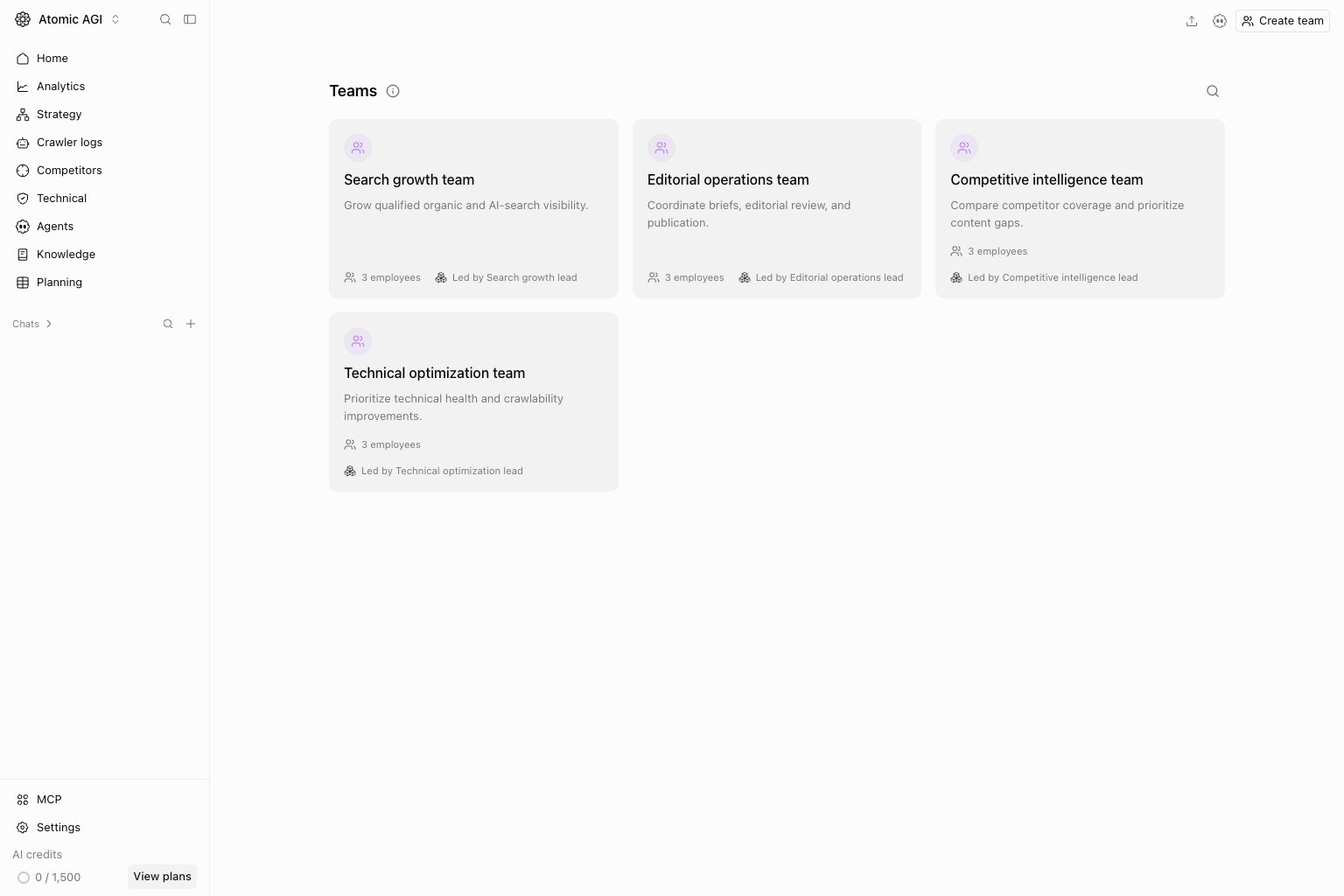
Read each team as a reusable operating pattern:Team name: the outcome or workflow the team supports.Members: the specialist agents involved.Coordinator: the agent responsible for planning and handoff.Description: the boundary of work the team should own.
- Use a team when work needs planning, execution, and review roles.
- Use one agent when the task is narrow and does not need role separation.
- Use a workflow when the steps, inputs, and outputs need stronger structure.
How to use this page
Create teams around a workflow, not around departments
Good teams map to a real operating pattern such as research plus writing plus QA. They should exist because the same sequence repeats often enough to deserve reuse.Keep one orchestrator
The team should have one clear coordinator. Without that, the output quality becomes hard to predict and task handoffs become noisy.Review teams after repeated failures
If a workflow stalls or produces inconsistent results, review the team roles before adding more prompt instructions.Quick monthly checklist
- Review teams that were used in the last month.
- Remove teams that duplicate a simpler single-agent setup.
- Check whether each team has one clear coordinator.
- Update roles when workflows or strategy change.
- Test important teams with a fresh chat before relying on them in a workflow.
What to fix first
Team routine
- Before launch: test the team on one representative request.
- After failures: review roles before adding more instructions.
- Quarterly: prune unused or overlapping teams.
Keep in mind
- Teams are for repeatability, not novelty.
- A strong team usually needs fewer prompt workarounds.
- If one agent can do the job well, keep the simpler setup.