

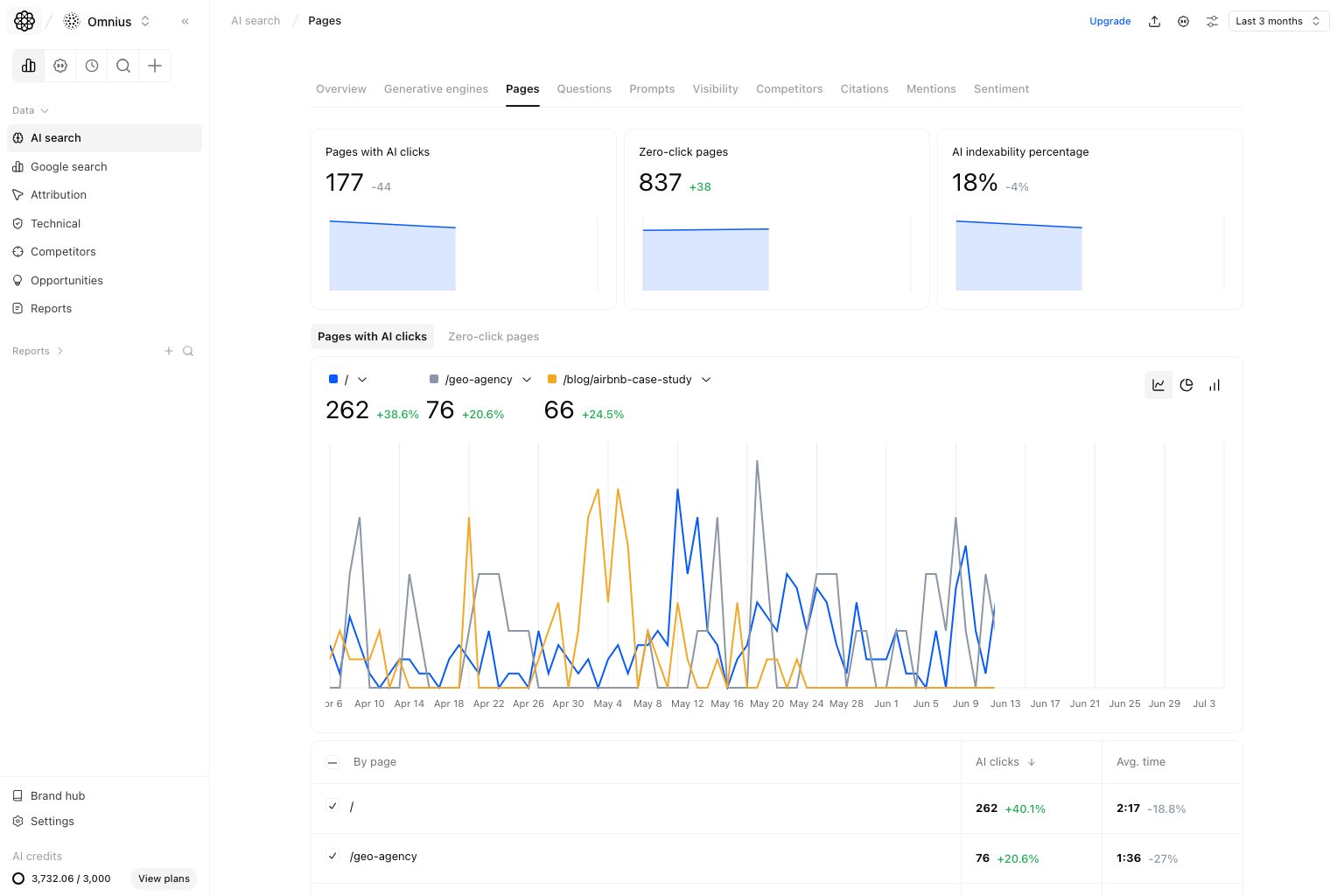
Important: Treat this as a priority queue, not just a report. Pick pages, assign owners, and track movement next cycle.
Questions this page should answer
- Which pages are currently driving AI visits?
- Which pages are visible but not getting clicks?
- Which URLs should we update first this sprint?
Before you analyze
- Use the same date range as Overview.
- Start with no extra filters.
- Compare against an equivalent prior period.
What this page gives you
- Top cards for
Landing pages,Zero-click pages, andAI indexability percentage. - A trend + table view to prioritize by URL.
- Two subtabs for execution:
Landing pagesandZero-click pages.
How to read the top cards
Landing pages: URLs currently receiving AI traffic.Zero-click pages: URLs mentioned but not clicked.AI indexability percentage: share of pages discoverable for AI contexts.
Key signal: If zero-click pages increase while landing-page outcomes stall, your visibility is not translating into qualified traffic.
How these metrics are calculated (simple)
Landing pages
Landing pages are the count of unique URLs with at least one AI-attributed session in the selected period.Zero-click pages
Zero-click pages are tracked URLs mentioned in AI answers but with zero AI-attributed sessions.AI indexability percentage
Landing pages tab
Use this tab for pages already receiving traffic and needing performance gains.- High clicks, low avg. time pages.
- Former winners now trending down.
- Pages with potential to improve conversion quality.
Zero-click pages tab
Use this tab to convert mention visibility into actual traffic.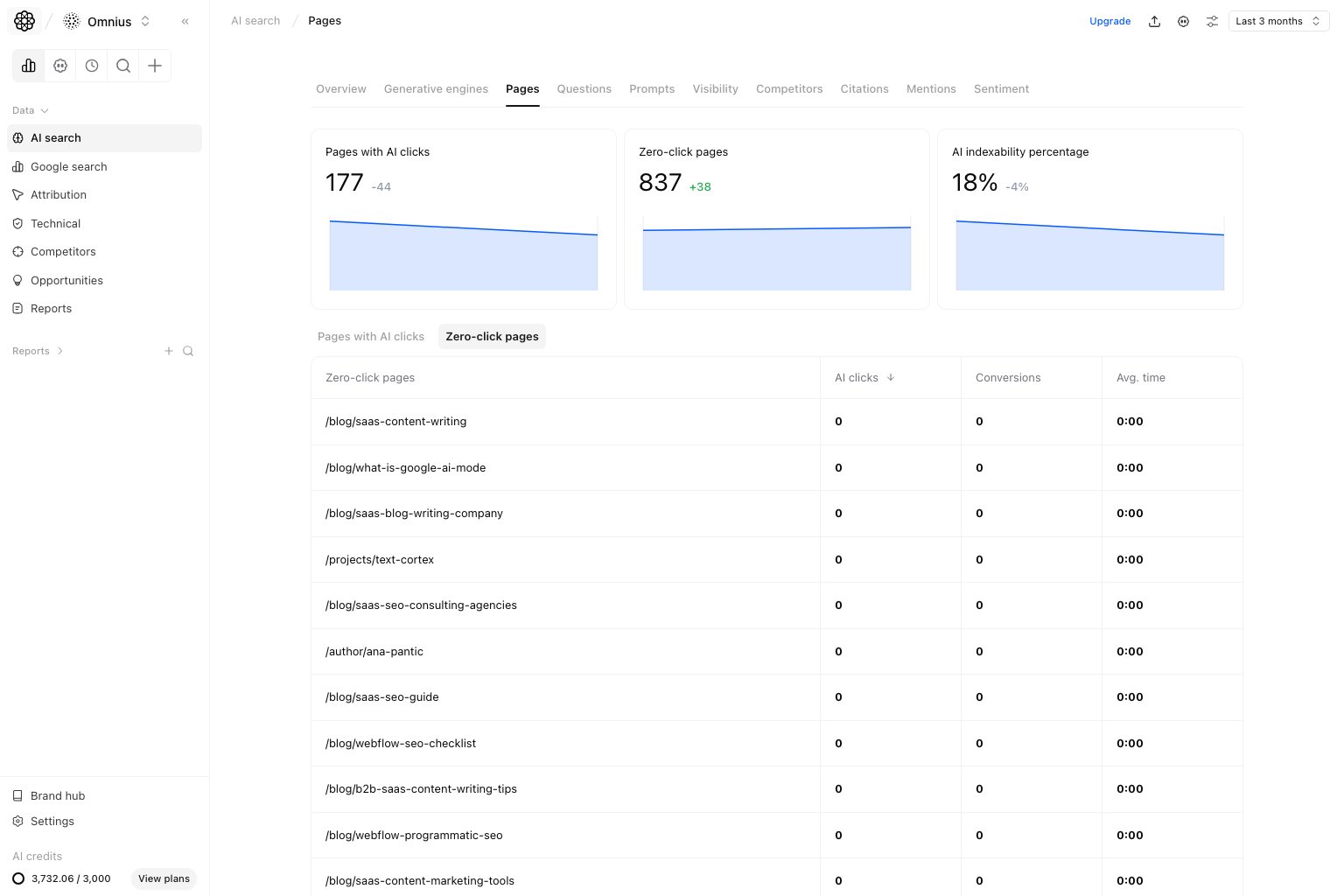
- High-value URLs repeatedly shown with no clicks.
- Pages with weak titles or weak value framing.
- Pages needing better internal paths from strong pages.
Quick weekly checklist
- Pick 3 landing pages to optimize now.
- Pick 3 zero-click pages to recover.
- Assign clear owner and deadline per URL.
- Check movement next cycle.
How to use filters
- Start broad, then narrow to one topic cluster.
- Keep date range consistent across Pages and Overview.
- Validate changes in one segment before scaling.
What to fix first
Team routine
- Weekly: ship page updates on highest-value URLs.
- Bi-weekly: compare cohort performance after changes.
- Monthly: rebalance roadmap by URL-level outcomes.
Keep in mind
- Not every zero-click URL is urgent.
- Avg. time is directional, not absolute.
- URL improvements can lag one cycle behind prompt changes.