

Important: Better prompt coverage beats higher prompt count. Focus on business-critical prompts first.
Questions this page should answer
- Are we tracking the prompts that matter most for pipeline?
- Which prompts are underperforming right now?
- Which prompt gaps should become this sprint’s content work?
Before you analyze
- Review the active prompt list before judging performance.
- Keep the same reporting window used in other AI Search pages.
- Compare by intent category, not only by total rows.
What this page gives you
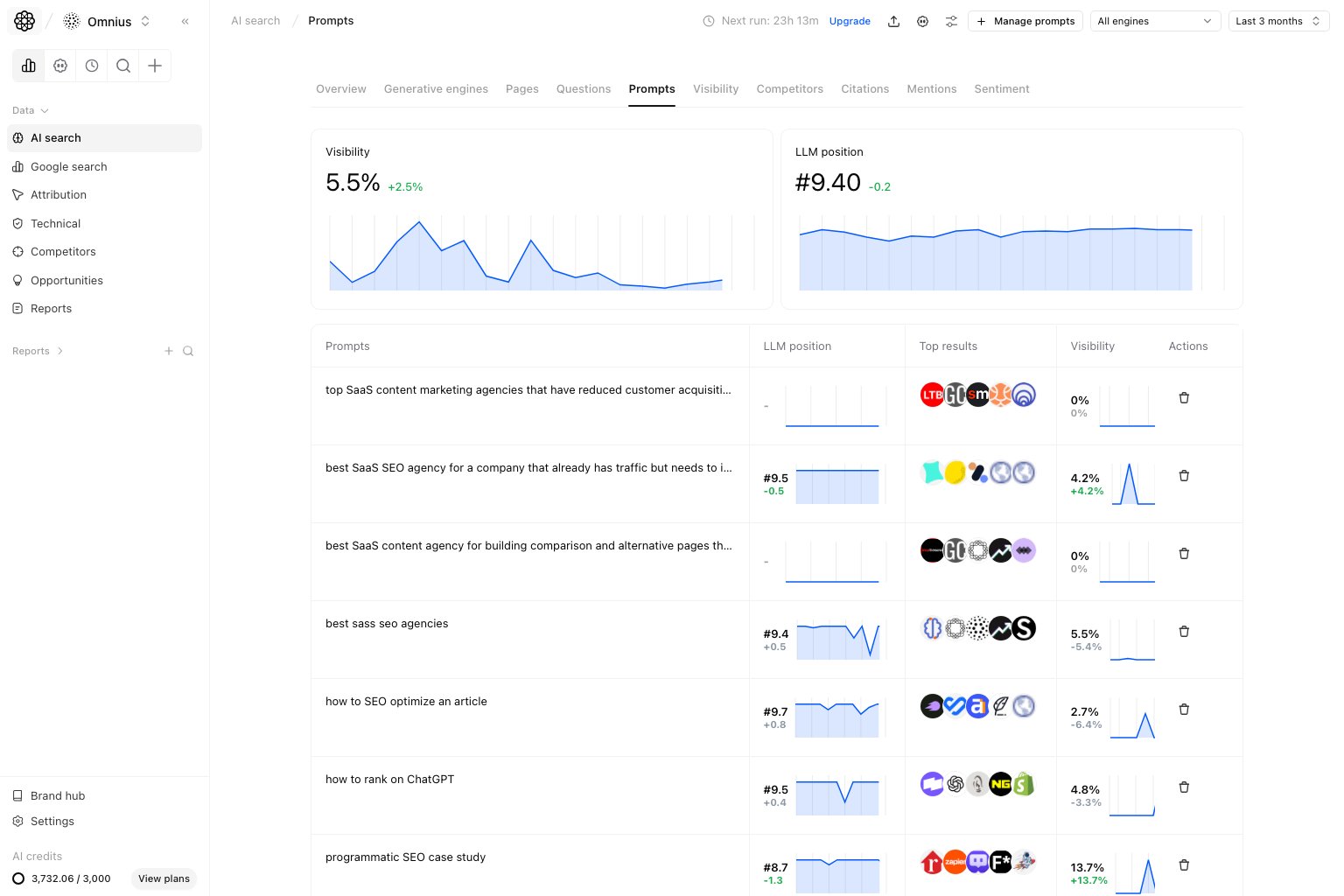
- Top prompt health indicators like average visibility and average position.
- Prompt-level table with position, mention frequency, top results, and category.
- A
Tracking enginescontrol for choosing which plan-supported engines run each active prompt. Manage promptsflow with one add workspace that combines manual entry and AI-generated suggestions.- A decision layer to connect prompt gaps to page updates.
How prompt data is collected
Atomic runs each active prompt on the engines selected inTracking engines. Available engines and automation frequency depend on
your plan. We then compare patterns over time, because AI responses naturally vary between runs.
These tracked prompts should be written as conversational questions (for example What's the best CRM for marketing agencies under 50 people?), not short keyword fragments.
To mirror real buyer behavior, Atomic collects prompt results through AI product interfaces, not only via API outputs. This helps
you measure what users are likely to see in real interactions.
Why this matters:
Authentic experience: data reflects the same interface-level outputs users interact with.Real-world accuracy: results are less abstract than API-only snapshots.Broader coverage: you can track platforms and model flows with limited public API access.
Choose tracking engines
ClickTracking engines in the top-right corner of the Prompts page. Select the engines available in your plan, then save the
configuration. Starter projects can select up to three engines from ChatGPT, Perplexity, AI Mode, and Gemini.
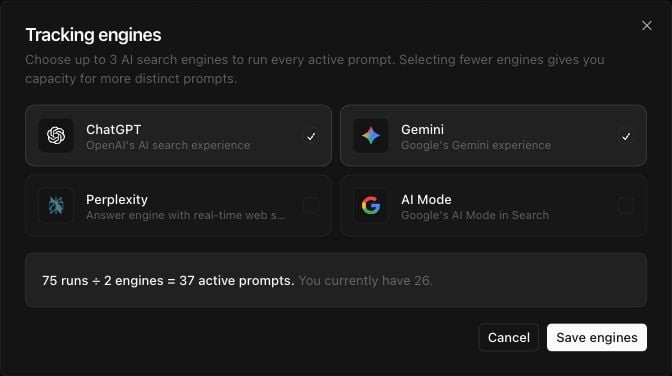
Tracking engines and reduce the engine count, or deactivate prompts, until the configuration fits.
How to read the top cards
Avg. visibility percentage: average inclusion across tracked prompts.Your avg position: average placement quality.
- Better position with low visibility means narrow coverage.
- Visibility up with weak position means presence without competitiveness.
Key signal: Prioritize prompts where mention frequency is high but your average position is weak. Those are usually your fastest visibility gains.
How these metrics are calculated (simple)
Avg. visibility percentage
Your avg position
Mention frequency
How to read the prompt table
Your position: current placement for that prompt.Mention frequency: how often your brand appears.Top results: recurring sources shown in answers.Category: funnel context.
How to add new prompts
Use the top-rightManage prompts button on this page, then click Add prompt.
The left sidebar shows current groups and how many prompt slots are already used for the selected engine count.
Inside Add prompt, the current UI keeps both actions in one workspace:
- Add one prompt manually with stage and group controls at the top.
- Review AI-generated suggestions in the list below and add the ones you want.
Add prompt workspace
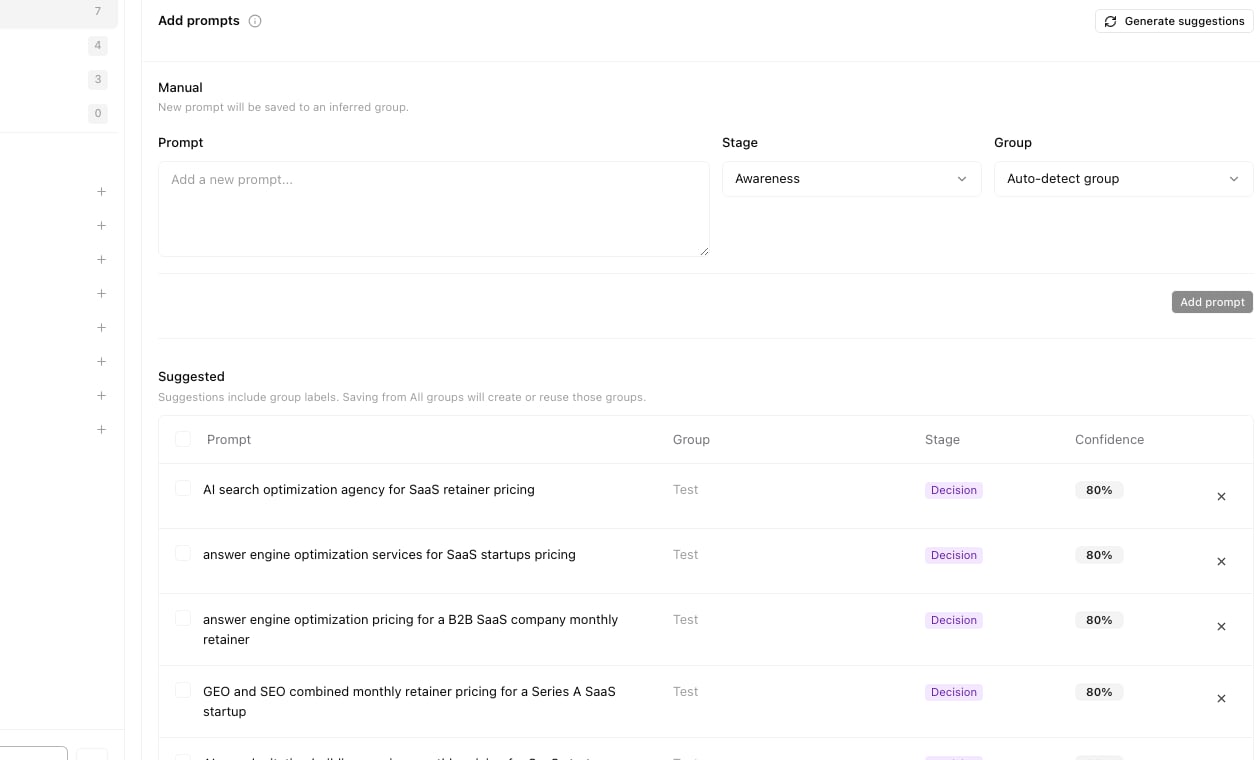
- Enter one prompt manually.
- Set the funnel stage.
- Let Atomic auto-detect the group or choose one yourself.
- Click
Add promptto save the new tracked prompt.
- Atomic analyzes your project domain plus top AI search pages from the last 30 days.
- The system generates prompt ideas across funnel categories (
awareness,consideration,decision,branded). - Each suggestion includes a confidence score to help you prioritize.
- Click
Manage prompts. - Click
Add prompt. - Review prompt text, group, stage, and confidence in the
Suggestedlist. - Use
Generate suggestionswhen you want a fresh batch of ideas. - Add the prompts that best match current pipeline goals.
Manual entry
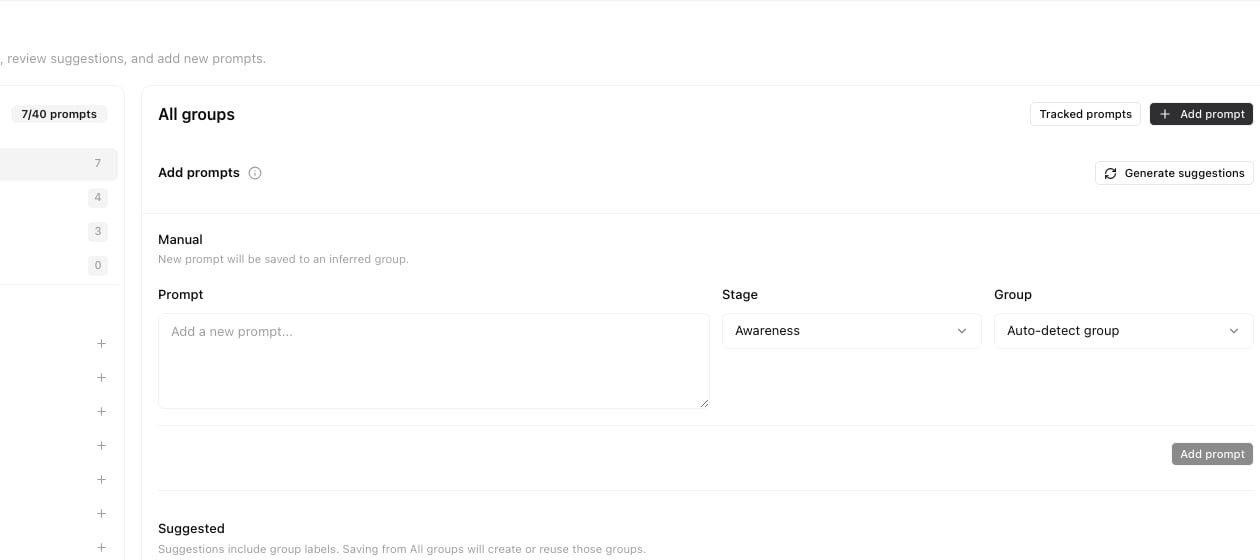
- Click
Manage prompts. - Click
Add prompt. - Enter one prompt in natural language.
- Set the stage and confirm or change the group.
- Click
Add prompt.
Quick weekly checklist
- Review decision-intent prompts first.
- Remove low-signal prompts that do not map to business goals.
- Add missing high-intent prompts from sales conversations.
- Assign one action per priority prompt.
How to use filters
- Use category filters to separate awareness and decision queries.
- Use date range to confirm trend stability.
- Change one filter at a time when diagnosing.
What to fix first
Team routine
- Weekly: refresh priority prompt backlog.
- Bi-weekly: audit category balance.
- Monthly: align prompt coverage with pipeline goals.
Keep in mind
- Prompt quality is more important than prompt count.
- One viral query can distort short windows.
- Repeated gaps are more important than one-off misses.