

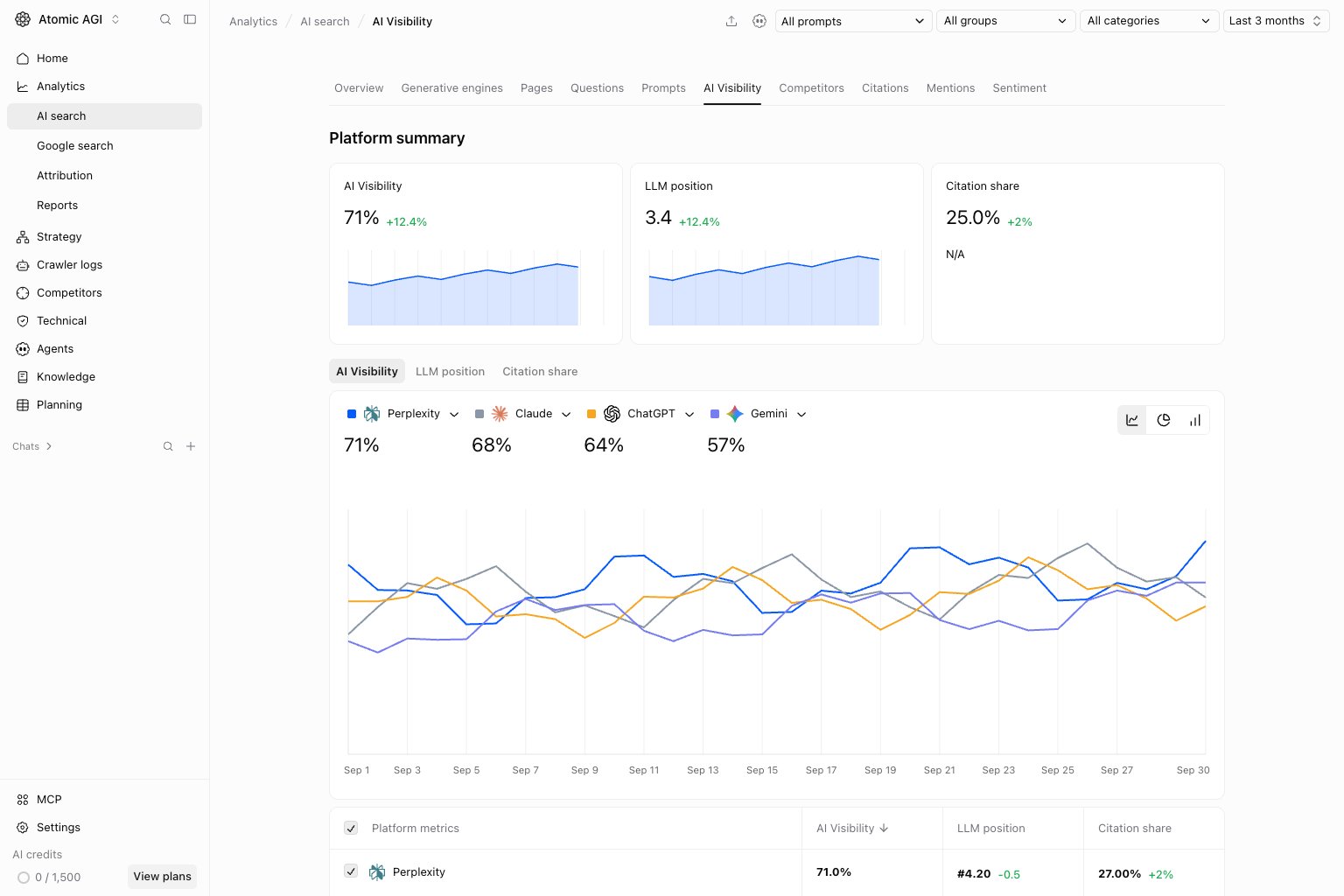
Read the summary
Visibility, LLM position, and Citation share measure different outcomes. Visibility is a position-weighted score, not mention percentage. Average position includes a penalty for missing observations. Citation share measures your brand’s share of the sources attached to answers. See AI search metrics for definitions and examples. These metrics describe tracked answers; they do not measure website visits or predict conversion changes by themselves.AI Visibility tab
Use the platform chart and table to compare where the brand has stronger ranked exposure. Switch chart views to inspect the trend or compare platform values. A weak platform should lead to a review of its saved answers, not an assumption about the cause.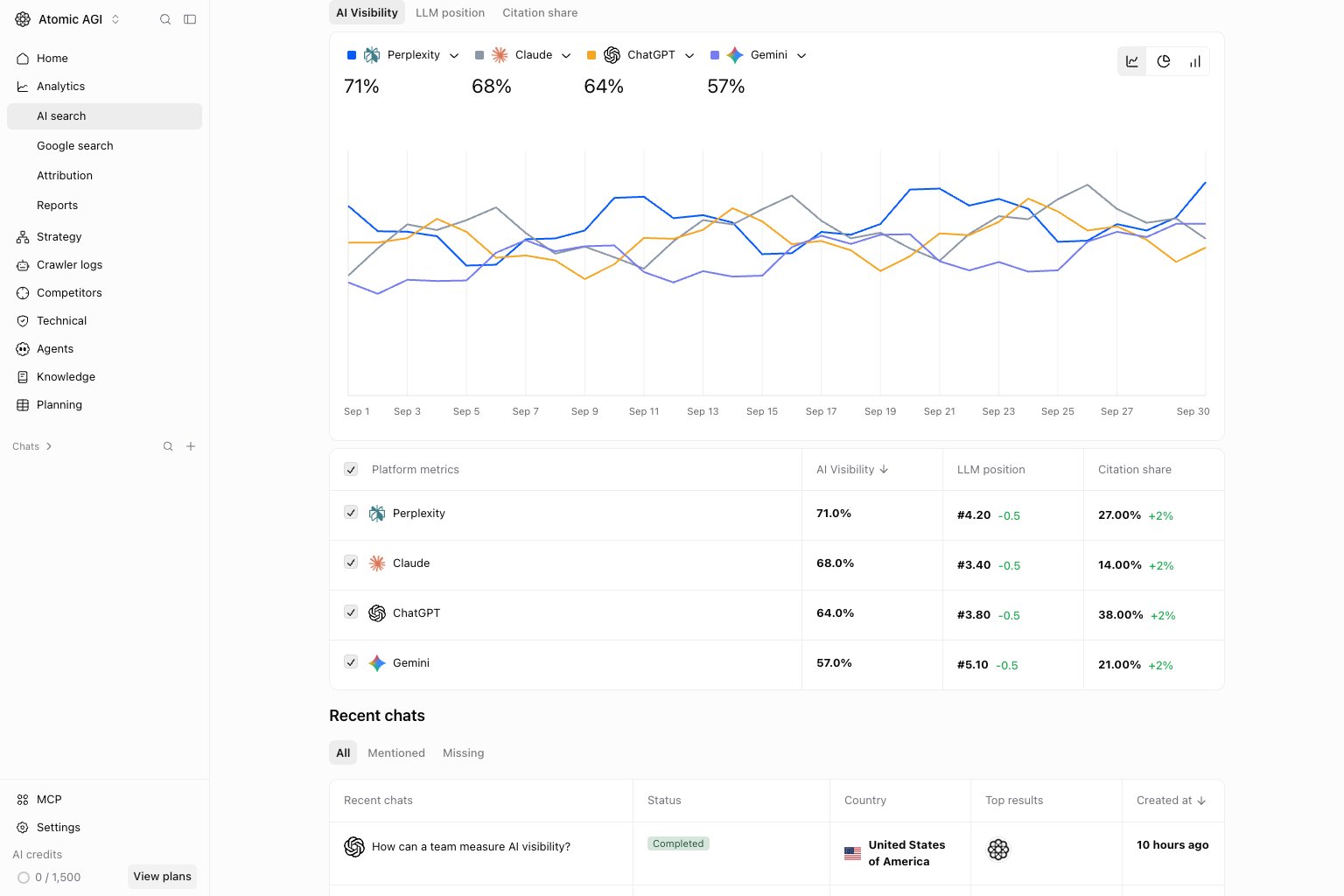
LLM position tab
Compare average rank across platforms. Lower is better, but check visibility alongside it: missing observations contribute to the comparison metric. An unavailable position should not be read as a top rank or a measured zero.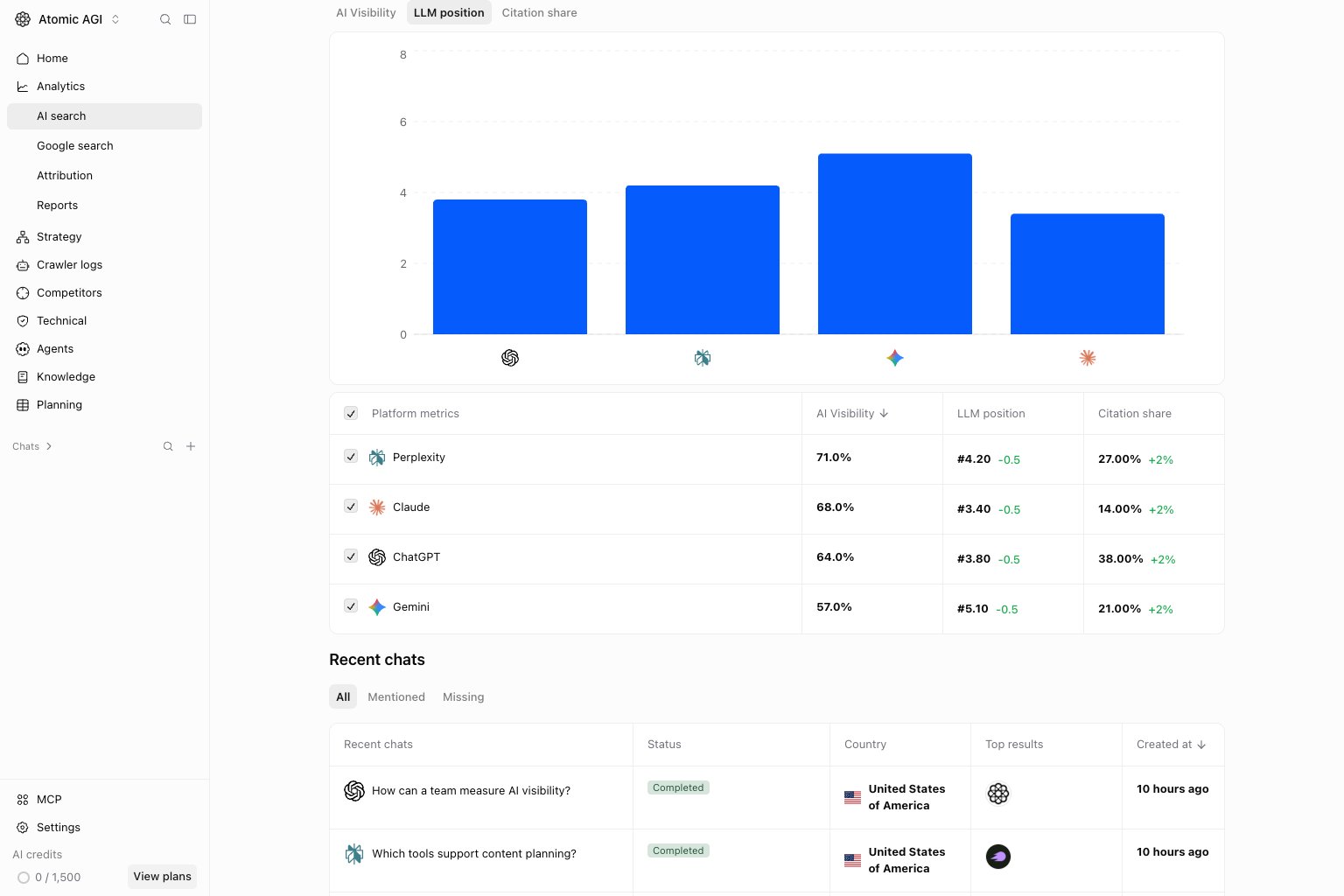
Citation share tab
Compare the share of each platform’s citations that point to your brand. Open the Citations report to inspect individual pages and domains. A citation is a source reference, not a referral click.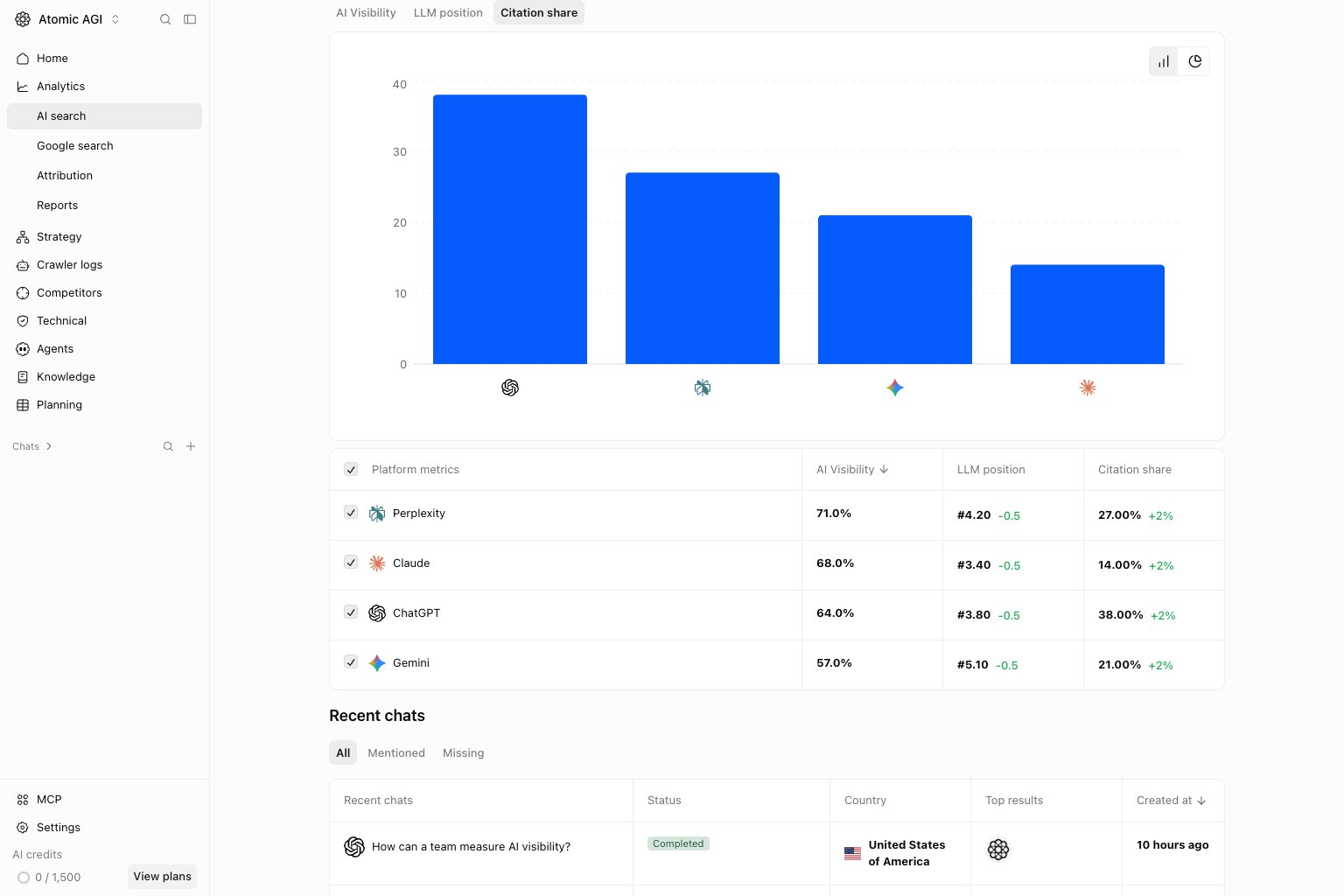
Recent chats: All
Review the recent run list, including processing states. Check the prompt, engine, country, time, and top results. Waiting or unfinished answers are not evidence of missing brand coverage.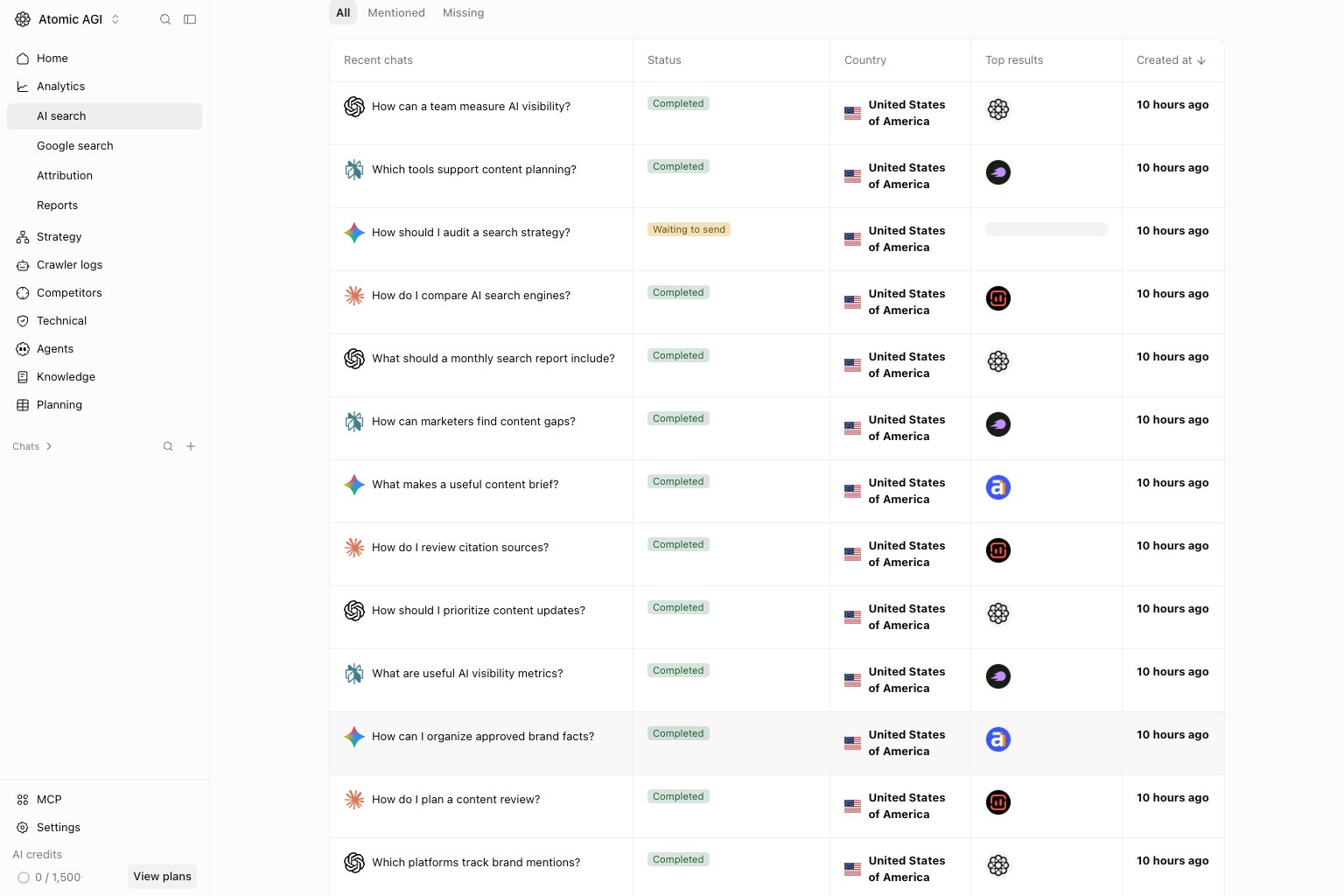
Recent chats: Mentioned
Focus on completed answers with a positive ranked position for your brand. Open useful examples to understand the language, placement, and evidence supporting the result.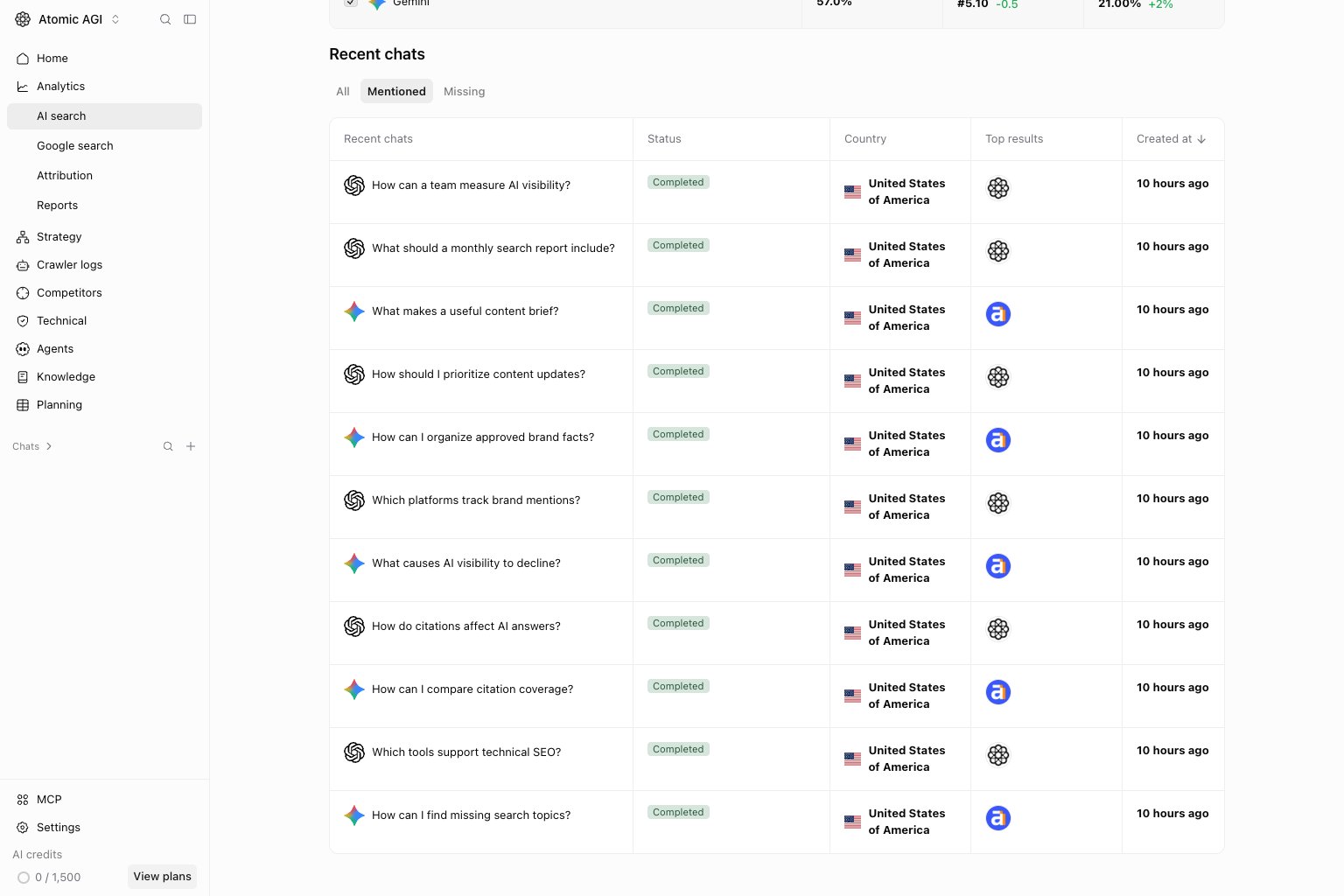
Recent chats: Missing
Focus on completed answers where the brand lacks a positive ranked position. Check the full answer and saved top results before choosing a content update. An incidental name mention can exist without ranked inclusion.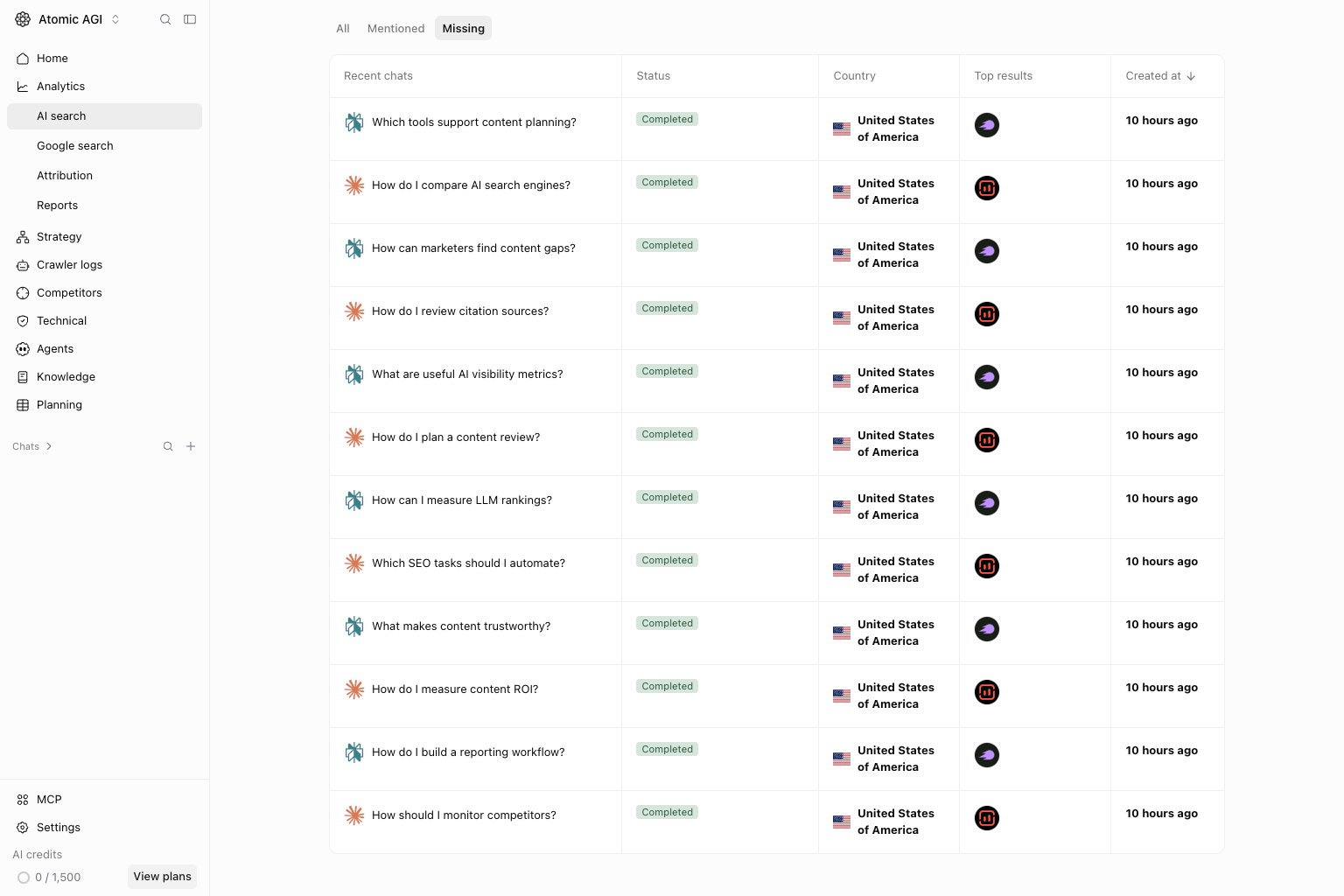
Open an answer
Select a completed run to inspect its saved answer, ranked results, and citations. Use the saved run’s evidence when comparing outcomes; rerunning a prompt can produce a different answer. Pending runs may not yet have an answer to inspect.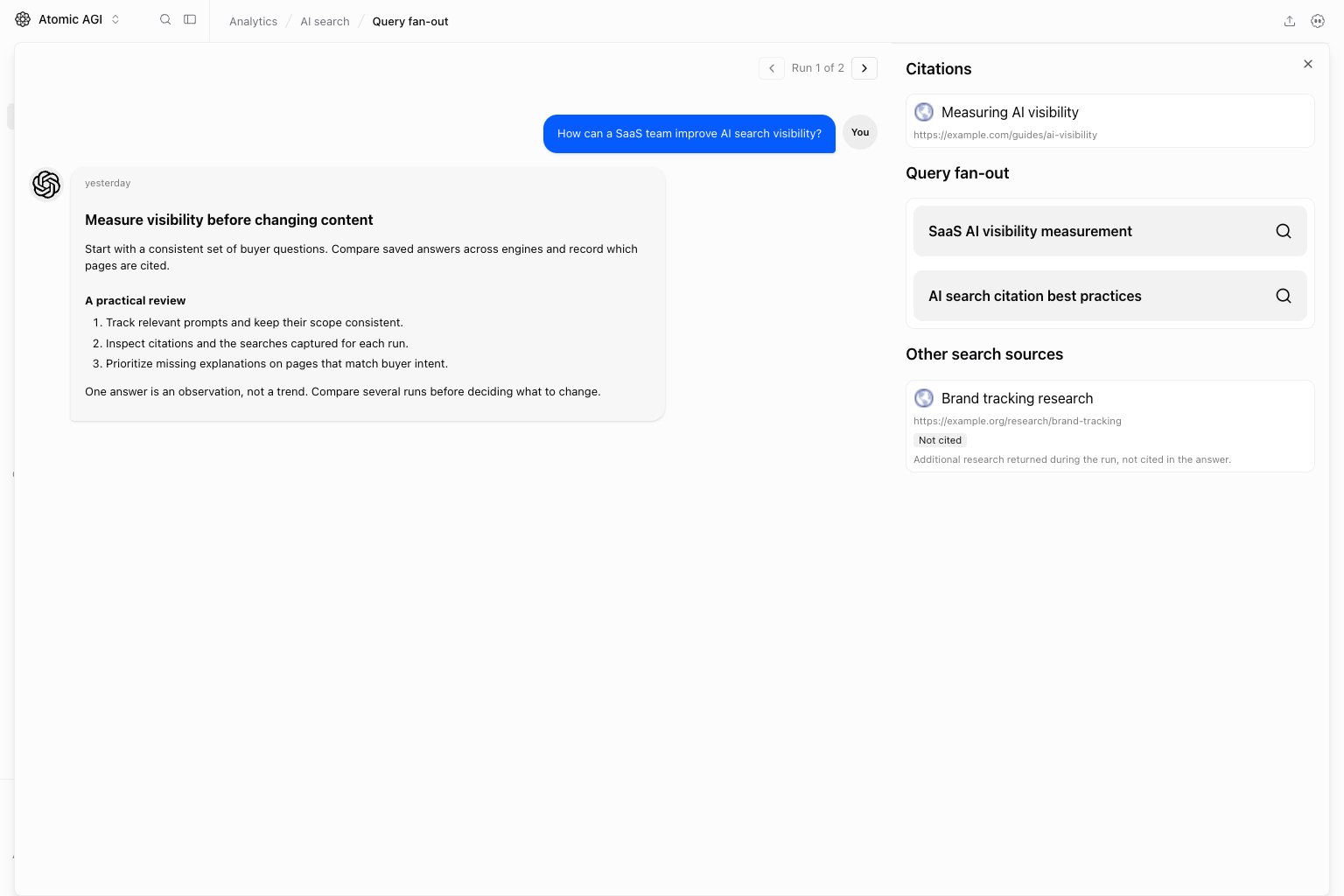
Choose the next action
- Review a repeated missing pattern across relevant prompts before adding work.
- Use the prompt and group filters to isolate a business-relevant segment.
- Compare a changed platform with its citations and competitor results.
- Check referral traffic separately in AI search Overview.