

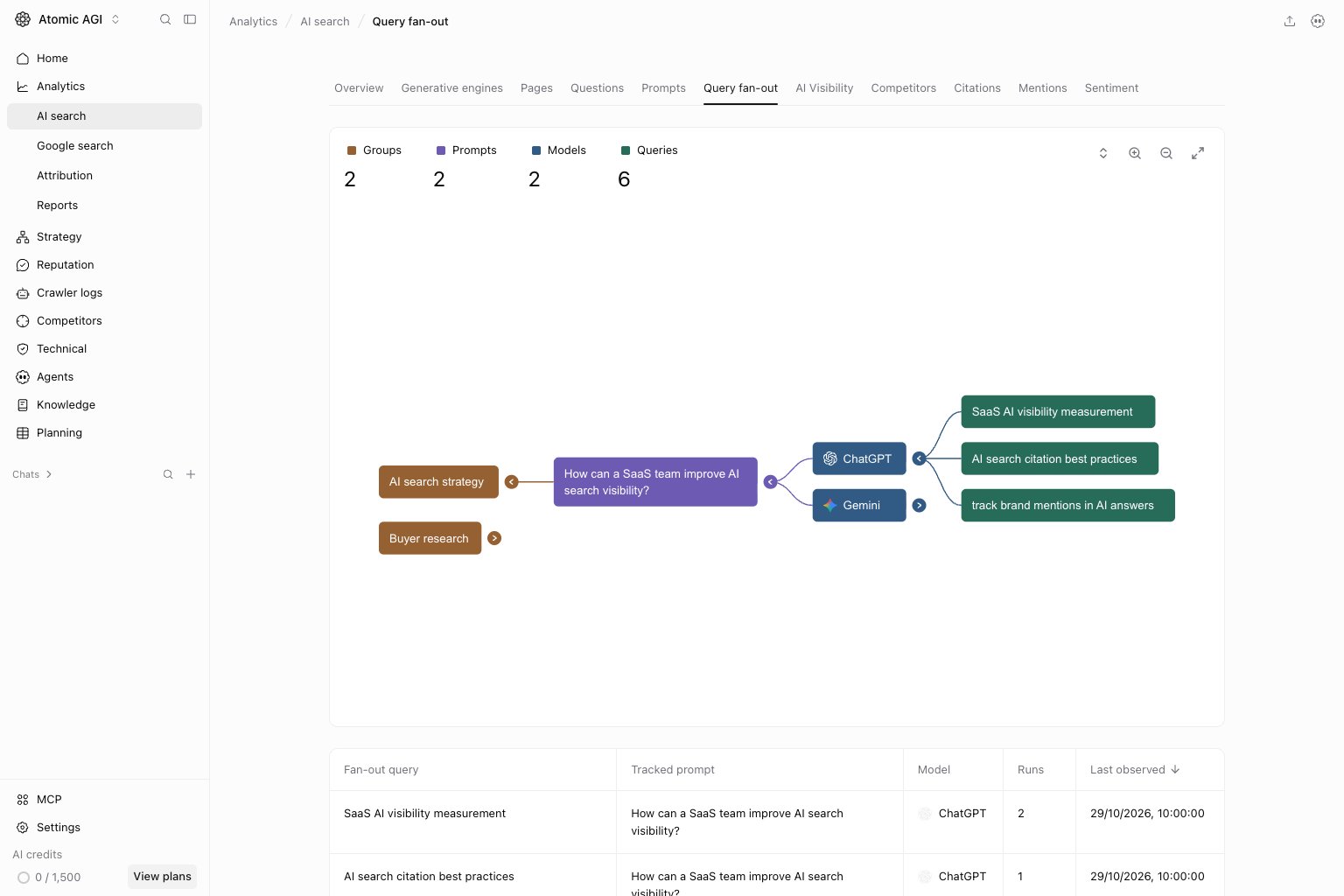
Read the summary
- Groups counts represented prompt groups when groups exist. A prompt can appear under more than one group.
- Prompts counts represented tracked prompts.
- Models counts models with captured queries.
- Queries counts query entries across prompt and model branches, not globally unique searches or search volume.
Explore the map
Follow a group to its prompt, model, and query branches. Expand or collapse branches, pan, zoom, and reset the view to compare related searches. Ungrouped prompts appear without a group branch. Select a query to inspect the runs that captured it. Load a run’s sources with Inspect run sources. These are sources returned for that run: exact query-to-source attribution is unavailable. Do not assume every source came from the selected query or was cited in the final answer.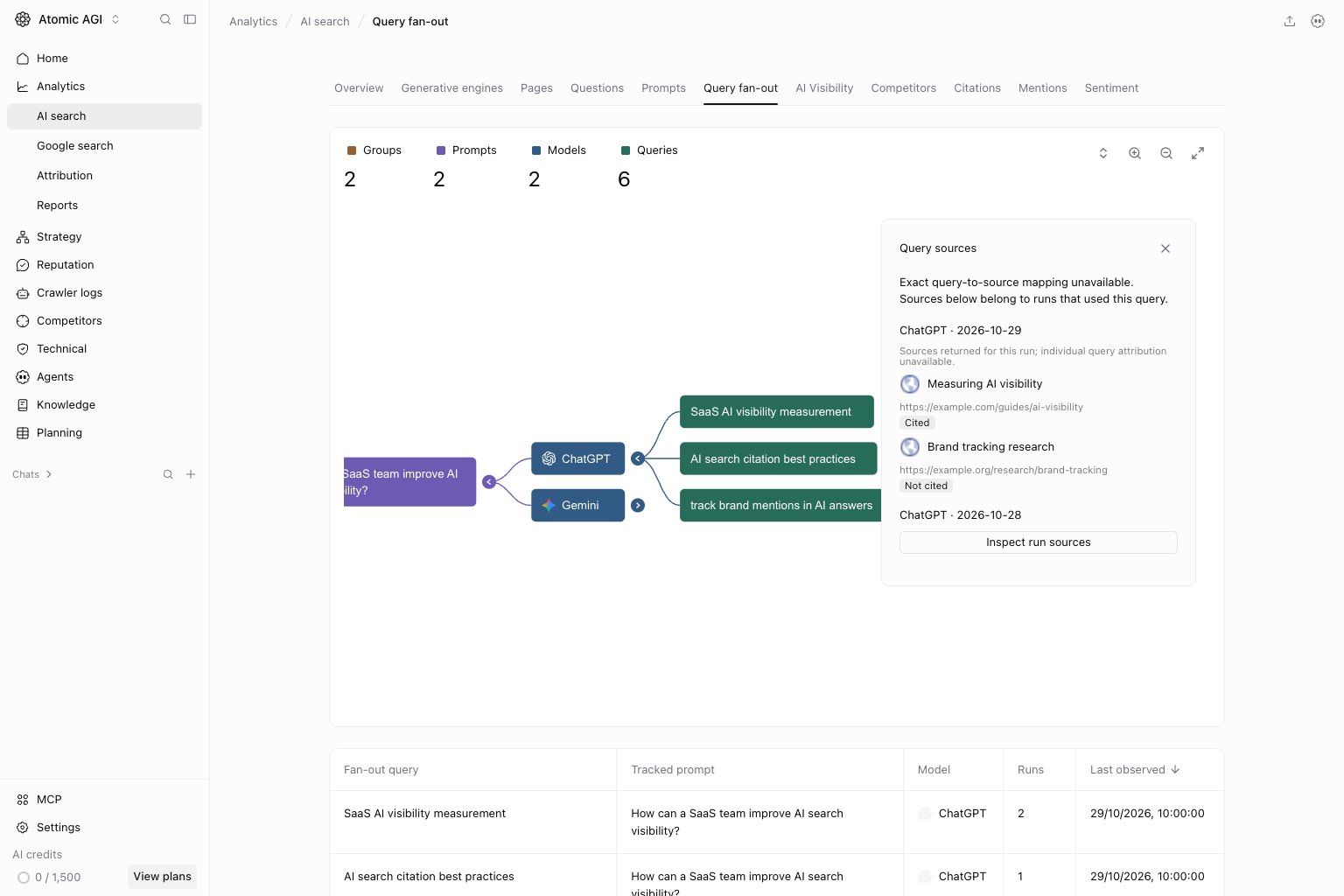
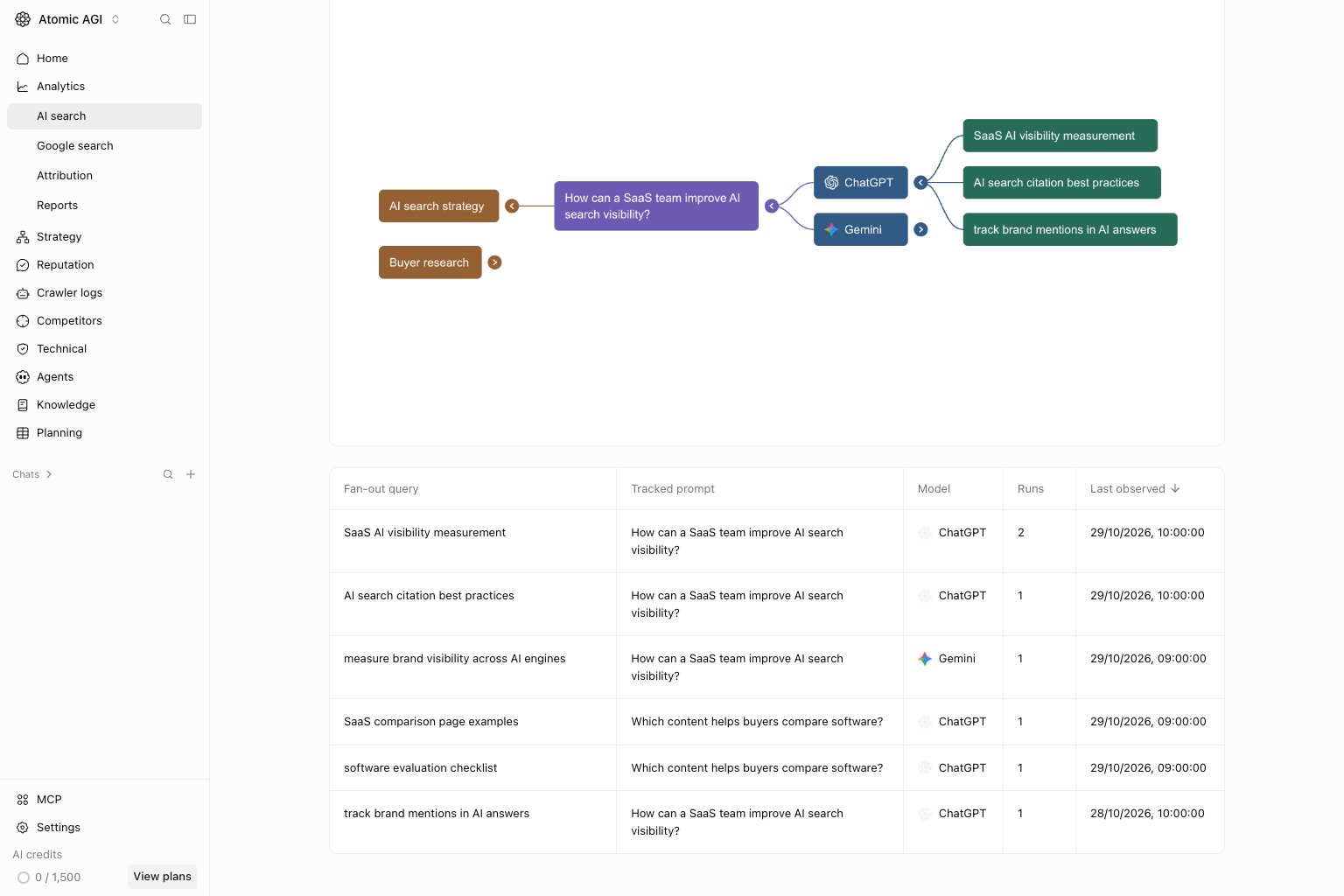
Compare queries in the table
Inspect the answer and evidence
The answer preview separates Citations, Query fan-out, and Other search sources. Citations are sources marked as cited. Other search sources carry a Not cited label and must not be counted as citations. A query card opens a new Google search for that phrase. Today’s search results are not a replay of the model’s original search. Use the saved answer and captured sources as the evidence for that run. Missing search sections mean no corresponding details are available in that preview, not proof that the model used no external information. See Open an answer for the saved-answer screenshot and review steps.Choose the next action
- Check whether a repeated query exposes a question your page leaves unanswered.
- Compare several saved runs before treating one answer as a persistent pattern.
- Review cited pages separately from sources returned but not cited.
- Add content work only after checking relevance, existing coverage, and the underlying evidence.